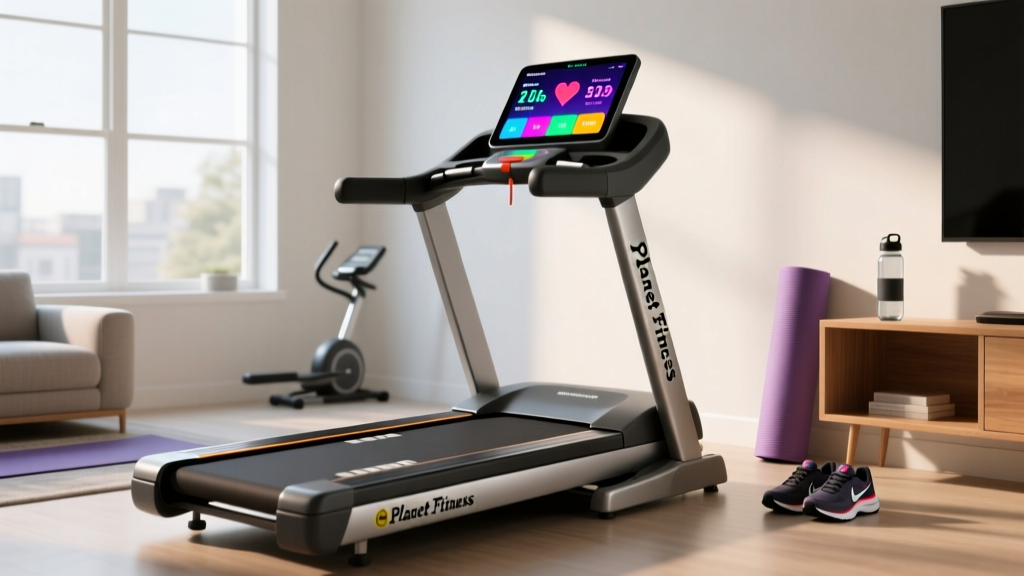
Planet Fitness Treadmill Screen: Home Feature Guide
Transitioning from the gym to home cardio? Our step-by-step guide compares the Planet Fitness treadmill screen to home console features for beginners.

Starting your fitness journey at a commercial gym is a rite of passage. For millions of beginners, that journey begins on the cardio floor, staring down the familiar interface of the Planet Fitness treadmill screen. When you eventually decide to invest in a home treadmill, the sheer variety of console displays, smart features, and software ecosystems can be paralyzing. Do you need a massive HD touchscreen, or will a basic LCD suffice?
This step-by-step buying guide uses your gym experience as a baseline to demystify home treadmill console features. By comparing commercial interfaces to modern home setups, we will help you choose the right screen technology for your budget and workout style in 2026.
Step 1: Analyze Your Baseline (The Commercial Gym Console)
Most Planet Fitness locations utilize commercial-grade treadmills from brands like Life Fitness (specifically the Integrity or Elevation Series) or Matrix Fitness. The Planet Fitness treadmill screen you are used to is designed for high-volume, multi-user durability rather than immersive home entertainment.
What You Are Used To:- Display Type: 10-inch to 15-inch standard LCD or basic resistive touchscreens.
- Interface: Heavy reliance on tactile, physical quick-keys for speed and incline.
- Software: Closed-loop systems with pre-loaded, static workout programs (e.g., "Hill Climb," "Fat Burn").
- Cost to User: Zero mandatory monthly software subscriptions.
According to Life Fitness commercial specifications, these consoles prioritize rapid user onboarding and sweat-resistant button arrays over streaming capabilities. When shopping for a home machine, your first decision is whether you want to replicate this straightforward, no-nonsense experience or upgrade to a smart-home ecosystem.
Step 2: Compare Home Treadmill Screen Tiers
Home treadmill consoles generally fall into three distinct categories. Understanding these tiers is crucial for aligning your expectations with your budget.
| Console Tier | Typical Display | Example Models (2026) | Price Range | Best For |
|---|---|---|---|---|
| Tier 1: Basic LCD | 5" - 7" Monochrome/Color LCD | Horizon T101, Sunny Health SF-T7515 | $400 - $799 | Budget buyers, podcast listeners |
| Tier 2: Smart LCD | 9" - 10" Color LCD (Non-Touch) | Sole F80, ProForm Carbon TL | $800 - $1,499 | Data nerds, app integrators |
| Tier 3: HD Touch | 14" - 24" HD Capacitive Touch | NordicTrack 1750t, Peloton Tread | $1,500 - $3,500+ | Immersive classes, scenic runs |
The Hidden Cost of Tier 3 Screens
While a 24-inch pivoting HD touchscreen looks incredible, it introduces a common failure mode: software bricking. If your home Wi-Fi drops or the manufacturer's servers experience downtime, a Tier 3 treadmill can sometimes become a $2,000 paperweight, refusing to run in manual mode until a connection is re-established. Tier 1 and Tier 2 LCD screens operate on localized firmware, meaning they will always work offline.
Step 3: Evaluate Heart Rate and Metric Tracking
On the commercial gym floor, you likely noticed that the pulse sensors built into the handgrips of the treadmill are notoriously finicky. The Consumer Reports treadmill buying guide consistently notes that grip-based optical sensors are highly susceptible to interference from sweat, dry skin, and improper hand placement.
When comparing home treadmill features, look beyond the screen itself and focus on connectivity protocols:
- Bluetooth FTMS (Fitness Machine Service): This is the gold standard for 2026. FTMS allows your treadmill to broadcast speed, incline, and distance data directly to third-party apps like Zwift or Kinomap on your own tablet or smart TV, bypassing the built-in screen entirely.
- ANT+ / Bluetooth Heart Rate Compatibility: Ensure the console can pair with a chest strap (like the Polar H10, ~$89) or an optical armband. Chest straps measure electrical signals from the heart and are vastly superior to the grip sensors found on commercial machines.
Expert Tip: If you buy a Tier 1 or Tier 2 treadmill with a smaller screen, buy a $30 tablet mount. Use your own iPad to run YouTube walking tours or Zwift, saving $1,000+ on the treadmill hardware while getting a better visual experience.
Step 4: Navigate the Subscription Software Trap
The most significant difference between the Planet Fitness treadmill screen and a modern home smart-screen is the business model. Commercial gyms pay for the hardware upfront and offer the software for free. Home fitness brands have shifted to a SaaS (Software as a Service) model.
⚠️ Warning: Mandatory vs. Optional SubscriptionsBefore purchasing a Tier 3 HD touchscreen treadmill, read the fine print regarding software lockouts.
- Mandatory (Hardware Locked): Brands like NordicTrack and ProForm (iFIT ecosystem, ~$39/month) increasingly lock the screen's manual mode behind a paywall. If you stop paying, you lose access to the touchscreen interface and automatic incline adjustments.
- Optional (Open Ecosystem): Brands like Sole Fitness and Horizon Fitness provide robust, free built-in programs on their LCD screens. Their Bluetooth connectivity allows you to use free or cheaper third-party apps without holding the machine's basic functions hostage.
Step 5: Your Final Decision Matrix
Use this quick checklist to finalize your console choice based on your specific user profile:
- Choose Tier 1 (Basic LCD) if: You listen to audiobooks or podcasts while walking, you have a strict budget under $800, and you want zero monthly fees. (Look at: Horizon T101).
- Choose Tier 2 (Smart LCD) if: You want the tactile reliability of the Planet Fitness console but want Bluetooth FTMS to connect to your own tablet for Zwift or Kinomap. (Look at: Sole F80).
- Choose Tier 3 (HD Touch) if: You are highly motivated by instructor-led classes, you need visual engagement to maintain your cardio routine, and you are comfortable budgeting $40-$50/month for app subscriptions. (Look at: Peloton Tread or NordicTrack T Series).
Frequently Asked Questions
Can I mirror my phone to the treadmill screen?
Generally, no. Most proprietary HD touchscreens (like iFIT or Peloton) run on locked-down Android operating systems that do not support Apple AirPlay or standard Miracast screen mirroring. If screen mirroring is a priority, buy a treadmill with a basic LCD console and mount your own smart TV or tablet above the dashboard.
Why does the screen on my home treadmill flicker when I increase the incline?
This is a common edge case in budget treadmills (under $600). When the incline motor engages, it draws a massive spike of amperage. If the treadmill is plugged into an overloaded circuit or uses a cheap extension cord, the voltage drop causes the LCD backlight to flicker. Always plug your treadmill directly into a dedicated 15-amp or 20-amp wall outlet, as recommended by the CDC's physical activity safety guidelines regarding home gym environments.
Do I need a touchscreen to do interval training?
Absolutely not. In fact, many advanced runners prefer physical, tactile buttons over touchscreens because sweaty fingers frequently fail to register on capacitive glass during high-intensity interval training (HIIT). A Tier 2 console with physical quick-dial knobs and speed buttons offers a much safer and more responsive experience for sprint intervals.
More gear to consider
All reviews
Free Treadmills: Motor Size Guide & Common Troubleshooting Mistakes

Escaping Treadmill Bondage: Compact Cardio Budget Guide
2026 Trends: Elliptical vs Treadmill & Sunny Treadmill SF-T7917

How to Align Treadmill Belt: Curved vs Motorized Setup Guide

Instructions for Treadmill Stress Tests vs Upright & Recumbent Bikes
