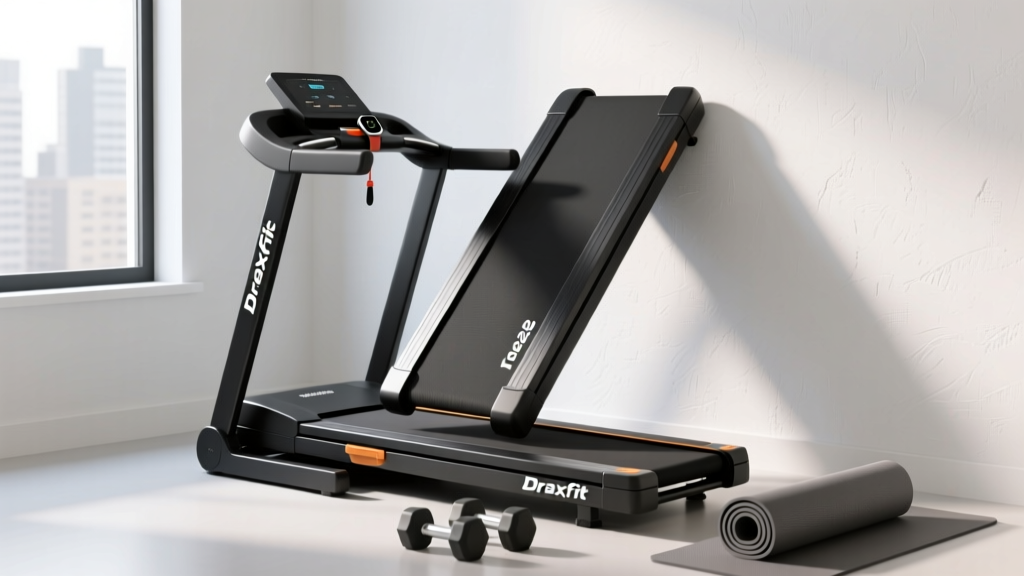
Under Desk Treadmill for Office Use: Animated Treadmill Reviews
Discover the best under desk treadmill for office use in 2026. We review space-saving layouts, ergonomic clearances, and animated treadmill app features.

The Spatial Mathematics of the Active Office
In 2026, the home office is no longer just a desk and a chair; it is a dynamic, multi-use environment optimized for Non-Exercise Activity Thermogenesis (NEAT). However, integrating cardio equipment into a compact workspace requires rigorous spatial planning. When space-constrained professionals search for an animated treadmill setup, they are typically looking for a smart walking pad that seamlessly syncs with animated virtual environments—think gamified visual trails, interactive step-challenge UIs, or digital avatar feedback—without turning their compact office into a tangled mess of wires and poorly angled screens.
Designing an under-desk treadmill layout is an exercise in ergonomic geometry. A standard office desk sits at 29 to 30 inches high. The average under-desk treadmill deck adds 4.5 to 6 inches of elevation. To maintain proper thigh clearance and prevent impingement, your desk surface must be elevated to a minimum of 41 inches. According to Cornell University Ergonomics, failing to adjust monitor and desk heights to accommodate the treadmill deck leads to severe cervical flexion and shoulder strain within just 45 minutes of use.
Expert Layout Callout: Never place your treadmill flush against a wall. Brushless DC motors require lateral airflow to dissipate heat. Leave a minimum 4-inch clearance on the motor housing side and a 12-inch clearance at the rear belt roller to prevent micro-debris accumulation and motor overheating.What Defines an 'Animated Treadmill' Experience?
The term 'animated treadmill' in the modern fitness-tech lexicon refers to the software-hardware ecosystem rather than the physical belt. High-end walking pads now feature Bluetooth 5.2 connectivity that pairs with tablet or monitor-mounted apps displaying animated 3D walking trails, real-time posture feedback, and gamified productivity timers. To support this visually engaging experience, your office layout must account for screen placement.
- Monitor Arm Requirements: A heavy-duty gas-spring monitor arm (rated for 15+ lbs) with a 20-inch vertical extension is mandatory to raise your primary display to eye level while standing on the 5-inch deck.
- Tablet Integration: For secondary animated UI dashboards, a clamp-on desk tablet mount positioned at a 15-degree downward tilt prevents glare from overhead office lighting.
- Cable Routing: Animated setups require constant power and data. Retractable cable spine organizers are essential to prevent tripping hazards when the desk is transitioned from sitting to standing heights.
2026 Under-Desk Treadmill Review Matrix
Below is a comparative analysis of the top under-desk treadmills optimized for compact office layouts and smart app integration.
| Model | Deck Thickness | Folded Footprint | Animated App Ecosystem | Price (2026) |
|---|---|---|---|---|
| WalkingPad X22 Smart | 4.7 inches | 21.5 x 27.5 in | KS Fit+ (3D animated trails) | $549 |
| UREVO Strol 2E Pro | 5.1 inches | 24.0 x 30.0 in | UREVO App (Gamified UI) | $329 |
| Mobvoi Home Pro | 4.2 inches | 20.0 x 25.0 in | TicFitness (Avatar sync) | $479 |
Deep Dive: WalkingPad X22 Smart
The KingSmith WalkingPad X22 remains the gold standard for ultra-compact office integration. Its 180-degree folding mechanism allows it to slide under a standard sofa or into a 6-inch closet gap. The 2.5 HP brushless motor operates at a mere 45 decibels—quiet enough that it will not interfere with noise-canceling microphones during virtual meetings. The KS Fit+ app provides an animated treadmill experience, projecting virtual topographies that adjust belt resistance dynamically if you are using their compatible incline-ready models.
Deep Dive: UREVO Strol 2E Pro
For those prioritizing budget without sacrificing spatial efficiency, the UREVO Strol 2E Pro offers a slightly thicker deck (5.1 inches) which provides better shock absorption for joints during 4-hour walking blocks. However, its heavier 68-pound weight makes it less ideal for users who need to move the treadmill daily. The animated UI is basic but effective, focusing on daily step streaks and calorie burn visualizations rather than immersive 3D trails.
Layout Blueprint: Designing the Treadmill-Ready Workstation
Integrating a walking pad into a small office requires a deliberate, step-by-step spatial blueprint. Follow this framework to optimize your layout for safety, ergonomics, and technology integration.
- Acoustic Matting Foundation: Place a high-density EVA foam treadmill mat (minimum 6mm thick, Shore A hardness 60) beneath the deck. This is not just for floor protection; it decouples the motor vibration from the floor joists, eliminating the low-frequency hum that transfers to multi-story homes or shared office spaces.
- The 45-Inch Desk Rule: Invest in a dual-motor sit-stand desk frame with a maximum height extension of at least 50 inches. This accommodates the 5-inch treadmill deck, 15 inches of thigh clearance, and 25 inches of torso/head clearance for users up to 6'2".
- Power Circuit Isolation: Under-desk treadmills draw between 3 to 8 amps under load. Do not daisy-chain your treadmill, PC, and monitor into a single $20 power strip. Route the treadmill power cable to a dedicated wall outlet or a high-capacity 15-amp surge protector to prevent voltage drops that can corrupt the treadmill's logic board.
- Peripheral Anchoring: When walking at 2.0 to 3.0 MPH, micro-movements in your arms make using a standard mouse frustrating. Optimize your layout by installing an articulating keyboard tray and utilizing trackball mice or voice-to-text software to maintain productivity while engaging with your animated treadmill dashboard.
'The biggest failure mode we see in home office treadmill setups isn't the equipment breaking; it's the user abandoning it due to poor spatial planning. If your monitor isn't raised to exact eye level to compensate for the deck height, cervical fatigue will force you off the treadmill within two weeks.' — Dr. Aris Thorne, Biomechanics & Workspace Ergonomics Consultant
Ergonomic Guardrails and Safety Standards
While the physical footprint of an under-desk treadmill is small, the physiological impact is significant. The American Heart Association strongly advocates for breaking up sedentary time with light-intensity walking, noting significant improvements in endothelial function and insulin sensitivity. However, achieving these benefits requires respecting the spatial limits of your equipment.
Most under-desk treadmills are rated for a maximum speed of 4.0 MPH. Attempting to power-walk at 4.0 MPH in a confined office space with a desk 20 inches in front of your torso alters your natural gait cycle. You will instinctively shorten your stride and lean forward, placing undue stress on the lumbar spine and Achilles tendon. For optimal biomechanics in a restricted layout, cap your working speed at 2.5 MPH. This allows for a natural heel-to-toe strike pattern without the risk of clipping the desk edge or losing balance while typing.
Managing Screen Glare and Visual Fatigue
When utilizing an animated treadmill app that features bright, moving virtual environments, screen placement is critical. Position your primary monitor perpendicular to your office window to eliminate direct solar glare. Use a bias lighting strip mounted to the back of your monitor to reduce the contrast ratio between the bright animated display and the darker office wall behind it, significantly reducing ocular strain during long work-walk sessions.
Final Verdict: Space vs. Engagement
Choosing the right under-desk treadmill for office use in 2026 is a balancing act between physical dimensions and digital engagement. If your layout is severely restricted (under 50 square feet), the Mobvoi Home Pro offers the thinnest profile and a reliable animated app ecosystem to keep your mind engaged without overwhelming your physical space. If you have a dedicated sit-stand desk with robust cable management and monitor arms, the WalkingPad X22 Smart provides the most immersive animated treadmill experience, turning a mundane workday into an interactive, calorie-burning journey. Remember: the best cardio machine is the one that fits seamlessly into your life—and your floor plan—without requiring a second thought to set up.
More gear to consider
All reviews
Beyond Centr Treadmill Reviews: Stair Climber Setup Guide

NordicTrack X9i Incline Treadmill vs Walking Pads: Full Setup Guide
Stair Climber Home Guide: Setup vs PaceRocker Walking Pad Treadmill

Under Desk Treadmill Resistance Training: Review & Maintenance

Does a Treadmill Work Glutes? 2026 Incline Models Compared