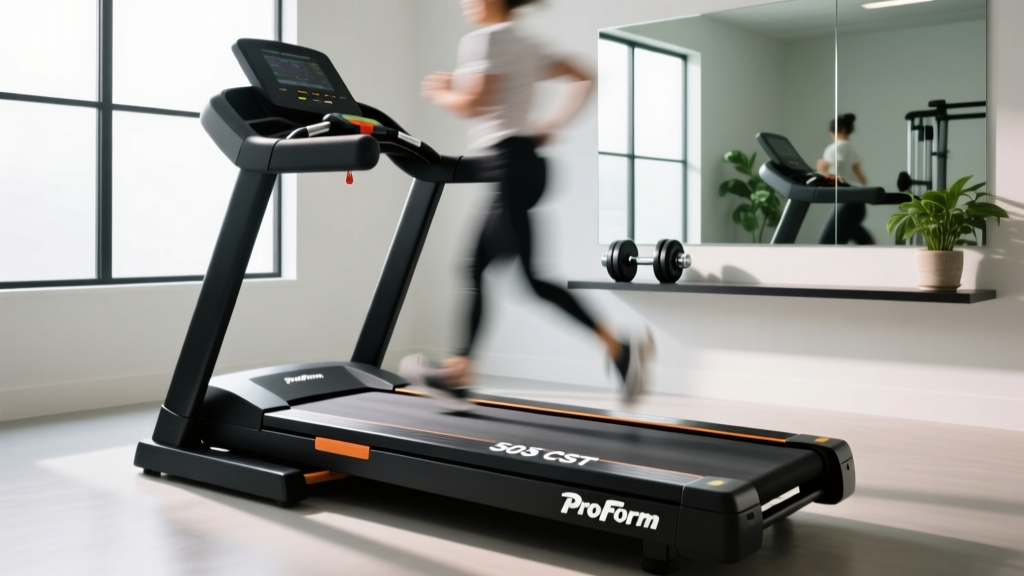
ProForm 505 CST Treadmill: Setup Walkthrough & Feature Comparison
Master your ProForm 505 CST treadmill setup with our step-by-step installation walkthrough and in-depth feature comparison against top 2026 rivals.

Pre-Installation: Space, Power, and Unboxing
Setting up the ProForm 505 CST treadmill requires more than just unboxing and plugging it in. As a budget-friendly staple in the 2026 home gym market, this machine offers solid value, but improper installation is the leading cause of early motor failure and console errors. Before breaking down the cardboard, verify your spatial and electrical requirements.
Expert Warning: Do not plug the 505 CST into a GFCI outlet or an extension cord. The 2.5 CHP Mach Z motor draws a significant current spike upon startup. Use a dedicated 15-amp, 120-volt wall outlet to prevent tripped breakers and voltage drops that can corrupt the console firmware.
Clearance and Footprint
The assembled footprint measures 73 inches long by 30 inches wide. However, the Consumer Reports treadmill buying guide mandates strict safety clearances that many users ignore. You must leave at least 24 inches of clearance behind the rear roller and 18 inches on both sides. This prevents severe friction burns if a user falls backward off the moving belt.
Step-by-Step Assembly Walkthrough
The 505 CST ships partially pre-assembled, but the uprights and console require careful handling. Enlist a second person; the shipping box weighs approximately 165 lbs, and the base is heavily front-weighted due to the motor and flywheel.
- Upright Installation: Stand the left and right uprights on the base. Before inserting the M8 x 50mm hex bolts, locate the internal wire harnesses. Critical Failure Mode: Pinching the console data wire between the metal upright and the base frame will result in a blank screen. Route the wires through the designated plastic grommets.
- Console Mounting: Connect the spade connectors and ground wire to the back of the console. Secure the console to the uprights using the M6 x 25mm bolts. Do not overtighten, as the plastic housing can crack under excessive torque.
- Safety Key and Handrail Assembly: Attach the pulse-grip heart rate monitors to the lower handlebars. Ensure the safety key lanyard is properly seated in the red magnetic slot on the console.
- Initial Belt Inspection: Before powering on, check the running belt tension. The belt should lift approximately 2 to 3 inches off the deck in the center. If it is too tight, it will cause immediate motor strain; too loose, and it will slip at higher speeds.
Treadmill Buying Guide: Feature Comparison Matrix
While the installation is straightforward, buyers must understand how the ProForm 505 CST stacks up against its direct competitors in the sub-$600 category. Below is a detailed feature comparison to help you evaluate if this machine's specs align with your fitness goals.
| Feature | ProForm 505 CST | Horizon T101 | NordicTrack T 6.5 Si |
|---|---|---|---|
| 2026 Retail Price | $499 - $549 | $599 | $599 |
| Motor (Continuous) | 2.5 CHP Mach Z | 2.25 CHP | 2.6 CHP |
| Belt Dimensions | 18' x 55' | 20' x 55' | 18' x 55' |
| Max Speed / Incline | 10 MPH / 10% | 10 MPH / 10% | 10 MPH / 10% |
| Weight Capacity | 300 lbs | 300 lbs | 300 lbs |
| Connected Ecosystem | iFIT (Bluetooth FTMS) | Peloton/Zwift (FTMS) | iFIT (Integrated Screen) |
Analyzing the Specs: Where the 505 CST Wins and Loses
The ProForm 505 CST's 2.5 CHP motor is its strongest asset in this price bracket. According to ProForm's official engineering documentation, continuous horsepower (CHP) dictates how the motor performs under sustained load, unlike peak horsepower which only measures short bursts. The 2.5 CHP motor easily handles sustained jogging for users up to 220 lbs without overheating.
However, the 18-inch belt width is a limiting factor. Runners over 6 feet tall or those with a wide natural gait will feel constrained compared to the Horizon T101's 20-inch belt. The 55-inch length is adequate for walking and light jogging, but taller users sprinting at 10 MPH may find themselves stepping on the rear plastic end caps.
Software Calibration and iFIT Integration
Unlike older models that required manual calibration via physical dip switches, the 2026 iteration of the 505 CST utilizes digital auto-calibration tied to the iFIT ecosystem.
Calibration Sequence: To recalibrate the incline and speed sensors after assembly, press and hold the 'Speed +' and 'Incline +' buttons simultaneously for 3 seconds. The machine will automatically cycle from 0% to 10% incline and 0 to 10 MPH. Stand on the side rails during this process.
To connect to iFIT or third-party apps like Zwift via Bluetooth FTMS (Fitness Machine Service), ensure your tablet or smartphone is within 3 feet of the console during the initial pairing. The 505 CST does not have an integrated HD touchscreen; it relies on the 'Device Shelf' to hold your personal tablet, which is a significant cost-saving measure that keeps the price under $550.
Troubleshooting Common Installation Pitfalls
Even with careful assembly, DIY installers frequently encounter specific error codes during the first week of use. Here is how to diagnose and resolve them without waiting for a technician.
The E1 Error Code (Speed Sensor Misalignment)
If the console displays an 'E1' error and abruptly stops the belt, the speed sensor (reed switch) has likely been bumped out of alignment during shipping or assembly. The Fix: Unplug the machine, remove the six screws securing the plastic motor hood, and locate the magnet on the front roller pulley. Adjust the reed switch so it sits exactly 2 to 3 millimeters away from the magnet. Any further, and it won't read the rotation; any closer, and it will scrape.
Belt Slipping at High Speeds
If the running belt hesitates or slips when you strike it at speeds above 7 MPH, the belt tension is too loose. The Fix: Use the provided Allen wrench to turn both the left and right rear roller adjustment bolts exactly one-quarter turn clockwise. Test the treadmill at 8 MPH. Repeat if necessary, but never exceed one full turn from the factory default. Overtightening the belt creates massive friction against the deck, which will permanently demagnetize the motor's internal components and void your warranty.
Final Verdict on the Setup Experience
The ProForm 505 CST treadmill remains a highly competitive entry-level machine in 2026, provided you respect its physical limitations and follow precise installation protocols. By ensuring proper electrical supply, carefully routing the console wires, and executing the digital calibration sequence, you will secure a reliable, quiet, and responsive cardio platform that punches well above its sub-$600 price tag.
More gear to consider
All reviews
Rowing Machine Guide: How Long Is a Mile on a Treadmill vs Rower?

Running Barefoot on Treadmill: Compact Portable Gear Guide

Air Bike vs Assault Bike: Watts & Treadmill Mile Time Chart Guide

Pro Form Treadmill vs Stair Climber: 2026 Home Guide

Treadmill Before or After Workout: 2026 Feature Comparison Guide
