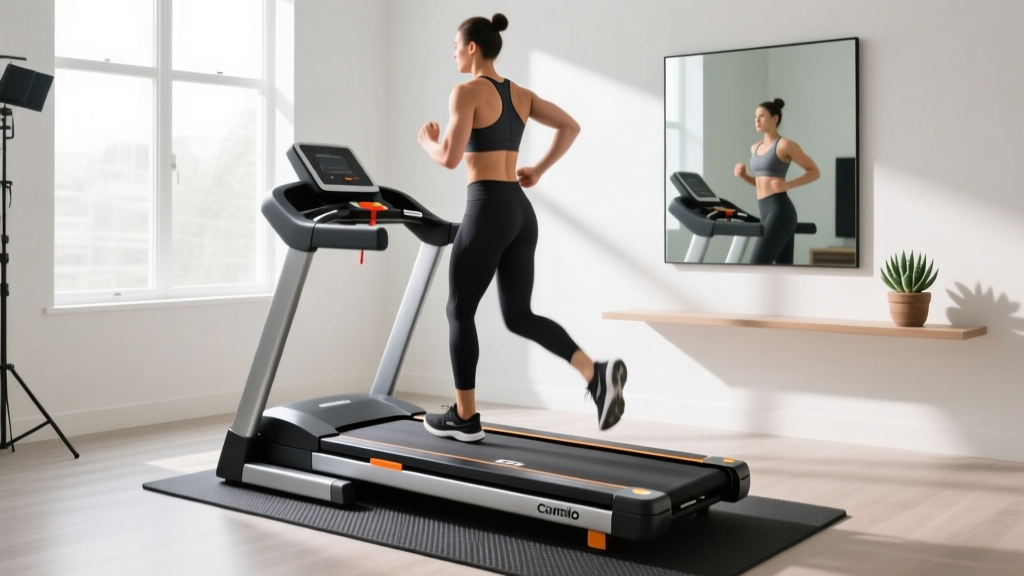
Horizon T101 Connect Treadmill Motor Size & Troubleshooting Guide
Master your Horizon T101 Connect treadmill motor specs. Learn to troubleshoot 2.25 CHP failures, decode error codes, and prevent costly burnouts.

The Heart of the Machine: Decoding the Horizon T101 Connect Motor
When evaluating budget-friendly cardio equipment in 2026, the Horizon T101 Connect treadmill consistently ranks as a top contender for home gyms. Priced typically between $599 and $799, it offers Bluetooth connectivity, a 55-inch belt, and a reliable direct-current (DC) motor. However, the longevity of any entry-level treadmill is entirely dictated by its motor size, horsepower rating, and how the user manages thermal loads. The T101 Connect is equipped with a 2.25 Continuous Horsepower (CHP) motor. While this is sufficient for walking, jogging, and interval training, pushing this specific motor beyond its engineered thresholds is the leading cause of premature control board failures and thermal shutdowns.
This comprehensive guide bridges the gap between manufacturer specifications and real-world biomechanical loads. We will break down the exact horsepower metrics, outline the most common mistakes that destroy the T101's drivetrain, and provide a technician-level troubleshooting framework for diagnosing motor and lower control board (LCB) faults.
Expert Insight: The CHP Marketing Trap
According to equipment testing standards highlighted by Consumer Reports, consumers must differentiate between 'Peak HP' and 'Continuous Horsepower' (CHP). Peak HP measures the absolute maximum output a motor can achieve for a fraction of a second under zero load. CHP, however, measures the power the motor can sustain continuously during a standard workout. The Horizon T101 Connect's 2.25 CHP rating means it can reliably output that power without overheating, provided the belt is lubricated and the user is within the dynamic weight limits.
Top 4 Mistakes That Kill the 2.25 CHP Motor
Treadmill motors rarely die of old age; they are usually murdered by friction and user error. Based on service data and teardowns of the Horizon T101 series, here are the most critical mistakes owners make.
1. Ignoring the 'Friction Multiplier' (Lack of Lubrication)
The T101 Connect utilizes a standard MDF deck with a low-friction coating. Over time, this coating degrades. If you fail to apply 100% silicone treadmill lubricant every 3 to 6 months, the coefficient of friction between the belt and deck skyrockets. The motor must draw significantly more amperage to pull the belt. This excess amperage generates intense heat in the motor windings and the PWM (Pulse Width Modulation) controller, eventually melting the solder joints on the lower control board.
2. Misunderstanding Dynamic vs. Static Weight Limits
The Horizon T101 Connect has a stated maximum user weight capacity of 300 lbs. However, this is a static limit. Biomechanical studies show that the impact force of a running footstrike can generate 2.5 to 3 times a user's body weight. A 250 lb runner generates over 600 lbs of dynamic downward force on the deck. If a user near the 300 lb limit runs at high speeds, the momentary amp draw will consistently spike past the motor's thermal breaker threshold, causing the machine to stutter or shut down mid-stride.
3. 'Death by Incline' Marathon Sessions
The T101 features a 0-10% motorized incline. While excellent for intervals, running at a 10% incline for 60+ minutes forces the 2.25 CHP motor to fight gravity continuously. Entry-level DC motors rely on the cooling fan attached to the motor shaft to dissipate heat. At lower speeds (e.g., walking at 2.5 mph on a steep incline), the fan spins too slowly to cool the windings, leading to a thermal overload trip.
4. Using the Safety Key as an 'Off' Switch
Pulling the magnetic safety key to stop the treadmill abruptly bypasses the standard deceleration sequence. This forces the motor controller to instantly dump the kinetic energy of the flywheel and user, which can blow the MOSFET transistors on the lower control board.
Step-by-Step Troubleshooting: The Amp Draw Test
Before ordering replacement parts from Treadmill Doctor or Horizon Fitness support, you must verify if the motor is actually failing or if belt friction is the culprit. You will need a digital clamp multimeter.
- Access the Motor Hood: Unplug the treadmill. Remove the 4 to 6 Phillips-head screws securing the front plastic motor cover.
- Locate the Wires: Identify the thick red and black wires running from the lower control board to the drive motor.
- Clamp the Meter: Set your multimeter to DC Amps (or AC Amps if testing the wall draw, though DC motor wire is more accurate). Clamp the meter around the red motor wire only.
- Run the Test: Plug the machine in, stand on the side rails, and start the belt at 3 mph without walking on it. Note the 'No-Load' amp draw (should be 1 to 2 amps).
- Apply Load: Step onto the belt and walk at 3 mph. Note the 'Walking' amp draw. Then, increase speed to 6 mph and note the 'Running' amp draw.
Amp Draw Diagnostic Matrix (Horizon T101 2.25 CHP)
- Normal Walking (3 mph): 2 to 4 Amps
- Normal Running (6 mph): 4 to 7 Amps
- Warning Zone: 8 to 10 Amps (Belt needs immediate lubrication or tension adjustment)
- Critical Failure Zone: 11+ Amps (Severe deck wear, seized motor bearings, or failing control board)
If your amp draw is in the critical zone, do not run the machine. Lubricate the deck with 0.5 oz of 100% silicone fluid. If the amp draw does not drop by at least 30% after lubrication, your walking belt and deck are permanently worn and must be replaced to save the motor.
Decoding Horizon T101 Error Codes
When the T101 Connect's internal diagnostics detect a motor or sensor anomaly, the LED console will flash a specific error code. Here is the definitive troubleshooting matrix for the most common drivetrain-related faults.
| Error Code | Component | Root Cause & Troubleshooting Step |
|---|---|---|
| E1 | Speed Sensor | The optical sensor or magnetic reed switch is misaligned. Remove the hood and ensure the sensor is exactly 2-3mm from the front roller pulley. Clean dust from the optical eye. |
| E2 | Incline Motor | The incline motor is jammed or the calibration is lost. Enter calibration mode (usually by holding Speed Up and Incline Up for 5 seconds) to force a full range-of-motion reset. |
| LS1 / LSPD | Communication / Drive | Data loss between console and LCB. Check the ribbon cable for pinches. If secure, the LCB has likely suffered a blown capacitor due to amp spikes. |
| Safe / Pause | Thermal Overload | Not a digital code, but a physical trip. The motor's internal thermal breaker has tripped. Turn off the power switch and wait 45 minutes for the windings to cool. |
Repair Economics: When to Fix vs. Replace in 2026
When your Horizon T101 Connect motor finally fails, you are faced with a financial decision. Understanding the current aftermarket and OEM (Original Equipment Manufacturer) pricing landscape is crucial.
The Cost of Resurrection
As of 2026, sourcing a replacement 2.25 CHP DC motor for the Horizon T101 series typically costs between $160 and $210. However, motor failures are rarely isolated. The excessive amperage that burns out the motor windings often simultaneously destroys the MOSFETs on the Lower Control Board (LCB). A replacement LCB will cost an additional $110 to $140. Factoring in shipping and tax, a full drivetrain resurrection will cost roughly $300 to $350.
'If your treadmill belt and deck are also worn, adding a $120 belt/deck kit to a $350 motor and board repair pushes your investment past $470. At that point, you are spending 75% of the cost of a brand-new T101 Connect to revive a 5-year-old frame. It is usually more economical to retire the machine and upgrade.' - Senior Fitness Equipment Technician
Sourcing Parts Safely
If you choose to repair, avoid unbranded, universal 'treadmill motors' found on third-party marketplaces. The Horizon T101 relies on specific PWM voltage curves and mounting bracket footprints. Always source parts directly through Horizon Fitness customer support or verified, specialized distributors like Treadmill Doctor to ensure the flywheel weight and RPM ratings match your machine's original engineering.
Preventative Maintenance Schedule
To ensure your 2.25 CHP motor reaches its maximum lifespan of 7 to 10 years, adhere to this strict maintenance cadence:
- Weekly: Wipe down the motor hood vents with a microfiber cloth to prevent dust ingestion, which acts as a thermal insulator on the motor windings.
- Every 3 Months (or 150 miles): Lift the walking belt and apply 0.5 oz of 100% pure silicone treadmill lubricant in a zig-zag pattern across the deck.
- Every 6 Months: Perform the 'Coast Down' test. Start the treadmill at 6 mph, pull the safety key, and time how long it takes to stop. A well-lubricated T101 should coast for 15 to 20 seconds. If it stops in under 10 seconds, friction is dangerously high.
- Annually: Check the drive belt tension. Press down on the motor drive belt; it should have about 1/2 inch of deflection. If it is loose, it will slip, causing the motor to over-rev and the controller to throw an E1 speed mismatch error.
By respecting the physical limits of the 2.25 CHP motor and aggressively managing deck friction, your Horizon T101 Connect treadmill will remain a reliable, quiet, and effective cornerstone of your home cardio routine for years to come.
More gear to consider
All reviews
Under Desk Treadmill for Office Use: Animated Treadmill Reviews

Omni One Treadmill vs. True Folding Treadmills for Small Spaces

Rowing Machine Setup: Rowing vs Incline on Treadmill for Glutes

Sunny Health & Fitness WalkStation Slim Flat Treadmill Review (2026)

LifeSpan TR 4000 Treadmill vs Curved Manual: Head-to-Head Test