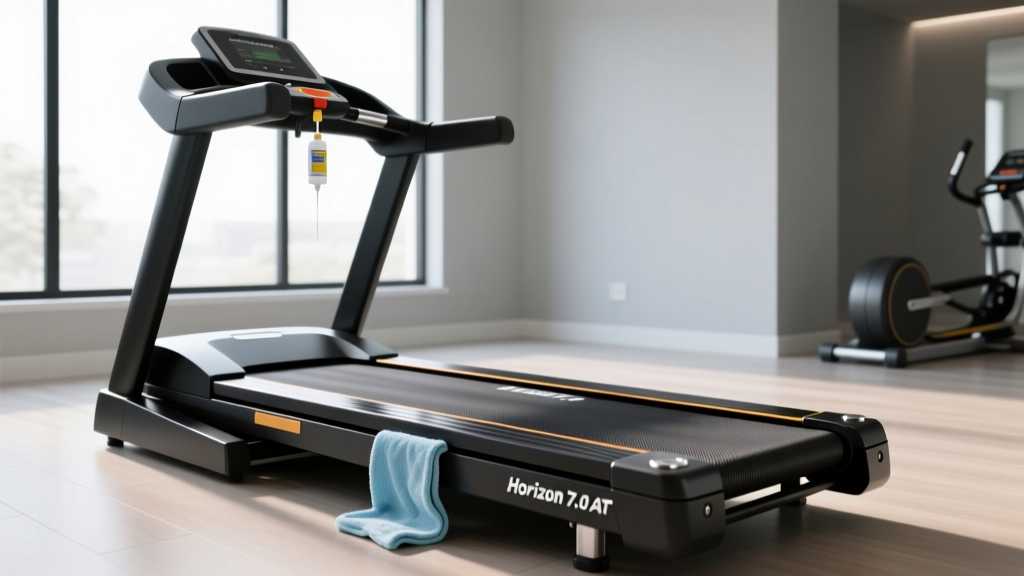
Mastering Horizon 7.0 AT Treadmill Belt Maintenance & Lubrication
Learn exact steps to clean, align, and lubricate your Horizon 7.0 AT treadmill belt. Extend motor life and prevent friction damage with our expert guide.

The Architecture of the Horizon 7.0 AT Deck System
The Horizon 7.0 AT treadmill is a staple in home gyms, renowned for its robust 3.0 CHP motor and 20-inch by 60-inch running surface. However, the longevity of this machine is inextricably linked to the friction management between the belt and the deck. Unlike commercial club treadmills that utilize thick phenolic-coated decks requiring minimal upkeep, the Horizon 7.0 AT utilizes a high-density MDF (Medium-Density Fiberboard) core with a specialized factory wax coating. Over time, this wax degrades, exposing the raw MDF to the PVC belt, which exponentially increases the coefficient of friction.
According to the Horizon Fitness Official Support Guidelines, neglecting this friction point is the leading cause of premature motor controller failure. When the deck dries out, the 3.0 CHP motor must work significantly harder to pull the belt under the user's weight, leading to thermal overload and eventual electronic burnout. Proper maintenance is not just about a smooth run; it is a critical financial safeguard for your equipment investment.
CRITICAL WARNING: Never use WD-40, petroleum-based oils, or household silicone sprays on your Horizon 7.0 AT. These products will dissolve the factory wax coating, degrade the PVC belt backing, and void your manufacturer warranty. Only use 100% pure, non-petroleum treadmill silicone lubricant.Advanced Diagnostics: Does Your Belt Actually Need Lubrication?
While Horizon recommends lubricating the 7.0 AT every 300 miles or every three months, environmental factors such as ambient humidity, dust accumulation, and user weight can drastically alter this timeline. The ASTM International F3022 Standard for Treadmill Safety notes that maintenance intervals must be adjusted based on operational load and environmental conditions. Instead of relying blindly on the calendar, utilize these two diagnostic frameworks.
The Touch Test (Baseline Assessment)
Turn off and unplug the treadmill. Lift the edge of the running belt on the side of the deck and run your fingers along the center of the deck board. If your fingers come away completely dry and dusty, the deck is starved of lubrication. If you feel a slight, slick residue that transfers to your skin, the silicone layer is still intact. If you feel a gritty, sandpaper-like texture, the wax coating has failed, and the deck may require a deep cleaning or eventual replacement.
The Amp-Draw Test (Expert-Level Diagnostic)
For the most accurate assessment of deck friction, measure the electrical current the motor is pulling. Plug your Horizon 7.0 AT into a smart plug or use a clamp multimeter on the motor's power line. Have a user walk on the treadmill at exactly 3.0 MPH. A well-lubricated 7.0 AT deck should draw between 4 to 6 amps under a 170 lb user. If the amp draw spikes to 10 amps or higher, the friction coefficient has exceeded safe operational thresholds, and immediate lubrication is required to prevent motor controller damage.
The 6-Step Horizon 7.0 AT Lubrication Protocol
Executing the lubrication process requires precision. Over-applying silicone is just as detrimental as under-applying it, as excess fluid will migrate to the drive belt and motor pulley, causing severe slippage.
- Preparation and Safety: Remove the safety magnetic key and unplug the treadmill from the wall outlet. Wipe down the top of the belt with a damp microfiber cloth to remove surface dust and shoe debris that could be pushed under the belt during application.
- Loosen the Rear Roller: Locate the two rear roller adjustment bolts at the back end caps. Using the provided 3/8-inch hex key, turn both the left and right bolts exactly two full turns counter-clockwise. This releases tension, allowing you to lift the belt without stretching the PVC material.
- Apply the Silicone: Use a 100% pure silicone treadmill lubricant (typically sold in 0.5 oz or 1 oz squeeze bottles). Slide the applicator wand under the center of the belt. Squeeze exactly 0.5 oz (about half a standard bottle) in a zig-zag or 'S' pattern across the width of the deck. Do not apply lubricant to the outermost 2 inches of the deck edges.
- Retension the Belt: Turn both rear roller bolts exactly two full turns clockwise to restore the factory tension. Ensure both sides are turned equally to maintain belt tracking.
- Distribution Cycle: Plug the treadmill back in, insert the safety key, and start the machine at 2.0 MPH. Walk on the treadmill for 3 to 5 minutes, intentionally stepping on the left, right, and center of the belt to evenly distribute the silicone across the entire MDF surface.
- Edge Wipe-Down: After the distribution cycle, turn off the machine and use a dry paper towel to wipe any excess silicone that may have seeped out from the edges of the belt. This prevents dust accumulation and protects your flooring.
Belt Tension and Alignment Matrix
Lubrication alters the friction dynamics of the belt, which can occasionally cause the belt to drift or slip. Use the following matrix to diagnose and correct alignment issues on the 7.0 AT rear roller.
| Symptom | Root Cause | Correction Protocol (Rear Roller) |
|---|---|---|
| Belt slips or hesitates underfoot during push-off | Insufficient belt tension post-lubrication | Tighten BOTH Left and Right bolts 1/4 turn clockwise. Test and repeat if necessary. |
| Belt drifts consistently to the LEFT side | Right side tension is higher than Left side | Loosen Right bolt 1/4 turn; Tighten Left bolt 1/4 turn. Run at 3 MPH to observe tracking. |
| Belt drifts consistently to the RIGHT side | Left side tension is higher than Right side | Loosen Left bolt 1/4 turn; Tighten Right bolt 1/4 turn. Run at 3 MPH to observe tracking. |
| Fraying or curling on the belt edges | Severe misalignment or worn deck edge | Stop use immediately. Check front roller alignment and inspect MDF deck for physical grooves. |
Edge Cases: Over-Lubrication and the Reversible Deck Feature
One of the most common mistakes owners make with the Horizon 7.0 AT is over-lubrication. Applying more than 1 oz of silicone at a time creates a hydrodynamic layer that is too thick. The excess fluid is pushed out the sides, dripping onto the motor drive belt. Once the drive belt is coated in silicone, the motor pulley will slip, resulting in a jarring, stuttering running experience and potential error codes on the console. If you over-apply, you must remove the motor hood cover and thoroughly degrease the drive belt and pulleys with isopropyl alcohol.
The Reversible Deck Advantage
A unique, highly valuable feature of the Horizon 7.0 AT is its reversible deck. If your diagnostic touch test reveals that the MDF board has developed deep physical grooves or the wax coating has completely failed despite regular lubrication, you do not necessarily need to buy a replacement deck. By unplugging the machine, removing the side rails, and loosening the belt, you can physically flip the MDF board upside down. This exposes a brand-new, factory-waxed surface, effectively doubling the lifespan of your deck before a replacement part is required. This structural advantage makes the 7.0 AT one of the most cost-effective mid-range treadmills on the market for long-term maintenance.
By adhering to this precise diagnostic and lubrication protocol, you ensure that the 3.0 CHP motor operates within its optimal amp-draw range, the PVC belt maintains its structural integrity, and your Horizon 7.0 AT delivers a smooth, safe running experience for years to come.
More gear to consider
All reviews
Rowing Machine Guide: Setup vs NordicTrack X22i Incline Treadmill

Stair Climber Setup Walkthrough vs NordicTrack Treadmill E2500

Under Desk Treadmill vs Walking Outside: Which Burns More Calories?
Treadmill Electricity & Motor HP: Troubleshooting Power Mistakes
Budget Folding Treadmills for Virtual Treadmill Trails
