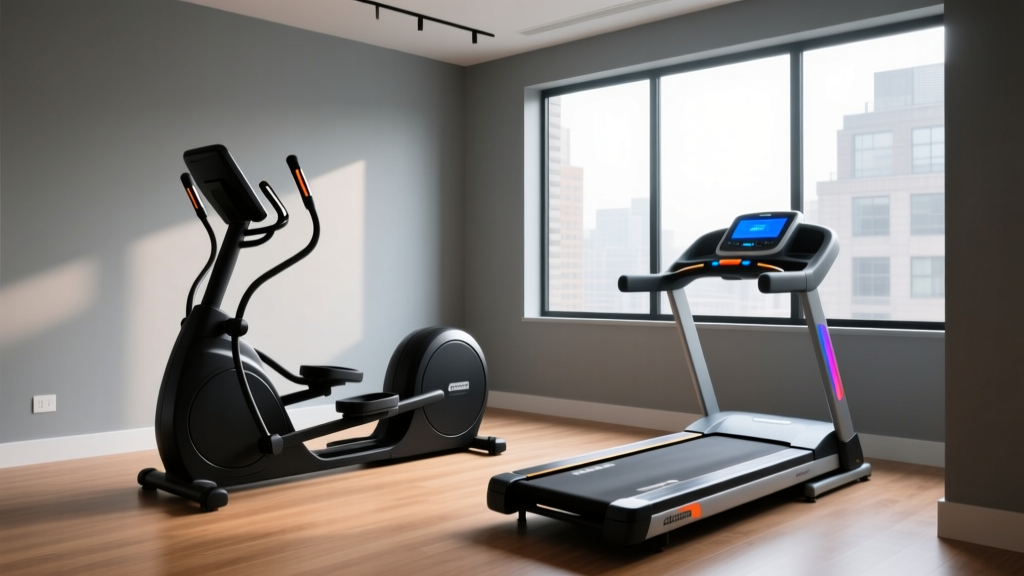
Under Desk Treadmill Office Review & Benefits of the Treadmill Exercise
Explore our 2026 under desk treadmill office review. Discover space-saving layouts, top models, and the core benefits of the treadmill exercise for work.

The 2026 Active Workspace: Merging Layout Design with Daily Movement
As hybrid work models solidify in 2026, the home office has evolved from a makeshift desk in the corner to a permanently optimized zone. However, spatial constraints remain a primary hurdle for integrating cardiovascular equipment into professional environments. Enter the under-desk treadmill: a low-profile, high-impact solution that bridges the gap between productivity and physical health. In this comprehensive under desk treadmill for office use review, we will explore how to spatially plan your workstation, evaluate the top compact models on the market, and break down the physiological and cognitive benefits of the treadmill exercise when applied to sedentary workdays.
Space Optimization Quick Rule
Before purchasing an under-desk treadmill, ensure your office layout provides a minimum clearance zone of 4 feet behind the desk for safe dismounting, and verify that your standing desk can reach a maximum height of at least 48 inches to accommodate the 4-to-5-inch deck height of the treadmill plus your ergonomic elbow angle.
Spatial Planning: Measuring Your Office for an Active Desk
Integrating a walking pad into an office layout requires more than just measuring the footprint of the machine. You must account for the "swing zone" (the area where your arms naturally swing while walking), cable slack, and acoustic transfer.
- The Footprint vs. Usable Area: While a treadmill might measure 20" x 50", the usable spatial footprint includes the desk depth (usually 30") and the user's stride. Allocate a minimum of 15 square feet of dedicated floor space.
- Cable Management Slack: When transitioning from sitting to walking, your body elevates by roughly 4.5 inches. Monitor cables, power strips, and laptop chargers must have at least 6 inches of vertical slack to prevent tension snapping or device pulling.
- Acoustic Dampening: In shared office spaces or multi-story homes, motor hum and footstrike vibrations are critical layout factors. Placing the treadmill on a high-density EVA foam mat (like the BalanceFrom GoFit) isolates low-frequency vibrations from transferring through the floor joists.
Top Under-Desk Treadmills for Office Layouts (2026 Review)
Not all walking pads are engineered for the rigors of an 8-hour workday. Below, we review three distinct models categorized by their spatial and operational use cases.
| Model | Footprint (L x W) | Motor & Speed | Best Layout Use Case | Est. Price (2026) |
|---|---|---|---|---|
| WalkingPad R2 | 20" x 56" (Folds to 28") | 2.5 HP / 0.5 - 7.5 MPH | Micro-apartments & shared rooms | $549 |
| UREVO Strol 2E | 26" x 49" | 1.5 HP / 0.5 - 4.0 MPH | Budget setups & light walking | $279 |
| LifeSpan TR1200-DT5 | 28.5" x 70" | 2.25 HP Continuous / 4.0 MPH | Dedicated corporate & heavy-use | $1,299 |
Deep Dive: LifeSpan TR1200-DT5 for Dedicated Zones
If your office layout features a dedicated L-shaped or U-shaped desk configuration where the treadmill will remain permanently stationed, the LifeSpan TR1200-DT5 is the undisputed champion. Unlike consumer-grade folding pads, it utilizes a continuous-duty motor designed to run for 6+ hours daily without overheating. It features an integrated console that syncs with the LifeSpan FitSync ecosystem, automatically pausing the belt when you step off to grab coffee—a vital safety feature for busy professionals.
Deep Dive: WalkingPad R2 for Convertible Spaces
For multi-purpose rooms where the office doubles as a guest bedroom or living area, the WalkingPad R2's 180-degree folding hinge is a spatial game-changer. When folded, it slides under a standard sofa or into a closet. However, its narrower 17-inch walking belt requires users to maintain strict lateral discipline; drifting off-center can trigger the safety auto-stop mechanism.
Ergonomic Layout Configurations for Active Workstations
Simply shoving a treadmill under a desk is a recipe for cervical strain and monitor wobble. Proper layout design requires specialized hardware to maintain ergonomic integrity while in motion.
"The primary failure point of an active workstation is not the treadmill, but the monitor stability. Walking at 1.5 MPH generates a vertical oscillation of roughly 1.2 inches. If your monitor is on a standard factory stand, this oscillation translates into screen shake, leading to severe visual fatigue within 20 minutes."
The Articulating Arm Solution
To counteract vertical oscillation, mount your displays on heavy-duty pneumatic monitor arms, such as the Ergotron LX Dual or the Amazon Basics Premium Monitor Arm. These arms feature adjustable tension dampeners that absorb the kinetic energy generated by your footstrikes, keeping the screen perfectly stable while you walk. Ensure the arm is clamped to the rear edge of the desk, leaving the treadmill belt entirely unobstructed.
The Anti-Fatigue Transition Zone
Your layout must include a transition mat. The Ergodriven Topo mat features raised topographical edges that encourage calf stretching and micro-movements when you step off the treadmill. Position this mat directly adjacent to the treadmill's side rail to create a seamless "active-to-static" transition zone, preventing trips and reducing plantar fascia strain.
Realizing the Benefits of the Treadmill Exercise in a Corporate Setting
Why go through the spatial and financial trouble of redesigning your office? When analyzing the benefits of the treadmill exercise in a sedentary environment, the data extends far beyond simple calorie expenditure. It fundamentally alters your metabolic and cognitive baseline.
1. Amplifying NEAT (Non-Exercise Activity Thermogenesis)
According to research highlighted by the Harvard T.H. Chan School of Public Health, prolonged sitting suppresses lipoprotein lipase, an enzyme crucial for breaking down fats. By integrating low-intensity steady-state (LISS) walking into your workday, you dramatically increase your NEAT. Walking at just 1.5 MPH while answering emails can burn an additional 100 to 150 calories per hour compared to sitting, compounding to over 30,000 extra calories burned over a standard work year without ever stepping foot in a gym.
2. Cognitive Perfusion and Focus
The American Heart Association consistently advocates for walking to improve cardiovascular circulation. In an office setting, this increased blood flow translates directly to the brain. A 2025 occupational health study demonstrated that professionals who utilized under-desk treadmills for 45-minute intervals experienced a 14% increase in executive function and working memory tasks compared to their seated counterparts. The mild aerobic state stimulates the release of Brain-Derived Neurotrophic Factor (BDNF), enhancing neuroplasticity and problem-solving capabilities during complex projects.
3. Postural Reset and Spinal Decompression
Sitting places up to 40% more compressive force on the lumbar discs than standing. Walking engages the deep core stabilizers (transversus abdominis and multifidus) and promotes a neutral pelvic tilt. Alternating between sitting, standing, and walking every 90 minutes creates a dynamic postural loop that prevents the adaptive shortening of the hip flexors common in desk workers.
Troubleshooting Common Office Treadmill Layout Failures
Even with meticulous planning, active workspaces present unique edge cases. Here is how to troubleshoot the most common layout and operational failures:
- The "Shake and Rattle" Desk Noise: If your keyboard tray rattles while walking, your desk frame lacks cross-bracing. Upgrade to a desk with a wedge-gusset design (like the Uplift V2-Commercial) or add aftermarket steel crossbars to stiffen the lateral axis.
- Treadmill Belt Drift: If the belt constantly shifts to the left, the floor beneath your office is likely unlevel. Use a digital level to check the floor gradient, and adjust the treadmill's rear leveling feet (usually a 10mm hex bolt) to compensate for the slope.
- Wi-Fi and Bluetooth Interference: Cheaper treadmill motors emit electromagnetic interference (EMI) that can disrupt wireless peripherals. If your mouse lags while walking, route your treadmill's power cable away from your PC tower and use a USB extension cable to bring your Bluetooth receiver closer to your desk surface.
Final Verdict: Designing for Longevity
Integrating an under-desk treadmill into your office layout is an investment in both spatial efficiency and long-term health. By selecting the right machine for your specific footprint—whether it is the foldable WalkingPad R2 for tight spaces or the commercial-grade LifeSpan for dedicated zones—and pairing it with ergonomic monitor arms and transition mats, you create a seamless active workspace. The benefits of the treadmill exercise, from elevated NEAT to sharpened cognitive focus, make the initial layout optimization a highly rewarding endeavor for the modern professional.
More gear to consider
All reviews
The Pesticide Treadmill Graph Effect: Troubleshooting 2026 Treadmill Buying Mistakes

How Wide Is a Treadmill? Sizing Mistakes & Space Guide

Curved Manual vs Motorized Treadmill: How to Fix a Slipping Belt

Vision Fitness Treadmill T9450 Setup & Noise Comparison Guide
ProForm 760 EKG Treadmill Belt Maintenance: Budget Value Analysis