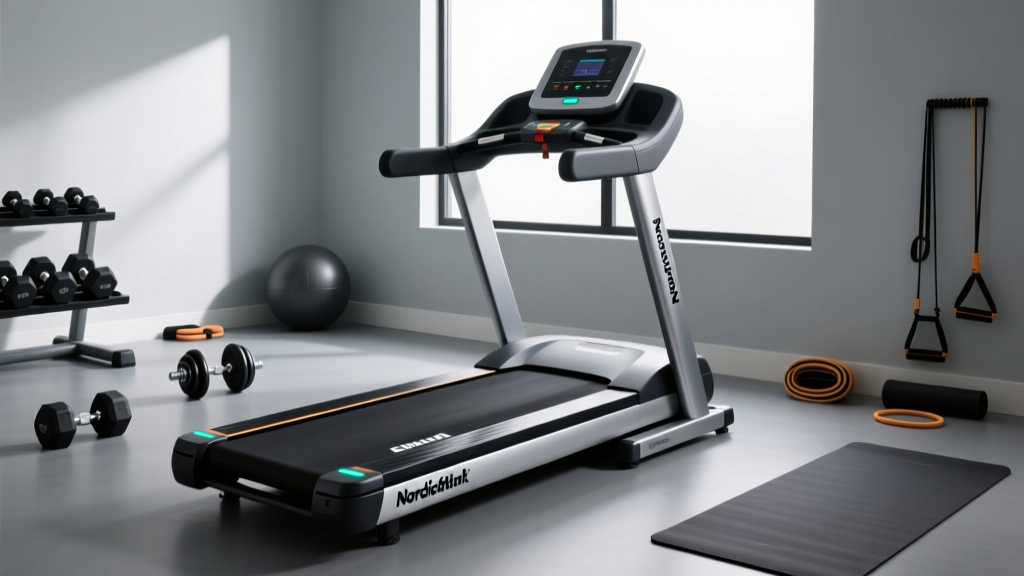
NordicTrack A2550 Pro Treadmill Review: Belt Maintenance and Care
Read our NordicTrack A2550 Pro treadmill review focusing on belt maintenance, lubrication schedules, and longevity tips to protect your investment.

Beyond the Unboxing: Long-Term Care for the A2550 Pro
When you first read a NordicTrack A2550 Pro treadmill review, the focus is almost exclusively on the out-of-the-box experience: the immersive 10-inch HD touchscreen, the 4.0 CHP DurX Commercial Plus motor, and the incline capabilities. However, as we evaluate high-end cardio equipment from a 2026 perspective, long-term ownership and mechanical longevity are the true markers of a machine's value. The A2550 Pro is a commercial-grade beast, but its 20-inch by 60-inch 2-ply commercial tread belt and phenolic resin deck require specific, proactive maintenance to prevent catastrophic motor and controller failure.
This guide bypasses the basic manual instructions and dives deep into the biomechanics of treadmill friction, providing a masterclass in belt maintenance, precision lubrication, and tracking alignment for the A2550 Pro and similar heavy-duty home treadmills.
The 'Maintenance-Free' Fallacy
Many manufacturers market their premium belts as 'pre-lubricated' or 'maintenance-free.' While the A2550 Pro's belt is infused with silicone at the factory, this initial coating degrades. According to industry repair data, heavy users (running 4+ hours a week) will experience significant friction coefficient increases after just 150 to 200 hours of use. Ignoring this leads to excessive amp draw, which is the number one cause of premature motor control board failure.
The Anatomy of Friction: Why the Deck Matters
The A2550 Pro utilizes a high-density phenolic resin deck. This material is chosen for its low-friction properties and durability under impact. However, the microscopic pores of the resin require a continuous, ultra-thin barrier of 100% silicone to prevent the polyester weave of the belt's underside from creating abrasive dust. When the belt dries out, the friction generates heat. This heat not only degrades the urethane top-coat of the belt but also forces the 4.0 CHP motor to work harder to maintain your target speed.
Expert Insight: A properly lubricated A2550 Pro belt will draw between 4 to 6 amps under a 175 lb load at 6.0 MPH. A dry belt can push that amp draw to 12-15 amps, triggering the PWM (Pulse Width Modulation) controller's thermal cutoff or permanently damaging the IGBT (Insulated-Gate Bipolar Transistor) components on the board.
The 3-Point Belt Inspection Matrix
Do not rely on a calendar to dictate your maintenance. Rely on physical inspection. Use the following matrix to determine the exact state of your treadmill belt.
| Inspection Test | Optimal Condition | Action Required |
|---|---|---|
| The Lift Test | Belt lifts 2 to 3 inches off the deck at the center midpoint. | If it lifts less than 2 inches, tension is too high. If over 3.5 inches, tighten rear roller. |
| The Touch Test | Underside of the belt feels slightly slick, not dry or powdery. | If dry or powdery, immediate 100% silicone liquid lubrication is required. |
| The Static Test | No static shocks when touching the console or handrails. | Static buildup indicates severe dryness. Lubricate belt and check grounding wire. |
Precision Lubrication Protocol
When your inspection dictates that lubrication is necessary, you must use the correct compound. Never use WD-40, petroleum distillates, or silicone gels. Petroleum will melt the phenolic resin deck, and gels will create uneven friction zones. You need 100% liquid silicone treadmill lubricant. For comprehensive guidelines on acceptable chemical compounds, refer to the Treadmill Doctor's Belt Lubrication Guide.
Step-by-Step Application
- Power Down: Unplug the A2550 Pro from the wall. Never perform maintenance on a live machine.
- Loosen the Belt: Using a 3/16-inch Allen wrench, turn both rear roller adjustment bolts counter-clockwise by exactly two full turns. This creates enough slack to reach under the belt.
- Apply the Silicone: Insert the applicator tube of your 100% liquid silicone under the belt, reaching as close to the center of the deck as possible. Squeeze exactly 1 oz (30 ml) of lubricant in a zig-zag pattern from the center to the outer edge. Repeat on the opposite side.
- Restore Tension: Turn both rear roller bolts clockwise exactly two full turns to return to your baseline tension.
- Distribute the Lubricant: Plug the machine in, start it at 2.0 MPH, and walk on the belt for 3 minutes, intentionally stepping on the left, right, and center to evenly distribute the silicone across the deck.
Tracking and Alignment: The Silent Motor Killers
A belt that drifts to the left or right creates asymmetric wear on the deck edges and puts lateral stress on the motor drive roller. If your A2550 Pro belt is drifting, do not panic, and do not make massive adjustments. Treadmill tracking requires micro-adjustments.
The Quarter-Turn Rule
If the belt drifts to the left, insert your Allen wrench into the right rear roller bolt and turn it clockwise by exactly 1/4 of a turn. Run the machine at 4.0 MPH and observe. If it still drifts, repeat. Never turn the bolt more than 1/4 turn at a time, and never adjust the front roller, as this is factory-calibrated for the incline mechanism.
Environmental Factors and Deck Hygiene
The environment in which you keep your A2550 Pro drastically impacts the lifespan of the belt and deck. According to facility maintenance standards outlined by IHRSA (International Health, Racquet & Sportsclub Association), ambient humidity and particulate matter are critical variables in equipment degradation.
- Humidity Control: Keep the room humidity between 40% and 50%. Excessive humidity can cause the wooden core of the deck (beneath the phenolic layer) to warp, creating high-friction ridges. Conversely, extremely dry air (below 30%) accelerates static electricity buildup and silicone evaporation.
- Particulate Cleaning: Once a month, vacuum the seams where the belt meets the side rails. Hair, pet dander, and dust get sucked under the belt via the fan effect of the moving tread. This debris acts like sandpaper against the resin deck.
- Surface Cleaning: Wipe the top of the belt with a damp microfiber cloth and a mild, non-ammonia-based cleaner. Ammonia breaks down the urethane top-coat, leading to premature cracking and delamination.
Protecting Your Investment
As of 2026, extended warranty claims for high-end treadmill motor controllers are increasingly scrutinized for user negligence. A burned-out PWM board caused by a dry belt is often classified as 'improper maintenance' and may void your coverage. By integrating the lift test, the touch test, and the precision lubrication protocol into your quarterly routine, you ensure that the NordicTrack A2550 Pro continues to deliver the smooth, commercial-grade performance promised in every initial review. For replacement parts or specific warranty inquiries, always consult the NordicTrack Official Support Portal to ensure you are using OEM-approved components.
More gear to consider
All reviews
Benefit of Treadmill Incline: A Beginner Buying Guide

NordicTrack Solaris Treadmill vs Stair Climber: Home Guide
Woman on Treadmill vs Walking Pad: Stride Mistakes & Fixes

Under Desk Treadmill Review: Lubricating Treadmill Belts Explained

PitPat Treadmill vs Rivals: 2026 Beginner Buying Guide