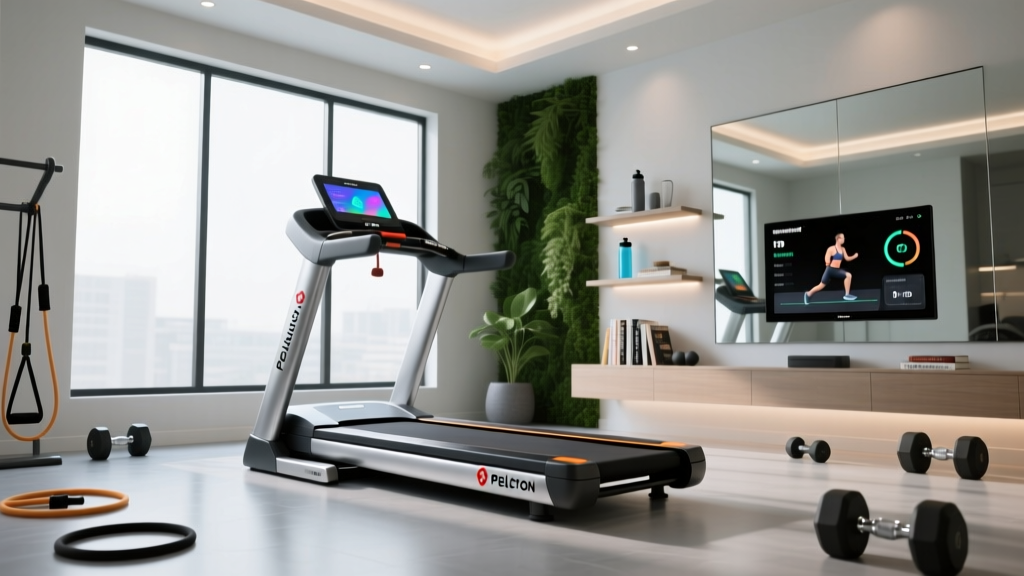
Is the Peloton Treadmill FSA Eligible? Setup & Smart Integration Guide
Discover if your Peloton Treadmill is FSA eligible, plus a complete walkthrough for physical setup, network config, and smart app integrations.

Decoding Peloton Treadmill FSA Eligible Purchases in 2026
When investing in premium connected fitness equipment, a common question arises among buyers: is the Peloton treadmill FSA eligible? The short answer is yes, but with strict caveats dictated by the IRS. Under standard IRS Publication 502 guidelines, fitness equipment purchased for general health or wellness is not considered a qualified medical expense. However, if a physician prescribes the Peloton Tread to treat a specific, diagnosed medical condition, it becomes eligible for Flexible Spending Account (FSA) or Health Savings Account (HSA) reimbursement.
The LMN Requirement for FSA Approval
To successfully claim your Peloton Tread (currently priced at $3,595) or your $44/month All-Access Membership against your 2026 FSA limit, you must obtain a Letter of Medical Necessity (LMN) from your primary care physician. The LMN must explicitly state the diagnosis (using ICD-10 codes such as E66.01 for morbid obesity or I10 for essential hypertension) and explain why the treadmill is medically necessary to treat that specific condition.
Reimbursement Workflow: Because Peloton does not process FSA/HSA cards directly at checkout for hardware purchases, you must purchase the Tread with a personal credit card. Save the itemized receipt, attach your physician's LMN, and submit the claim to your FSA administrator (e.g., HealthEquity, Optum, or Flex) for out-of-pocket reimbursement.
Pre-Installation & Spatial Requirements
Before unboxing, you must verify your spatial and electrical infrastructure. The Peloton Tread measures 68 inches long, 33 inches wide, and 62 inches high, but the physical footprint is only half the battle. Improper clearance is the leading cause of warranty voids and safety hazards.
- Side Clearance: Minimum 20 inches on both sides for emergency dismounting and ventilation.
- Rear Clearance: A strict 78-inch clearance behind the treadmill is mandatory. This prevents severe injury if a user falls off the back belt during high-speed intervals.
- Ceiling Height: Minimum 84 inches. When the Tread is at its maximum 15% incline, a 6-foot-tall user will have their head elevated by nearly an additional 12 inches.
The Dedicated Circuit Failure Mode
The Peloton Tread requires a dedicated 120V, 15-amp electrical circuit. Do not share this circuit with high-draw appliances like microwaves, refrigerators, or window AC units. During high-incline sprint intervals, the Tread's motor controller can draw peak amperage. If the circuit is shared, the voltage drop will trigger the Tread's internal surge protection, resulting in a sudden belt stop or a tripped breaker.
Network Configuration & Firmware Flashing
Upon first boot, the Tread will prompt a mandatory firmware update. Connected fitness platforms rely heavily on stable bandwidth to stream 1080p live classes and sync telemetry data. Connect the Tread to a 5GHz Wi-Fi network. If your router is more than 30 feet away or separated by load-bearing walls, you will experience latency spikes during live leaderboards. In these edge cases, bypass Wi-Fi entirely and use the official Peloton Ethernet Adapter (approx. $45) hardwired to a mesh node.
Smart Home Gym Integration: Apps & Devices
Once the hardware is secured and networked, the true value of the Peloton ecosystem unlocks through its smart home gym integration with third-party apps and wearable devices. The Tread acts as a central hub, broadcasting and receiving biometric data to create a unified fitness profile.
Integration Compatibility Matrix
| Device / App | Sync Protocol | Data Shared | Latency & Reliability |
|---|---|---|---|
| Apple Watch | Peloton Watch App (BLE/Wi-Fi) | Heart Rate, Calories, Apple Fitness+ Rings | Low latency; highly reliable via local network |
| Garmin Connect | Cloud API (Post-Workout) | Distance, Pace, Cadence, HR Zones, Elevation | Zero live latency; syncs within 60 seconds post-class |
| Strava | Cloud API (Post-Workout) | Distance, Output, Cadence, HR | Reliable; note: Strava filters out non-GPS treadmill elevation |
| MyFitnessPal | Cloud API (Daily Summary) | Calories Burned | Batch syncs nightly; prone to duplicate entries if manually logged |
| Polar H10 / Verity Sense | Bluetooth Low Energy (BLE) | Live Heart Rate, HR Zones on Tread Display | Ultra-low latency; superior accuracy over optical wrist sensors |
Deep Dive: Apple Watch Integration
Many users attempt to use Apple's native GymKit to connect their Apple Watch to the Peloton Tread. This is a common failure point. Peloton does not natively support Apple GymKit on the Tread hardware. Instead, you must download the dedicated Peloton app directly onto your Apple Watch. When you queue up a class on the Tread's touchscreen, the Watch app will detect the machine via local Wi-Fi/BLE handshake and prompt you to link the session. This ensures your Apple Fitness Rings close accurately, capturing the high-intensity interval metrics that optical sensors sometimes miss during heavy arm-swinging runs.
Deep Dive: Strava & Elevation Data Discrepancies
When integrating with Strava, a frequent support ticket involves missing elevation gain. When you run a 15% incline hike on the Tread, the machine calculates the physical work done. However, because Strava's core algorithm relies on GPS barometric data for elevation, it often defaults treadmill uploads to 'flat' or 'zero elevation gain' to prevent leaderboard cheating. To track your true Tread incline metrics, rely on the Garmin Connect API integration, which correctly parses the FIT file's treadmill-specific elevation tags.
Troubleshooting Common Integration Failures
Even with seamless Peloton Support protocols, smart home gym integrations can encounter edge cases. Here is how to resolve the most common telemetry dropouts:
- Bluetooth Heart Rate Monitor Dropouts: If your BLE chest strap keeps disconnecting from the Tread display, check for 2.4GHz Wi-Fi interference. Bluetooth and 2.4GHz Wi-Fi share the same frequency band. If your phone or a nearby smart home hub is heavily utilizing the 2.4GHz band, switch the Tread and your smart devices to the 5GHz band to clear the airspace for the ANT+/BLE heart rate signal.
- Garmin Connect Duplicate Entries: If you use a Garmin watch to track your run, and the Peloton Tread simultaneously auto-uploads to Garmin Connect via the cloud API, you will get duplicate workout files. Solution: Turn off the auto-upload feature in the Peloton profile settings and allow your Garmin watch to act as the sole master record for your runs.
- Apple Health Sync Delays: If your Peloton workouts are not appearing in the Apple Health dashboard, open the Apple Health app, navigate to Profile > Apps > Peloton, and ensure 'All On' is toggled for writing data. iOS 17 and later occasionally reset these permissions following major OS updates.
Final Verdict: Maximizing Your Connected Ecosystem
Securing your Peloton Tread via FSA reimbursement using a valid LMN is a highly effective way to offset the $3,595 hardware cost, provided you meet the strict IRS medical necessity criteria. Once the financial and physical installation hurdles are cleared, taking the time to properly configure your 5GHz network and map your third-party app integrations ensures that your smart home gym operates as a cohesive, data-rich ecosystem rather than a walled garden. By understanding the nuances of API sync behaviors and Bluetooth interference, you guarantee that every sprint, incline hike, and recovery jog is accurately captured across your entire digital health profile.
More gear to consider
All reviews
Beyond a Peloton Treadmill Rental: Maintaining Smart Resistance Tech

Peloton Treadmill Death Lessons: Fitness Mirrors vs Traditional Gear

2026 Peloton Treadmill Assembly & Smart Gym Integration Guide
Peloton Yoga Mat Value Breakdown for AI Smart Gyms
Top Smart Resistance Gear to Elevate Your Peloton Treadmill Workout
