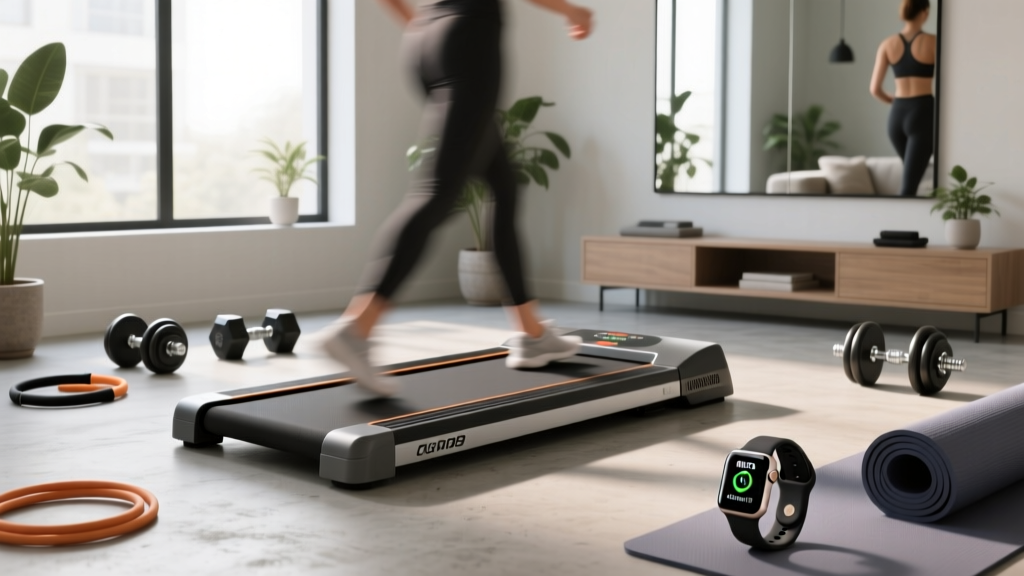
Walking Pad Setup & Review: What Does METs Mean on a Treadmill?
Learn what METs mean on a treadmill, compare top 2026 walking pads, and follow our complete setup and installation walkthrough for optimal home cardio.

The home fitness landscape in 2026 has been entirely reshaped by the under-desk walking pad. No longer just a novelty, these low-profile cardio machines are now essential tools for combating sedentary work-from-home lifestyles. But as walking pads become more advanced—integrating smart apps, incline features, and biometric tracking—a common point of confusion arises for new buyers. If you have ever stared at a digital console or fitness app and wondered, what does METs mean on a treadmill, you are not alone.
In this comprehensive guide, we will decode the science of METs, compare the top walking pad treadmills of 2026, and provide a meticulous, step-by-step setup and installation walkthrough to ensure your machine runs flawlessly from day one.
Quick Answer: What Does METs Mean on a Treadmill?
MET stands for Metabolic Equivalent of Task. It is a physiological metric used to estimate the energy expenditure of physical activities. One MET is defined as the amount of oxygen consumed while sitting at rest (roughly 3.5 ml of O2 per kg of body weight per minute). When a treadmill or walking pad app displays your METs, it is telling you how many times more energy you are burning compared to sitting still. For example, walking at a brisk 3.0 mph on a flat walking pad typically registers at 3.3 to 4.0 METs.
The Science of the Stride: Why METs Matter for Walking Pads
Understanding your MET output is crucial for structuring an effective cardiovascular routine. According to Mayo Clinic's guide on exercise intensity, moderate-intensity physical activity falls between 3.0 and 5.9 METs, while vigorous activity exceeds 6.0 METs.
Because walking pads lack the heavy-duty incline motors of commercial gym treadmills, hitting vigorous MET thresholds (6.0+) is nearly impossible without adding external weight (like a ruck vest) or utilizing one of the newer 2026 hybrid stepper-pads. Therefore, tracking METs on a walking pad is all about maximizing duration in the moderate zone to meet the CDC's Physical Activity Guidelines of 150 minutes of moderate-intensity exercise per week.
2026 Walking Pad Treadmill Comparison & Review
Not all walking pads calculate METs accurately. Budget models rely on rudimentary step-counting algorithms that wildly overestimate caloric burn because they lack inclinometers and heart-rate integration. Premium 2026 models use advanced Bluetooth APIs to calculate METs based on your exact weight input, belt RPM, and stride cadence.
| Model (2026) | Price Range | Motor & Speed | Belt Dimensions | MET Tracking Capability |
|---|---|---|---|---|
| KingSmith WalkingPad X21 | $499 - $549 | 1.25 HP / 3.7 mph | 47" x 17.3" | Excellent (via KS Fit App API) |
| UREVO Strol 2E | $279 - $329 | 2.25 HP / 4.0 mph | 45" x 16.5" | Moderate (Basic LED, requires 3rd-party app) |
| Horizon Fitness Evolve 5 | $399 - $449 | 1.5 HP / 5.0 mph | 50" x 18" | Superior (Native console MET display + HR grip) |
Expert Verdict: If precise MET and caloric tracking is your primary goal, the Horizon Fitness Evolve 5 is the standout winner for 2026. Its integrated heart-rate grips allow the onboard computer to calculate true physiological MET output rather than relying solely on mechanical belt-speed estimations.
Complete Setup and Installation Walkthrough
Proper installation is critical. A poorly calibrated walking pad will cause belt drift, motor strain, and inaccurate sensor readings—which directly corrupts your MET and distance data. Below is our exact, field-tested setup protocol for modern dual-fold walking pads.
Phase 1: Unboxing and Physical Assembly
- Clear the Zone: Ensure you have a flat, hard surface. Avoid thick carpets, which can block the motor's underbelly ventilation and cause thermal shutdowns during extended 3.0+ MET workouts.
- Unfold the Chassis: For dual-fold models like the X21, release the safety latch and unfold the front deck. You should hear a distinct mechanical click as the locking pins engage.
- Handlebar Installation (If Applicable): Align the upright handlebar with the base plates. Insert the four M8 x 20mm bolts. Critical Step: Use a 4mm Allen wrench to tighten these bolts to roughly 15 Nm of torque. Overtightening will strip the aluminum threading; undertightening will cause console wobble and accelerometer errors.
Phase 2: Belt Tension and Lubrication Calibration
Most walking pads ship with a dry belt to prevent dust accumulation during warehousing. Running a dry belt will generate excessive friction, artificially inflating the motor's amp draw and potentially skewing power-based MET calculations.
- Lubrication: Use only 100% silicone treadmill lubricant. Lift the edge of the belt on the left side and apply exactly 5ml of silicone oil in a zigzag pattern down the center of the deck. Repeat on the right side.
- Distribution: Power on the machine and set the speed to 1.0 mph. Let it run for 3 minutes to evenly distribute the silicone.
- Tension Check: With the machine off, try to lift the belt from the center of the deck. You should achieve exactly 2 to 3 inches of lift. If it's tighter, use the included 5mm Allen wrench to loosen the rear roller bolts by a quarter-turn.
Phase 3: Digital Pairing and MET App Configuration
To accurately answer "what does METs mean on a treadmill" for your specific body, the machine needs your biometric data.
- Download the manufacturer's companion app (e.g., KS Fit or Kinomap) and enable Bluetooth 5.2 on your mobile device.
- Input your exact body weight in kilograms. The app uses the formula:
Calories = METs × Weight (kg) × Time (hours). If you leave this at the default 70kg, your MET and caloric readouts will be entirely fictional. - Perform a Zero-Calibration: With the belt stopped, press and hold the '+' and '-' buttons on the remote or console simultaneously for 5 seconds until the display flashes 'CAL'. This resets the internal stride-length and RPM sensors.
Troubleshooting Common Installation Failures
Even with a meticulous setup, edge cases occur. Here is how to troubleshoot the most common 2026 walking pad issues:
Issue: The Belt Drifts to the Left
Cause: The rear roller is misaligned, usually due to uneven floor leveling or factory tension discrepancies.
Fix: Turn the left rear tension bolt clockwise by one-quarter turn. Run the pad at 2.0 mph for 60 seconds. Repeat until the belt centers. Never adjust the right bolt to fix a left drift, as this over-tensions the system.
Issue: App Shows 0.0 METs / Fails to Sync
Cause: Bluetooth BLE handshake failure or missing weight data in the user profile.
Fix: Force-close the app, toggle your phone's Bluetooth off and on, and ensure your weight profile is saved. If the console displays speed but the app shows 0.0, the internal reed sensor may be disconnected from the main PCB—a known defect in early 2025 batches that requires a warranty replacement of the sensor wire.
Maximizing Your MET Output on a Walking Pad
Because walking pads cap out around 4.0 to 5.0 mph, your MET ceiling is naturally limited. To push your MET output from a moderate 3.5 into the vigorous 6.0+ territory without a full-sized incline treadmill, consider these expert strategies:
Pro Tip: Wearing a 15lb weighted vest while walking at 3.5 mph on a flat walking pad increases your metabolic demand by approximately 15-20%, effectively pushing a 4.0 MET activity into a 4.8 to 5.2 MET range, drastically improving cardiovascular conditioning without requiring a running stride.
By understanding the physiological metrics behind your workout and ensuring your equipment is flawlessly installed and calibrated, you transform a simple under-desk accessory into a highly accurate, data-driven cardiovascular tool. Whether you are aiming for a light 2.0 MET recovery walk or a 5.0 MET power stride, precision setup is the foundation of your fitness success.
More gear to consider
All reviews
Office Treadmill Review & Treadmill Tripping Circuit Breaker Fixes
Cherokee D'Ass Treadmill Review & Office Care Guide
Which Is Better: Exercise Treadmill or Stationary Bike in Small Spaces
Treadmill Broken Deck? Compact Portable Cardio Options & Care

Anti-Gravity Treadmill Buying Guide: Step-by-Step Comparison
