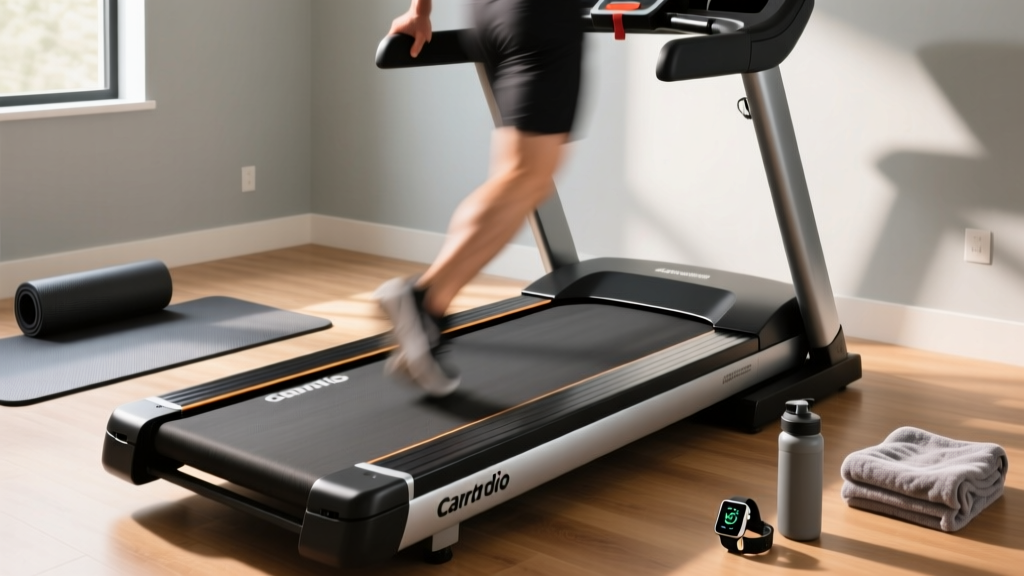
Under Desk Treadmill Review: Maintenance vs Barry's Treadmill
Discover expert maintenance tips in our under desk treadmill review. Learn how office walking pad care compares to heavy-duty Barry's treadmill upkeep.

The Reality of Office Walking Pads: A Maintenance-First Review
The modern home office has evolved dramatically, and as of 2026, the under-desk treadmill has transitioned from a niche productivity hack to a standard ergonomic workstation component. According to Cornell University Ergonomics, integrating low-intensity movement into the workday significantly reduces musculoskeletal fatigue. However, while consumers are quick to purchase walking pads, very few understand the mechanical realities of keeping them operational. When fitness enthusiasts search for a barrys treadmill experience at home, they are typically envisioning commercial-grade beasts like the Woodway Curve or True Z-Series—machines engineered to withstand 15 mph sprints, 300-pound dynamic impact forces, and continuous high-torque output.
An under-desk treadmill operates in a completely different biomechanical and mechanical universe. Instead of high-impact shock absorption, office walking pads prioritize low-profile decks, continuous low-speed friction management, and compact motor housings. In this comprehensive under desk treadmill for office use review, we are pivoting away from standard feature checklists to focus entirely on maintenance care, longevity protocols, and failure modes. If you want your investment to survive years of daily 10,000-step workdays, you must treat maintenance not as an afterthought, but as a core operational requirement.
Core Mechanical Differences: Office Walking Pads vs. Barry's Treadmill Setups
To understand how to maintain an under-desk treadmill, you must first understand what it is not. A commercial 'Barry's treadmill' setup relies on a 4.0+ Continuous Horsepower (CHP) AC motor, a 1-inch thick reversible belt, and heavy-duty elastomer deck cushions. Under-desk models, by necessity, use smaller DC motors and thinner, non-reversible belts.
Expert Insight: The primary enemy of a commercial sprinting treadmill is impact degradation. The primary enemy of an under-desk walking pad is thermal throttling and edge-friction. Because office workers tend to walk slightly off-center while typing or reading, the lateral edges of the belt endure disproportionate wear, leading to premature motor burnout if not properly tensioned and lubricated.Top Under Desk Treadmills Reviewed for Longevity (2026 Standards)
We evaluated the top-selling office walking pads based strictly on their mechanical serviceability, parts availability, and long-term durability.
1. LifeSpan TR1200-Glow (Approx. $1,099)
Build & Longevity: LifeSpan remains the gold standard for office treadmills. The TR1200-Glow features a 2.5 CHP motor and a heavy-duty steel frame that supports up to 350 lbs. Unlike cheaper models, LifeSpan provides accessible motor hood covers, making it incredibly easy to vacuum out dust and re-lubricate the deck. The commercial-grade belt is pre-waxed but requires standard silicone re-application every 300 miles.
2. WalkingPad R2 (Approx. $499)
Build & Longevity: Famous for its 180-degree folding hinge, the R2 is a marvel of spatial engineering but introduces a critical maintenance vulnerability: the hinge joint. Over time, the locking pin mechanism can loosen, causing micro-vibrations that degrade the belt tracking. Users must inspect and tighten the hinge bolts with a 5mm Allen wrench every six months to prevent deck separation.
3. UREVO Strol 2E (Approx. $259)
Build & Longevity: A budget-friendly entry point, the Strol 2E utilizes a 1.5 HP motor. While adequate for light walking, the motor housing is tightly sealed, making dust extraction difficult. Longevity on this model is highly dependent on strict environmental control (keeping the office floor free of pet dander) and meticulous belt tensioning to prevent the underpowered motor from stalling.
Step-by-Step Maintenance Protocol for Under-Desk Models
According to Consumer Reports, proper treadmill maintenance can extend the life of your machine by up to 50%. For under-desk models, follow this strict protocol:
- Belt Lubrication (Every 3 Months / 300 Miles): Use only 100% liquid silicone treadmill lubricant. Never use aerosol sprays containing petroleum distillates or WD-40, as these will melt the PVC backing of the belt and destroy the deck. Lift the belt edge, apply 15ml of silicone in a zig-zag pattern near the center, and run the machine at 1.0 mph for 3 minutes to distribute the fluid.
- Dust Extraction (Monthly): Office environments generate massive amounts of micro-dust and paper fibers. Unplug the machine, remove the front motor hood (usually 4 Phillips-head screws), and use a vacuum with a soft brush attachment. Do not use compressed air, as it will force dust deeper into the motor's carbon brushes and lower control board (LCB).
- Tension Calibration (Bi-Annually): If the belt slips when you step on it, locate the two rear roller adjustment bolts. Using a 3/16" or 5mm hex key, turn both bolts exactly one-quarter turn clockwise. Run the treadmill at 2.0 mph and observe. Repeat only if necessary. Overtightening will cause severe motor strain and edge-fraying.
Maintenance Schedule & Cost Breakdown
| Maintenance Task | Frequency | Required Tools/Materials | Est. Cost (2026) |
|---|---|---|---|
| Silicone Belt Lubrication | Every 300 miles / 3 Mos | 100% Liquid Silicone (16oz bottle) | $12 - $18 |
| Motor Hood Dust Extraction | Monthly | Phillips screwdriver, Vacuum | $0 |
| Rear Roller Tensioning | Every 6 Months (or if slipping) | 3/16" or 5mm Hex Key | $5 |
| Deck Inspection & Rotation | Every 2 Years (Reversible decks only) | Socket wrench set, helper | $0 (Labor intensive) |
| Surge Protector Replacement | Every 3 Years | 2000+ Joule rated surge strip | $25 - $40 |
Common Failure Modes in Low-Speed Office Treadmills
Understanding edge cases and failure modes is what separates a novice user from an equipment longevity expert. Here are the most frequent reasons under-desk treadmills end up in landfills:
- Low-Speed Thermal Throttling: Counterintuitively, walking at 0.5 mph for 4 hours is harder on a standard DC motor than jogging at 4.0 mph for 30 minutes. Low speeds provide less internal cooling fan rotation while demanding high torque to move the user's static weight. Solution: Take a 5-minute break every hour to let the motor cool, or alternate between sitting and walking.
- Lower Control Board (LCB) Fry: Plugging a walking pad into a cheap, overloaded office power strip causes micro-voltage drops. When the motor draws peak current to start the belt under your body weight, a voltage drop will fry the LCB's capacitors. Solution: Always plug directly into a dedicated wall outlet or a high-capacity (2000+ Joule) surge protector.
- Hinge Cable Fatigue (Folding Models): On models like the WalkingPad R2, the internal wiring passes through the folding hinge. Repeatedly folding and unfolding the unit while it is plugged in can pinch and sever the motor control wires. Solution: Only fold the unit when powered down, and limit folding to occasional deep-cleaning events rather than daily storage.
A Note on Ergonomics and Health: While maintaining your equipment is crucial, maintaining your body is paramount. The Mayo Clinic emphasizes that while under-desk treadmills combat the dangers of sedentary behavior, improper monitor height and lack of wrist support while walking can lead to cervical strain and carpal tunnel syndrome. Ensure your monitor is at eye level and use a keyboard tray to maintain neutral wrist posture.
Expert Verdict: Maximizing Your Investment
If your goal is to replicate the high-octane, sweat-drenched intensity of a studio class, an under-desk treadmill will disappoint you; you need the commercial-grade engineering of a true Barry's treadmill setup. However, if your objective is to integrate sustainable, low-impact NEAT (Non-Exercise Activity Thermogenesis) into your 2026 remote-work lifestyle, an under-desk walking pad is an unparalleled tool.
By choosing a serviceable model like the LifeSpan TR1200-Glow and adhering to a strict regimen of silicone lubrication, dust extraction, and proper electrical supply, you can easily push 5,000+ miles out of your office treadmill. Treat the machine with mechanical respect, and it will quietly support your health and productivity for years to come.
More gear to consider
All reviews
Walking Pad vs Treadmill iFIT Compatible Setup Guide

NFC Treadmill vs Stationary Bike Types: Upright, Recumbent & Spin

Rowing Buying Guide: Anti Gravity Treadmill Price vs Premium Rowers

Best Folding Treadmills for Small Spaces & Sole Treadmill E7 Error

Rowing Machine vs Bowflex BXT8J Treadmill: Head-to-Head Guide