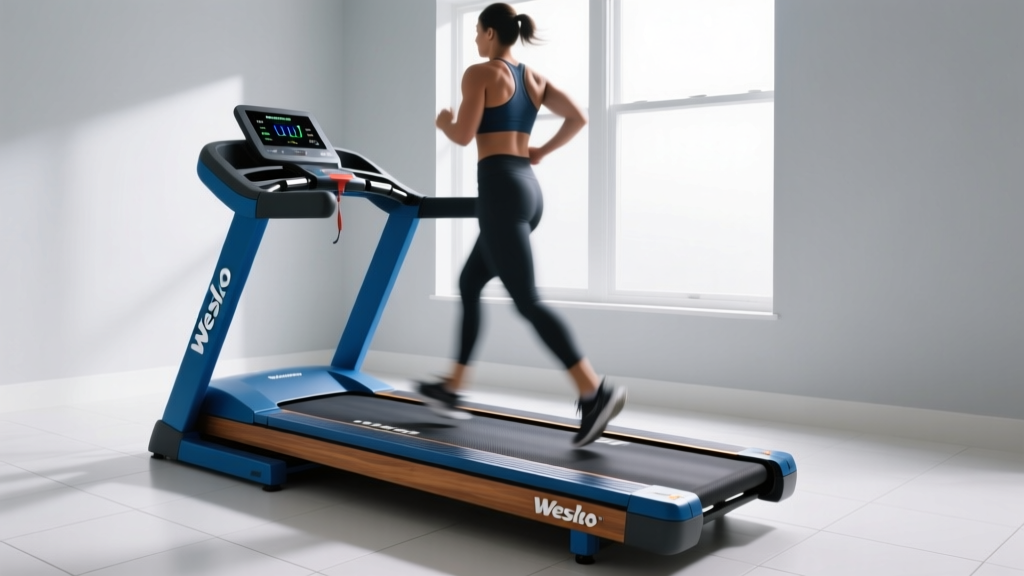
Are Treadmills Bad for Your Knees? The Motor Size Mistake
Discover if treadmills are bad for your knees by exploring how undersized motors cause belt stutter, joint stress, and how to fix horsepower issues.

The Hidden Link: Are Treadmills Bad for Your Knees?
When runners and walkers search for answers to the question, are treadmills bad for your knees, the immediate assumption is almost always about deck cushioning. Consumers spend hours comparing shock-absorption technologies, elastomer pucks, and flex-board designs, assuming that a harder deck is the primary culprit behind patellofemoral pain. However, as biomechanists and fitness equipment technicians know, an often-overlooked mechanical factor plays a massive role in joint stress: treadmill motor size and horsepower.
An undersized treadmill motor does not just struggle to maintain speed; it creates micro-hesitations in belt velocity with every single footstrike. This phenomenon, known as 'belt stutter' or 'motor lag,' forces your neuromuscular system to constantly micro-adjust your stride. According to the American Academy of Orthopaedic Surgeons, altered gait mechanics and uneven loading are primary drivers of patellofemoral pain syndrome (runner's knee). If your treadmill's motor cannot deliver consistent torque under your body weight, your knees absorb the eccentric braking forces caused by the belt's momentary deceleration.
⚠️ Common Buyer Mistake: Purchasing a treadmill based on 'Peak Horsepower' rather than 'Continuous Horsepower' (CHP). A motor advertised as 4.0 Peak HP may only deliver 1.5 CHP during sustained use, leading to severe belt hesitation for runners over 170 lbs.The Biomechanics of Motor Lag and Joint Stress
To understand why motor size dictates knee health, we must look at the physics of a footstrike. When your foot lands on a treadmill belt moving at 7.0 mph, it applies a downward and backward force. A robust motor with a heavy flywheel and high Continuous Horsepower (CHP) pushes through this resistance seamlessly. An undersized motor, however, experiences a momentary drop in RPMs.
The treadmill's digital controller uses pulse-width modulation (PWM) to correct this speed drop, but there is a latency period of 50 to 150 milliseconds. During this fraction of a second, the belt slows down. Your brain perceives this deceleration and instinctively alters your landing mechanics to prevent falling, often resulting in a heavier, more extended heel strike. Over a 30-minute run at 170 steps per minute, that equates to over 5,000 micro-adjustments. This cumulative repetitive strain alters the tracking of the patella, directly answering the question of why some users find that treadmills are bad for their knees while others do not.
Treadmill Motor Sizing Matrix: What You Actually Need
Sizing a treadmill motor correctly requires matching the Continuous Horsepower (CHP) to both your body weight and your intended maximum speed. Walking requires significantly less torque than running, and interval training demands rapid acceleration that weak motors cannot handle without stuttering.
| User Weight | Walking (Under 4 mph) | Jogging (4 - 6 mph) | Running (6+ mph) |
|---|---|---|---|
| Under 150 lbs | 2.0 CHP | 2.5 CHP | 2.75 CHP |
| 150 - 200 lbs | 2.5 CHP | 3.0 CHP | 3.5 CHP |
| 200 - 250 lbs | 3.0 CHP | 3.5 CHP | 4.0 CHP |
| 250+ lbs | 3.5 CHP | 4.0 CHP | 4.25+ CHP (Commercial AC) |
Note: If you plan to use high inclines (10% or greater) frequently, add 0.5 CHP to your required minimum, as climbing exponentially increases the torque demand on the motor.
Troubleshooting: Is Your Motor Causing Knee Pain?
If you are experiencing unexplained knee pain after transitioning to a home treadmill, do not immediately blame your shoes or the deck. Use these diagnostic steps to determine if your motor or belt system is the root cause.
Step 1: The Chalk Mark Test (Belt Slip vs. Motor Lag)
First, we must differentiate between a slipping belt and a lagging motor. Both cause hesitation, but the fixes are entirely different.
- Unplug the treadmill and make a small chalk mark on the edge of the running belt and a corresponding mark on the front roller.
- Turn the machine on and set it to 3.0 mph without stepping on it. Let it run for one minute, then stop it. The marks should still align perfectly.
- Now, step on the treadmill and walk at 3.0 mph. Pay attention to the feeling under your feet. Stop the machine and check the marks.
- Diagnosis: If the chalk marks no longer align, your belt is slipping over the front roller. This is a tension or lubrication issue, not a motor issue. If the marks do align, but you still felt a rhythmic hesitation or 'surging' while walking, your motor or PWM controller is struggling to maintain speed under load.
Step 2: The Friction and Amp Draw Check
A dry treadmill deck creates immense friction. According to Harvard Health Publishing, maintaining consistent, low-impact movement is vital for joint longevity, but a high-friction deck forces the motor to draw excessive amperage to keep the belt moving. When a standard 120V residential motor draws near its 15-amp limit, it heats up and loses torque efficiency, resulting in the micro-stutters that damage knees.
- The Fix: Lift the edge of the belt. It should feel slightly slick. If it feels dry or gritty, apply 15ml of 100% pure silicone treadmill lubricant (never use WD-40 or petroleum-based products, which destroy the belt backing). Proper lubrication can reduce motor amp draw by up to 40%, instantly smoothing out belt speed and reducing joint impact.
Step 3: Evaluating the Flywheel Mass
Horsepower is only half the equation. The physical mass of the motor's flywheel dictates momentum. A 3.0 CHP motor with a lightweight, small-diameter flywheel will still stutter under a heavy runner's footstrike because it lacks the rotational inertia to push through the resistance. Unfortunately, manufacturers rarely publish flywheel weights. As a general rule, heavier treadmills (those weighing over 200 lbs assembled, like the Sole F80 at 3.5 CHP and 280 lbs total weight) utilize denser flywheels that provide a noticeably smoother, more consistent belt feel compared to lightweight, sub-150 lb budget models.
When to Upgrade or Replace Your Motor
If you have confirmed via the Chalk Mark Test that your motor is lagging, and lubricating the deck did not resolve the hesitation, you are left with two choices to save your knees: replace the motor/controller or upgrade the machine.
Expert Insight: Replacing a standard DC treadmill motor typically costs between $150 and $350 for the part. However, if your treadmill is a budget model (originally under $600) with a 2.0 CHP motor, the internal controller board is likely also under-specced. Upgrading just the motor will not fix the bottleneck; the controller will still limit the current, resulting in the same belt stutter and knee pain.
If you are in the market for a replacement or a new machine prioritizing joint health through mechanical consistency, look for these benchmarks in the current market:
- Horizon 7.4 (3.0 CHP): An excellent mid-range option featuring a rapid-charge USB port and a heavy-duty Johnson Drive motor that minimizes speed fluctuation for users up to 350 lbs. (Approx. $899)
- Sole F80 (3.5 CHP): Widely considered the gold standard for home runners. The 3.5 CHP motor and heavy flywheel provide commercial-grade consistency, virtually eliminating the micro-stutters that cause patellofemoral tracking issues. (Approx. $999)
- NordicTrack Commercial 1750 (3.75 CHP): Features a self-cooling motor and a highly responsive controller board that adjusts to footstrike resistance in milliseconds, maintaining a true, unyielding belt speed. (Approx. $2,499)
Summary: Protecting Your Knees Through Mechanical Consistency
So, are treadmills bad for your knees? The machine itself is not inherently harmful; in fact, the controlled environment of a treadmill can be safer than uneven outdoor terrain. The danger lies in poorly engineered, undersized machines that fail to deliver a consistent belt speed. By understanding the critical difference between Peak and Continuous Horsepower, properly sizing your motor to your body weight, and routinely troubleshooting belt friction, you can eliminate the mechanical stutter that leads to joint degradation. Treat your treadmill's motor and deck maintenance with the same seriousness as your running form, and your knees will thank you for the miles to come.
More gear to consider
All reviews
Vision Fitness Treadmill T9600 vs Portable Cardio Trends 2026

The Best Way to Lose Fat on a Treadmill: 2026 Buying Guide

Under Desk Treadmill Benefits: Office Reviews & Care
Bowflex T16 Treadmill Review: Feature Comparison Mistakes
Anti Gravity Treadmill Near Me? Best Portable Cardio Alternatives