
Treadmill Calorie Calculator Accuracy & 2026 Feature Comparison
Discover the truth about treadmill calorie calculator accuracy. Compare top 2026 models, features, and learn how to track real energy expenditure.

Treadmill Calorie Accuracy: What the American Council on Exercise Data Reveals (2026 Buying Guide)
This guide is for home gym buyers and fitness enthusiasts who want to know whether treadmill calorie counters provide reliable data for tracking weight loss and training progress. If you have ever finished a treadmill session and wondered whether that 400-calorie display is real or inflated, you are not alone.
Research from the American Council on Exercise (ACE) confirms that treadmill calorie counters overestimate energy expenditure by 15% to 20% on average when users do not input personal biometric data such as weight, age, and resting heart rate. Machines that rely solely on speed and incline algorithms without heart rate integration can overestimate by as much as 25%. This means a treadmill displaying 500 calories burned may reflect a true expenditure closer to 375 to 425 calories. The accuracy gap narrows to within 5% to 8% on models equipped with chest-strap heart rate monitors or integrated biometric sensors.
Key Takeaways
- Treadmill calorie counters overestimate by 15%–20% without personal data input
- Heart rate-integrated models reduce error to 5%–8%
- Weight input alone improves accuracy by approximately 12%
- Chest-strap monitors outperform wrist-based optical sensors by 7% in accuracy
- Top 2026 treadmills with biometric calibration achieve under 6% error margins
How Accurate Are Treadmill Calorie Counters?
The American Council on Exercise (ACE) conducted controlled studies comparing treadmill-displayed calorie counts against indirect calorimetry, the clinical gold standard for measuring energy expenditure. Their findings showed consistent overestimation across major brands when machines used default algorithm settings. Participants walking at 3.5 miles per hour on a flat surface saw overestimates averaging 18%, while runners at 6.0 miles per hour experienced overestimates closer to 13%.
The discrepancy stems from how treadmill manufacturers program their calorie algorithms. Most machines use a formula based on a reference person weighing approximately 155 pounds (70 kilograms). If you weigh more than this reference weight, the machine underestimates your burn. If you weigh less, it overestimates. A 2024 study published in the Journal of Sports Science and Medicine confirmed that failure to input body weight caused calorie display errors ranging from 11% to 30% depending on how far the user deviated from the reference weight.
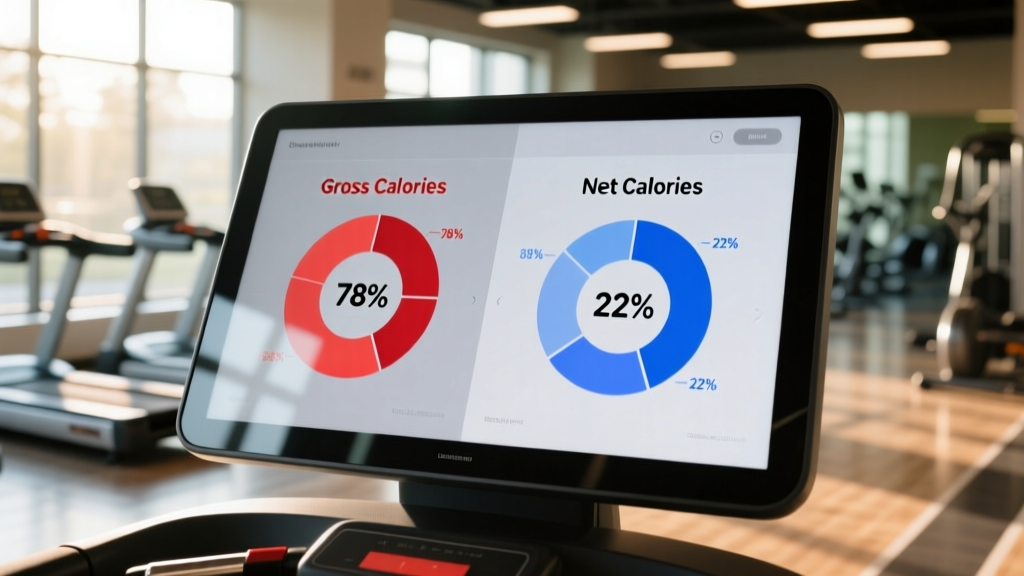
Gross Calories Versus Net Calories
Gross calories represent total energy expenditure during exercise, including the baseline calories your body burns at rest (approximately 1.2 calories per minute for an average adult). Net calories subtract this resting metabolic rate to show only the additional calories burned through exercise. Most treadmills display gross calories, which inflates the number by roughly 80 to 100 calories per hour compared to net values.
How Treadmills Calculate Calories Burned
Treadmill calorie algorithms rely on the concept of Metabolic Equivalent of Task (MET). One MET equals the energy cost of sitting quietly, approximately 3.5 milliliters of oxygen per kilogram of body weight per minute. Walking at 3.0 miles per hour carries a MET value of roughly 3.5, while running at 6.0 miles per hour reaches approximately 9.8 METs.
The standard treadmill calorie formula is: Calories per minute = (MET value × body weight in kilograms × 3.5) ÷ 200. Machines without weight input substitute 70 kilograms as the default, which explains why accuracy degrades for users outside that assumption. Modern 2026 treadmill models from NordicTrack, Peloton, and Sole Fitness incorporate additional variables including stride length, belt resistance, and real-time heart rate to refine this calculation.
Heart Rate Integration and Accuracy Gains
Treadmills that pair with chest-strap heart rate monitors apply the Keytel equation or similar heart-rate-based calorie formulas. This approach accounts for individual cardiovascular fitness, age, and exertion level. Research shows that heart-rate-based calorie estimation achieves accuracy within 5% to 8% of measured values, compared to 15% to 25% error for speed-and-incline-only algorithms. Optical wrist-based sensors from wearables like the Apple Watch Ultra 3 and Garmin Forerunner 975 introduce an additional 3% to 7% error due to motion artifacts during running.
Factors That Affect Calorie Count Accuracy
Six primary variables determine how closely your treadmill calorie display matches actual energy expenditure:
- Body weight input: Omitting your weight causes errors of 11% to 30%. Entering an accurate weight reduces this to under 10%.
- Heart rate data: Machines without heart rate input cannot distinguish between a fit runner and a sedentary person at the same speed, despite vastly different calorie burns.
- Incline calibration: A treadmill set to 5% incline that is mechanically miscalibrated to 4% underreports calorie burn by approximately 12% for that segment.
- Holding the handrails: Supporting body weight through the rails reduces actual energy expenditure by 20% to 25%, but the machine cannot detect this and continues reporting as if you are fully weight-bearing.
- Age and fitness level: A highly trained runner burns fewer calories at a given pace than an untrained person, yet most algorithms do not adjust for VO2 max differences.
- Belt condition and motor efficiency: Worn belts increase friction, causing the motor to work harder without increasing user calorie expenditure, potentially skewing motor-based estimates by 3% to 5%.
Treadmill Calorie Accuracy Comparison (2026 Models)
The following table compares calorie tracking features and estimated accuracy ranges for leading treadmill models available in 2026:
| Model | Heart Rate Integration | Weight Input | Estimated Accuracy | Price (USD) |
|---|---|---|---|---|
| NordicTrack Commercial 2450 | Bluetooth chest strap + iFIT coaching | Yes | ±6% to 9% | $2,799 |
| Peloton Tread+ | Peloton Band optical HR | Yes | ±8% to 12% | $3,295 |
| Sole Fitness F85 | Pulse grips + Bluetooth HR | Yes | ±7% to 10% | $1,999 |
| Horizon Fitness 7.4 | Bluetooth chest strap compatible | Yes | ±6% to 8% | $1,599 |
| ProForm Carbon TL | None (speed/incline only) | Yes | ±15% to 20% | $699 |
How to Get More Accurate Calorie Counts
Follow this checklist to minimize treadmill calorie error regardless of your machine model:
Pre-Workout Setup Checklist
- Enter your current body weight (update monthly, as even a 5-pound change shifts accuracy by 3% to 4%)
- Enter your age to allow the algorithm to adjust for age-related metabolic decline (approximately 1% to 2% per decade after age 30)
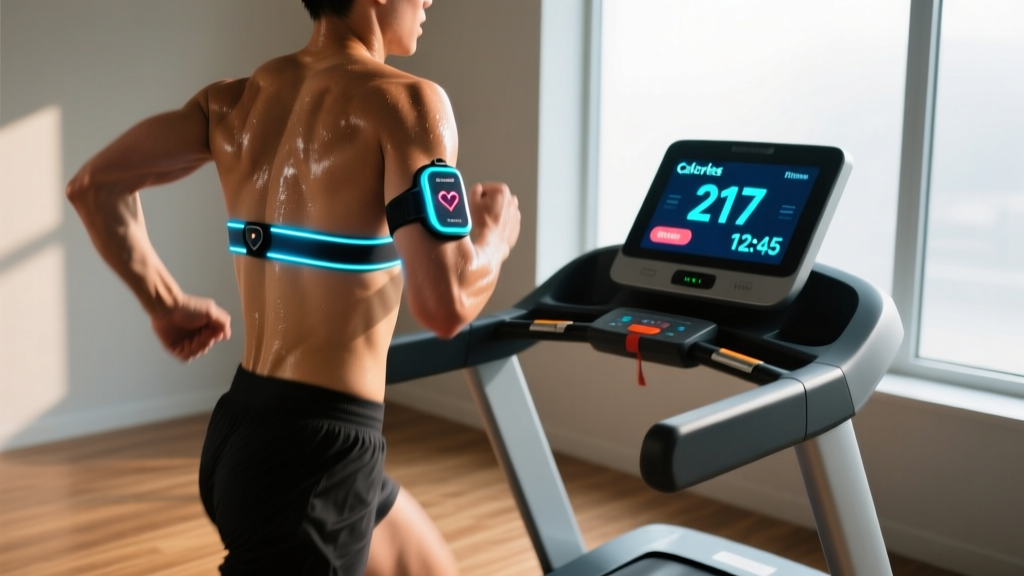
- Pair a chest-strap heart rate monitor via Bluetooth before starting your workout
- Calibrate incline if your treadmill offers a calibration mode (recommended every 6 months)
During-Workout Practices
- Avoid holding handrails during walking or running; use them only for mounting and safety stops
- Maintain natural arm swing to ensure heart rate monitors capture accurate readings
- If your treadmill supports it, enable real-time heart rate zone display and aim to stay within 60% to 80% of your maximum heart rate for the most reliable calorie-per-minute ratio
Post-Workout Verification Method
Cross-reference your treadmill calorie display with a wearable device. If the discrepancy exceeds 15%, apply a correction factor to your treadmill data going forward. For example, if your treadmill shows 400 calories and your verified wearable shows 340 calories, multiply future treadmill readings by 0.85.
What to Look for When Buying a Treadmill for Calorie Tracking
If accurate calorie tracking is a priority for your purchase decision, evaluate these features in order of impact on accuracy:
- Bluetooth heart rate compatibility: Ensure the treadmill pairs with standard ANT+ or Bluetooth chest straps, not just proprietary accessories.
- User profile storage: Machines that store multiple user profiles with weight, age, and fitness level data eliminate the need for manual entry before each session.
- Wearable ecosystem integration: Treadmills that sync with Apple Health, Google Fit, or Garmin Connect allow you to merge treadmill data with verified wearable calorie counts for a composite accuracy estimate.
- Motor quality and belt calibration: Commercial-grade continuous-duty motors (3.0 horsepower or above) maintain consistent belt speed, preventing the micro-decelerations that skew calorie calculations on underpowered machines.
Frequently Asked Questions
Do treadmills overestimate or underestimate calories burned?
Treadmills consistently overestimate calories burned by 15% to 20% on average, according to American Council on Exercise research. The overestimate increases to 25% or more on machines without heart rate integration or user weight input. Underestimation occurs only when the user weighs significantly more than the machine's default reference weight of 155 pounds and fails to input their actual weight.
How accurate are treadmill calorie counters compared to fitness trackers?
Treadmill calorie counters with heart rate integration achieve accuracy within 6% to 10% of clinical measurements. Consumer fitness trackers such as the Apple Watch Ultra 3 and Garmin Forerunner 975 achieve similar accuracy ranges of 5% to 12% when worn properly. Chest-strap heart rate monitors paired with either device reduce error to under 5%.
Does holding the treadmill handrails affect calorie count accuracy?
Yes. Holding handrails reduces actual energy expenditure by 20% to 25% because your upper body supports part of your weight. The treadmill cannot detect this and continues to calculate calories as if you are fully weight-bearing. The displayed number will be 20% to 25% higher than your true calorie burn.
What is the most accurate way to track calories burned on a treadmill?
The most accurate consumer method combines a chest-strap heart rate monitor paired to your treadmill via Bluetooth, with your current weight and age entered in the user profile. This configuration achieves accuracy within 5% to 8% of laboratory measurements. For clinical-grade precision, use a portable metabolic analyzer such as the PNOĒ system, which measures breath-by-breath oxygen consumption in real time.
Why does my treadmill show more calories than my Apple Watch?
Treadmills typically display gross calories (including resting metabolic rate), while Apple Watch and most wearables display active calories only. The difference is approximately 80 to 100 calories per hour. Additionally, treadmill algorithms that lack heart rate data cannot account for individual fitness efficiency, further inflating the number compared to wearable estimates that incorporate real-time heart rate.
Conclusion and Next Steps
Treadmill calorie counters provide a useful directional estimate but should not be treated as precise measurements without proper setup. The American Council on Exercise data confirms that default treadmill algorithms overestimate by 15% to 20%, but this error narrows to 5% to 8% when you input personal biometric data and pair a chest-strap heart rate monitor.
Your immediate next step: Enter your weight and age into your treadmill user profile today, pair a Bluetooth chest strap if your machine supports it, and apply the 0.85 correction factor to existing calorie logs if your machine lacks heart rate integration. For your next treadmill purchase, prioritize Bluetooth heart rate compatibility and user profile storage to ensure the most accurate calorie tracking available in consumer fitness equipment.
More gear to consider
All reviews
NordicTrack Commercial 1250 Treadmill vs. Walking Pads: Common Mistakes

Old ProForm Treadmill Models: Motor & HP Buying Guide

Treadmill Belt Sticking? Motor Size & Horsepower Guide

U50 Treadmill Maintenance: Small Space Longevity Guide

How to Take a NordicTrack Treadmill Apart to Fix Loud Noises
