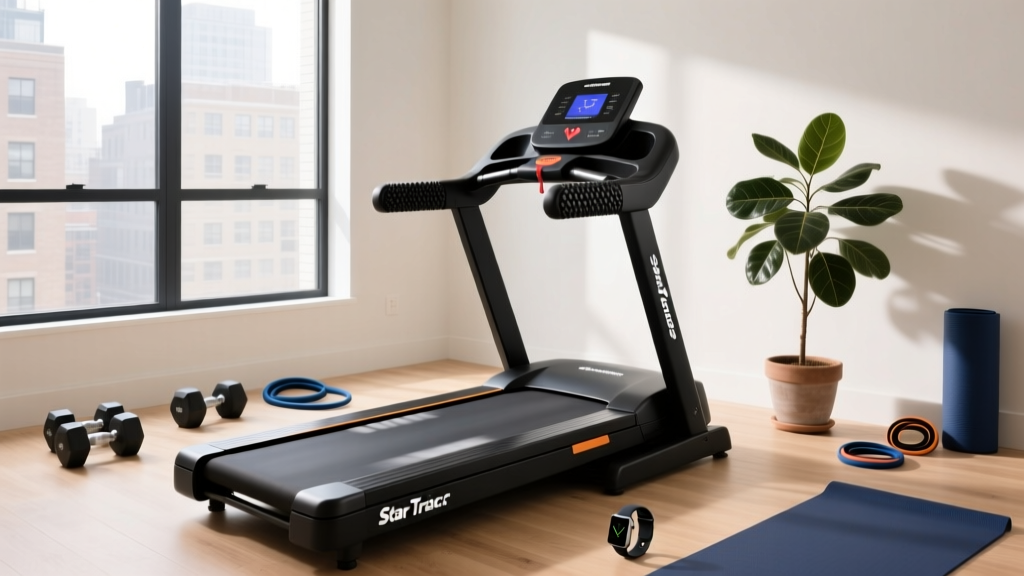
How to Use Star Trac Treadmill: Features & Troubleshooting
Learn how to use Star Trac treadmill models with our feature comparison and troubleshooting guide. Avoid common mistakes and maximize your cardio workouts.

Star Trac has long been the gold standard in commercial fitness environments, renowned for its rugged durability and biomechanically sound engineering. Whether you are managing a boutique fitness studio, outfitting a corporate wellness center, or investing in a light-commercial unit for a high-end home gym, understanding how to use Star Trac treadmill equipment properly goes beyond simply pressing the quick-start button. Misunderstanding the console features, ignoring routine maintenance, or utilizing poor biomechanics can lead to premature hardware failure and suboptimal workout results.
This comprehensive guide bridges the gap between buying the right model and maintaining it flawlessly. We will compare the core features of Star Trac's current lineup, highlight the most common user mistakes, and provide a deep-dive troubleshooting matrix for hardware and software anomalies.
Star Trac Treadmill Feature Comparison: Buyer's Matrix
Before troubleshooting, you must understand the hardware you are operating. Star Trac's lineup is segmented by duty cycle and motor type. Unlike residential brands that rely on Direct Current (DC) motors, Star Trac utilizes Alternating Current (AC) motors in its premium lines, which are designed to run continuously without overheating. According to Core Health & Fitness, the parent company of Star Trac, AC motors are essential for environments where the machine will see more than six hours of daily use.
| Model Series | Motor Type & Size | Belt Dimensions | Top Speed / Incline | 2026 Est. Price Range | Best Use Case |
|---|---|---|---|---|---|
| Inspire Series | 4.0 HP AC | 20' x 56' | 12 MPH / 15% | $4,500 - $5,200 | Light commercial, luxury home gyms (<4 hrs/day) |
| S-TRc (Club) | 6.0 HP AC | 22' x 60' | 15 MPH / 15% | $8,200 - $9,000 | Standard commercial gyms, hotels (4-10 hrs/day) |
| S-TRx (Extreme) | 8.0 HP AC | 22' x 60' | 16 MPH / 15% | $10,500 - $12,000 | High-traffic facilities, athletic training (12+ hrs/day) |
Console Navigation: Avoiding Digital Setup Mistakes
A common mistake facility owners make is leaving the console in its factory default state, which limits the user experience and prevents accurate data tracking.
- User Profile Calibration: The Star Trac console calculates caloric burn based on weight. If a user skips the weight input, the machine defaults to a 150 lb profile, skewing metabolic data by up to 30%. Always instruct users to input their exact weight via the Quick-Touch keypad.
- Bluetooth & App Pairing: Modern Star Trac consoles feature open Bluetooth protocols. A frequent troubleshooting ticket involves users failing to connect to apps like Zwift or Myzone. Ensure the console firmware is updated via the USB service port, as older firmware versions struggle to maintain stable BLE (Bluetooth Low Energy) handshakes with 2026 iOS and Android updates.
- Custom Interval Programming: Instead of relying on generic 'Fat Burn' programs, use the 'Custom' tab to program work-to-rest ratios (e.g., 45 seconds at 10 MPH, 15 seconds at 3 MPH) to match HIIT protocols.
Biomechanical Mistakes: What the Experts Say
Knowing how to use the machine physically is just as critical as understanding its software. The American College of Sports Medicine (ACSM) frequently highlights the detrimental effects of poor treadmill posture, which can lead to chronic joint issues and diminished cardiovascular returns.
'Holding the handrails during a treadmill workout alters your natural gait cycle, reduces caloric expenditure by up to 20%, and forces the spine into an unnatural, rigid posture that increases the risk of lower back strain.' - ACSM Guidelines on Cardiovascular Equipment Usage
The 'Stomp' and Overstriding Errors
Many users overstride on Star Trac's expansive 22' x 60' belts, landing with their heel far ahead of their center of mass. This creates a 'braking force' that sends shockwaves up the tibia and into the knee joint. Users should aim for a mid-foot strike directly beneath their hips. Furthermore, staring down at the console creates cervical flexion. Tape a visual cue at eye level on the wall in front of the treadmill to encourage a neutral spine.
Hardware Troubleshooting: Error Codes & Belt Tension
Even the most robust commercial treadmills require mechanical intervention. Below is a troubleshooting guide for the most frequent Star Trac hardware anomalies.
Error Code E01: Speed Sensor Failure
The E01 code indicates the console is not receiving RPM data from the front roller. This rarely means the sensor is dead; it is usually an alignment or dust issue.
- Unplug the treadmill and remove the motor hood (typically secured by six Phillips-head screws).
- Locate the optical speed sensor and the toothed wheel or magnet on the motor flywheel.
- Wipe the sensor eye with isopropyl alcohol to remove conductive dust.
- Measure the gap between the sensor and the magnet. It must be exactly 2mm to 4mm. If it is wider, loosen the sensor bracket, adjust it closer, and retighten.
Belt Slippage and the 'Stomp Test'
If a user reports that the belt 'stutters' when they plant their foot, but the motor continues to hum, the running belt is loose. Do not overtighten the belt. Overtightening creates massive friction, which will strip the rear roller t-nuts or burn out the drive motor.
The Fix: Perform the 'Stomp Test' at 2.0 MPH. If the belt slips, use a 6mm Allen wrench to turn both the left and right rear adjustment bolts exactly 1/4 turn clockwise. Retest. Never adjust one side more than the other, or you will throw the belt off-center and cause severe edge fraying.Maintenance Framework: Deck Lubrication Realities
A massive point of confusion for new Star Trac owners is deck lubrication. Unlike residential treadmills that require liquid silicone every 150 miles, many commercial Star Trac models utilize a reversible Versa-Deck that is pre-treated at the factory with a high-density wax.
If your specific model requires liquid silicone, applying too much is a catastrophic mistake. Excess silicone squeezes out the sides, attracts abrasive gym dust, and creates a grinding paste that will destroy the deck surface within months. Always use the manufacturer-specified applicator wand to apply exactly 1 oz of 100% pure silicone per side, lifting the belt only slightly. If you are unsure whether your deck requires wax or silicone, consult the serial number plate located near the power cord and contact Core Health & Fitness support for the exact factory spec.
Final Thoughts on Longevity
Mastering how to use Star Trac treadmill models requires a blend of biomechanical awareness and proactive mechanical maintenance. By selecting the correct AC motor size for your facility's duty cycle, enforcing proper user posture, and adhering to strict 1/4-turn belt tension protocols, you can easily push your Star Trac investment well past the 100,000-mile mark. For more insights on optimizing your cardiovascular routines, refer to the CDC Physical Activity Guidelines to ensure your facility's programming aligns with current health standards.
More gear to consider
All reviews
Treadmill Weight Limit & Motor HP: A Troubleshooting Guide

Best Folding Treadmills for Small Spaces & Treadmill Lubricant
Small Space Folding Treadmill Review: Sprint Exercises on Treadmill
Walking Pad vs Treadmill: Best Treadmill Workouts to Burn Fat
Elliptical vs Treadmill for Home Cardio: Treadmill vs Treadclimber
