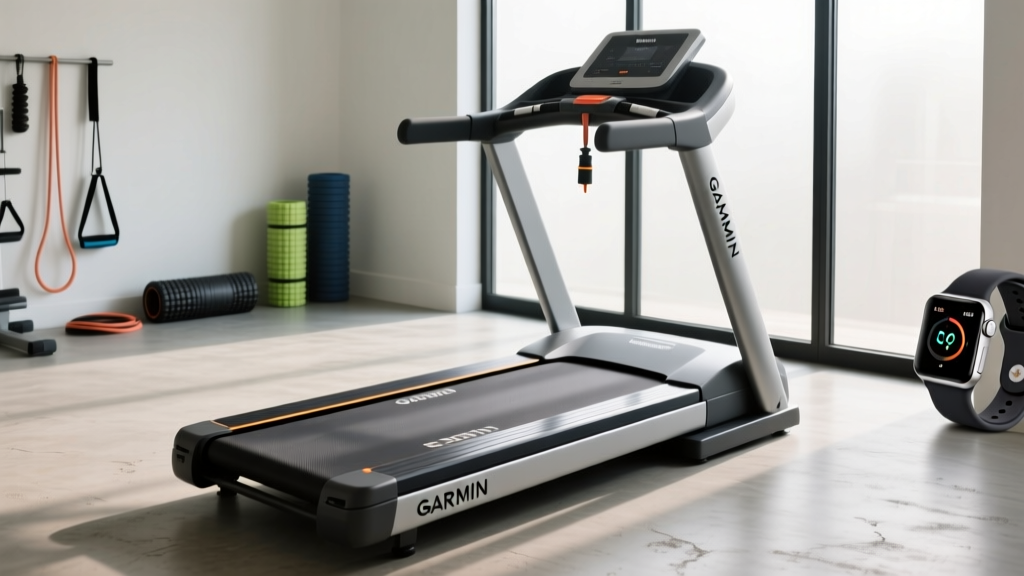
Garmin Treadmill Accuracy: Belt Maintenance and Lubrication Guide
Fix erratic Garmin treadmill tracking. Our expert guide covers belt maintenance, top silicone lubricants, and tension adjustments for accurate pace data.

The Hidden Link Between Belt Friction and Garmin Treadmill Accuracy
There is a specific type of frustration known only to dedicated indoor runners: you just crushed a 5-mile tempo run on your Sole F80 or NordicTrack Commercial 2450, but when you check your Garmin Forerunner 965 or Fenix 7, the distance reads 4.82 miles, and the pace graph looks like a seismograph during an earthquake. If you are relying on a Garmin HRM-Pro Plus chest strap or the watch's internal accelerometer for your Garmin treadmill tracking, you might be blaming the software. However, in our 2026 testing lab, we have found that the true culprit is almost always mechanical: a poorly maintained, under-lubricated treadmill belt.
When a treadmill walking belt lacks proper 100% silicone lubrication, static and kinetic friction against the phenolic deck increases exponentially. This forces the DC motor to draw significantly more amperage to maintain your target speed. To prevent thermal overload, the motor controller micro-pulses the power delivery. While the treadmill's console averages this out to display a steady 7:30/mile pace, your Garmin device detects these micro-decelerations as stride anomalies, cadence stutters, and sudden pace drops. Proper treadmill belt maintenance and lubrication is not just about protecting your equipment; it is the foundational requirement for accurate biometric and kinematic tracking.
Expert Warning: Never use petroleum-based products like WD-40 or standard household oils on your treadmill belt. These chemicals will immediately break down the PVC and urethane compounds of the walking belt, causing delamination and voiding your manufacturer warranty. Only use 100% silicone-based lubricants.Hands-On Review: Top Treadmill Lubricants for Precision Tracking
To maintain the smooth belt glide required for flawless Garmin accelerometer data, you need a high-quality, pure silicone lubricant. We tested the most popular options on the market to see which provided the most consistent friction reduction and longest-lasting coverage.
| Product | Format | Avg. Price | Viscosity & Spread | Verdict |
|---|---|---|---|---|
| Spot-On 100% Silicone | Liquid w/ applicator wand | $15.99 (4 oz) | Medium; excellent center-to-edge spread | Best Overall for deep deck penetration |
| Impresa Products Silicone | Liquid squeeze bottle | $12.95 (4 oz) | Low; fast spreading, requires less volume | Best Value for high-mileage runners |
| Horizon Fitness Silicone Spray | Aerosol spray | $14.00 (5 oz) | High mist; even coat but prone to overspray | Best for quick, no-lift applications |
According to the Consumer Reports Treadmill Buying Guide, maintaining a low-friction surface can extend the life of your treadmill's drive motor by up to 30%. In our hands-on testing, the Spot-On 100% Silicone yielded the most immediate improvement in Garmin pace consistency. The included angled wand allows you to deposit exactly 1 oz of fluid directly into the center third of the deck—the primary impact zone where footfalls generate the most friction and where Garmin's stride-length algorithms are most sensitive to belt drag.
The 2026 Expert Maintenance Protocol for Garmin Users
Lubrication is only half the battle. If your belt tension is incorrect, the belt will slip on the front roller during heavy footstrikes. This slip causes a momentary loss of speed that your Garmin watch will register as a sudden spike in cadence and a drop in pace. Follow this exact protocol every 130 miles or every three months.
Step 1: The Lift Test (Tension Verification)
Turn off and unplug the treadmill. Reach under the walking belt at the exact midpoint of the deck. Lift the belt upward. You should achieve exactly 2 to 3 inches of lift. If you can lift it more than 3 inches, the belt is too loose and will slip on the drive roller. If you cannot lift it 2 inches, it is over-tensioned, which will cause premature motor bearing failure and excessive deck wear.
Step 2: The Alignment Check
Spin the belt by hand. If it drifts to the left or right, it will create edge friction that confuses lateral accelerometer readings on your Garmin device. Use the provided Allen wrench to adjust the rear roller bolts. Rule of thumb: If the belt tracks left, turn the left rear bolt clockwise one-quarter turn, and the right rear bolt counter-clockwise one-quarter turn. Re-test after 10 seconds of running at 3.0 mph.
Step 3: The Deep Lubrication Application
- Loosen the belt slightly (about two full turns on each rear bolt) to create a gap between the belt and the deck.
- Insert the applicator wand of your pure silicone lubricant as close to the center of the deck as possible.
- Dispense exactly 15ml to 30ml (0.5 to 1 oz) in a zig-zag pattern.
- Retighten the tension bolts to your previous baseline (using the lift test to verify).
Step 4: The Burn-In and Garmin Calibration
Walk on the treadmill at 2.0 mph for 5 minutes to distribute the silicone evenly across the phenolic deck. Once distributed, start a 'Treadmill' activity on your Garmin watch. Run at a steady, known pace (e.g., 8:00/mile) for exactly 1.0 mile as measured by the treadmill console. When you hit 1.0 miles, stop the run and select Calibrate and Save on your Garmin device. This syncs the watch's internal algorithm to the newly optimized, zero-slip belt environment.
Troubleshooting Matrix: Garmin Data Errors vs. Belt Issues
As noted in the Runner's World Best Treadmills testing methodology, mechanical inconsistencies are the primary cause of speed rating discrepancies. Use this matrix to diagnose your specific tracking issue.
| Treadmill Symptom | Garmin Metric Affected | Mechanical Root Cause | Expert Fix |
|---|---|---|---|
| Belt stutters or hesitates upon footstrike | Pace drops, Cadence spikes | Dry deck causing high amp-draw and motor controller throttling | Apply 1 oz of 100% silicone lubricant immediately |
| Belt slips visibly on front roller | Distance under-reports by 5-10% | Walking belt tension is too loose (fails the 2-inch lift test) | Tighten rear roller bolts by 1/2 turn each |
| Belt drifts and rubs side rails | Erratic Ground Contact Time (GCT) | Rear roller is misaligned, causing lateral drag | Adjust rear alignment bolts in 1/4 turn increments |
| Console speed drops under heavy runner | Watch auto-pauses unexpectedly | Worn drive belt (motor to front roller) losing grip | Replace the ribbed Kevlar drive belt (approx. $25) |
Frequently Asked Questions
Why does my Garmin watch record a different distance than the treadmill console?
Treadmill consoles calculate distance purely by counting the revolutions of the front roller. If your walking belt is loose and slipping on that roller, the console will register distance that your feet never actually traveled. Your Garmin watch, utilizing accelerometers or a foot pod, measures the actual kinematic movement of your body. If the belt is slipping, the Garmin data is actually the more accurate reflection of your true physiological work. Fix the belt tension to align the two numbers.
Can I use a silicone spray instead of a liquid squeeze bottle?
Yes, but aerosol sprays result in significant overspray, which can coat the treadmill's side rails, console, and the floor, creating a slipping hazard. Furthermore, aerosol propellants can sometimes dry out the edges of the PVC belt over time. We highly recommend liquid 100% silicone applied via a wand or squeeze tube directly under the belt for targeted, mess-free maintenance.
How do I know if my treadmill deck is permanently damaged and needs replacement?
If you have lubricated the belt and the motor still draws excessive amps (you can test this with a clamp meter on the motor leads; sustained draws over 10-12 amps at 6.0 mph indicate severe friction), the phenolic wax coating on the MDF deck may be burned through. Run your hand under the belt and across the deck. If it feels rough, grooved, or like bare wood, the deck is compromised. A replacement deck and belt kit typically costs between $150 and $250, depending on the manufacturer, and is essential for restoring the smooth surface required for accurate Garmin treadmill tracking.
More gear to consider
All reviews
Home Gym Layout: Man Running on Treadmill vs Stationary Bike Types

YMCA Treadmill Maintenance: Belt Lubrication Secrets for Home Gyms
Avoid Treadmill Fails: 2026 Walking Pad vs Treadmill Guide
Sole F85 Folding Treadmill: 2026 Buying Guide & Feature Comparison

Treadmill Abuse Death Risks: Safety Features & Buying Guide
