How to Calibrate Apple Watch to Treadmill & Lube Belt in Small Spaces
Learn how to calibrate Apple Watch to treadmill accurately while maintaining your belt in tight, space-optimized home gym layouts. Expert tips inside.

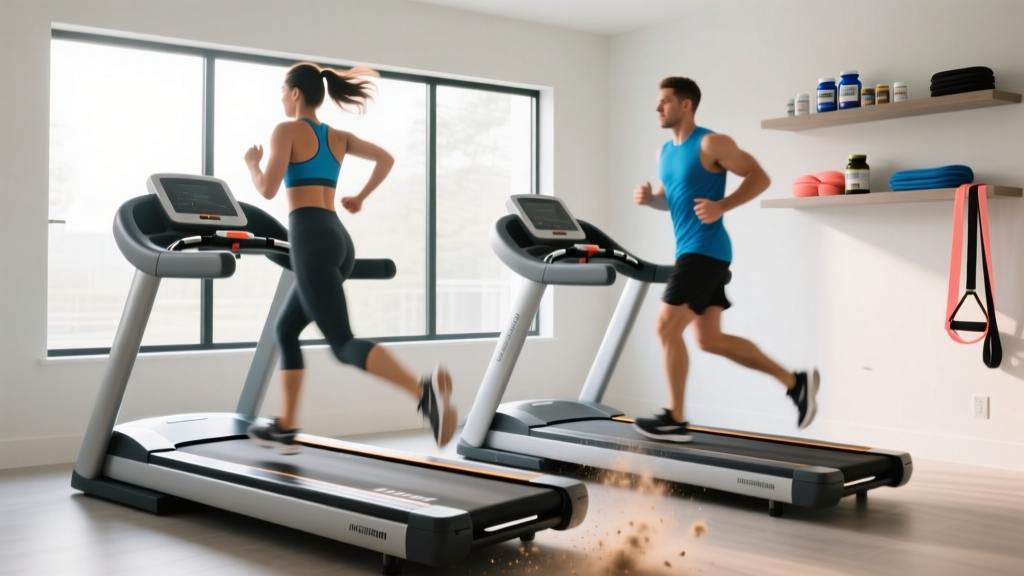
When designing a space-optimized home gym, the treadmill is often the most challenging piece of equipment to place. To maximize floor space, compact treadmills like the Horizon T101 or folding models like the WalkingPad X21 are frequently pushed flush against walls or tucked into tight corners. While this layout strategy saves valuable square footage, it creates a hidden problem: restricted maintenance access. When you cannot easily access the sides and motor hood of your machine, belt lubrication and tensioning are often neglected.
This mechanical neglect directly impacts your digital tracking. If you have ever wondered why your wearable distance doesn't match the console, you are not alone. Learning how to calibrate Apple Watch to treadmill is only half the battle; if the underlying belt is dry, slipping, or improperly tensioned, the watch's accelerometer will register micro-hesitations that ruin your calibration data. This guide merges spatial layout design with mechanical maintenance and digital calibration to ensure your compact home gym delivers professional-grade accuracy in 2026.
The Physics of Belt Friction and Accelerometer Drift
To understand why maintenance is a prerequisite for digital accuracy, we must look at how your wearable tracks indoor movement. According to Apple's official calibration guidelines, the Apple Watch relies on the accelerometer to detect your arm swing and stride length during indoor walks or runs, applying your outdoor GPS-calibrated stride data to the treadmill's belt rotations.
When a treadmill belt lacks proper 100% silicone lubrication, friction between the belt and the wooden deck increases. This causes 'micro-slips'—fraction-of-a-second hesitations where the motor struggles to pull the belt under your foot strike. While the treadmill's internal console might smooth over these micro-slips in its distance calculation, the Apple Watch on your wrist physically feels the deceleration and acceleration. This kinetic stutter confuses the accelerometer, resulting in a watch-calculated distance that is often 5% to 12% shorter than the treadmill console.
Expert Insight: Never attempt to calibrate your Apple Watch to a treadmill that hasn't been lubricated in the last 3 months or 130 miles. You will permanently bake mechanical friction errors into your watchOS stride profile.Spatial Layout: Clearances for Compact Treadmills
Before addressing the belt, we must address the room layout. Space optimization does not mean zero clearance. According to Consumer Reports safety and maintenance guidelines, treadmills require specific clearances not just for safety, but for long-term upkeep.
- Rear Clearance (Safety): Minimum 20 inches behind the treadmill to prevent head injuries if you are thrown backward.
- Dominant Side Clearance (Maintenance): Minimum 18 inches on your dominant side (usually the right) to allow for belt lubrication, deck inspection, and motor hood vacuuming.
- Non-Dominant Side Clearance: Can be reduced to 4-6 inches if wall-mounted fans or outlets dictate the layout, provided the dominant side is accessible.
If your current layout features a treadmill wedged into an alcove with less than 10 inches of side clearance, you are forced into the 'Wall-Hugger' maintenance protocol detailed below.
The 'Wall-Hugger' Belt Lubrication Protocol
When spatial constraints prevent you from walking entirely around the machine, you must adapt your maintenance technique. Standard lubrication requires lifting the belt on both sides. In a tight corner, we use a unilateral, long-reach approach.
- Power Down and Unplug: Always disconnect the machine from the wall to prevent accidental motor engagement.
- Loosen the Belt (Optional but Recommended): Using a 3/16-inch hex key, turn the left and right rear roller adjustment bolts counter-clockwise by exactly one full turn. This creates slack.
- Deploy the Long-Reach Wand: Use a specialized applicator (like the one included in the $14.95 SpotOn 100% Silicone kit or the Impresa Premium kit). Insert the wand under the belt from the accessible side, pushing it all the way to the opposite edge.
- Apply the Silicone: Squeeze exactly 15ml (half an ounce) of 100% pure silicone in a zig-zag pattern as you slowly withdraw the wand. Do not use WD-40 or petroleum-based products, which will destroy the rubber compound.
- Re-Tension and Spread: Tighten the rear bolts clockwise by the exact one turn you previously removed. Plug the machine in, stand on the side rails, and run the belt at 3.0 mph for 3 minutes to distribute the silicone evenly across the deck.
Step-by-Step: How to Calibrate Apple Watch to Treadmill
Now that your belt is mechanically sound and gliding with optimal friction, you can proceed with the digital calibration. This process teaches watchOS 11/12 your specific stride length at various paces.
Phase 1: Reset and Outdoor Baseline
- On your paired iPhone, open the Watch app.
- Navigate to Privacy > Fitness.
- Tap Reset Fitness Calibration Data. (This clears out any old, friction-skewed data).
- Go outside to a flat, open area with a clear GPS signal.
- Start an Outdoor Walk workout on your Apple Watch and walk at your normal, consistent pace for exactly 20 minutes.
- Save the workout. Your watch has now mapped your arm swing to your GPS-verified stride length.
Phase 2: Indoor Treadmill Sync
- Step onto your newly lubricated treadmill.
- Start an Indoor Walk workout on the Apple Watch.
- Set the treadmill to a consistent 3.2 mph (or your natural outdoor walking speed).
- Walk for 20 minutes. Crucial: Do not hold the handrails. Holding the rails eliminates the arm swing the accelerometer needs to track your stride.
- End the workout. When prompted on the screen, tap Calibrate & Save.
Pro-Tip for Runners: If you primarily run, repeat Phase 1 and Phase 2 using the 'Outdoor Run' and 'Indoor Run' profiles at a steady 6.0 mph pace. Walking calibration does not automatically translate to running stride mechanics.
Troubleshooting Matrix: Drift, Slip, and Spatial Constraints
Even with perfect calibration, environmental and mechanical factors in small spaces can cause data drift. Use this diagnostic table to identify the root cause of your tracking errors.
| Symptom | Mechanical / Spatial Cause | Apple Watch Result | Corrective Action |
|---|---|---|---|
| Watch distance is consistently lower than console. | Dry belt causing micro-slips; motor hesitating under load. | Accelerometer registers stuttering, assumes shorter stride. | Lubricate belt with 100% silicone; re-calibrate watch. |
| Watch distance is consistently higher than console. | Belt tension is too loose; belt stretches and slips over the front roller. | Watch counts full strides, but belt fails to rotate the full distance. | Tighten rear roller bolts 1/4 turn clockwise; check deck wear. |
| Pace fluctuates wildly on Watch despite steady treadmill speed. | Treadmill placed on thick, plush carpet in a small bedroom. | Machine flexes vertically, disrupting accelerometer Z-axis data. | Install a high-density 3/8-inch rubber equipment mat underneath. |
| Watch fails to auto-detect workout start. | Cramped layout forces user to hold handrails while mounting. | Lack of initial arm swing prevents auto-detection algorithm trigger. | Manually start workout; ensure 18-inch side clearance for safe mounting. |
Space-Saving Maintenance Tools for the Compact Gym
According to The Treadmill Doctor, using the correct lubricant is vital, but in small spaces, the packaging of the lubricant matters just as much. Bulky squeeze bottles are difficult to maneuver when your treadmill is 8 inches from a drywall partition.
Invest in a silicone lubricant kit with a flexible extension tube (typically $12 to $18). These tubes can be fed under the belt from the rear roller, entirely bypassing the need for side access. Additionally, keep a folding 3/16-inch hex key taped to the inside of your motor hood or stored in a small wall-mounted magnetic strip near the machine. By integrating maintenance tools directly into the spatial layout of the gym, you remove the friction of upkeep, ensuring your belt remains pristine and your Apple Watch calibration remains flawless for years to come.
More gear to consider
All reviews
Banana Treadmill Setup & Feature Comparison Guide
Epic View 550 Treadmill vs Elliptical: Value Breakdown

Walking Pad Treadmill Comparison: Avoid the Mice Treadmill Trap

Rower or Treadmill? Curved vs Motorized Setup Guide

Elliptical Walker vs Treadmill: Motor Size & Horsepower Guide