Office Treadmill Review & Troubleshooting ProForm Treadmill Problems
Discover top under-desk treadmills for space-optimized offices and learn expert tips for troubleshooting ProForm treadmill problems in tight layouts.

The Spatial Reality of 2026 Home Office Cardio
As hybrid work models solidify in 2026, maximizing Non-Exercise Activity Thermogenesis (NEAT) through under-desk treadmills has transitioned from a niche biohacking trend to a standard ergonomic requirement. However, integrating cardio equipment into a 10x10 foot home office requires ruthless space optimization. According to Mayo Clinic research on NEAT and standing workstations, the metabolic benefits of low-intensity walking are undeniable, but only if the equipment fits your spatial and ergonomic layout without causing mechanical failure.
📐 Minimum Office Clearance Metrics:- Under-Desk Height: Minimum 40 inches (to accommodate user stride and treadmill console).
- Rear Wall Clearance: Minimum 24 inches for motor ventilation on traditional compact treadmills.
- Side Clearance: Minimum 12 inches on the dominant hand side for emergency dismounts.
Top Under-Desk Treadmills for Space-Optimized Offices
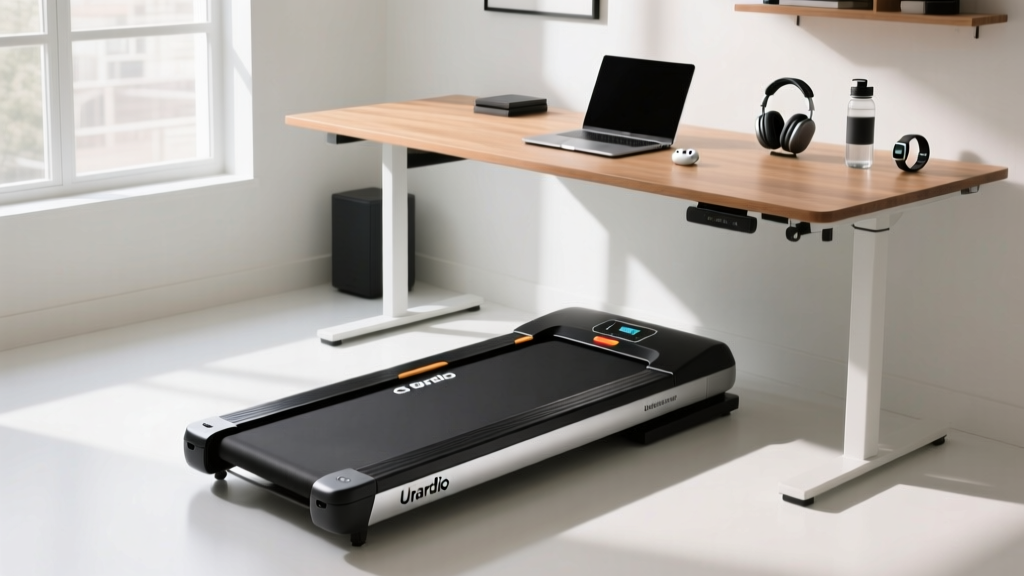
True under-desk treadmills are engineered with low-profile decks and minimal consoles, making them ideal for sliding under standard or motorized standing desks. Here is our review of the top space-saving models currently dominating the market.
1. WalkingPad R2 (2026 Edition)
The WalkingPad R2 remains the gold standard for ultra-compact layouts. Its patented 180-degree fold reduces its storage footprint to just 10.2 x 20.5 inches, allowing it to slide under a standard sofa or stand vertically in a closet. The brushless motor operates at roughly 55 dB, meaning it will not interfere with Zoom calls. However, the 2.5 MPH top speed limits it strictly to walking, and the narrow 17-inch running belt requires precise foot placement.
2. UREVO Strol 2E
For users who want the option to jog without sacrificing the under-desk profile, the UREVO Strol 2E offers a dual-mode design. With the handlebar folded down, it is a mere 5 inches thick and fits under almost any desk with a 4-inch clearance. Deploy the handlebar, and it supports speeds up to 7.6 MPH. At roughly $249, it is the most budget-friendly space-optimizer, though the deck flexes slightly under users over 200 lbs.
Compact Footprint Comparison Matrix
| Model | Folded Dimensions | Deck Thickness | Max Speed | Noise Output |
|---|---|---|---|---|
| WalkingPad R2 | 10.2" x 20.5" | 5.5" | 2.5 MPH | ~55 dB |
| UREVO Strol 2E | 54" x 26" (Upright) | 5.0" | 7.6 MPH | ~62 dB |
| ProForm City L6 | 76" x 28" (Folded Flat) | 8.5" | 10.0 MPH | ~68 dB |
When Compact Fails: Troubleshooting ProForm Treadmill Problems in Tight Layouts
While dedicated walking pads are excellent for low-intensity movement, many home office workers attempt to optimize space by purchasing 'compact folding' traditional treadmills—like the ProForm City L6 or ProForm Carbon TL—and shoving them into tight office nooks, against walls, or under raised standing desks. This spatial compromise leads to severe mechanical and electrical issues. If you are troubleshooting ProForm treadmill problems caused by a poorly planned office layout, follow these expert diagnostics.
1. Overheating and Error Codes (E1 / E2)
The most common issue when wedging a ProForm treadmill into a tight office corner is motor overheating, which typically triggers an E2 (Motor Voltage) or E1 (Speed Sensor) error code on the console. ProForm motors require a minimum of 18 to 24 inches of rear clearance for the cooling fan to exhaust hot air. When placed flush against a home office wall, the motor recirculates its own heat, causing the thermal breaker to trip.
- The Fix: Pull the treadmill at least 24 inches away from the wall. If the error persists, unplug the machine, remove the motor hood (usually 3 to 4 Phillips-head screws), and use compressed air to blow out carbon dust from the motor brushes and cooling fins.
- Sensor Check: If throwing an E1 code, locate the optic speed sensor near the motor flywheel. Ensure the sensor is exactly 1/8 inch from the magnet. In tight spaces, users often bump the rear of the machine, knocking this alignment out of place.
2. Belt Slippage and Tracking Issues on Uneven Office Mats
To protect hardwood floors or dampen sound, office workers frequently place thick, plush area rugs or cheap foam mats under their treadmills. This creates an uneven foundation. When the deck flexes under your weight, the running belt shifts laterally, rubbing against the side rails and causing a burning smell.
⚠️ Warning: Never use a foam puzzle mat under a ProForm treadmill. The deck requires a rigid, level surface. Use a high-density PVC equipment mat (at least 3/16-inch thick) specifically rated for cardio equipment.
Calibration Protocol: To re-center the belt, locate the rear roller adjustment bolts at the back of the deck. Using a 3/16-inch Allen wrench, turn the left bolt 1/4 turn clockwise to shift the belt to the right (or vice versa). Run the treadmill at 3 MPH and make micro-adjustments until the belt tracks perfectly in the center.
3. Circuit Overloads in Shared Workspaces
Home offices are often wired on standard 15-amp residential circuits shared with PCs, dual monitors, space heaters, and laser printers. A ProForm treadmill under a heavy load (especially if the belt lacks lubrication, increasing friction) can draw up to 12-14 amps at startup. This shared draw will trip the breaker or cause the treadmill console to randomly reboot.
- The Fix: Plug the treadmill directly into a wall outlet on a dedicated 15-amp or 20-amp circuit. Avoid power strips and surge protectors, as ProForm explicitly states in their manuals that these can restrict voltage and void the warranty. If a dedicated circuit is impossible, apply 1 oz of 100% silicone treadmill lubricant under the belt every 150 miles to reduce motor amp draw by up to 30%.
Designing the Ultimate Ergonomic Layout
Integrating a treadmill into your office is only half the battle; the ergonomics of your desk setup dictate whether you will actually use it. According to the OSHA eTool for Office Workstations, improper monitor height and keyboard placement can lead to severe cervical and lumbar strain, a risk amplified when walking.
The 4-Point Ergonomic Checklist
- Desk Height Calculation: A standard desk is 29 inches high. When standing on a 5-inch treadmill deck, your effective floor height increases by 5 inches. You must use a motorized standing desk capable of reaching at least 46 inches to maintain a 90-degree elbow angle while typing.
- Monitor Elevation: The top third of your monitor must remain at eye level. When walking, your natural posture shifts slightly forward. Utilize a pneumatic monitor arm to pull the screen 4-6 inches closer to your face than you would when seated, preventing forward-head posture.
- Cable Management: Walking generates kinetic vibration. Loose HDMI and power cables will slowly work themselves out of ports. Use velcro cable sleeves and anchor them to the underside of the desk with a 6-inch drip loop to accommodate the desk's vertical movement.
- Anti-Fatigue Zoning: Keep a high-density anti-fatigue mat adjacent to the treadmill. Alternate between 30 minutes of walking and 15 minutes of standing still to prevent plantar fascia inflammation.
Final Verdict on Space Optimization
If your office layout cannot guarantee 24 inches of rear clearance and a dedicated electrical circuit, abandon the idea of a compact folding traditional treadmill and invest in a true low-profile walking pad like the WalkingPad R2. However, if you have the square footage and are committed to troubleshooting ProForm treadmill problems proactively, models like the City L6 offer superior biomechanical support and higher speed ranges. For further technical schematics and warranty support, always refer directly to the official ProForm Support portal. Smart space optimization is not just about making the equipment fit; it is about ensuring the environment allows the machine to operate safely and ergonomically for years to come.
More gear to consider
All reviews
Bike Maintenance: Upright, Recumbent, Spin & Treadmill MPH Pace Chart

WalkingPad X25 Double-Fold Treadmill: 2026 Value & Space Review

Belt Care: Optimizing Your Treadmill for Weight Loss Female Routines
Rowing Technique & Buying Guide: The Treadmill Was Invented in 1818

Maximum Heart Rate Stress Test Treadmill: Motor HP Guide
