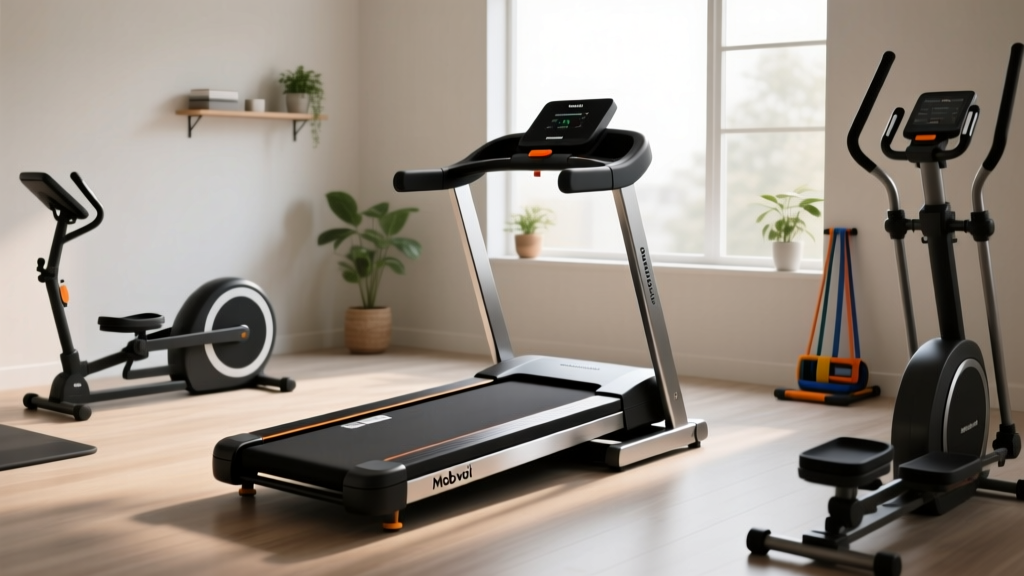
Mobvoi Home Walking Treadmill Care: Compact Cardio Longevity
Maximize the lifespan of your Mobvoi Home Walking Treadmill and other compact portable cardio equipment with our expert maintenance and longevity guide.

The Rise of Compact Cardio: Why Maintenance Matters More Than Ever
As of 2026, the home fitness landscape has decisively shifted toward space-saving, compact portable cardio equipment options. Among the most popular choices for under-desk and small-apartment use is the Mobvoi Home Walking Treadmill. Typically priced between $249 and $349, this low-profile machine offers a convenient way to hit your daily step count without sacrificing valuable floor space. However, the engineering compromises that make compact walking pads so sleek—namely, smaller motor housings, thinner running belts, and reduced deck clearance—also make them uniquely susceptible to premature wear.
Unlike full-sized commercial treadmills with massive 4.0 HP motors and extensive cooling systems, compact units operate with tight tolerances. A neglected Mobvoi Home Walking Treadmill will quickly succumb to belt friction, motor overheating, and controller board failure. This comprehensive guide provides domain-level maintenance protocols to ensure your compact cardio investment lasts for years, not just months.
The Anatomy of Compact Treadmill Wear
To properly maintain your equipment, you must understand how it fails. Compact walking pads generally suffer from three primary failure modes:
- Thermal Throttling: The Mobvoi unit utilizes a peak 2.5 HP motor (with a continuous duty rating closer to 1.25 HP). Because the motor hood is flat and lacks a dedicated cooling fan intake, ambient dust and heat become trapped, leading to thermal shutdowns.
- Belt-to-Deck Friction: The running belt on compact pads is typically only 1.5mm to 2.0mm thick. Without adequate 100% silicone lubrication, the friction coefficient spikes, forcing the motor to draw excess amperage, which eventually fries the lower controller board.
- Roller Bearing Seizure: The front and rear rollers on portable units are narrower (often around 1.5 inches in diameter). If debris wraps around the roller shafts, the bearings grind to a halt, causing the belt to track off-center and tear.
Mobvoi Maintenance Schedule: A Proactive Framework
Rather than waiting for the dreaded 'E01' motor overload error code, implement this strict maintenance cadence. This schedule is optimized for users walking 3 to 5 miles per day.
| Frequency | Maintenance Task | Specific Action & Tools Required |
|---|---|---|
| Daily | Surface & Sweat Removal | Wipe the side rails and LED display with a microfiber cloth and mild, non-abrasive electronics cleaner. |
| Weekly | Debris Extraction | Use a vacuum with a soft brush attachment along the belt edges and motor hood vents to prevent dust ingestion. |
| Monthly | Belt Tracking & Tension Check | Perform the 'slip test' at 2.0 mph. Adjust rear roller bolts using a 4mm Allen wrench if lateral drift occurs. |
| Bi-Annually | Deck Lubrication | Apply exactly 0.5 oz of 100% silicone treadmill lubricant under the belt. Wipe away excess from the edges. |
| Annually | Motor Hood Deep Clean | Unplug the unit, remove the 4 Phillips-head screws on the front motor cover, and use compressed air to clear the PCB. |
Mastering Belt Tension and Alignment
One of the most common mistakes owners of the Mobvoi Home Walking Treadmill make is over-tightening the running belt to fix a slipping sensation. Over-tensioning places immense radial load on the motor shaft bearings, leading to catastrophic motor failure within weeks.
The Step-by-Step Tensioning Protocol
- Power Down and Unplug: Never adjust the rear roller bolts while the machine is plugged into the mains.
- Locate the Adjustment Bolts: Find the two hex bolts at the very rear left and right edges of the treadmill deck.
- Assess the Drift: If the belt is drifting to the left, you need to tighten the left bolt. If drifting right, tighten the right bolt.
- The Quarter-Turn Rule: Insert your 4mm Allen wrench and turn the appropriate bolt exactly one-quarter turn clockwise. Never exceed a half-turn in a single session.
- Test and Iterate: Plug the machine in, set the speed to 2.0 mph, and observe the belt for 60 seconds. Repeat the quarter-turn process until the belt tracks dead-center.
To check if your belt is too loose (which causes the 'stuttering' effect when you plant your foot), set the treadmill to 1.5 mph. Step onto the belt and firmly plant your dominant foot, attempting to stop the belt while the motor continues. If the motor hums but the belt stops under your foot, the belt is loose. If the belt pulls your foot backward, the tension is correct. If the motor instantly stalls and throws an error code, your belt is dangerously over-tightened.
The Lubrication Deep Dive: Silicone vs. Petroleum
According to equipment repair authorities like Treadmill Doctor, using the wrong lubricant is the fastest way to destroy a walking pad. You must use 100% pure silicone fluid. Never use WD-40, petroleum jelly, or household oils, as these will degrade the rubber compounds in the Mobvoi belt and cause it to delaminate from the cotton backing.
How to Lubricate a Low-Clearance Deck
Because the Mobvoi Home Walking Treadmill lacks the adjustable deck height of full-sized models, applying lubricant requires a specific technique:
- Loosen the belt tension by turning both rear roller bolts two full turns counter-clockwise.
- Reach under the center of the belt with your hand, lifting it roughly 2 inches off the wooden MDF deck.
- Squeeze the silicone applicator nozzle, drawing a single, continuous zig-zag line from the center to the outer edge on both the left and right sides.
- Retighten the rear bolts to your previous baseline (count the exact number of turns you loosened).
- Run the treadmill at 3.0 mph for 3 minutes without walking on it to evenly distribute the silicone.
Comparing Maintenance Across Compact Cardio Options
How does the Mobvoi stack up against other popular compact portable cardio equipment options in terms of long-term upkeep? The table below synthesizes data based on 2026 market teardowns and user longevity reports, similar to reliability metrics tracked by Consumer Reports for home fitness gear.
| Equipment Type | Model Example | Primary Failure Point | Maintenance Intensity | Expected Lifespan (Daily Use) |
|---|---|---|---|---|
| Compact Treadmill | Mobvoi Home Walking Treadmill | Motor overheating / PCB failure | Moderate (Bi-annual lube, monthly tensioning) | 3 to 5 Years |
| Ultra-Thin Walking Pad | UREVO Strol 2E | Belt tearing / Deck warping | High (Requires frequent lube due to thin deck) | 1.5 to 3 Years |
| Under-Desk Elliptical | Cubii JR2 | Drive belt snapping / Sensor dust | Low (Occasional dusting, no belt lube required) | 4 to 6 Years |
| Folding Air Bike | Assault Fitness Mini | Chain stretch / Pedal bearing wear | Moderate (Chain lubrication, bolt torquing) | 5 to 7 Years |
Motor Cooling and Electronics Care
The internal architecture of the Mobvoi Home Walking Treadmill places the lower control board directly adjacent to the drive motor. As iFixit repair guides frequently note, heat and conductive dust are the natural enemies of PWM (Pulse Width Modulation) motor controllers.
Expert Insight: Never place your compact treadmill directly on a high-pile carpet. The carpet fibers will act as an insulator against the bottom of the deck, trapping heat, while simultaneously shedding micro-fibers that get sucked into the motor housing through the static charge generated by the moving belt. Always use a dense, low-pile PVC equipment mat.
Clearing the Motor Hood Safely
Every six months, you should clear dust from the motor compartment. When using compressed air to blow out the motor fins and the PCB, do not let the compressed air spin the motor fan. Forcing a DC motor to spin at high RPMs via compressed air turns it into a makeshift generator, sending a back-voltage spike into the lower control board that can blow the capacitors. Always hold the flywheel in place with your hand while blowing out the dust.
Troubleshooting Common Mobvoi Error Codes
When maintenance is neglected, the Mobvoi LED display will communicate specific hardware faults. Understanding these codes allows you to address issues before they require a full machine replacement.
- E01 (Motor Overload / Communication Loss): Usually caused by a loose wire harness connecting the console to the lower board, or a seized belt causing the motor to draw too many amps. Check the wiring first, then check belt tension.
- E02 (Speed Sensor Fault): The optical sensor near the motor flywheel is misaligned or covered in dust. Unplug the machine, remove the motor hood, and wipe the small black sensor eye and the slotted disc on the flywheel with a Q-tip and isopropyl alcohol.
- E05 (Over-Current Protection): The deck is dry, creating massive friction. The system is protecting itself from catching fire. Stop immediately and perform the bi-annual silicone lubrication protocol outlined above.
Final Thoughts on Compact Cardio Longevity
The Mobvoi Home Walking Treadmill represents an excellent entry point into the compact portable cardio equipment market, provided you respect its mechanical limitations. By adhering to a strict bi-annual lubrication schedule, avoiding the trap of over-tensioning the running belt, and managing the thermal environment of the motor hood, you can easily double the functional lifespan of your machine. Treat your walking pad not as a disposable appliance, but as a precision piece of fitness engineering, and it will reliably support your daily movement goals for years to come.
More gear to consider
All reviews
Budget Breakdown: UREVO 2 in 1 Folding Treadmill vs Stationary Bike Types
Elliptical vs Treadmill Space: Air Assault Treadmill Layout Guide

ProForm 585 Treadmill vs Rowers: Buying Guide & Technique Mistakes

Echelon Treadmill vs. Stationary Bike Types: Space Guide

Under Desk Treadmill for Office Use Review: Skip the Toddler Treadmill
