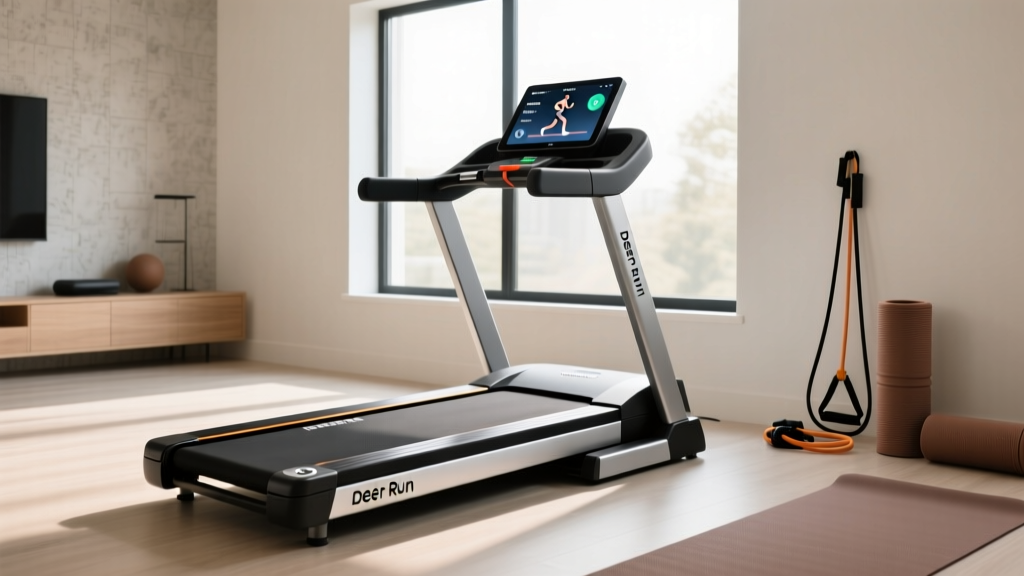
Deer Run Treadmill App Errors? Motor HP Troubleshooting
Fix Deer Run treadmill app disconnects and lag. Learn how motor size, CHP ratings, and hardware limits cause smart errors and how to troubleshoot them.

The Bluetooth Illusion: Why Your Deer Run App is Actually Failing
If you have spent any time on fitness forums in 2026, you have likely seen the same complaint: "My Deer Run treadmill app keeps disconnecting," or "The app speed slider lags by five seconds and then jumps." Most users immediately blame their smartphone, the Bluetooth Low Energy (BLE) 5.0 protocol, or a buggy app update. However, as fitness equipment technicians know, the root cause of these smart-connectivity failures rarely lies in the software. It lies in the hardware—specifically, treadmill motor size, horsepower limitations, and power supply voltage sag.
When you use the Deer Run treadmill app to command a sudden speed increase or an incline adjustment, the app sends a Pulse Width Modulation (PWM) signal via the console to the motor controller board. If your treadmill motor is undersized for your body weight and the requested workload, the motor draws excessive amperage. This spike causes a voltage drop on the main DC bus, leading to a "brownout" that resets the console's Bluetooth module. The app disconnects, leaving you stranded on the belt.
This comprehensive troubleshooting guide bridges the gap between smart fitness software and raw mechanical horsepower, helping you diagnose whether your Deer Run app errors are a software glitch or a motor capacity failure.
Decoding Horsepower: The Root of Smart App Latency
To troubleshoot app connectivity and speed lag, you must first understand the motor driving your machine. The fitness industry is notorious for misleading horsepower (HP) claims, which directly impacts how well smart apps like Deer Run can control the hardware.
⚠️ Critical Diagnostic Warning: Never trust "Peak HP" on a budget treadmill. Peak HP only measures the motor's output for a fraction of a second before overheating. Always look for Continuous Duty Horsepower (CHP), which measures the motor's ability to sustain power under load. If your Deer Run walking pad or compact treadmill only lists Peak HP, assume the CHP is roughly 40% to 50% of that number.Motor Size vs. Deer Run App Performance Matrix
The table below illustrates how different motor sizes handle the data and physical demands of app-controlled workouts. According to the Consumer Reports Treadmill Buying Guide, matching motor capacity to user weight is the single most important factor in preventing hardware failure.
| Motor Rating (CHP) | Max User Weight | Deer Run App Behavior | Common Failure Mode |
|---|---|---|---|
| 1.0 - 1.25 CHP | Under 150 lbs | Walking only (Up to 4.0 MPH) | App disconnects during minor incline or speed bumps due to amp spikes. |
| 1.5 - 1.75 CHP | 150 - 190 lbs | Light Jogging (Up to 6.5 MPH) | PWM signal lag; app commands delay by 2-3 seconds as controller manages heat. |
| 2.0 - 2.5 CHP | 190 - 250 lbs | Running & HIIT (Up to 10.0 MPH) | Stable connection, but E01/E04 errors if cooling fan fails. |
| 3.0+ CHP (AC Motor) | 250 - 350+ lbs | Unrestricted App Control | Rare hardware failures; app errors usually isolated to phone OS issues. |
Common Mistakes When Pairing App Commands to Motor Limits
When integrating the Deer Run treadmill app into your daily routine, users frequently make hardware-ignorant mistakes that trigger software errors. Here are the most common missteps and how to correct them.
Mistake 1: Initiating App-Controlled HIIT on a DC Brush Motor
Most compact treadmills and walking pads compatible with the Deer Run app utilize Direct Current (DC) brush motors. These motors are designed for steady-state walking or light jogging. When you load a High-Intensity Interval Training (HIIT) program in the Deer Run app that demands rapid transitions from 3.0 MPH to 7.0 MPH, the motor controller must dump massive voltage into the DC motor to overcome the inertia of the belt and your body weight. This causes the thermal overload switch on the controller board to trip, instantly severing the Bluetooth connection to protect the silicon. Fix: Use the app's manual mode to gradually ramp up speed, or restrict app-automation to steady-state cardio.
Mistake 2: Ignoring the Weight-to-CHP Ratio Formula
The American Council on Exercise (ACE) emphasizes that user weight drastically alters motor strain. A 2.0 CHP motor might handle a 140 lb runner effortlessly, keeping the Deer Run app perfectly synced. However, a 220 lb runner on that exact same motor will cause it to draw 12-15 amps continuously. If your app is lagging, calculate your impact: if you weigh over 200 lbs, you need a minimum of 2.5 CHP to maintain the voltage stability required for smart-console Bluetooth polling.
Mistake 3: Forcing App Incline Commands on a Failing Lift Motor
The Deer Run app controls both belt speed and incline. Users often report the app freezing when they hit the "Incline Up" button. The incline is controlled by a separate, smaller lift motor (usually rated around 1/10th HP). If the treadmill deck lacks proper lubrication, the friction transfers to the lift motor, causing it to bind. The console detects this amp spike and freezes the UI to prevent a fire hazard, which manifests as the app becoming unresponsive. Fix: Apply 100% silicone treadmill lubricant under the belt every 40-50 hours of use.
Step-by-Step Troubleshooting: App Disconnects & Error Codes
Before uninstalling the Deer Run app or returning your treadmill, perform this hardware-to-software diagnostic flow to isolate the true point of failure.
Diagnostic Flowchart
- Check the Error Code: Look at the physical treadmill console LED. Is it displaying E01 (Communication Error), E04 (Motor Overload/Incline Fault), or E07 (Power Supply Voltage Drop)?
- The E07 Voltage Sag Test: If you see E07 or the app drops exactly when you step onto the moving belt, your power supply adapter is failing under load. The Deer Run app requires the console to stay powered to maintain the BLE handshake. Replace the OEM power brick with a matching voltage/amperage certified replacement (usually 24V or 42V, depending on the model).
- The Belt Friction Amp-Draw Test: Unplug the treadmill. Remove the motor hood. Plug it back in and stand on the side rails. Start the belt via the Deer Run app at 3.0 MPH. Step onto the belt. If the app immediately lags or the motor whines loudly, the belt tension is too tight or the deck is dry, causing the motor to work 40% harder than necessary.
- Clear the Console Cache: If the motor runs smoothly and quietly but the app still lags, hard-reset the treadmill. Unplug the machine from the wall, hold the physical power switch down for 30 seconds to drain the console capacitors, and restart. This clears corrupted BLE handshake data.
Understanding the PWM Signal Bottleneck
When the Deer Run app sends a command to increase speed from 4.0 MPH to 6.0 MPH, it does not simply "tell" the motor to go faster. It alters the PWM duty cycle sent to the motor controller. If the motor's internal windings are overheating (common in 1.0 CHP walking pads used for over 45 continuous minutes), the controller's thermistor will artificially limit the PWM signal to prevent melting the wiring. To the user, it looks like the app's speed slider is stuck. In reality, the hardware is actively rejecting the software's command to save itself. Allow the machine to cool for 15 minutes, and app control will restore.
When to Upgrade Your Hardware vs. Fixing the Software
Not all Deer Run app errors can be solved by lubricating a belt or resetting a router. You must recognize when your treadmill's motor size is fundamentally incompatible with your fitness goals and smart-home integration.
- Stick with your current machine if: You are using a 1.5 CHP walking pad strictly for under-desk walking (under 3.5 MPH), weigh under 170 lbs, and only experience app disconnects during firmware updates or when your phone's battery-saver mode restricts background Bluetooth polling.
- Upgrade your treadmill if: You weigh over 200 lbs, frequently run above 6.0 MPH, utilize the Deer Run app's virtual trail programs (which demand constant micro-adjustments to speed and incline), and regularly trip the motor controller's thermal overload switch. You need a machine with a minimum 2.5 CHP motor and an isolated power rail for the console to ensure the Bluetooth module never experiences voltage sag.
"Smart fitness apps are only as intelligent as the hardware they command. A world-class app cannot overcome the laws of thermodynamics and electrical resistance in an undersized DC motor." — Fitness Equipment Repair Journal, 2025
Final Verdict: Harmonizing Software and Horsepower
The Deer Run treadmill app is a highly capable piece of software, utilizing modern BLE protocols to deliver immersive, data-rich workouts. However, treating it as a magic wand that can override physical hardware limitations is a critical mistake. By understanding the vital difference between Peak HP and Continuous Duty HP, monitoring your weight-to-motor ratio, and recognizing the physical symptoms of voltage sag, you can accurately troubleshoot connectivity issues. Stop blaming your smartphone's Bluetooth antenna, and start checking your motor controller's amp draw. True smart fitness requires both intelligent software and adequately powered hardware working in perfect synchronization.
More gear to consider
All reviews
Umay Treadmill vs Motorized: 2026 Curved Manual Comparison

How Long Should I Walk on the Treadmill Before Belt Lubrication?

Air Bike vs Assault Bike Care: Longevity & Treadmill MET Calculator

Matrix Slat Treadmill vs Compact Portable Cardio: 2026 Value Analysis
Precor TRM 835 Treadmill: Step-by-Step Cardio Noise Comparison Guide
