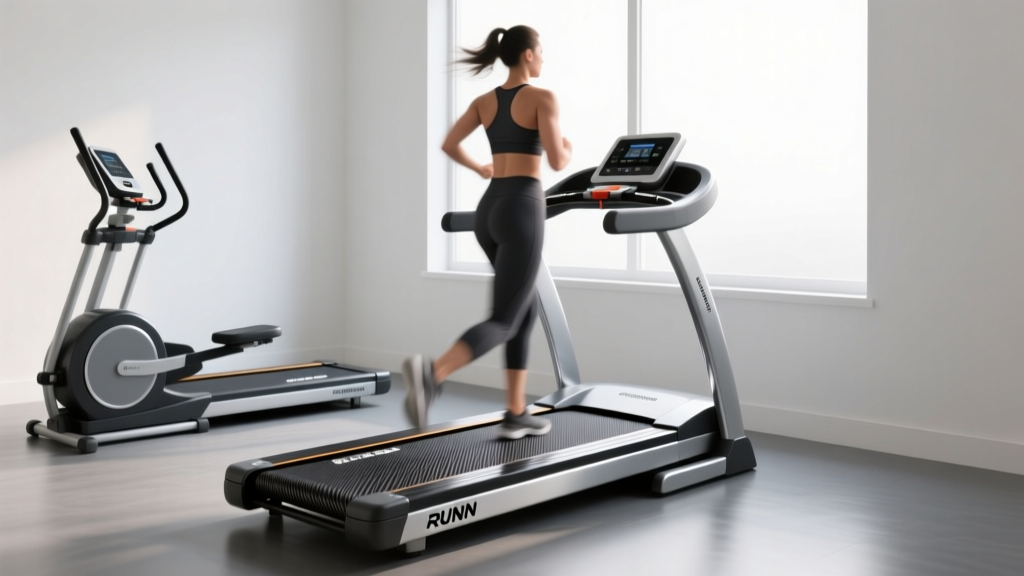
Manual vs Motorized Treadmills: Setup with RUNN Treadmill Sensor
Discover the biomechanical differences between curved manual and motorized treadmills, and learn how to track accurate metrics using a RUNN treadmill sensor.

The Home Cardio Dilemma: Curved Manual vs. Motorized
Stepping into the world of home cardio in 2026 means facing a massive fork in the road: do you invest in a traditional motorized treadmill, or do you embrace the biomechanical purity of a curved manual treadmill? Both options offer distinct physiological benefits, but they also present a shared problem for data-driven runners—accurate metric tracking. This is where integrating a RUNN treadmill sensor becomes an absolute game-changer for your indoor training ecosystem.
Beginner Decision Matrix
- Choose Curved Manual if: You want to engage your posterior chain, burn up to 30% more calories per mile, and prefer self-paced, effort-based runs.
- Choose Motorized if: You are training for strict marathon pacing, need forced downhill simulations (on select models), or require a softer deck for joint rehabilitation.
- Add a RUNN Sensor if: You use Zwift, Strava, or TrainingPeaks and need broadcast-grade Bluetooth/ANT+ speed and distance data, regardless of the deck type.
Biomechanics and Hardware: A Deep Dive
To make an informed purchase, you must understand how the belt mechanics dictate your muscle recruitment. According to biomechanical analyses referenced by ACE Fitness, curved manual treadmills force the runner to drive the belt backward using their hamstrings and glutes. This eliminates the 'pulling' sensation of a motorized belt and closely mimics outdoor overground running.
Hardware Showdown: TrueForm Trainer vs. Sole F80
Let us compare two industry benchmarks: the curved manual TrueForm Trainer and the motorized Sole F80.
| Feature | TrueForm Trainer (Curved Manual) | Sole F80 (Motorized) |
|---|---|---|
| Approximate Price | $4,595 | $1,999 |
| Belt Material | Vulcanized Rubber Slats | Multi-ply PVC/Canvas |
| Top Speed | Unlimited (User-driven) | 12 MPH |
| Native App Connectivity | Basic LCD (No Bluetooth broadcast) | Sole App (Limited 3rd party sync) |
| RUNN Sensor Compatibility | High (Requires VHB tape mod) | Native (Standard adhesive) |
The Data Gap: Why You Need a RUNN Treadmill Sensor
Most beginners assume the digital console on their treadmill is 100% accurate. In reality, motorized treadmill consoles rely on motor RPMs to estimate speed. Over time, belt stretch and friction cause a drift of 2% to 5%, meaning your '8:00/mile' pace might actually be an 8:25/mile. Furthermore, premium curved manual treadmills like the AssaultRunner Elite or TrueForm often feature basic LCD screens that calculate slat rotations but completely lack the Bluetooth or ANT+ chips required to broadcast data to virtual running platforms.
The RUNN treadmill sensor (retailing around $99) solves this by bypassing the treadmill's internal computer entirely. It mounts to the side rail and uses an optical sensor to read a piece of reflective tape placed on the belt, calculating exact velocity and distance in real-time and broadcasting it to your smartwatch or Zwift setup.
Step-by-Step: Installing and Calibrating Your RUNN Sensor
Installing the sensor on a motorized deck is straightforward, but mounting it on a curved manual treadmill requires specific edge-case troubleshooting. Follow this guide to ensure sub-1% accuracy.
Step 1: Surface Preparation and Tape Application
For Motorized Treadmills: Clean a 2-inch section of the belt edge with isopropyl alcohol. Apply the standard reflective tape included in the RUNN box.
For Curved Manual Treadmills (Crucial Step): Curved decks use thick, textured rubber slats. The standard adhesive tape will peel off within three runs due to the flexing of the slats. You must purchase 3M VHB (Very High Bond) double-sided tape. Apply the VHB tape to the edge of a single rubber slat, press firmly for 60 seconds, and then apply the RUNN reflective marker on top of the VHB base.
Step 2: Mounting the Optical Sensor
- Locate a flat surface on the treadmill's side rail, directly adjacent to where the reflective tape passes during belt rotation.
- Use the included 3M adhesive mount or zip-ties (if the rail is tubular) to secure the RUNN pod.
- Ensure the optical lens is exactly 1.5 to 2 inches away from the belt surface. The LED indicator will flash red when it detects the reflective tape passing by.
Step 3: The 2-Meter Calibration Protocol
Do not skip calibration. Factory defaults assume a standard belt length, which will ruin your pacing data.
Pro-Tip: The 10-Revolution Math
Take a piece of chalk and mark the belt. Measure exactly 10 full revolutions of the belt using a steel tape measure (not a cloth tailor's tape, which stretches). For a Sole F80, 10 revolutions usually equal roughly 1,380 inches (115 feet). Enter this exact measurement into the RUNN calibration app. This accounts for microscopic belt stretch and ensures your virtual avatar moves at your exact real-world speed.
Pairing to Your Training Ecosystem
Once calibrated, the RUNN sensor acts as a standard Bluetooth FTMS (Fitness Machine Service) and ANT+ speed sensor.
- Zwift / MyWhoosh: Open the pairing menu, select 'Run Speed', and choose 'RUNN'. Your virtual avatar will now accelerate the exact moment you push the curved deck harder.
- Garmin / COROS Watches: Pair via ANT+ in the sensor menu. This allows you to leave your watch on the treadmill console and still capture exact indoor distance and pace without relying on the flawed GPS 'indoor track' algorithm.
- Stryd Footpod Integration: If you already own a Stryd footpod for power metrics, the RUNN sensor pairs beautifully as a secondary speed validation tool, ensuring your power-to-pace ratio remains consistent indoors and outdoors.
Beginner Troubleshooting and Edge Cases
Even with perfect installation, indoor cardio environments present unique RF (radio frequency) challenges. Here is how to handle the most common failure modes:
Sensor Dropouts During Sprint Intervals
If your connection drops when you hit 10+ MPH on a motorized treadmill, you are likely experiencing Bluetooth interference from nearby smart TVs or microwaves. Switch your watch or laptop to receive the ANT+ signal instead of Bluetooth. ANT+ operates on a different frequency and is vastly superior for high-speed, low-latency data transmission in crowded home gyms.
Pace Feels 'Jumpy' on Curved Treadmills
Curved manual treadmills naturally have micro-fluctuations in speed because they are driven by human stride variability, not a steady AC motor. If your Zwift avatar is surging and slowing erratically, enable the 'Pace Smoothing' feature in the RUNN companion app. Setting this to a 3-second rolling average will stabilize your data output without masking your actual effort.
Final Verdict: Which Setup is Right for You?
If your primary goal is strict marathon pacing and you prefer to 'set it and forget it' while watching a screen, a motorized treadmill like the Sole F80 is your best entry point. However, if you want to build explosive posterior-chain strength, improve your running form, and eliminate the artificial feeling of a motor pulling your feet, a curved manual treadmill is a superior long-term investment.
Regardless of which deck you choose, treating your treadmill as a 'dumb' piece of mechanical hardware and adding a RUNN treadmill sensor is the smartest $99 you can spend. It bridges the gap between raw physical effort and the digital accountability required to actually improve your race times in 2026 and beyond.
More gear to consider
All reviews
How Many Miles on the Treadmill to Lose Weight? 2026 Cycling Trends
Revo Treadmill Install Guide & Walking Pad Comparison 2026

Rowing Machine Guide: Technique & How to Work a Treadmill
When Were Treadmills Invented? Budget Folding Treadmill Review
16.0 Q Image Treadmill Belt Maintenance for Compact Home Gyms
