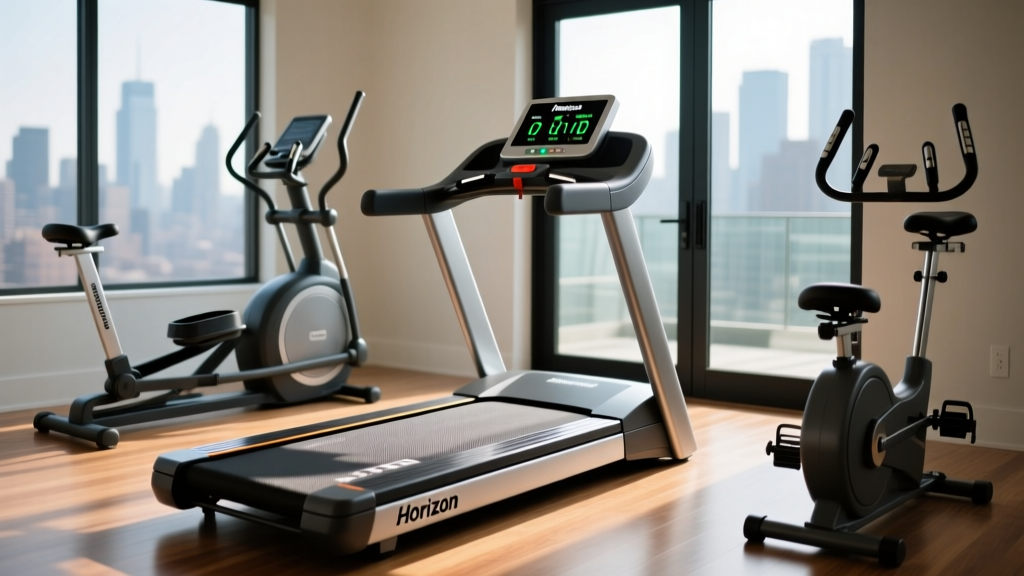
Cardio Machine Noise Guide & Horizon Treadmill Customer Service
Learn how to compare cardio machine noise levels, troubleshoot loud equipment, and navigate Horizon treadmill customer service for expert repairs.

Introduction: The Hidden Cost of a Loud Home Gym
Building a home gym is an investment in your health, but it can quickly become a source of household friction if your equipment sounds like a freight train. Whether you are living in an apartment with strict noise ordinances, trying not to wake a sleeping baby, or simply seeking a peaceful workout environment, understanding the acoustic footprint of your cardio equipment is essential. As of 2026, manufacturers have made significant strides in sound-dampening technology, but mechanical wear and tear can turn even the quietest machine into a nuisance.
This beginner-friendly, step-by-step guide will walk you through comparing cardio machine noise levels, diagnosing abnormal sounds, and performing basic maintenance. Most importantly, we will cover exactly what to do when DIY fixes fail, including a deep dive into navigating Horizon treadmill customer service to get your machine running silently again.
Step 1: Benchmark Your Cardio Machine’s Decibel (dB) Output
Before you can troubleshoot a noisy machine, you need to understand what constitutes a "normal" operating volume. Sound is measured in decibels (dB), and the human ear perceives a 10 dB increase as roughly twice as loud. According to the CDC's National Institute for Occupational Safety and Health (NIOSH), prolonged exposure to noise above 70 dB can begin to cause hearing fatigue, while anything above 85 dB requires hearing protection over extended periods.
Below is a comparison chart of average noise levels for the most popular home cardio machines:
| Machine Type | Average dB Range | Primary Noise Source | Apartment Friendly? |
|---|---|---|---|
| Magnetic Spin Bike | 40 - 55 dB | Magnetic resistance hum, chain/belt drive | Yes (Excellent) |
| Elliptical Cross-Trainer | 50 - 65 dB | Flywheel rotation, pivot joint friction | Yes (Good) |
| Concept2 Rowing Machine | 60 - 75 dB | Air resistance fan (wind noise) | Yes (Moderate) |
| Motorized Treadmill | 70 - 85 dB | Drive motor, belt friction, footstrike impact | Varies (Requires mat) |
| Air Assault Bike | 75 - 90 dB | High-RPM air fan, chain drive | No (Too Loud) |
Note: Impact noise (low-frequency vibrations traveling through the floor) is not measured by standard dB meters but is the primary cause of neighbor complaints in multi-story buildings.
Step 2: Conduct a Proper Acoustic Test
To determine if your machine is operating outside its normal parameters, perform a baseline acoustic test. You do not need expensive equipment; a free smartphone decibel meter app will suffice for basic diagnostics.
- Position the Meter: Place your phone or dB meter exactly one meter (3.2 feet) away from the machine's motor housing, at ear height (approx. 5 feet off the ground).
- Run a Baseline Test: Turn the machine on without stepping on it. Let it run at 3 MPH (for treadmills) or a moderate cadence (for bikes/ellipticals) for 60 seconds. Record the average dB level.
- Run a Load Test: Step onto the machine and simulate your actual workout. Record the new dB level. A normal increase under load is 5 to 10 dB. If the noise spikes by 15+ dB, you have a mechanical issue.
Step 3: Diagnose the Type of Noise
Not all noises are created equal. Identifying the specific acoustic signature of your machine is the key to fixing it. Listen closely and categorize the sound:
The Thump: A rhythmic, repetitive thudding sound that matches the speed of the belt or flywheel. This almost always indicates a damaged belt seam, a warped roller, or a piece of debris trapped under the running belt.
The Squeak: A high-pitched chirping or squealing that occurs when you apply weight. This is a classic sign of metal-on-metal friction at pivot points, or a severely dried-out treadmill deck.
The Whine: A continuous, high-frequency electronic or mechanical whine that changes pitch as you increase speed or incline. This points to drive motor issues, worn motor bearings, or a failing PWM (Pulse Width Modulation) motor controller.
Step 4: Execute DIY Fixes for Squeaks and Thumps
Before reaching out for professional help, tackle the most common user-maintainable issues. The American Speech-Language-Hearing Association (ASHA) notes that reducing environmental noise not only protects your hearing but significantly lowers workout-induced cortisol (stress) levels.
⚠️ CRITICAL WARNING: Never use WD-40 or petroleum-based lubricants on a treadmill belt or elliptical pivot. Petroleum degrades the phenolic resin coating on treadmill decks and destroys rubber seals. Always use 100% pure silicone treadmill lubricant.- Check Belt Tension: Turn off and unplug the treadmill. Lift the running belt from the center of the deck. It should lift exactly 2 to 3 inches. If it lifts higher, it is too loose (causing slipping and thumping). If it barely lifts, it is too tight (causing motor strain and whining). Adjust the rear roller bolts in quarter-turn increments.
- Lubricate the Deck: Apply 1 ounce of 100% silicone lubricant in a zig-zag pattern under the belt. Run the treadmill at 2 MPH for 3 minutes to distribute the silicone evenly.
- Tighten the Motor Hood: Vibrations can loosen the plastic motor hood over time, creating a rattling sound. Use a Phillips-head screwdriver to snug (do not overtighten) the hood screws.
- Level the Feet: Use a carpenter's level on the side rails. Adjust the threaded leveling feet at the rear of the machine until it sits perfectly flat to prevent frame twisting and squeaking.
Step 5: Navigating Horizon Treadmill Customer Service
If you have completed the DIY steps and your Horizon treadmill is still producing a loud motor whine, a grinding incline motor, or throwing error codes, it is time to escalate the issue. Horizon Fitness, a subsidiary of Johnson Health Tech (JHT), is known for robust warranty coverage, but getting a fast resolution requires speaking their language.
Here is your step-by-step framework for contacting Horizon treadmill customer service and ensuring a smooth repair process:
1. Locate Your Vital Information
Before you call or open a ticket on the Horizon Fitness official support portal, you must have two pieces of information ready:
- Model Number: Found on the warning decal or the end cap of the frame (e.g., T101, 7.4, TRM40, Advanced Series).
- Serial Number: This is a 14-to-16 digit alphanumeric code located on a silver or white sticker. On most Horizon models, this sticker is placed on the front left upright base (near the floor) or directly under the plastic motor hood on the steel frame.
2. Perform the Calibration Diagnostic
Horizon technicians will almost always ask you to run a diagnostic test before authorizing a part replacement. You can save 20 minutes of hold time by doing this yourself: Unplug the machine. Hold down the 'Speed Up' and 'Incline Up' buttons simultaneously while plugging the power cord back in. Release the buttons when the console lights up. Press 'Speed Up' once to enter calibration mode. The machine will automatically test the incline motor from 0% to 15% and the drive motor from 0 to 10 MPH. If the machine stalls, throws an Error 1 (Incline) or Error 2 (Speed), or grinds loudly during this test, tell the representative exactly when the failure occurred.
3. Understand Your Warranty Coverage
As of 2026, Horizon’s warranty structure typically looks like this for their popular T-Series and Advanced Series:
- Frame & Motor: Lifetime coverage. If your drive motor burns out or whines due to internal bearing failure, Horizon will ship you a replacement motor for free.
- Parts & Electronics: 1 to 3 years depending on the model tier. The console, motor controller board, and incline motor fall under this.
- Labor: 1 year. If you are within the first 12 months of purchase, Horizon will dispatch a local Johnson Health Tech certified technician to your home at no cost. If you are outside the labor window, they will ship the parts to you, and you will need to install them yourself using their video guides or hire a third-party fitness repair tech (typically $100–$150 per hour).
Step 6: Implement a Preventative Maintenance Schedule
Once your machine is repaired or replaced, prevent future noise issues by adhering to this strict maintenance schedule:
- Weekly: Wipe down the side rails and motor hood with a damp microfiber cloth to prevent sweat (which is highly corrosive) from dripping into the motor compartment or pivot bearings.
- Monthly: Inspect the running belt for edge fraying. Vacuum under and behind the treadmill to prevent dust and pet hair from being sucked into the motor's cooling fan, which causes overheating and premature bearing failure.
- Quarterly (or every 150 miles): Re-apply 100% silicone lubricant to the deck. If you use your treadmill daily, increase this to once a month. A dry deck forces the drive motor to draw excess amperage, leading to a loud, strained whine and eventual motor burnout.
- Annually: Check all frame bolts and console upright bolts with an Allen wrench. Metal expands and contracts with seasonal temperature changes in your home, which can loosen hardware and create structural squeaks.
Conclusion
A quiet home gym is a sanctuary, not a source of stress. By understanding the baseline decibel levels of different cardio machines, properly diagnosing acoustic anomalies, and performing routine maintenance, you can extend the life of your equipment by years. When mechanical failures do happen, knowing exactly how to leverage Horizon treadmill customer service—armed with your serial number and calibration test results—will transform a potentially frustrating experience into a swift, painless resolution. Keep your gear maintained, keep your workouts quiet, and enjoy the long-term benefits of a perfectly tuned home fitness space.
More gear to consider
All reviews
Stair Climber vs Reverse Walk on Treadmill: Home Mistakes Guide
Nordic Track Commercial 1750 Treadmill: Setup & Feature Comparison
Why the 'Fat Guy on a Treadmill' Should Switch to Rowing: 2026 Guide
Rucking on a Treadmill: Best Folding Models for Small Spaces & Maintenance Guide

Hitting 6 mph on a Treadmill: Top Folding Picks for Small Spaces
