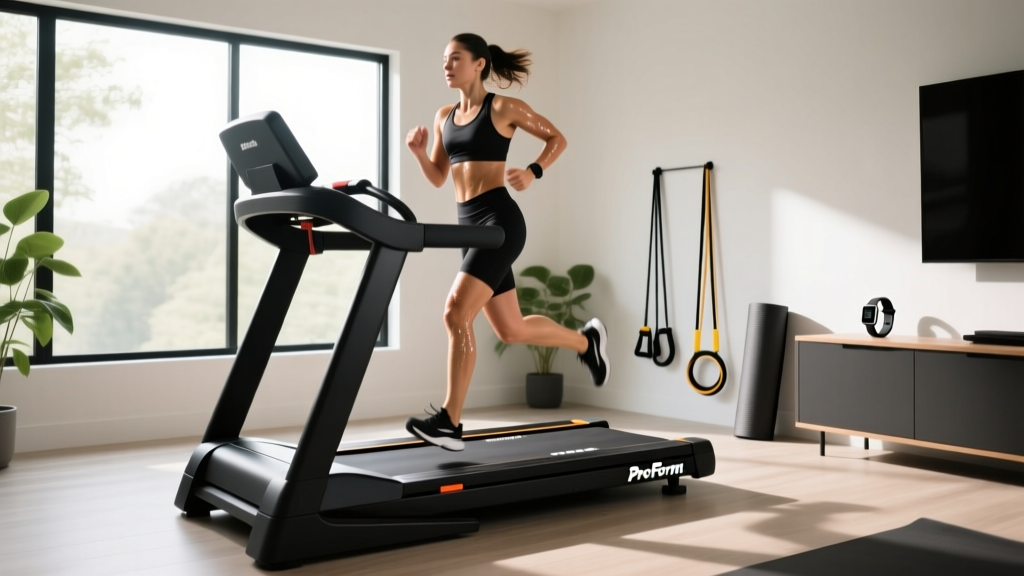
Is Treadmill Running Beneficial at Work? Under-Desk Review & Care
Discover if treadmill running is beneficial for office work. Read our 2026 under-desk treadmill review, plus expert maintenance tips for longevity.

The Core Question: Is Treadmill Running Beneficial for Office Productivity?
As remote and hybrid work models solidify in 2026, the home office has evolved from a makeshift desk to a fully optimized ergonomic hub. When upgrading their workstations, many professionals ask a fundamental question: is treadmill running beneficial for cognitive focus, joint health, and daily calorie expenditure? While true high-impact running (6.0+ mph) is neither safe nor practical beneath a standard standing desk, the biomechanical principles of treadmill locomotion translate exceptionally well to low-impact, steady-state walking.
According to the Centers for Disease Control and Prevention (CDC), integrating consistent, low-intensity movement into your day significantly reduces the cardiovascular risks associated with prolonged sedentary behavior. Furthermore, research on Non-Exercise Activity Thermogenesis (NEAT) shows that walking at 1.0 to 2.5 mph while working can burn an additional 100 to 150 calories per hour without inducing the sweat or fatigue that disrupts deep work sessions.
Expert Insight: True 'treadmill running' under a desk is a biomechanical mismatch due to stride length constraints and desk height. However, utilizing an under-desk treadmill for sustained walking provides 80% of the circulatory benefits of running with a fraction of the joint impact, making it the superior choice for 8-hour office shifts.
To help you build a sustainable, active workstation, we have reviewed the top under-desk treadmills for office use and compiled a rigorous maintenance guide to ensure your equipment lasts for years, not months.
2026 Under-Desk Treadmill Review: Top Models for Office Use
Not all treadmills are built for the continuous, low-speed friction of an office environment. Standard fitness treadmills often overheat when run at 1.5 mph because the cooling fan is tied to the motor's RPM. Under-desk models utilize specialized high-torque, low-RPM motors to prevent burnout. Here is how the top three models compare this year.
| Model | Price (2026) | Belt Dimensions | Motor (Continuous) | Weight Capacity | Best Use Case |
|---|---|---|---|---|---|
| LifeSpan TR1200-DT5 | $899 | 20' x 50' | 2.5 HP | 350 lbs | Heavy daily use (6+ hrs/day) |
| WalkingPad R2 | $499 | 17.3' x 47.2' | 1.25 HP | 240 lbs | Small spaces / Stowaway desks |
| UREVO Strol 2E | $259 | 16.5' x 41.3' | 2.0 HP (Peak) | 220 lbs | Budget / Light use (2 hrs/day) |
Deep Dive: LifeSpan TR1200-DT5
The LifeSpan TR1200-DT5 remains the gold standard for corporate and home offices. Its 2.5 continuous horsepower (CHP) motor is specifically geared for low-speed torque, meaning it will not overheat during a 4-hour spreadsheet marathon at 1.5 mph. The 20-inch width provides ample lateral drift room, which is crucial when your eyes are fixed on a monitor and your spatial awareness is lowered.
Deep Dive: WalkingPad R2
If your office doubles as your bedroom or living room, the WalkingPad R2's 180-degree foldable hinge is unmatched. However, the narrower 17.3-inch belt requires stricter walking form. It is best suited for users under 240 lbs who plan to walk in 45-minute intervals rather than continuous all-day marathons.
The Maintenance Matrix: Longevity Care for Office Treadmills
Office environments present unique hazards for cardio equipment. Unlike a garage gym, an office floor accumulates microscopic paper dust, pet dander, and human hair, all of which are drawn directly into the treadmill's motor hood via static electricity. To protect your investment, follow this strict maintenance protocol.
1. Belt Tension and Alignment (Monthly)
A slipping belt is the number one cause of motor burnout in under-desk treadmills. When the belt slips, the motor spikes in amperage to compensate, eventually frying the lower control board.
- The Lift Test: Turn off and unplug the machine. Reach under the center of the belt and lift. You should achieve exactly 2 to 3 inches of clearance. If it lifts higher, it is too loose.
- The Fix: Locate the left and right tension bolts at the rear roller. Using the included Allen wrench, turn both bolts exactly one-quarter (1/4) turn clockwise. Run the treadmill at 3 mph and observe. Repeat if necessary. Never over-tighten, as this will destroy the rear roller bearings.
2. Deck Lubrication (Every 150 Miles / 3 Months)
Friction between the PVC belt and the MDF deck generates immense heat. While some 2026 models claim 'maintenance-free' wax-infused belts, manual lubrication remains the best way to extend deck life.
WARNING: Never use WD-40, petroleum jelly, or household silicone sprays containing propellants. You must use 100% pure liquid silicone treadmill lubricant. Propellants will degrade the PVC belt backing and cause delamination.Application Protocol: Loosen the belt slightly. Slide the applicator wand under the belt, aiming for the dead-center of the deck. Squeeze exactly 15ml (half an ounce) of silicone in a zig-zag pattern down the center third of the deck. Re-tension the belt, turn the machine on, and walk at 2.0 mph for 5 minutes to distribute the oil evenly.
3. Motor Hood Dust Mitigation (Every 90 Days)
According to Cornell University Ergonomics, maintaining a clean physical workspace is vital for equipment longevity and indoor air quality. Office treadmills act as vacuums for dust.
- Unplug the treadmill and remove the 4-6 Phillips head screws securing the front motor hood.
- Use a soft-bristle brush to dislodge dust from the motor fins and the lower control board.
- Use a shop-vac with a brush attachment to extract the debris. Never use canned air, as it will blow conductive dust deeper into the solder joints of the circuit board, risking a short circuit.
Troubleshooting Common Office Treadmill Failure Modes
Even with meticulous care, under-desk treadmills can experience specific failure modes related to their unique operating environment. Use this diagnostic framework before calling for warranty service.
Error Code E01 or E02 (Communication Failure)
The Symptom: The console lights up, but the belt refuses to move, displaying an E01 or E02 code.
The Cause: This indicates a loss of communication between the upper display board and the lower motor controller. In an office setting, this is rarely a dead board; it is almost always a loose data cable caused by the micro-vibrations of walking over 500+ hours.
The Fix: Unplug the machine, remove the motor hood, and locate the thin ribbon cable connecting the upright wire harness to the control board. Unplug it, blow out any dust, and firmly reseat it until it clicks.
Sudden Belt Stops or 'Jerking'
The Symptom: The belt stutters or stops abruptly every few minutes.
The Cause: Excessive deck friction triggering the motor's thermal overload protection, or a worn-out walking belt backing.
The Fix: Perform the 'Friction Test.' Walk on the treadmill at 2.0 mph while holding the side rails. Lift your weight slightly. If the belt moves smoothly beneath your feet but stops when you put your full weight down, the deck is dry or warped. Apply 100% silicone lubricant immediately. If the issue persists, the MDF deck has worn through its melamine coating and requires replacement (typically $60-$90 for OEM parts).
Static Shocks
The Symptom: You experience a sharp static shock when touching your laptop or desk frame while walking.
The Cause: Office environments in winter often drop below 30% humidity. The friction of the belt generates a static charge that travels up your legs and discharges through your hands into your grounded laptop chassis.
The Fix: This is not a treadmill defect; it is an environmental issue. Increase room humidity to 40-50% using a humidifier, or apply an anti-static spray to the treadmill belt and your clothing. Ensure the treadmill is plugged directly into a properly grounded 3-prong wall outlet, avoiding cheap power strips.
Final Verdict: Maximizing Your Active Workstation
So, is treadmill running beneficial when adapted to the home office? Absolutely—provided you respect the biomechanical limits of the workspace and choose a machine engineered for low-speed torque. By investing in a high-quality unit like the LifeSpan TR1200-DT5 and adhering to a strict 90-day maintenance schedule focusing on belt tension, pure silicone lubrication, and dust extraction, your under-desk treadmill will reliably support your cardiovascular health and cognitive focus for thousands of working hours. For more guidelines on integrating movement into your daily routine, refer to the American Heart Association's recommendations on adult physical activity.
More gear to consider
All reviews
Dizzy After Treadmill? 2026 Compact Portable Cardio Market Trends

Are Treadmill Calorie Counters Accurate? Compact Portable Cardio
Air Bike vs Assault Bike: Value vs Fat Burning Interval Treadmill Workout

Rower or Treadmill? Curved vs Motorized Setup Guide

LifeSpan Treadmill TR1200 Review: 2026 Small Space Folding Trends