
Under Desk Treadmill for Burning Calories: 2026 Budget Breakdown
Discover the true ROI of an under desk treadmill for burning calories. Our 2026 budget breakdown compares top models, hidden costs, and NEAT value.

The Reality of an Under Desk Treadmill for Burning Calories
When fitness enthusiasts search for a treadmill for burning calories, they typically envision high-incline, 12-mph sprinting machines. However, the modern remote and hybrid workforce has popularized a different breed of cardio equipment: the under-desk treadmill. But does a machine capped at 4.0 mph actually deliver a return on investment for your health and wallet?
As of 2026, the under-desk treadmill market has matured, splitting into distinct budget tiers. To evaluate these machines properly, we must shift our focus from traditional "active cardio" to Non-Exercise Activity Thermogenesis (NEAT). According to research highlighted by the Mayo Clinic, NEAT encompasses the energy expended for everything we do that is not sleeping, eating, or sports-like exercise. For a 180-pound individual, walking at a leisurely 1.5 to 2.0 mph while working burns roughly 130 to 160 extra calories per hour compared to sitting. Over a standard 250-day work year, utilizing an under-desk treadmill for just three hours a day can result in an additional 100,000+ calories burned—equivalent to roughly 28 pounds of fat, assuming dietary consistency.
This guide breaks down the 2026 under-desk treadmill market from a strict budget and value analysis perspective, helping you determine which tier actually delivers long-term ergonomic and caloric ROI.
2026 Market Matrix: Budget vs. Value Breakdown
Not all walking pads are created equal. The primary failure point for budget models used in an office setting is motor burnout. A machine designed for 30 minutes of evening walking will quickly overheat when subjected to a continuous 3-hour workday stint. Below is our comparative matrix of the three dominant market tiers in 2026.
| Model (2026 Lineup) | Budget Tier | Avg. Price | Motor (Continuous/CHP) | Max Speed | Recommended Daily Duty Cycle | Best For |
|---|---|---|---|---|---|---|
| UREVO Strol 2E | Entry-Level | $189 | 1.0 CHP (2.5 Peak) | 7.6 mph | 1.5 Hours | Light use, budget-conscious |
| WalkingPad R3 | Mid-Range | $449 | 1.25 CHP (3.0 Peak) | 7.5 mph | 3.0 Hours | Hybrid workers, varied pacing |
| LifeSpan TR1200-DT5 | Premium | $1,299 | 2.25 CHP | 4.0 mph | 10.0+ Hours | Heavy daily office use |
Tier 1: Entry-Level ($150–$250) - The UREVO Strol 2E
The UREVO Strol 2E dominates the budget space at roughly $189. It features a 44" x 16" running area and a folding handlebar, making it easy to slide under a standard sofa. Value Analysis: At this price point, the motor is rated at 2.5 Peak HP, but its continuous duty rating (CHP) hovers around 1.0. If you attempt to walk for three uninterrupted hours while on Zoom calls, the thermal protection will likely trip, shutting the machine down to prevent a fire hazard.
Verdict: High initial value for casual users who only plan to walk for 45-60 minutes a day. Poor long-term value for full-time remote workers.
Tier 2: Mid-Range ($300–$550) - The WalkingPad R3
Priced at $449, the WalkingPad R3 introduces a wider 17.5" belt and a more robust 1.25 CHP motor. It also features auto-speed adjustment via a front-mounted pressure sensor. Value Analysis: The R3 bridges the gap between casual walking and dedicated office work. The wider belt reduces the cognitive load of "staying on the path," allowing you to actually focus on typing. However, the lack of an incline feature limits its ceiling as a dedicated "treadmill for burning calories" if you want to maximize output without increasing speed to a point where typing becomes impossible.
Tier 3: Premium ($800–$1,500) - LifeSpan TR1200-DT5
The LifeSpan TR1200-DT5 ($1,299) is an industrial-grade office tool. It intentionally caps its top speed at 4.0 mph. Why? Because biomechanical studies show that typing accuracy and cognitive processing drop precipitously above 2.5 mph. Value Analysis: While the upfront cost is 6x that of the UREVO, the LifeSpan features a 2.25 CHP motor designed to run quietly for 10+ hours a day. It includes an integrated console that tracks exact hours and steps, syncing directly to corporate wellness portals. For professionals billing $100+/hour, the seamless integration and zero downtime justify the premium.
⚠️ Critical Warning: The Hidden "Desk Gap" Cost
First-time buyers consistently overlook desk ergonomics. A standard office desk is 29 to 30 inches high. An under-desk treadmill adds 4.5 to 6 inches of deck height. If you are 5'9", your elbows will be forced upward, causing severe shoulder impingement and typing fatigue within 20 minutes. You must factor in the cost of a height-adjustable standing desk (e.g., FlexiSpot E7 at ~$479) or a desktop riser ($150-$250) into your total budget.
Calculating the ROI: Cost Per Active Hour
To truly evaluate an under-desk treadmill as a financial and health investment, we must look at the Cost Per Active Hour (CPAH) over a realistic 3-year lifespan. Let's assume a 3-year lifespan (approx. 750 workdays) with an average usage of 2.5 hours per day.
- Total Usage Hours over 3 Years: 1,875 hours
- UREVO Strol 2E ($189): $0.10 per active hour. (High risk of year-2 motor replacement, potentially adding $80 in parts/labor).
- WalkingPad R3 ($449): $0.23 per active hour. (Excellent reliability, minimal maintenance).
- LifeSpan TR1200 ($1,299): $0.69 per active hour. (Commercial warranty, virtually zero failure rate in home office environments).
From a pure caloric expenditure standpoint, walking at 2.0 mph on the $189 UREVO burns the exact same amount of calories as walking at 2.0 mph on the $1,299 LifeSpan. Therefore, if your primary search intent for a treadmill for burning calories is strictly tied to budget optimization, the mid-range tier offers the most mathematically sound intersection of reliability and cost.
Ergonomic Edge Cases and Maintenance Realities
When integrating cardio into a sedentary workspace, several non-obvious edge cases will impact your daily experience and the machine's longevity.
1. The Footwear and Joint Factor
Walking in socks or flat dress shoes on a low-cushion under-desk deck will lead to plantar fasciitis within weeks. The American Heart Association notes that reducing sedentary behavior must be balanced with proper joint support. Budget $130-$160 for a dedicated pair of high-stack, slip-resistant office walking shoes (such as the Hoka Bondi SR or Brooks Ghost) to keep exclusively under your desk.
2. Belt Lubrication and Dust Ingestion
Office environments are notoriously dusty, and under-desk treadmills sit directly on the floor, acting as magnets for pet hair and carpet fibers. Entry-level models require 100% silicone belt lubrication every 40 hours of use. If you walk 2 hours a day, that means you must pull the machine out, loosen the belt tension bolts, and apply lubricant every single month. Failure to do so increases friction, forcing the low-CHP motors to draw excess amperage, ultimately frying the motor controller board. Premium models like the LifeSpan feature automatic lubrication reservoirs, eliminating this chore but adding $40 for proprietary silicone refills every two years.
3. The Cognitive Speed Threshold
Do not buy a machine with a 7.6 mph top speed expecting to use it while working. Biomechanical reality dictates that once you cross 3.0 mph, your arms must swing to counterbalance your stride. You cannot type accurately while your arms are swinging. Therefore, the 7.6 mph capability of budget models is essentially "marketing fluff" for office use. You will spend 95% of your time between 1.2 mph and 2.5 mph. Prioritize belt width and motor quietness over top-end speed.
Final Verdict: Where Should You Allocate Your Budget?
If your goal is to leverage an under-desk treadmill for burning calories while maintaining professional productivity, the WalkingPad R3 ($449) represents the undisputed value champion for 2026. It provides the necessary belt width for cognitive ease, a motor capable of surviving multi-hour Zoom marathons, and a price point that leaves room in your budget for the mandatory ergonomic desk adjustments and proper footwear. Skip the entry-level traps that will overheat by Q3, and unless you are running a corporate wellness fleet, the premium commercial tier remains an unnecessary luxury for the home office.
More gear to consider
All reviews
Stair Climber Setup: Outperforming the Treadmill for Belly Fat Loss
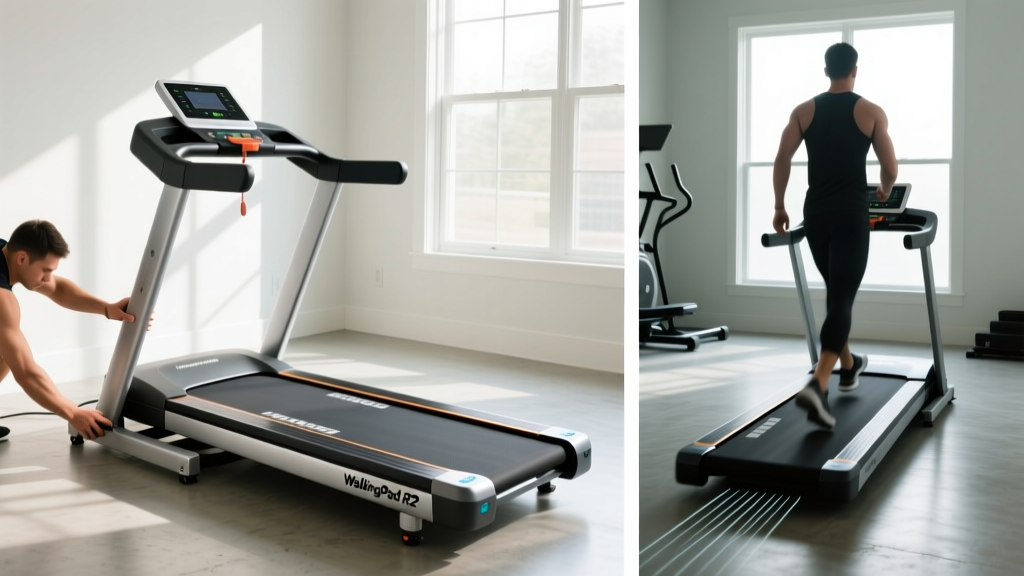
WalkingPad R2 Treadmill Setup & Cardio Noise Comparison

Walking Pads as Treadmill Alternatives: Setup & Review

Freemotion Treadmill vs Elliptical: Space-Saving Home Gym Layouts

3.5 Horsepower Treadmill Belt Maintenance: 2026 Cost & Value Guide
