Treadmill Buying Guide: Best Reading Stand Features (2026)
Learn how to choose the best treadmill for multitasking. This beginner guide compares features, motor noise, and the best reading stand for treadmill setups.

Combining your daily step count with your reading list is one of the most efficient wellness habits you can build in 2026. According to the Centers for Disease Control and Prevention (CDC), adults need at least 150 minutes of moderate-intensity aerobic activity every week. Walking on a treadmill while reading is an excellent way to hit this mark without sacrificing your intellectual or professional development time. However, not every machine on the market is designed to support this specific multitasking habit.
If you have ever tried to read a book or scroll through a tablet on a shaky, poorly designed treadmill, you already know the struggle: motion sickness, blurred text, and severe neck strain. This beginner-friendly, step-by-step treadmill buying guide features a deep comparison of the exact specifications you need to look for, ensuring your machine is perfectly compatible with a reading stand for treadmill use.
Step 1: Evaluate Console Geometry and Handlebar Clearance
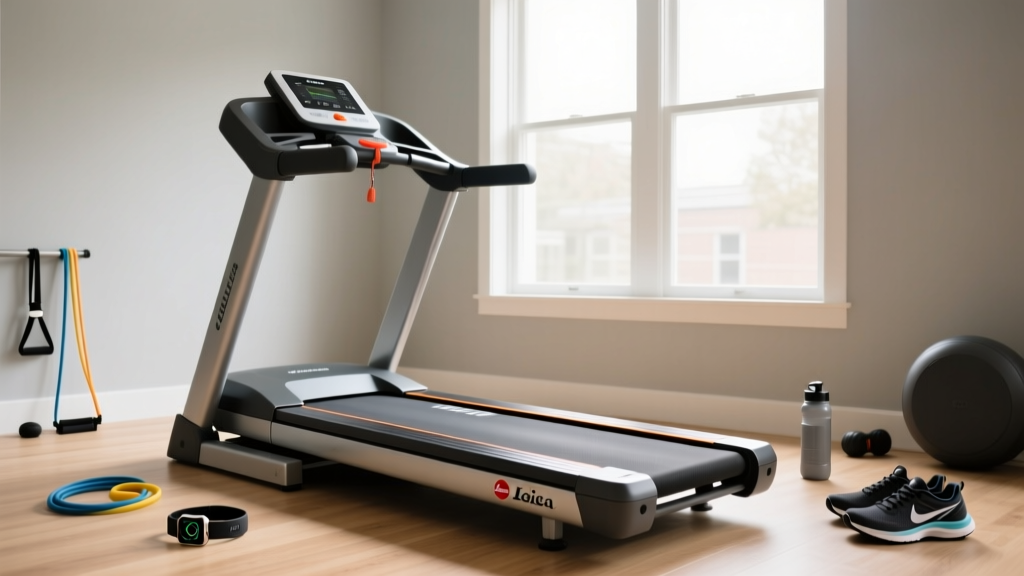
The most common mistake beginners make when buying a treadmill for reading is ignoring the console's physical geometry. Standard treadmills angle their displays downward at roughly 30 to 45 degrees. This is ideal for a runner who needs to glance at their heart rate, but it is terrible for a reader walking at 1.5 mph who needs to look straight ahead to maintain cervical spine neutrality.
What to Look For:
- Flat Console Ledges: Look for a minimum 8-inch deep, flat shelf directly below the digital screen. This is where your physical book or tablet will rest.
- Handlebar Width: If you plan to use an aftermarket clamp-on reading stand for treadmill setups, the side handlebars must be cylindrical and at least 18 inches apart to accommodate the clamp's reach.
- Screen Height: The ideal reading zone is between 42 and 48 inches from the walking deck. Machines with lower consoles will force you to hunch, leading to upper back fatigue within 15 minutes.
Step 2: Analyze Motor Acoustics and Deck Oscillation
Reading requires deep cognitive focus, which is easily shattered by a loud, grinding motor or a walking belt that bounces vertically with every footstrike. When comparing treadmill features, you must evaluate both the acoustic output and the cushioning system.
Motor Noise Thresholds
For a peaceful reading environment, your treadmill's motor should operate below 65 decibels (dB) at walking speeds (1.5 to 2.5 mph). Continuous Horsepower (CHP) is critical here. A 2.0 CHP motor will strain, whine, and overheat when subjected to the continuous, unvarying friction of a slow walking pace. For reading, opt for a minimum of 2.75 CHP. A larger motor runs effortlessly at low speeds, producing a soft, white-noise hum that actually aids concentration.
Deck Oscillation and Text Blurring
Vertical oscillation (the micro-bounce of the deck) causes the text on your page or screen to blur, leading to severe eye strain. You need a deck with localized, variable cushioning rather than a uniform 'bouncy' rubber mat. Look for 2-ply walking belts paired with urethane elastomer cushions, which absorb the impact of your heel strike before the vibration can travel up to the console and shake your reading stand.
Step 3: Select the Right Reading Stand for Treadmill Setups
Even the best treadmill might require an accessory to perfect your setup. Below is a feature comparison of the three primary types of reading stands available on the market today.
| Stand Type | Best Used For | Price Range | Pros & Cons |
|---|---|---|---|
| Clamp-On Book Mount | Physical books, heavy tablets | $45 - $130 | Highly stable; requires thick, round handlebars to mount securely. |
| Suction Cup Tablet Ledge | Lightweight Kindles, iPads | $20 - $40 | Cheap and portable; high failure rate on textured or sweaty consoles. |
| Freestanding Floor Desk | Laptops, large textbooks, dual monitors | $90 - $250 | Zero treadmill vibration transfer; takes up significant floor space. |
Step 4: Compare 2026 Treadmill Models for Readers
Based on our feature comparison framework, here is how three of the most popular home treadmills stack up specifically for reading and multitasking.
1. Sole F80 (Best Overall for Heavy Readers)
Retailing around $1,199, the Sole F80 is a powerhouse. It features a 3.5 CHP motor that is virtually silent at 2.0 mph. More importantly, the console includes a massive, flat, 10-inch deep tablet and book shelf. The 22-inch wide belt and 250-pound frame weight eliminate lateral sway, meaning your reading stand for treadmill use will not wobble side-to-side when you shift your weight.
2. Horizon 7.4 (Best Budget-Friendly Option)
At approximately $999, the Horizon 7.4 offers a 2.75 CHP motor and a slightly narrower 20-inch belt. While the console angle is a bit steep for physical books, it features a built-in, adjustable tablet ledge that works beautifully for e-readers. The FeatherLight folding system makes it great for small apartments, though the lighter 140-pound frame means you may experience minor console vibration if you walk heavier than average.
3. UREVO Strol 2E Walking Pad (Not Recommended for Reading)
Walking pads are incredibly popular in 2026, but they are fundamentally incompatible with reading. Because they lack a vertical mast and handlebars, you cannot attach a clamp-on stand. You are forced to use a freestanding floor desk, which defeats the space-saving purpose of the walking pad. Furthermore, the console is located on the floor, forcing severe neck flexion if you try to look down at a screen while walking.
Step 5: Calibrate Your Ergonomic Walking Speed
Once you have selected the right treadmill and reading stand, you must calibrate your physical output to match your cognitive load. According to Mayo Clinic's walking guidelines, moderate walking provides immense cardiovascular benefits, but combining it with reading requires a specific speed threshold.
'The optimal speed for reading comprehension on a treadmill is between 1.2 mph and 2.0 mph. Once you exceed 2.2 mph, the natural arm swing and torso rotation required for faster walking will cause the text to bounce, drastically reducing your retention rate and increasing eye fatigue.'
Step-by-Step Setup Calibration:
- Position the Stand: Place the center of your book or tablet exactly at eye level, roughly 18 to 24 inches away from your face.
- Set the Incline: Keep the treadmill incline at 0% to 2%. Higher inclines force you to lean forward, altering your distance from the reading stand and straining your lower back.
- Implement the 20-20-20 Rule: To prevent digital or print eye strain, every 20 minutes, look away from your reading material at an object 20 feet away (like out a window) for 20 seconds.
Frequently Asked Questions
Can I use a treadmill desk attachment instead of a reading stand?
Yes, full-width treadmill desk attachments (often priced between $150 and $300) are excellent alternatives. They clamp to the rear uprights of the treadmill and provide a massive surface area for textbooks, laptops, and notebooks. However, they require a treadmill with a very rigid vertical mast; otherwise, typing or turning pages will cause the entire desk to shake.
Is it safe to read while walking on a treadmill?
Yes, provided you maintain a slow, controlled pace (under 2.0 mph) and use the safety stop clip. Never read while running or jogging, as your peripheral vision is obstructed by the book or tablet, increasing the risk of drifting off the belt and falling.
Do curved manual treadmills work well for reading?
No. Curved non-motorized treadmills require you to actively push the belt with your feet, which demands constant physical engagement and forward leaning. This posture is entirely counterproductive to maintaining a stable, ergonomic reading position.
Final Thoughts
Investing in a treadmill is a significant financial and spatial commitment. By prioritizing console geometry, motor acoustics, and deck stability over flashy touchscreens and interactive running games, you can transform your home gym into a highly effective personal library. Whether you opt for the rock-solid Sole F80 or the space-conscious Horizon 7.4, pairing the right machine with a high-quality reading stand for treadmill use will help you effortlessly crush your daily step goals while finishing your favorite books.
More gear to consider
All reviews
3.5 HP Treadmill Motor Guide: Common Sizing Mistakes and Fixes

Under Desk Treadmill Office Reviews: ROI & Treadmill Removal Cost

Stair Climber vs. Treadmill Stress Test: Home Guide
What to Look for in a Treadmill: Belt Maintenance & Lube Trends
2026 Market Trends: ProForm ProShox Treadmill Belt Maintenance