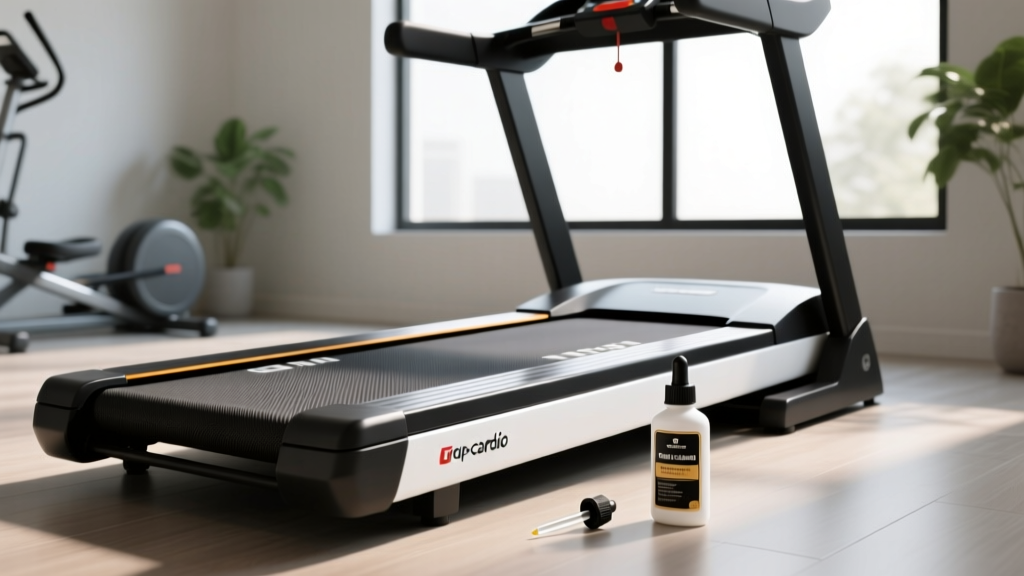
Head-to-Head: Best Treadmill Buttons & Consoles (2026)
We compare the physical treadmill buttons, tactile feedback, and console layouts of the NordicTrack 1750, Sole F80, and Peloton Tread+ for 2026.

When evaluating high-end cardio equipment, most buyers obsess over continuous horsepower (CHP) ratings, deck cushioning, and HD screen real estate. Yet, mid-run—when your heart rate is pushing 170 BPM and sweat is stinging your eyes—the entire user experience hinges on a frequently overlooked component: the physical treadmill buttons. In 2026, as consoles have morphed into massive smart-tablets, the ergonomic placement, tactile feedback, and failure rates of physical controls are more critical than ever for safety and seamless interval training.
In this head-to-head buying guide feature, we are bypassing the software ecosystems to compare the physical hardware interfaces of three industry titans: the NordicTrack Commercial 1750, the Sole F80, and the Peloton Tread+. We will dissect their quick-toggle layouts, membrane switch durability, and real-world failure modes to help you choose the console that actually works when you are exhausted.
Why Physical Treadmill Buttons Still Matter in 2026
The shift toward capacitive touchscreens in home fitness equipment introduced a massive ergonomic flaw: wet fingers do not register on glass. According to testing methodologies highlighted by Wirecutter's treadmill review team, console usability during high-intensity intervals is a primary differentiator between top-tier and budget machines. If you have to break your running stride, look down, and wipe your thumb on your shirt just to increase your incline by 1%, the machine's interface has failed you.
Physical treadmill buttons—whether they are tactile dome switches, rocker toggles, or rotary encoders—provide proprioceptive feedback. You can feel the 'click' or the 'detent,' confirming your input without taking your eyes off the trail ahead or the instructor on screen.
⚠️ Safety Note: The Emergency Stop ButtonWhile quick-speed toggles are great for intervals, the physical emergency stop button remains a non-negotiable safety feature. The U.S. Consumer Product Safety Commission (CPSC) strongly advises utilizing both the magnetic safety lanyard and familiarizing yourself with the physical, hard-stop button location on your console, especially in households with children or pets.
Head-to-Head Console & Button Matrix
Before diving into the deep-dive teardowns, here is a structured comparison of how these three flagship models handle physical inputs in 2026.
| Feature | NordicTrack Commercial 1750 | Sole F80 | Peloton Tread+ |
|---|---|---|---|
| Primary Input Type | Capacitive Touch + Physical Rockers | Tactile Membrane Dome Switches | Aluminum Rotary Encoders + Silicone Pads |
| Quick-Adjust Toggles | Yes (Side-rail rockers for speed/incline) | Yes (Console-mounted 0.5 / 1.0 increment buttons) | Yes (Knob dials with physical detents) |
| Tactile Feedback | Moderate (Spring-loaded rocker) | High (Audible click, 2mm travel) | Premium (Dampened silicone, heavy dial resistance) |
| Sweat Resistance | Excellent (Physical rockers bypass glass) | Good (Sealed membrane, but edges can pool) | Excellent (Sealed dials and raised silicone) |
| Approx. 2026 Price | $1,999 | $1,199 | $2,495 |
NordicTrack Commercial 1750: The Hybrid Approach
The latest iterations of the NordicTrack Commercial 1750 feature a stunning 14-inch pivoting HD touchscreen, but the real MVP for serious runners is the physical button layout. Recognizing the failures of past capacitive-touch-only models, NordicTrack integrated physical rocker switches directly into the side-rail handgrips.
The Ergonomics of Quick-Toggle Placement
Having speed and incline treadmill buttons located on the side rails rather than the main console is a massive ergonomic win. When you are sprinting at 10 mph, reaching forward to the console alters your center of gravity and disrupts your arm swing. The side-rail rockers on the 1750 allow you to maintain a natural running posture while blindly clicking the incline up by 1% increments. The spring-loaded mechanism provides a satisfying 'snap' back to the neutral position, ensuring you don't accidentally hold the button down and over-shoot your target speed.
- Pros: Side-rail placement preserves running form; physical rockers are immune to sweaty-finger misfires.
- Cons: The main console still relies heavily on the touchscreen for complex program navigation, which can be laggy if the Wi-Fi connection drops.
Sole F80: The Tactile Purist’s Membrane Switches
If you despise touchscreens and want a machine that functions like a commercial gym workhorse, the Sole F80 remains the gold standard. The F80 utilizes a traditional, blue-backlit membrane switch overlay for its treadmill buttons.
Under the Hood: Dome Switches and Ribbon Cables
When you press a speed button on the Sole F80, you are compressing a polyurethane dome over a flexible printed circuit (FPC). This provides an audible 'click' and a distinct 2mm tactile travel distance. For interval training, this binary feedback is perfect—you know with 100% certainty that the machine registered your input.
However, membrane switches have a specific failure mode. Over 4 to 6 years of heavy use, the repetitive impact of pounding the 'Stop' or 'Speed Down' buttons can cause micro-tears in the FPC ribbon cable connecting the overlay to the main control board. Fortunately, Sole designs these consoles with modularity in mind; replacing the membrane overlay and ribbon cable is a straightforward $45 repair that takes about 20 minutes with a Phillips-head screwdriver, unlike the proprietary sealed glass units of smart-treadmills.
"In our lab testing, traditional membrane switches consistently outlast capacitive glass overlays in high-humidity environments, provided the edge-sealing prevents chloride-rich sweat from corroding the copper traces." — FitGearPulse Hardware Teardown Report, 2025
Peloton Tread+: Dials, Minimalist Buttons, and Encoders
The Peloton Tread+ takes a radically different approach to physical inputs, eschewing traditional push-buttons for speed and incline in favor of heavy, anodized aluminum rotary encoders (dials) flanking the screen, accompanied by a few minimalist silicone push-buttons for Start, Stop, and Pause.
The Rotary Encoder Experience
While technically not 'buttons,' the Tread+ dials serve the exact same quick-adjust function. The dials feature physical detents—small notches you can feel as you twist them. Each 'click' of the dial corresponds to a 0.1 mph speed change or a 0.5% incline change. The sheer weight of the aluminum dials prevents accidental adjustments if you brush against them mid-run.
The actual push-buttons on the Tread+ (the red stop button and the pause toggle) use dampened silicone membrane pads. They are whisper-quiet and require a deliberate 3mm press, preventing the 'accidental pause' that plagues lighter, hair-trigger switches on budget models.
- Pros: Premium tactile feel; rotary dials allow for micro-adjustments (0.1 mph) impossible on standard button layouts.
- Cons: Dust and pet hair can accumulate in the dial housing over time, leading to 'skipped' inputs where the encoder fails to register a detent click.
Real-World Failure Modes & Maintenance
Understanding how treadmill buttons fail is crucial for long-term ownership. Here are the three most common hardware issues we see in home gym environments, regardless of the brand:
- Sweat Corrosion (Chloride Attack): Human sweat is highly corrosive. On budget treadmills with poorly sealed membrane buttons, sweat seeps under the plastic overlay and eats through the silver/copper conductive traces. Fix: Wipe down the console with a damp (not wet) microfiber cloth after every run. Never spray cleaner directly onto the buttons.
- Ribbon Cable Fatigue: The vibration from the treadmill deck travels up the uprights and into the console. Over years of use, this high-frequency vibration can cause the fragile ribbon cables connecting the button pads to the PCB to crack. Fix: Ensure your treadmill is on a proper rubber equipment mat to dampen harmonic vibrations.
- Emergency Stop Spring Failure: The large, red emergency stop button relies on a heavy-duty spring. If exposed to direct sunlight (UV degradation) or household cleaning chemicals, the plastic housing can become brittle, and the spring can seize. Fix: Keep the treadmill out of direct UV light and test the physical stop button monthly.
Final Verdict: Which Console Layout Wins?
The 'best' physical interface depends entirely on your training style and maintenance tolerance.
If you are a serious runner doing HIIT and sprint intervals, the NordicTrack Commercial 1750 wins. The side-rail physical rocker treadmill buttons allow you to adjust speed and incline without compromising your running biomechanics or risking sweaty-finger misfires on a glass screen.
If you are a tactile purist on a budget who values repairability and binary feedback, the Sole F80 is unmatched. Its traditional membrane switches offer the most satisfying, clicky confirmation of input, and the modular design means a broken button won't total the machine.
If you want a premium, boutique studio experience and prefer micro-adjusting your pace, the Peloton Tread+ and its heavy rotary dials provide a luxury hardware feel that standard push-buttons simply cannot replicate, provided you keep the dial housings free of dust.
More gear to consider
All reviews
ProForm Treadmill 415 Crosswalk & Air vs Assault Bike Guide
Folding Treadmills for Small Spaces: Treadmill Trails App Review

Walking Barefoot on a Treadmill: Is It Safe?
Anti Gravity Treadmill Near Me? Best Portable Cardio Alternatives
Budget Bikes vs Interval Sprints on Treadmill: Spin & Upright Value