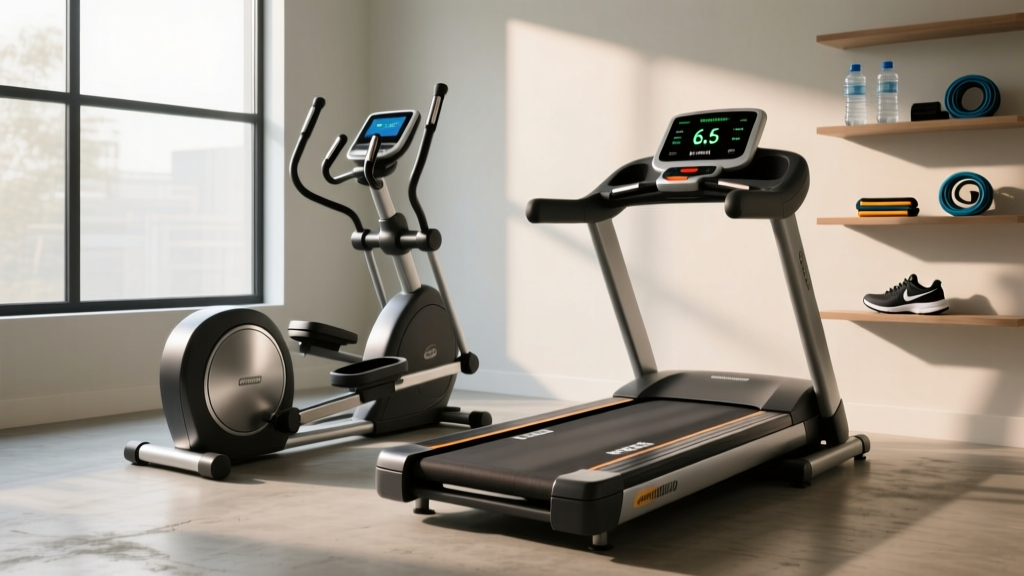
Sunny Health Treadmill SF-T7515 vs Walking Pads: A Beginner's Guide
Compare the Sunny Health Treadmill SF-T7515 with standard walking pads. Our beginner-friendly guide covers setup, specs, and step-by-step usage tips.

Choosing your first home cardio machine often comes down to a battle of footprints and budgets. On one side, you have ultra-compact walking pads designed for under-desk strolling. On the other, you have entry-level folding treadmills like the Sunny Health treadmill SF-T7515, which promise gym-like features at a fraction of the cost. If you are new to home fitness, the marketing jargon can be overwhelming. This step-by-step guide cuts through the noise, comparing the SF-T7515 directly against standard walking pads, and provides a beginner-friendly roadmap to unboxing, assembling, and safely starting your cardio routine in 2026.
Understanding the Contenders: SF-T7515 vs. Standard Walking Pads
Before committing your money and floor space, it is crucial to understand the mechanical differences between a smart auto-incline treadmill and a flat walking pad. Walking pads (like the Urevo Strol 2E or Sunny Health SF-T7860) prioritize storage and low-profile design, sacrificing motor power and incline capabilities. The Sunny Health SF-T7515, conversely, is a traditional folding treadmill equipped with a digital console, Bluetooth connectivity, and motorized incline.
| Feature | Sunny Health SF-T7515 | Standard Walking Pad |
|---|---|---|
| Motor Power | 2.0 HP Peak | 1.5 HP Peak |
| Top Speed | 8.0 MPH (Jogging/Light Run) | 3.5 - 4.0 MPH (Walking Only) |
| Incline | 8 Auto-Incline Levels | 0% (Flat only) |
| Running Surface | 41' L x 16' W | 39' L x 15' W |
| Weight Capacity | 220 lbs | 220 - 265 lbs |
| Average Price | $269 - $299 | $149 - $199 |
Step-by-Step: Unboxing and Assembling Your SF-T7515
Budget treadmills require more hands-on assembly than premium models. The SF-T7515 arrives partially pre-assembled, but attaching the upright arms and console requires precision. Follow these steps to avoid common beginner mistakes that void warranties.
- Prepare Your Workspace: Clear an 8x4 foot area. Lay down the included foam mat or a moving blanket to prevent scratching the console screen during the flip-over process.
- Attach the Upright Arms: You will need to connect the left and right upright tubes to the base. Critical Step: Before tightening the 14mm hex bolts, ensure the internal console wires are threaded through the tubes. Do not pinch the wires against the metal brackets, as this is the leading cause of 'E02' console errors on Sunny Health models.
- Connect the Console Wire: The pin connector at the top of the right upright is fragile. Align the arrows on the plastic housing perfectly before pushing them together. You should hear a soft click. Secure it with the provided twist-lock collar.
- Mount the Console: Use the four 8mm bolts to secure the digital display. Tighten them in a star pattern (top-left, bottom-right, top-right, bottom-left) to distribute pressure evenly across the plastic casing.
- Level the Feet: Once upright, use the adjustable rubber feet at the rear base to eliminate any wobbling. A wobbling frame will cause the speed sensor to misread your pace.
Beginner's Guide to Your First Week of Cardio
According to the American Heart Association, adults should aim for at least 150 minutes of moderate-intensity aerobic activity per week. Here is how to safely build up to that goal using your new machine.
Step 1: Establish the Safety Clearance Zone
The U.S. Consumer Product Safety Commission (CPSC) strongly emphasizes maintaining a safe drop-zone behind treadmills to prevent severe friction burns in the event of a fall. You must leave a minimum of 24 inches of clear space directly behind the SF-T7515. Never place the rear of the treadmill against a wall or a piece of furniture.
Step 2: Pair with the SunnyFit App
The SF-T7515 features Bluetooth connectivity, which is a massive advantage over basic walking pads that only offer a simple remote control.
- Download the SunnyFit app on your iOS or Android device.
- Turn on your phone's Bluetooth and open the app's device search menu.
- Press and hold the 'Bluetooth' button on the SF-T7515 console for 3 seconds until it beeps.
- Select 'SF-T7515' from your phone's list. The app will now track your exact mileage, sync with Apple Health/Google Fit, and allow you to map virtual walking routes.
Step 3: The 20-Minute Walk/Incline Protocol
Do not jump straight into an 8 MPH run. The 16-inch width of the SF-T7515 belt requires spatial awareness. Start with this 20-minute beginner protocol:
- Minutes 0-5: Flat walking at 2.5 MPH. Focus on keeping your shoulders relaxed and looking forward, not down at your feet.
- Minutes 5-15: Increase incline to Level 4 (approx. 4% grade) and speed to 3.2 MPH. This simulates a mild outdoor hill, significantly increasing caloric burn without requiring a jogging pace.
- Minutes 15-20: Drop incline to Level 0 and slow speed to 2.0 MPH for a cool-down walk.
'Starting a walking program is a smart move for improving your cardiovascular health. The key is to start slowly and gradually increase your pace and duration to avoid joint strain.'
— Mayo Clinic Fitness Guidelines
Troubleshooting Common Beginner Issues
Entry-level treadmills require occasional maintenance that high-end club models do not. If you encounter issues during your first month, use this troubleshooting matrix before contacting Sunny Health support.
| Issue | Probable Cause | Beginner Fix |
|---|---|---|
| Belt slips when stepping on | Low belt tension from factory | Use the included T-wrench to turn both rear roller bolts exactly 1/4 turn clockwise. Retest. |
| Console shows 'E02' Error | Motor communication failure | Unplug the machine. Check the console wire connection at the upright arm. Ensure pins are not bent. |
| Belt drifts to the left | Uneven rear roller tension | Turn the LEFT rear adjustment bolt 1/4 turn clockwise. Walk at 3 MPH to let it center. |
| Loud squeaking at 5+ MPH | Dry walking belt | Apply 100% silicone treadmill lubricant under the belt. (Do NOT use WD-40 or petroleum products). |
Which Machine Actually Fits Your Space and Goals?
To finalize your decision, evaluate your primary use case. The choice between the Sunny Health SF-T7515 and a generic walking pad comes down to three distinct lifestyle factors.
Choose a Walking Pad If:
- You plan to use the machine exclusively while working at a standing desk.
- Your storage space is limited to sliding the machine under a low-profile sofa (walking pads are typically 4-5 inches thick).
- You have zero interest in jogging, incline training, or tracking advanced metrics via an app.
Choose the Sunny Health SF-T7515 If:
- You want to incorporate light jogging (up to 8 MPH) into your routine.
- You need motorized incline to target your glutes and hamstrings without increasing impact on your knees.
- You want a dedicated, upright console with built-in speakers and Bluetooth app integration for structured workouts.
Final Verdict
The Sunny Health treadmill SF-T7515 bridges the gap between ultra-basic walking pads and expensive commercial treadmills. While it lacks the heavy-duty shock absorption of a $2,000 NordicTrack, its auto-incline feature, Bluetooth connectivity, and 8 MPH top speed make it vastly superior to flat walking pads for dedicated cardiovascular training. By following the assembly precautions and maintenance steps outlined above, beginners can safely extract years of reliable, calorie-burning performance from this budget-friendly machine.
More gear to consider
All reviews
Fastest Treadmill Speed for Office Use: 2026 Under Desk Trend Report
Rowing Machine Setup: Why It Wins the Treadmill vs Elliptical Debate

ProForm 380 E Treadmill Maintenance & Folding Space-Saver Review

NordicTrack Commercial LE Treadmill Noise: Head-to-Head Test

Walking Pad vs Treadmill to Run: Complete Setup Guide