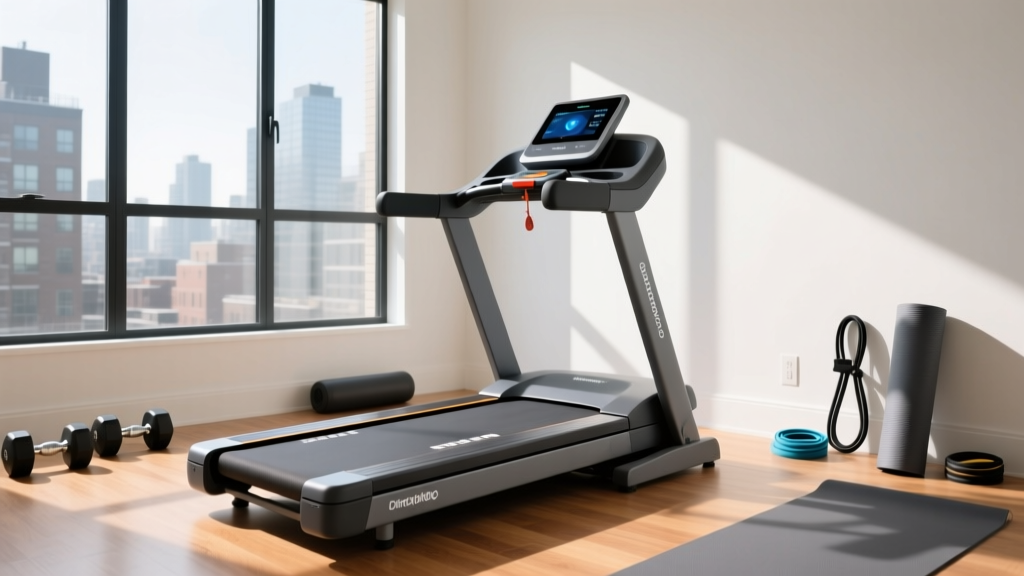
ProForm Treadmill Safety Key & Belt Lubrication Guide
Extend your machine's life with our ProForm treadmill belt maintenance guide. Learn why the ProForm treadmill safety key is step one for lubrication.

The Critical First Step: Your ProForm Treadmill Safety Key
When homeowners think about treadmill maintenance, they immediately picture silicone bottles and Allen wrenches. However, the most vital component in your maintenance toolkit is one you use every single workout: the ProForm treadmill safety key. Before you even consider loosening a belt or applying lubricant, removing this magnetic tether is a non-negotiable safety protocol.
The safety key on ProForm models (including the Carbon TL, Pro 9000, and Sport series) completes a magnetic reed switch circuit inside the console. If you attempt to manually rotate the belt to distribute lubricant while the machine is plugged in and the key is attached, a slight slip of your hand can bump the console buttons or trigger a static discharge. This can instantly engage the drive motor at 10+ MPH. Because your hands are trapped between the belt and the deck, this results in severe friction burns or crushed digits. Always physically detach the ProForm treadmill safety key and unplug the power cord from the wall before beginning any deck or belt service.
Diagnosing Belt Friction: When to Lubricate
ProForm treadmills utilize a pre-lubricated belt from the factory, but this coating degrades based on user weight, ambient humidity, and mileage. Do not wait for the machine to fail. Look for these specific diagnostic signals:
- Console Alerts: Most modern ProForm consoles (iFIT-enabled models) will flash a 'LUBE BELT' or 'LUBE' message across the display. This is triggered by an internal algorithm tracking motor revolutions and estimated mileage (usually around the 150-mile mark).
- The 'Deck Grab' Test: Turn the machine off, remove the ProForm treadmill safety key, and slide your hand under the center of the belt. If the deck feels completely dry to the touch, or if you feel gritty resistance when dragging your fingers, lubrication is overdue.
- Motor Amp Draw Spikes: For the advanced DIYer, using a clamp multimeter on the motor's red power wire is the ultimate diagnostic test. A healthy, lubricated ProForm treadmill draws between 2 to 4 amps with no user load. If the no-load amp draw creeps above 6 amps, the friction coefficient between the belt and deck is dangerously high, putting your motor controller (lower control board) at risk of thermal burnout.
The 100% Silicone Standard: What to Use and What to Avoid
ProForm engineers design their walking belts and MDF (Medium-Density Fiberboard) decks to interact exclusively with 100% pure silicone fluid. Silicone maintains its viscosity across the high-heat environment generated by foot-strike friction.
WARNING: The WD-40 TrapNever use WD-40, 3-in-One oil, or any petroleum-based lubricants on a ProForm treadmill. Petroleum distillates will chemically break down the cotton/polyester backing of the walking belt, causing it to stretch, fray, and eventually snap. Furthermore, petroleum will melt the phenolic wax coating on the ProForm deck, resulting in catastrophic, irreversible damage that requires a full deck replacement.
Always source a treadmill-specific 100% silicone lubricant. Brands like Impresa, Spot On, or the official iFIT/ProForm silicone kits are formulated with the correct 1000-centistoke viscosity required for cardio equipment.
Step-by-Step Belt Lubrication Protocol
Follow this exact procedure to ensure even distribution without over-saturating the deck, which can lead to belt slippage.
- Power Down and Secure: Turn off the power switch, pull the ProForm treadmill safety key from the console, and unplug the machine from the wall outlet.
- Release Belt Tension: Locate the two rear roller adjustment bolts at the very back of the treadmill. Using a 3/16-inch (or 5mm, depending on your specific ProForm model) Allen wrench, turn both the left and right bolts exactly four full turns counter-clockwise. This provides just enough slack to lift the belt without misaligning the roller.
- Apply the Silicone: Lift the edge of the belt on one side. Squeeze exactly 0.5 oz (15 ml) of 100% silicone in a zig-zag pattern down the center third of the deck. Repeat on the opposite side. Do not exceed 1 oz total; excess silicone will squeeze out the sides and coat the drive belt, causing the motor to slip.
- Re-Tension the Belt: Turn both rear adjustment bolts exactly four full turns clockwise to restore the factory tension.
- Distribute the Fluid: Plug the machine back in, reattach the ProForm treadmill safety key, and turn it on. Set the speed to 3.0 MPH. Walk on the treadmill for 3 to 5 minutes, intentionally stepping heavily on the left and right edges of the belt to spread the silicone evenly across the entire deck surface.
ProForm Maintenance Frequency Matrix
Lubrication intervals are not strictly time-based; they are dictated by the friction load placed on the deck. Use the matrix below to determine your specific maintenance schedule based on household usage patterns.
| User Profile | Total User Weight | Weekly Mileage | Recommended Lube Interval |
|---|---|---|---|
| Light Walker | Under 150 lbs | 5 - 10 miles | Every 6 Months / 250 Miles |
| Average Jogger | 150 - 200 lbs | 10 - 20 miles | Every 3 Months / 150 Miles |
| Heavy Runner / Multi-User | 200+ lbs (or 2+ users) | 20+ miles | Every 6 Weeks / 100 Miles |
Post-Lubrication Troubleshooting
Even with precise measurements, altering the belt tension can introduce minor tracking issues. Here is how to resolve them safely.
The Belt is Slipping Underfoot
If the front roller spins but the walking belt hesitates when you step on it, you have under-tensioned the belt. Remove the ProForm treadmill safety key, and turn both rear adjustment bolts exactly one-quarter (1/4) turn clockwise. Test again. Never tighten more than 1/4 turn at a time, as over-tensioning will destroy the front roller bearings and stretch the belt beyond its elastic recovery point.
The Belt Drifts to the Left or Right
If the belt tracks off-center after lubrication, it means the rear roller is no longer perfectly parallel to the front roller. If the belt moves to the left, turn the left rear bolt 1/4 turn clockwise (tightening pulls the belt to the opposite side). If it moves to the right, turn the right rear bolt 1/4 turn clockwise. Always make micro-adjustments and let the belt run at 3.0 MPH for 30 seconds to observe the tracking before making further tweaks.
When Lubrication Fails: Deck Resurfacing vs. Replacement
If you have applied fresh 100% silicone, but your ProForm treadmill's motor amp draw remains high, or you smell burning rubber, your deck has likely failed. ProForm decks are constructed from MDF wood topped with a low-friction phenolic or melamine wax coating. Over years of heavy impact, this microscopic coating wears away, exposing the raw, porous MDF underneath.
Once raw MDF is exposed, it acts like a sponge. Any silicone you apply will be instantly absorbed into the wood fibers, creating a thick, gummy paste that actually increases friction. There is no chemical way to resurface a worn MDF deck. If the 'deck grab' test reveals a rough, splintery, or deeply grooved surface beneath the belt, you must order a replacement deck assembly (typically $60 to $120 depending on the ProForm model) and install a new walking belt simultaneously. Continuing to run a machine with a compromised deck will eventually cause the motor control board to short out, turning a $100 repair into a $300+ electronic failure.
For more detailed model-specific schematics and part numbers, always refer to the ProForm Official Support portal, and consult expert repair guidelines from industry veterans like the Treadmill Doctor to ensure your equipment remains safe and operational for years to come.
More gear to consider
All reviews
Virtual Reality Treadmills: 2026 Motor & HP Comparison Guide
Vitamaster Treadmill Belt Maintenance: Cost and Value Breakdown

Under Desk Treadmill vs T 6.5 S Treadmill: Office Layout Guide

Cardio Machine Noise Level Comparison & The Two Stage Treadmill Test

Best In Place Treadmill Models for Office Use: 2026 Market Review