
Lifespan Treadmill Review: Walking Pad Comparison 2026
Read our in-depth Lifespan treadmill review comparing top walking pads for 2026. Step-by-step setup, pricing, and beginner tips for your home office.

Introduction: Why LifeSpan Dominates the Under-Desk Market
Transitioning from a sedentary desk job to an active workstation is one of the best health decisions you can make. According to the American Heart Association, integrating light walking into your day significantly reduces cardiovascular risks associated with prolonged sitting. But with dozens of cheap, unreliable walking pads flooding the market, finding a machine that will not break down after three months is critical. Welcome to the most comprehensive Lifespan treadmill review and walking pad setup guide for 2026. LifeSpan Fitness has remained the gold standard for commercial-grade under-desk treadmills, and this step-by-step guide will help you choose, set up, and master your new walking pad without the guesswork.
Step 1: Decode the LifeSpan Lineup (2026 Comparison Matrix)
LifeSpan does not make flimsy, foldable walking pads that slide under your bed. They engineer heavy-duty, low-profile treadmill bases designed to run for 8+ hours a day in corporate environments. When reading any Lifespan treadmill review, you will notice their focus on Continuous Duty Horsepower (CHP) rather than Peak Horsepower. CHP measures what the motor can handle indefinitely without overheating. Here is how their top three models compare for home and corporate offices this year.
| Model | Motor (CHP) | Belt Size | Weight Capacity | 2026 Est. Price |
|---|---|---|---|---|
| LifeSpan TR1200-DT3 | 2.5 HP | 20' x 50' | 300 lbs | $999 |
| LifeSpan TR5000-DT3 | 3.0 HP | 20' x 50' | 400 lbs | $1,499 |
| LifeSpan TR8000-DT5 | 4.0 HP Commercial | 22' x 54' | 500 lbs | $1,899 |
Step 2: Measure Your Space and Ergonomics
Before unboxing, you must verify your desk setup. An under-desk treadmill raises your standing height by exactly 7 inches (the height of the LifeSpan base). According to Cornell University's Ergonomics Department, your elbows should rest at a 90-degree angle while typing to prevent repetitive strain injuries.
The Ergonomic Math:
- Standard Desk Height: Most fixed desks are 29 to 30 inches high. This is too low for a treadmill base unless you are under 5'2" tall.
- Ideal Adjustable Desk: You need a sit-stand desk that adjusts up to at least 42 to 48 inches to accommodate the 7-inch base plus your specific inseam and torso length.
- Clearance: Ensure you have at least 20 inches of depth clearance under your desk so you do not kick the desk frame or cable management trays while walking.
Step 3: Safe Unboxing and Initial Calibration
LifeSpan treadmill bases are incredibly dense. The TR1200 weighs 62 lbs, while the TR8000 pushes 85 lbs. Do not attempt to lift these alone.
- Positioning: Slide the box under your desk before opening it. Unroll the treadmill base directly onto an equipment mat (essential for protecting hardwood and dampening the 65-decibel motor hum).
- Safety Key First: Before plugging in the main power, attach the magnetic safety key to the console. This ensures the machine does not accidentally start if a button is pressed during setup.
- Out-of-the-Box Belt Alignment: It is common for the belt to drift slightly left or right after shipping. Plug in the console, set the speed to 2.0 MPH, and observe the belt.
- The 1/4 Turn Rule: If the belt drifts left, insert the included 6mm Allen wrench into the rear-left roller bolt. Turn it exactly one-quarter turn clockwise. Wait 10 seconds. Repeat only if necessary. Over-tightening is the number one cause of premature motor burnout in beginner setups.
Step 4: The Beginner's 4-Week Walking Protocol
Jumping into 4 hours of walking on day one will result in severe shin splints and plantar fasciitis. The Mayo Clinic recommends gradually increasing active workstation time to allow your joints and lower back to adapt to the new biomechanical load.
"Start with short intervals of walking and standing, gradually increasing the duration as your stamina improves. Proper footwear is non-negotiable, even in a home office."
Your 30-Day Ramp-Up Schedule:
- Week 1 (Acclimation): 30 minutes total per day. Speed: 1.0 to 1.2 MPH. Wear supportive running shoes. Focus on keeping your monitor at eye level to prevent 'tech neck'.
- Week 2 (Endurance): 60 minutes total per day (broken into two 30-min blocks). Speed: 1.5 MPH. You should be able to type emails comfortably, but complex data entry might still feel clumsy.
- Week 3 (Integration): 90 to 120 minutes per day. Speed: 1.5 to 2.0 MPH. At 2.0 MPH, arm swing becomes necessary, making mouse usage difficult. Use this speed for reading documents or watching video calls.
- Week 4 (Mastery): Alternate between sitting, standing still, and walking at 1.5 MPH throughout the day based on task complexity.
Step 5: Long-Term Maintenance and Edge Cases
To ensure your LifeSpan treadmill lasts a decade, you must perform basic maintenance. Neglecting this will void the warranty and ruin the walking experience.
Warning: The Silicone RuleLifeSpan explicitly prohibits petroleum-based lubricants like WD-40. You must use 100% silicone treadmill lubricant. Apply 1 oz under the belt every 3 months or every 150 miles. If the console displays an 'E1' or 'Lube' error code, the belt-to-deck friction has spiked, and immediate lubrication is required to prevent the motor control board from frying.
Common Edge Case: Static Shock
In dry winter climates, users sometimes experience static shocks when touching the desk frame. This happens because the rubber belt generates a static charge that transfers through the user to the nearest grounded metal object (your desk). The Fix: Spray a 50/50 mix of water and liquid fabric softener onto a microfiber cloth and wipe down the treadmill belt once a month. Ensure your desk is properly grounded or use an anti-static mat under the treadmill.
Frequently Asked Questions
Can I jog or run on a LifeSpan under-desk treadmill?
No. The maximum speed is capped at 4.0 MPH (and practically, 2.0 MPH is the safe limit for desk work). Furthermore, the 7-inch base height creates a severe fall hazard if you attempt to run and lose your balance.
How loud are these machines during Zoom calls?
At 1.5 MPH, the TR1200-DT3 produces about 55-60 decibels of low-frequency hum. Your laptop microphone will pick up a faint rhythmic thumping. Using the LifeSpan anti-fatigue mat and placing the base on carpet reduces acoustic transfer by roughly 40%, making it virtually silent to callers.
What happens if I leave the console on all day?
LifeSpan consoles feature an auto-pause function. If the infrared sensor does not detect your legs moving for 20 seconds, the belt smoothly decelerates to a halt to save the motor and prevent accidental starts if you step away.
Final Verdict
This Lifespan treadmill review confirms that while the upfront cost ($999 to $1,899) is higher than generic Amazon walking pads, the commercial-grade components, 20-inch walking width, and 7-year motor warranties make LifeSpan the undisputed leader for serious remote workers. Measure your desk, follow the 4-week ramp-up protocol, and keep the belt lubricated to transform your sedentary workday into a longevity-boosting routine.
More gear to consider
All reviews
Average Treadmill Length vs Walking Pads: 2026 Head-to-Head Review

Do Treadmills Help You Lose Weight? Curved vs Motorized Compared
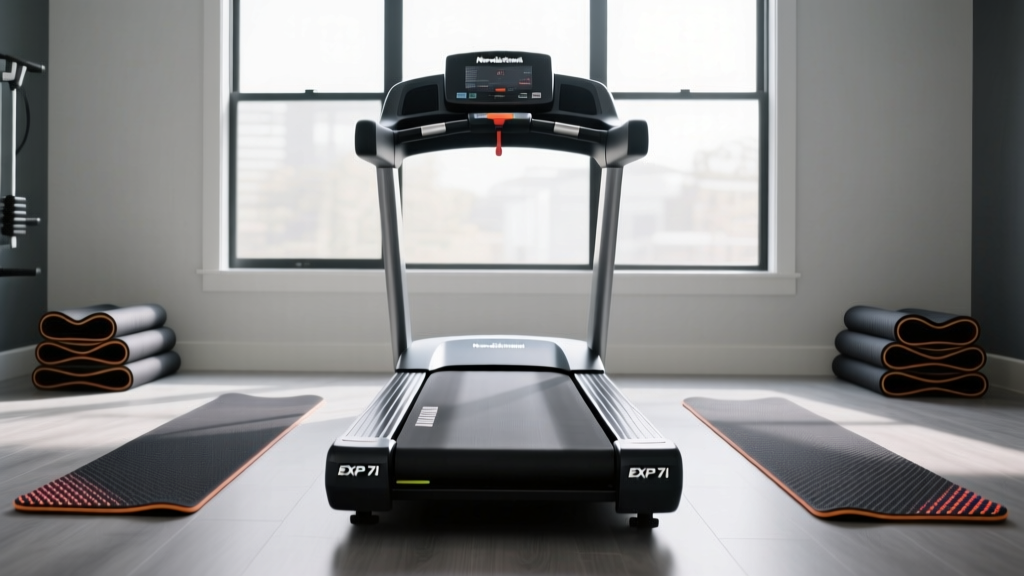
NordicTrack EXP 7i Treadmill vs Walking Pads: Setup & Review

Treadmill Calculator Calories Burned: Under Desk Maintenance Review

Walking Pad vs Treadmill Setup: How to Oil a NordicTrack Treadmill
