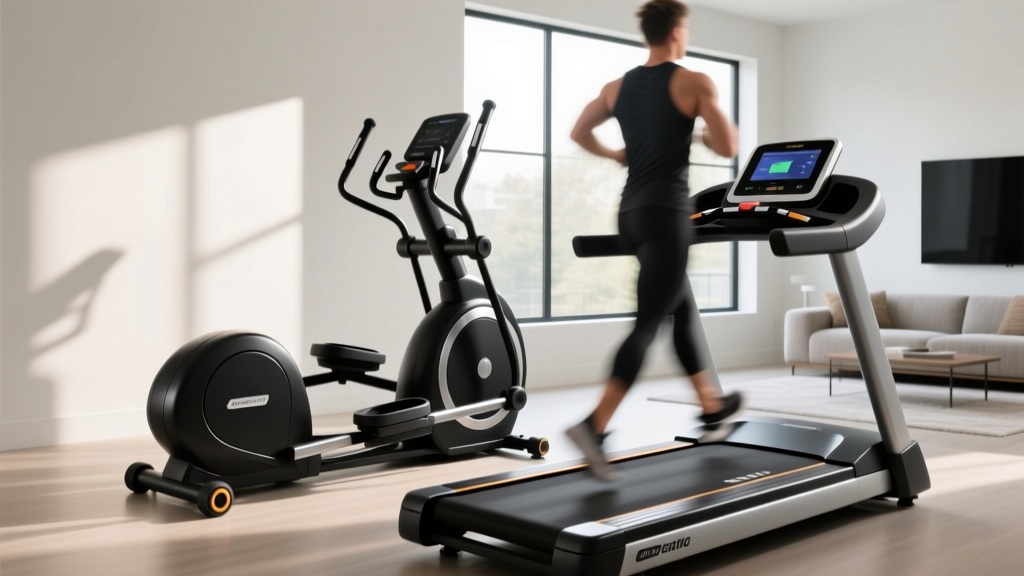
iFIT Compatible Treadmills: Buying Mistakes & Fixes
Avoid costly errors with our iFIT compatible treadmills guide. Compare features, dodge buying mistakes, and troubleshoot common hardware glitches.

The smart home gym market has evolved rapidly, and iFIT compatible treadmills remain at the forefront of interactive cardio training. However, the integration of high-definition touchscreens, auto-adjusting incline motors, and cloud-based workout libraries introduces a new layer of complexity for buyers. According to Consumer Reports, the most common consumer complaints regarding smart treadmills stem not from mechanical failure, but from a fundamental mismatch between the user's physical requirements, home network environment, and the machine's technical specifications.
⚠️ Critical Setup Warning: Never plug a smart treadmill directly into a standard wall outlet without a dedicated surge protector (minimum 2000 Joules). iFIT consoles feature sensitive motherboards that are highly susceptible to voltage spikes, which can instantly fry the lower control board and void your warranty.The Feature Comparison Trap: Where Buyers Go Wrong
When shopping for iFIT compatible treadmills, consumers often fixate on screen size while ignoring the drivetrain. A massive 14-inch HD touchscreen is useless if the continuous horsepower (CHP) motor stalls during an auto-incline adjustment. Below is a 2026 feature comparison matrix of three popular tiers, highlighting the hidden spec gaps that cause buyer's remorse.
| Model | Est. Price | Motor (CHP) | Screen & Pivot | Incline Range | Best For |
|---|---|---|---|---|---|
| NordicTrack Commercial 1750 | $1,999 | 3.5 CHP | 14" HD (Pivots 180°) | -3% to 15% | Serious Runners |
| ProForm Pro 9000 | $1,299 | 3.0 CHP | 10" HD (Fixed) | 0% to 12% | Budget Smart Runners |
| NordicTrack T Series 10 | $599 | 2.75 CHP | 10" Tablet Shelf | 0% to 10% | Walkers / Light Joggers |
3 Critical Buying Mistakes with iFIT Treadmills
1. Confusing Peak HP with Continuous HP (CHP)
Manufacturers often advertise 'Peak HP' in massive fonts, but this only measures the motor's maximum output for a fraction of a second. iFIT's auto-speed and auto-incline features require sustained torque. If you weigh over 180 lbs and run at 8+ mph, a 2.5 CHP motor will overheat, triggering the thermal overload shutoff mid-workout. Always demand a minimum of 3.0 CHP for running, and 3.5 CHP for heavy runners or steep incline training.
2. Ignoring Screen Pivot and Tilt Mechanics
As noted in Wirecutter's comprehensive treadmill tests, ergonomics dictate screen visibility. When a treadmill elevates to a 15% incline, the console rises significantly. If the screen is fixed (like on the ProForm Pro 9000), you will be forced to crane your neck upward to see the iFIT trainer, leading to cervical strain. Always opt for a pivoting screen if you plan to utilize iFIT's off-treadmill strength and yoga routines, or if you frequently run at high inclines.
3. Underestimating Wi-Fi Bandwidth and Router Architecture
iFIT Global Workouts stream 1080p video while simultaneously downloading real-time telemetry data. This requires a stable 3.0 Mbps dedicated connection. Furthermore, many smart treadmill consoles run on older Android architectures that struggle with modern WPA3 security protocols or 'band-steering' routers that combine 2.4GHz and 5GHz networks under a single SSID. If your router doesn't allow you to split the bands, your treadmill will constantly drop its connection.
Troubleshooting Guide: Fixing Common iFIT & Hardware Glitches
Even top-tier models experience software and hardware hiccups. Before calling customer support and waiting weeks for a technician, use this expert troubleshooting framework to resolve the most common iFIT treadmill issues.
Issue 1: Incline Motor Stalling During Auto-Adjust
The Symptom: iFIT commands a 12% incline, but the deck stops raising at 8% and the console displays an incline error code. The Root Cause: The incline motor uses Pulse Width Modulation (PWM) signals. If the running belt is over-tightened or lacks silicone lubrication, the friction increases the amp draw. The lower control board detects this spike and halts the motor to prevent a fire hazard. The Fix:
- Test the belt tension: You should be able to lift the belt 2 to 3 inches off the deck at the center. If it's tighter, loosen the rear roller bolts by a quarter-turn.
- Lubricate the deck with 100% silicone treadmill lubricant (never use WD-40 or petroleum-based products).
- Recalibrate the incline: Remove the safety key. Press and hold both the 'Incline Up' and 'Incline Down' buttons simultaneously for 5 seconds until the console beeps. The machine will automatically cycle from 0% to max incline and back to reset the potentiometer sensors.
Issue 2: Touchscreen Freezing on Global Workouts
The Symptom: The screen freezes during a scenic run in the Swiss Alps, but the belt keeps moving. The Root Cause: Capacitive touchscreens are highly sensitive to the saline buildup from sweat. Micro-droplets of sweat on the bezel register as continuous 'ghost touches,' overwhelming the digitizer and crashing the UI layer. The Fix: Wipe the screen and the black bezel borders with a microfiber cloth lightly dampened with 70% isopropyl alcohol. To prevent recurrence, apply a matte anti-glare screen protector, which resists sweat adhesion better than bare glass.
Issue 3: Bluetooth Heart Rate Monitor Disconnects
The Symptom: Your Polar or Garmin chest strap pairs initially but drops the signal after 10 minutes. The Root Cause: Bluetooth Low Energy (BLE) operates on the 2.4GHz spectrum, which is heavily congested by microwaves, baby monitors, and neighboring Wi-Fi networks. The Fix: Access your router's admin panel and enable WMM (Wi-Fi Multimedia) prioritization. Alternatively, move your treadmill at least 4 feet away from exterior walls and large metal appliances that cause BLE signal multipath interference.
Expert Tip: Always check for iFIT firmware updates manually. While the console attempts to auto-update, it often prioritizes workout content over critical motherboard firmware patches. Go to Settings > Maintenance > System Update once a month to ensure your motor controllers have the latest thermal management algorithms.
The 'Hidden Costs' Checklist Before You Checkout
Buying the machine is only the first financial commitment. To accurately budget for an iFIT compatible treadmill in 2026, factor in these mandatory operational costs:
- iFIT Subscription: The machine is essentially a paperweight without it. The Individual Plan is $39/month ($396/year), while the Family Plan (up to 5 users) is $49/month ($492/year).
- Heavy-Duty Equipment Mat: A 3/8-inch thick rubber mat ($50-$80) is non-negotiable. It prevents dust from being sucked into the motor hood, which is the leading cause of lower control board failure.
- Electrical Upgrades: If your home gym is in a basement or garage on a shared 15-amp circuit, running a 3.5 CHP treadmill while a freezer cycles on will trip the breaker. You may need an electrician to install a dedicated 20-amp circuit ($150-$300).
Frequently Asked Questions (FAQ)
Can I use a third-party treadmill with the iFIT app?
No. Unlike Zwift, which uses open Bluetooth FTMS protocols to connect to almost any smart treadmill, iFIT's auto-control features are proprietary. The app can only send speed and incline telemetry to hardware manufactured by iFIT Inc. (which includes NordicTrack, ProForm, and Freemotion). You can use the iFIT app on a non-compatible treadmill for video coaching, but you will have to manually adjust the speed and incline to match the trainer's cues.
What happens to my workout if my Wi-Fi drops mid-run?
According to the official iFIT Support Center, the console caches a small buffer of the workout data. If the connection drops for less than 60 seconds, the auto-adjust features will pause, but the belt will maintain its current speed. If the connection fails completely, the workout will save locally on the console's internal storage and automatically sync to your cloud profile the next time the machine connects to the internet.
Is a 10% max incline enough for beginners?
For walking and light jogging, a 10% max incline (found on budget models like the T Series 10) is sufficient. However, iFIT's most popular hiking and mountaineering programs frequently command 12% to 15% inclines. If your goal is to participate in these specific Global Workouts, investing in a machine with a 15% max incline and a -3% decline feature is highly recommended to get the full immersive experience.
More gear to consider
All reviews
Under Desk Treadmill Review: NordicTrack C1250 Treadmill Care

Why the Viral Bat on Treadmill Test Fails: Real Belt Maintenance & Value

Air Bike vs Assault Bike Guide & Sole F63 Treadmill Space Layout
Escaping the Hedonistic Treadmill: Motor Size & HP Guide

Curved Manual vs Motorized: Echelon Stride 6 Treadmill Showdown