
XTERRA TRX1000 Treadmill Troubleshooting & Walking Pad Review
Master XTERRA TRX1000 treadmill troubleshooting, avoid common maintenance mistakes, and see how it compares to top walking pads for home offices.

The XTERRA TRX1000 vs. Walking Pads: A Mechanical Reality Check
When outfitting a home office or compact apartment for daily cardio, buyers frequently cross-shop the XTERRA TRX1000 treadmill against under-desk walking pads like the UREVO Strol 2E or KingSmith WalkingPad R2. Priced around $329 in 2026, the TRX1000 sits in a unique middle ground: it offers a traditional folding upright frame and manual incline, yet shares the light-duty motor constraints of budget walking pads. According to Consumer Reports, understanding the mechanical limitations of budget cardio equipment is the first step in preventing premature motor failure.
This guide serves as a comprehensive troubleshooting manual and comparative review. We will dissect the most common user mistakes, decode the TRX1000's digital error codes, and provide a data-driven framework to help you decide if this folding treadmill or a flat walking pad is the superior choice for your biomechanics and space.
Specification & Failure Point Matrix: TRX1000 vs. Premium Walking Pads
| Feature | XTERRA TRX1000 Treadmill | Standard Walking Pad (e.g., UREVO/KingSmith) |
|---|---|---|
| Motor Output | 2.25 HP (Peak) / ~1.25 CHP | 1.5 HP to 2.0 HP (Peak) |
| Belt Dimensions | 14' x 50' | 15' x 40' (Average) |
| Weight Capacity | 250 lbs (Dynamic) | 220 - 265 lbs |
| Incline | 3-Level Manual Incline | 0% (Flat) |
| Primary Failure Mode | Upright wire harness pinching | Overheating due to lack of cooling fan |
| Maintenance Need | Manual silicone lubrication every 40 miles | Sealed deck (Low maintenance) |
Top 3 Critical Mistakes TRX1000 Owners Make
The majority of service calls for the XTERRA TRX1000 are not due to factory defects, but rather user errors stemming from a misunderstanding of how budget folding treadmills operate compared to sealed walking pads.
Mistake 1: Treating the Deck Like a 'Zero-Maintenance' Walking Pad
Walking pads utilize high-density, pre-lubricated sealed decks that require little to no user intervention. The TRX1000, however, uses a traditional MDF (medium-density fiberboard) deck with a textured belt. If you fail to apply 0.5 oz of 100% silicone treadmill lubricant between the belt and the deck every 3 months (or roughly every 40 miles of walking), the friction coefficient spikes. This forces the 1.25 CHP motor to draw excess amperage, ultimately tripping the overcurrent protection and frying the lower control board.
Mistake 2: Exceeding the Dynamic Weight Limit During Running
While the TRX1000 advertises a 250 lb weight capacity, this is a static limit. The CDC notes that the ground reaction force during running can be 2 to 3 times your body weight. A 200 lb user running on the TRX1000 generates impact forces that exceed the motor's continuous duty rating, leading to belt hesitation. This machine is engineered for brisk walking (up to 4.0 MPH) and light jogging, not sustained running.
Mistake 3: Pinching the Console Wire During Assembly
The most common 'out-of-the-box' failure is a blank console display. When attaching the upright tubes to the base, users often route the 5-pin data cable on the outside of the hinge bracket. When the treadmill is folded down for storage, the metal bracket severs or pinches the wire harness, causing an immediate communication failure.
⚠️ Assembly Warning: Always route the upright data cable through the internal channel of the left-side tube. Before tightening the base bolts, manually fold the treadmill down to ensure the wire has adequate slack and is not pressed against the steel hinge.Step-by-Step Troubleshooting Guide: Decoding Error Codes
When the TRX1000 encounters a mechanical or electrical fault, the LED console will halt the belt and display an alphanumeric error code. Here is how to diagnose and resolve the most frequent issues.
Error E01: Communication Failure
Symptom: The console powers on, but pressing 'Start' yields an E01 code and the belt does not move.
Diagnosis: The upper console board is not receiving the PWM (Pulse Width Modulation) signal from the lower motor controller.
Resolution Steps:
- Unplug the treadmill from the wall outlet and remove the safety key.
- Locate the wire harness connection point at the top of the left upright tube (near the console neck).
- Disconnect the 5-pin plug, inspect for bent copper pins or corrosion, and reconnect firmly until you hear a click.
- If the wire was pinched at the base hinge (see Mistake #3), you will need to order a replacement upright wire harness from XTERRA support and fish it through the tube using a wire puller.
Error E02: Motor Overcurrent / Friction Fault
Symptom: The treadmill starts, but after 2 to 5 minutes of use, it abruptly stops and flashes E02.
Diagnosis: The motor controller detects an amp-draw exceeding safe thresholds (usually above 4.5 Amps). This is almost always caused by a dry deck or an over-tensioned belt.
Resolution Steps:
- The Lift Test: Reach under the center of the walking belt and lift it. You should be able to raise it about 2 to 3 inches off the deck. If it feels stuck or offers heavy resistance, the deck is dry.
- Loosen the rear roller bolts using a 5mm Allen wrench (exactly 2 full turns counter-clockwise on both sides) to slacken the belt.
- Apply 0.5 oz of 100% pure silicone treadmill lubricant in a zig-zag pattern directly onto the wooden deck.
- Retighten the rear roller bolts (2 turns clockwise), plug the machine in, and walk at 1.0 MPH for 3 minutes to distribute the silicone.
Issue: Belt Slipping or 'Hesitation' Underfoot
Symptom: The motor hums and the front roller spins, but the walking belt stalls when you step on it.
Diagnosis: The drive belt (connecting the motor flywheel to the front roller) is loose, or the walking belt tension is insufficient.
Resolution Steps:
- First, check the walking belt tension. Stand on the side rails. Using a 5mm Allen wrench, turn the left and right rear roller adjustment bolts one-quarter turn clockwise. Test the belt. Repeat only if necessary. Over-tightening will destroy the motor bearings.
- If the walking belt is tight but still slipping, unplug the machine, remove the 6 Phillips-head screws securing the plastic motor hood, and inspect the internal rubber drive belt. If it is glazed or cracked, it must be replaced.
Expert Insight: 'Never use WD-40 or household oil sprays on a treadmill deck. These petroleum-based products will melt the PVC backing of the walking belt and permanently ruin the MDF deck's wax coating. Only use 100% silicone fluid.'
Decision Framework: Should You Buy the TRX1000 or a Walking Pad?
Choosing between the XTERRA TRX1000 and a dedicated walking pad depends entirely on your spatial constraints, maintenance willingness, and biomechanical needs.
Choose the XTERRA TRX1000 If:
- You need incline training: The TRX1000's 3-level manual incline allows for glute and hamstring activation that flat walking pads simply cannot provide.
- You require a longer stride: The 50-inch belt length accommodates users up to 6'1' for brisk walking, whereas the 40-inch belts on most walking pads force taller users to take unnatural, shortened steps.
- You prefer traditional ergonomics: The upright console and fixed handrails provide better balance support for seniors or those undergoing physical rehabilitation.
Choose a Walking Pad (e.g., UREVO Strol 2E) If:
- You want zero-maintenance hardware: Walking pads feature sealed decks and brushless motors that eliminate the need for silicone lubrication and belt tensioning.
- Space is at an absolute premium: Walking pads slide entirely under a sofa or bed (usually 5-6 inches thick), whereas the folded TRX1000 still requires roughly 10 inches of depth and must be leaned against a wall.
- You plan to use it strictly under a standing desk: The TRX1000's upright console, even when folded, prevents it from being pushed flush under a standard 28-inch high desk.
Final Verdict and Maintenance Takeaway
The XTERRA TRX1000 treadmill remains a highly capable, budget-friendly walking machine in 2026, provided you respect its mechanical boundaries. By treating it as a light-duty walking treadmill rather than a heavy-duty running machine, and by adhering to a strict 40-mile silicone lubrication schedule, you can easily extend the lifespan of the motor and control board well past the warranty period. However, if your primary goal is frictionless, under-desk stepping with zero mechanical upkeep, a premium flat walking pad is the more logical investment for your home office setup.
More gear to consider
All reviews
40 Incline Treadmill vs Stationary Bikes: Budget Breakdown
Space-Saving Bikes vs METs Treadmill Chart Layouts

How to Prevent a Skin Burn From Treadmill Use: 2026 Buying Guide
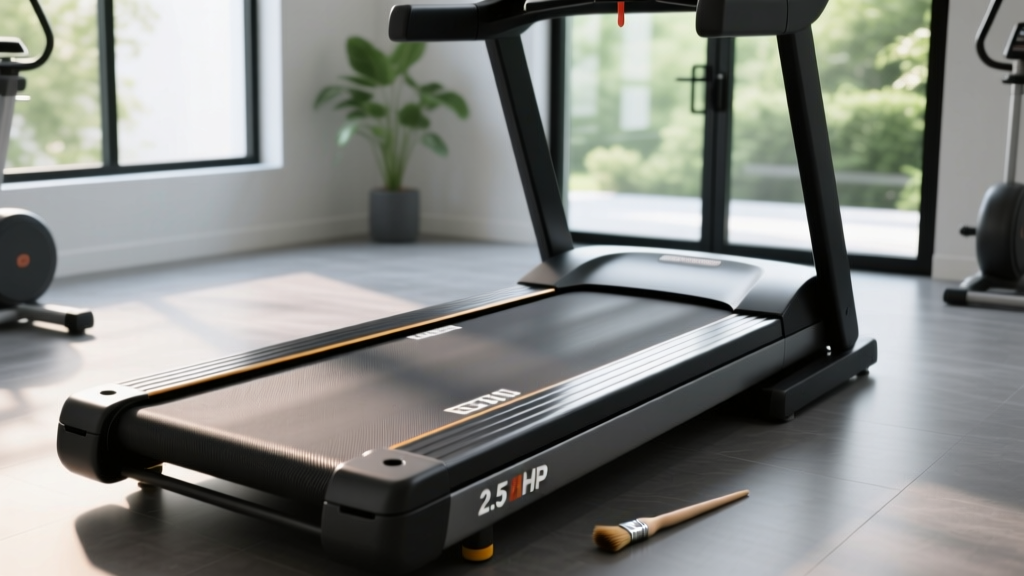
2.5 HP Treadmill Belt Maintenance: Lubrication & Longevity Guide

Sunny Health and Fitness Treadmill Reviews: 2026 Buying Guide
