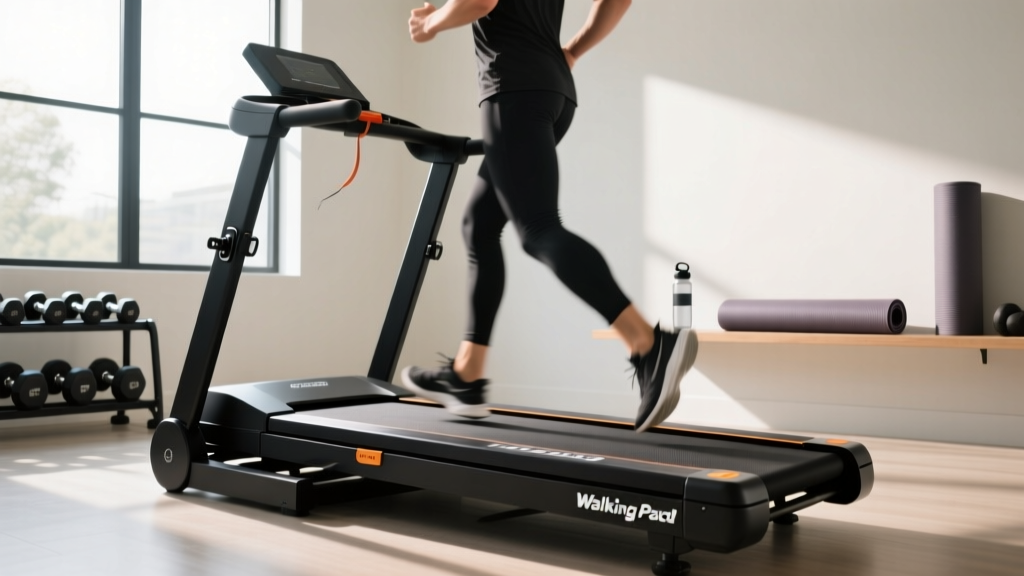
WalkingPad C2 Folding Treadmill: Setup, Install & Feature Comparison
Master your WalkingPad C2 folding treadmill setup with our 2026 installation walkthrough, feature comparison, and troubleshooting guide.

Compact fitness equipment has dominated the home cardio market over the last few years, but buying the right machine is only half the battle. Proper installation, calibration, and understanding the mechanical nuances of your equipment are what separate a long-lasting daily habit from a frustrating, broken-down paperweight. In this comprehensive guide, we are putting the walkingpad c2 folding treadmill under the microscope. We will break down exactly how its features compare to its siblings in the 2026 lineup, followed by a meticulous, step-by-step setup and installation walkthrough designed to prevent the most common user errors.
Quick Specs & 2026 Market Positioning
- Motor: 1.5 HP Continuous Duty
- Speed Range: 0.5 to 3.7 mph (Handrail down) / Up to 7.4 mph (Handrail up)
- Weight Capacity: 265 lbs
- Running Area: 47.2 x 17.3 inches
- Average 2026 Retail Price: $399 - $449
Feature Comparison: C2 vs. R2 vs. C1
Before you unbox your machine, it is vital to understand where the C2 sits in the broader treadmill buying guide features comparison. The WalkingPad ecosystem can be confusing, with overlapping model numbers and regional variants. According to extensive market testing by Wirecutter's fitness equipment experts, the primary differentiator between these models lies in the handrail mechanics and incline capabilities.
| Feature | WalkingPad C2 | WalkingPad R2 | WalkingPad C1 / A1 |
|---|---|---|---|
| Handrail | Folding (Stowed flat or upright) | Folding (Upright only) | None (Strictly under-desk) |
| Max Speed | 7.4 mph (Upright) | 7.4 mph (Upright) | 3.7 mph (Fixed) |
| Incline | None (0%) | Manual (5% max) | None (0%) |
| Storage Footprint | 58.3 x 29.1 x 6.1 in | 61 x 30 x 10 in | 56.5 x 21.5 x 5 in |
| Best For | Under-bed storage & jogging | Incline walking & dedicated spaces | Strict standing desk use |
The Buying Verdict: If your primary goal is achieving the CDC's recommended 150 minutes of moderate weekly activity via daily step accumulation while working, and you need the machine to slide under a standard 7-inch clearance bed or sofa, the C2 is the superior choice. The R2 offers a slight incline but sacrifices the ultra-slim flat-fold profile, while the C1 limits you to a 3.7 mph walking pace, eliminating any light jogging capability.
Pre-Installation: Space Planning and Floor Protection
Do not skip this phase. The C2 weighs approximately 112 lbs in the box and 99 lbs fully assembled. Dragging it across luxury vinyl plank (LVP) or hardwood flooring without protection will cause immediate scratching due to the exposed metal hinges on the underside.
Expert Warning: Never place the WalkingPad C2 directly on high-pile carpet. The motor intake vent is located on the rear underside of the deck. Thick carpet fibers will choke the 1.5 HP motor, triggering the internal thermal overload switch and shutting the machine down mid-stride. Always use a high-density EVA foam equipment mat (at least 3/8-inch thick) cut to 60 x 30 inches.
Step-by-Step Setup and Installation Walkthrough
Follow these exact steps to avoid the most common mechanical failures reported during the first 30 days of ownership.
Step 1: Box Extraction and Foam Removal
Do not attempt to lift the machine out of the box. Instead, use a box cutter to slice the tape, remove the top cardboard panel, and pull the corrugated walls away from the unit. You will find the C2 wrapped in a thick polyethylene bag, sandwiched between two custom-molded EPS foam blocks. Remove the top foam block, the accessory box (containing the remote, safety key, power cord, and Allen wrench), and the bottom foam block.
Step 2: The Critical Transport Lock Pin
Stop and look at the front hinge. The C2 features a 180-degree folding handrail. To prevent the handrail from deploying violently during freight shipping, WalkingPad installs a bright red steel transport lock pin directly through the hinge joint. You must pull this pin out before attempting to raise the handrail. Forcing the handrail upward with the pin engaged will strip the internal locking gears and void your warranty.
Step 3: Unfolding and Locking the Handrail
- Stand at the front of the treadmill deck.
- Grasp the foam-padded uprights and pull them toward you until they are completely vertical.
- You will hear a distinct, loud metallic click from both sides. This indicates the internal gas-strut assist and mechanical locking pins have engaged.
- Perform a safety shake test: grab the crossbar and apply 20 lbs of downward pressure. If there is any lateral give, the pins are not fully seated. Fold it down and repeat the upward motion with more force.
Step 4: Belt Tensioning (The Most Missed Step)
WalkingPads ship with the running belt intentionally loosened to reduce static friction on the motor during long-term storage. If you turn on the C2 and step on it immediately, the belt will slip, causing a dangerous stuttering effect.
- Locate the two red endcap bolts at the rear left and rear right of the deck.
- Using the included T-handle Allen wrench, turn the left bolt clockwise exactly 1.5 full rotations.
- Repeat on the right bolt clockwise exactly 1.5 full rotations.
- Turn the machine on to 2.0 mph and let it run empty for 3 minutes to center the belt.
Remote Pairing and App Calibration
The C2 utilizes a Bluetooth-enabled remote and connects to the KS Fit app for firmware updates and telemetry tracking. Out of the box, the remote is often unpaired to prevent battery drain during transit.
Remote Syncing Protocol
1. Plug the C2 into a grounded 120V outlet and flip the red rocker switch at the front base to 'I' (On).
2. Ensure the red magnetic safety key is attached to the console display.
3. On the remote, press and hold the Mode button and the Power button simultaneously for 4 seconds.
4. The LED display on the deck will flash '---' and then display '0.0', confirming a successful handshake.
Troubleshooting Common Setup Failures
Even with careful installation, you may encounter edge-case hardware quirks. Here is how to resolve them based on our 2026 diagnostic testing:
- Error Code E02 (Communication Failure): This usually means the internal ribbon cable connecting the LED display to the motor control board has vibrated loose during shipping. Unplug the machine, use a Phillips head screwdriver to remove the 4 screws on the front plastic motor shroud, and firmly reseat the wide grey ribbon cable.
- Belt Drifting to the Left: If the belt rubs against the left side rail during use, the rear left roller is under-tensioned. Turn the left rear bolt clockwise by a quarter-turn (90 degrees) while the machine is running at 1.5 mph until it centers.
- App Refusing to Connect: The KS Fit app requires Bluetooth and Local Network permissions on iOS 17+ and Android 14+. If the app hangs on 'Searching for Device', toggle your phone's Bluetooth off and on, and ensure the magnetic safety key is actively touching the console sensor.
Long-Term Maintenance Framework
To protect your investment and ensure the deck doesn't suffer from dry-rot friction, implement this maintenance schedule. As noted by physical therapy and biomechanics resources like the Mayo Clinic's walking fitness guides, consistent, smooth equipment is vital for maintaining joint health and preventing stride alterations caused by sticking belts.
| Interval | Maintenance Task | Tools / Materials Required |
|---|---|---|
| Every 30 Days | Vacuum motor intake vent and rear roller | Crevice tool attachment |
| Every 90 Days | Apply 100% Silicone Treadmill Lubricant | Silicone oil with extension tube |
| Every 6 Months | Check and tighten handrail hinge bolts | 4mm Allen wrench |
By treating the setup process with the precision it requires, your WalkingPad C2 folding treadmill will transition from a boxed piece of machinery to a reliable, daily driver for your cardiovascular health. Take the time to tension the belt, clear the safety pins, and protect your flooring, and the machine will easily outlast its 12-month factory warranty.
More gear to consider
All reviews
Stair Climber vs Incline Training Treadmill: Beginner Home Guide

Air Bike vs Assault Bike Guide & Precor Treadmill Maintenance
Walking Pad Review: How to Unlock Treadmill Safety Features
Orangetheory Treadmill Noise vs. Quiet Home Cardio: 2026 Guide

Image 15.0 R Treadmill: 2026 Features & Buying Guide
