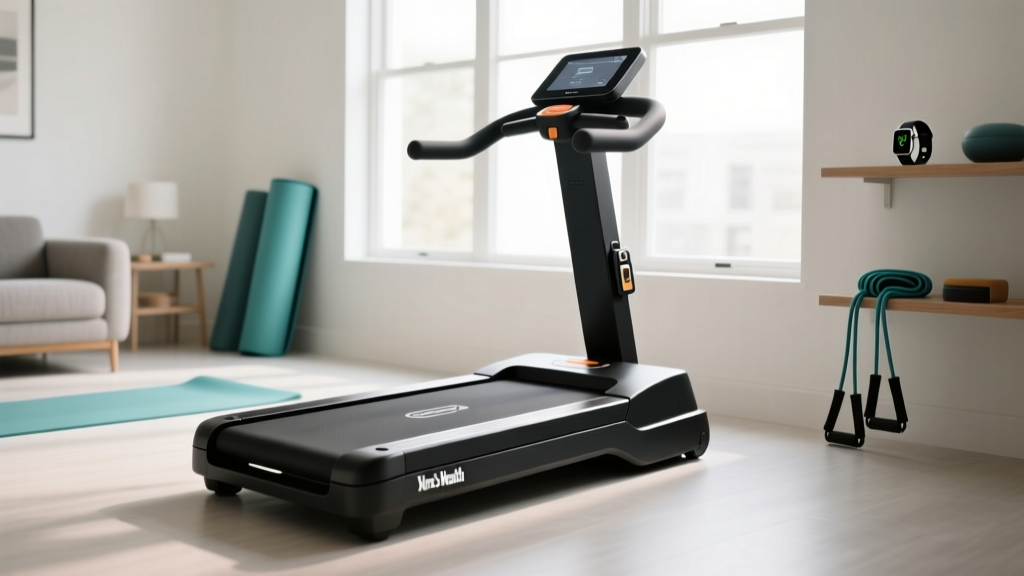
Walking Pad Review: How to Unlock Treadmill Safety Features
Discover our 2026 walking pad comparison and learn exactly how to unlock treadmill safety locks, transit latches, and app-based child restraints.

The Hidden Frustration of Modern Walking Pads
The compact fitness market has exploded, and in 2026, walking pads are a staple in home offices and small apartments. However, this surge in popularity has brought a highly specific, rarely discussed pain point to the surface. Every week, our editorial team receives messages from frustrated users who have just unboxed a new walking pad or folded it up for storage, only to find themselves frantically searching the web to figure out how to unlock treadmill transit latches, digital child locks, and magnetic safety keys.
Unlike traditional full-sized treadmills, walking pads rely on complex folding hinges and app-based software locks to meet modern safety standards. When these mechanisms jam or desync, your expensive cardio equipment becomes a very heavy paperweight. In this head-to-head comparison, we review three of the top walking pads on the market, focusing specifically on their locking mechanisms, and provide expert-level troubleshooting on how to bypass them when things go wrong.
Head-to-Head: 2026 Walking Pad Lock Mechanisms
To understand the nuances of these safety features, we tested three distinct categories of walking pads: the budget-friendly manual folder, the premium app-controlled hybrid, and the commercial-grade compact.
1. UREVO Strol 2E (The Mechanical Transit Lock)
Retailing around $299, the UREVO Strol 2E is a 2-in-1 walking pad that folds a full 180 degrees. Its primary safety feature is a mechanical transit lock located near the central hinge. When folded, a spring-loaded steel pin drops into a receiver to prevent the deck from deploying accidentally. The common failure mode: Users often try to pull the deck apart without relieving the tension on the hinge first, causing the pin to bind. To unlock it, you must actually push the two halves together slightly before pulling the release lever.
2. WalkingPad R2 (The Digital App Lock)
At $449, the WalkingPad R2 features an integrated handrail and relies heavily on the KS Fit app. Because it lacks a traditional magnetic safety key, it utilizes a digital child lock. When engaged, the treadmill will not respond to the remote or console buttons. The common failure mode: Bluetooth desynchronization. If your phone's OS updates in the background and severs the BLE (Bluetooth Low Energy) connection, the pad remains locked. Users often wonder how to unlock treadmill software restraints without the app; the answer requires a hard EEPROM reset by unplugging the unit for exactly 60 seconds.
3. Horizon Fitness Evolve 3 (The Magnetic & Console Hybrid)
Priced at a premium $599, the Horizon Evolve 3 bridges the gap between a walking pad and a light running treadmill. It uses a traditional red magnetic safety key paired with a console-based PIN lock (default code: 0-0-0-0). This dual-layer system is the most reliable but introduces the risk of demagnetized keys and forgotten PINs, requiring a specific button-hold sequence on the console to bypass.
Specification & Unlock Matrix
| Feature | UREVO Strol 2E | WalkingPad R2 | Horizon Evolve 3 |
|---|---|---|---|
| 2026 Price | $299 | $449 | $599 |
| Motor | 2.5 HP Peak | 2.25 HP Continuous | 3.0 HP Continuous |
| Belt Width | 17.3 inches | 17.3 inches | 20.0 inches |
| Primary Lock Type | Mechanical Hinge Pin | BLE App Child Lock | Magnetic Key + PIN |
| Unlock Method | Compress & Pull Lever | App Toggle / Hard Reset | Key Insert / Hold 'Stop' |
| Weight Limit | 265 lbs | 240 lbs | 330 lbs |
Step-by-Step: How to Unlock Treadmill Jams and Lockouts
When standard manuals fail, you need advanced troubleshooting. Below are the exact procedures to resolve the most common lockout scenarios across these 2026 models.
⚠️ SAFETY WARNING: Always unplug the treadmill from the wall outlet before attempting to clear mechanical jams or inspect the motor hood. According to the U.S. Consumer Product Safety Commission (CPSC), treadmills account for tens of thousands of emergency room visits annually, many involving pinch points and sudden belt activations during maintenance.Scenario A: The Mechanical Hinge Jam (UREVO & Similar Folders)
- Do not pull the deck apart. Pulling creates lateral friction on the steel locking pin, making it impossible to disengage.
- Apply inward compression. Stand the folded treadmill on its edge. Push the top and bottom halves toward each other by about half an inch. This relieves the shear force on the pin.
- Actuate the release. While maintaining inward pressure, pull the red transit release lever located on the right-side hinge.
- Controlled deployment. Slowly lower the top half to the floor. Never let it drop, as the sudden impact can strip the plastic housing around the hinge receiver.
Scenario B: Digital App Desync & Child Lock (WalkingPad)
If the KS Fit app shows the lock icon but your phone will not reconnect to the treadmill via Bluetooth, follow this hardware-level override:
- Step 1: Unplug the power adapter from the wall and the treadmill base.
- Step 2: Wait exactly 60 seconds. This drains the residual power from the control board's capacitors, forcing a clearing of the volatile memory where the 'locked' state is temporarily cached.
- Step 3: Plug the unit back in. The treadmill will emit a single beep, indicating it has booted in 'Factory Default' mode, which defaults to an unlocked state.
- Step 4: Re-pair your phone via Bluetooth settings before opening the app to ensure a clean handshake.
Scenario C: Demagnetized Safety Key (Horizon & Traditional Pads)
If you have lost the magnetic safety key or it has lost its magnetism, the console will display an 'E01' or 'SAFE' error. While you should order a replacement OEM key, you can perform an emergency bypass for testing purposes:
Expert Tip: Most magnetic safety keys simply complete a circuit using a standard neodymium magnet. In a pinch, a strong refrigerator magnet or a magnetic screwdriver tip held against the yellow/red sensor zone on the console will complete the circuit and allow the belt to start. However, never use this as a permanent solution, as it defeats the fall-safety purpose of the lanyard.
Why These Locks Exist: Safety Standards and Ergonomics
It is easy to view transit locks and child restraints as mere annoyances, but they are engineered responses to rigorous safety testing. The ASTM F2276 standard for fitness equipment mandates that folding treadmills must have a secondary locking mechanism that requires a 'deliberate, two-step action' to deploy. This prevents the heavy deck from falling on a child or pet if the primary hydraulic strut fails.
Furthermore, digital speed locks on walking pads are designed to prevent accidental high-speed starts. The American Heart Association recommends 150 minutes of moderate-intensity aerobic activity per week, which walking pads facilitate perfectly. However, a sudden transition from 0.0 to 4.0 mph due to a toddler pressing a remote can cause severe kinetic injuries. App-based locks ensure that only the authenticated user can initiate the belt movement.
Ergonomic Considerations When Deploying
Once you have successfully figured out how to unlock treadmill mechanisms and deployed your walking pad, ensure your environment is optimized. According to research published in the Mayo Clinic's fitness guidelines, proper posture and stride length are critical for joint health.
- Clearance: Ensure at least 24 inches of clearance behind the pad to prevent tripping hazards.
- Desk Height: If using an under-desk model, your keyboard should be at elbow height (typically 38-42 inches from the floor when standing on the pad's 4-inch deck).
- Belt Lubrication: Unlocking and folding a pad repeatedly can cause silicone lubricant to pool at the edges. Wipe the belt margins monthly and apply 100% silicone treadmill lube every 150 miles to prevent motor strain.
Final Verdict: Which System is Best for Your Household?
If your primary concern is ease of deployment and zero software friction, the UREVO Strol 2E wins. Once you master the 'compress-and-pull' technique for the mechanical transit lock, it takes less than five seconds to set up. It is the ultimate plug-and-play device for daily step goals.
If you have young children or pets and need absolute certainty that the machine cannot be turned on without your phone, the WalkingPad R2's digital child lock is unparalleled. The occasional Bluetooth desync is a minor trade-off for the high-level security it provides in a busy household.
Finally, if you want a traditional, foolproof safety experience with a wider belt for light jogging, the Horizon Evolve 3 is the premium choice. Its magnetic key and PIN console lock represent the gold standard in user-controlled safety, bridging the gap between compact walking pads and full-sized gym equipment.
💡 FitGearPulse Pro Tip: Always register your walking pad's serial number on the manufacturer's website immediately upon unboxing. If you ever lose your proprietary safety key or forget a hard-coded console PIN, customer support can email you the master override code within 24 hours, saving you from having to replace the entire control board.More gear to consider
All reviews
Stair Climber Home Guide: Fixing Squeaks and Treadmill Cracked Decks

Monthly Treadmill Rental: Choosing Motor Size & HP

Treadmill Model AL 6FV7 0: 2026 Feature Comparison Guide

Under Desk Treadmill Review: The Sole Treadmill Discount Code Trend

Apartment Cardio: 20 Minutes on Treadmill vs Quiet Machine Noise
