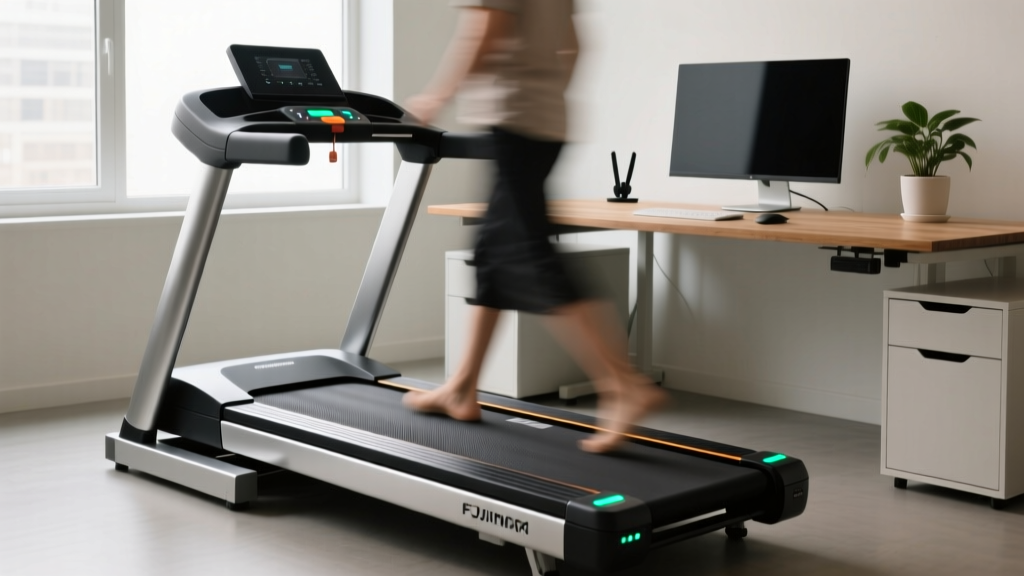
Under Desk Treadmill Packing: Office Maintenance & Longevity Tips
Master under desk treadmill packing, office maintenance, and longevity. Expert reviews of top 2026 models, lubrication schedules, and relocation tips.

The modern corporate landscape has fundamentally shifted. As of 2026, the standing desk has evolved into the walking desk, driven by overwhelming clinical data. According to the World Health Organization, integrating light physical activity into sedentary work routines drastically reduces cardiovascular risks and metabolic stagnation. Furthermore, the Mayo Clinic emphasizes that breaking up prolonged sitting with low-intensity movement improves cognitive focus and long-term joint health. However, introducing a cardio machine into a carpeted, dust-heavy, static-prone office environment creates unique mechanical challenges. Under-desk treadmills are not built like gym equipment; they are compact, low-clearance machines that ingest carpet fibers and operate at high-friction, low-speeds. This comprehensive guide explores the best under-desk treadmills for office use, detailing the rigorous maintenance protocols required to keep them running, and provides an expert masterclass on treadmill packing for office relocations, storage, or warranty returns.
The Hidden Toll of Office Environments on Under-Desk Treadmills
Home and commercial gym treadmills operate primarily at running speeds (5.0 to 10.0 mph). At these velocities, the belt generates a slight aerodynamic lift, reducing direct friction against the wooden or MDF deck. Under-desk treadmills, conversely, operate almost exclusively between 1.0 and 2.5 mph. This 'micro-abrasion' zone generates immense localized heat and friction. When you combine this mechanical stress with an office environment—where static electricity from synthetic carpets can fry lower control boards (LCB) and microscopic paper dust infiltrates brushless motor housings—the failure rate skyrockets if maintenance is ignored. Understanding these environmental hazards is the first step in maximizing your equipment's lifespan.
Top Under-Desk Treadmills Reviewed: Durability & Packing Profiles
When selecting an under-desk treadmill for daily office use, you must evaluate not just the walking experience, but the machine's serviceability and how easily it can be moved. Below is our 2026 comparison matrix of the top three models, focusing on motor durability, deck construction, and treadmill packing logistics.
| Model | Motor Type & Output | Belt Dimensions | Weight & Packing Difficulty | 2026 Price Range |
|---|---|---|---|---|
| LifeSpan TR1200-DT5 | 2.5 HP Continuous Duty | 20 x 50 inches | 115 lbs (High Difficulty) | $899 - $999 |
| WalkingPad R2 | 1.25 HP Brushless DC | 17.3 x 43.3 inches | 62 lbs (Medium Difficulty) | $499 - $549 |
| UREVO Strol 2E | 2.25 HP Brushed DC | 16.5 x 41.3 inches | 55 lbs (Low Difficulty) | $349 - $399 |
LifeSpan TR1200-DT5: The Heavy-Duty Workhorse
The LifeSpan TR1200-DT5 remains the gold standard for heavy users (up to 350 lbs) who walk 4+ hours a day. Its 2.5 HP motor runs cool even under continuous low-speed load. However, its 115-pound weight and rigid, non-folding frame make treadmill packing and relocation a two-person job requiring specialized moving boxes. It is best suited for permanent office installations where frequent moving is not anticipated.
WalkingPad R2: The Folding Innovator
The WalkingPad R2 features a patented 180-degree folding hinge, effectively halving its footprint for storage. The brushless DC (BLDC) motor is exceptionally quiet (under 45 dB), making it ideal for open-plan offices or shared workspaces. While the hinge mechanism requires occasional tightening of the central locking pin, the folding design makes treadmill packing significantly easier, as it can fit into standard SUV trunks without requiring a custom crate.
UREVO Strol 2E: The Budget Commuter
For hybrid workers who need to move their treadmill between home and office, the UREVO Strol 2E is the top 2026 pick. Weighing just 55 lbs and featuring integrated transport wheels, it is highly portable. The trade-off is a smaller walking surface and a brushed motor that requires more frequent dust blow-outs to prevent overheating.
Routine Maintenance Protocol for 8-Hour Shifts
To survive the rigors of a 40-hour workweek, your under-desk treadmill requires a strict maintenance cadence. When configuring your workspace, refer to the OSHA Ergonomics Guidelines to ensure your desk height and treadmill placement promote neutral posture, which also ensures even weight distribution across the treadmill deck.
- Bi-Weekly Static Mitigation: Office carpets generate massive static charges. Wipe the treadmill's side rails with an anti-static dryer sheet or apply a light anti-static spray to the carpet directly beneath the machine. This prevents electrostatic discharge (ESD) from arcing into the motor controller.
- Monthly Deck Lubrication: Because of the high-friction, low-speed walking profile, you must use 100% liquid silicone lubricant (never aerosol sprays, which contaminate the electronics). Apply exactly 15ml of silicone under the belt on both the left and right sides every 30 days if walking more than 3 hours daily.
- Quarterly Belt Tensioning: Over time, the belt stretches. If the belt slips when you step on it, locate the rear roller adjustment bolts. Tighten both the left and right bolts exactly one-quarter (1/4) turn clockwise. Never over-tighten, as this will destroy the front roller bearings and over-amp the motor.
- Bi-Annual Motor Hood Vacuuming: Use a soft brush attachment and a HEPA vacuum to clean the motor hood vents. Paper dust and toner particles from nearby office printers act as thermal insulators, causing the motor to overheat and trigger thermal shutdowns.
Mastering Treadmill Packing: Relocation and RMA Guidelines
Whether you are facing a commercial lease expiration, moving to a new home office, or boxing up a defective unit for a Return Merchandise Authorization (RMA), proper treadmill packing is critical. Under-desk treadmills contain sensitive lower control boards and delicate LED displays that are easily crushed or shorted out during transit. Improper packing is the number one reason manufacturers void warranty claims for transit damage.
Warning: Never wrap the treadmill directly in standard plastic stretch wrap. The friction of the plastic generates static electricity that can permanently damage the machine's internal logic board. Always use an anti-static barrier first.Step-by-Step Treadmill Packing Procedure
- Surface Preparation and Cleaning: Unplug the machine and allow it to cool for 30 minutes. Wipe down the belt and deck edges with a damp microfiber cloth to remove accumulated office dust and shoe debris. Ensure the belt is perfectly centered.
- Cable Management: Disconnect the power cord. If your model has a detachable console riser (like the WalkingPad R2), detach it and wrap the communication cables in bubble wrap. Secure the power cord to the main deck using Velcro straps—never let loose cables dangle, as they can snap internal wire harnesses during a drop.
- The Anti-Static Barrier: Slide the entire treadmill into a 4-mil thick anti-static polyethylene bag. Seal the open end with packing tape. This layer protects against moisture, dust, and static discharge.
- Impact Protection (EPS Foam): If you retained the original Expanded Polystyrene (EPS) foam inserts from the factory box, use them. If not, you must purchase high-density polyethylene (EPE) foam sheets (minimum 2-inch thickness). Wrap the foam around all four corners and the motor housing side. Corner impacts are the most common cause of cracked decks during office moves.
- Corrugated Boxing: Place the wrapped treadmill into a heavy-duty, double-walled corrugated box rated for at least 275 lb burst strength. If the original box is unavailable, custom telescope boxes from specialized packaging suppliers are required. Fill any void spaces with kraft paper or foam peanuts to prevent internal shifting. Seal with 3-inch filament tape.
Troubleshooting Common Office Failure Modes
Even with meticulous maintenance and proper treadmill packing during moves, office treadmills will occasionally throw error codes. Recognizing these early prevents catastrophic motor failure.
Expert Insight: 80% of under-desk treadmill 'motor failures' reported to tech support are actually just tripped thermal breakers caused by clogged air intakes from office carpet fibers. Always check the vents before requesting an RMA.
- Error E01 (Motor Communication Failure): Usually indicates a loose data cable between the console and the lower control board. This frequently happens if the treadmill was subjected to vibrations during transit without proper treadmill packing protocols. Unplug the machine, open the motor hood, and reseat the ribbon cables.
- Error E02 (Over-Current / Over-Heating): The motor is drawing too many amps. This is almost always caused by a dry walking belt or a user exceeding the weight capacity. Apply 15ml of 100% silicone lubricant and allow it to distribute by running the belt at 2.0 mph for 5 minutes unweighted.
- Belt Hesitation or 'Stuttering': If the belt pauses for a microsecond with every footfall, the deck is likely warped or the belt is worn through the top-coat. Inspect the deck for grooves. If grooves are present, the deck must be flipped (if reversible) or replaced.
Frequently Asked Questions
Can I use WD-40 to lubricate my under-desk treadmill?
Absolutely not. WD-40 is a petroleum-based solvent and water displacer, not a lubricant. It will dissolve the factory-applied wax on the MDF deck, ruin the PVC belt backing, and create a severe slip hazard. Only use 100% pure liquid silicone formulated specifically for fitness equipment.
How do I prevent my treadmill from scratching the office hardwood?
While most offices use carpet, hybrid workers with home hardwood floors should use a high-density PVC equipment mat (at least 3/16-inch thick). Avoid cheap rubber mats, as they can chemically react with polyurethane floor finishes over time, leaving permanent discoloration.
Is it safe to leave the treadmill plugged in overnight at the office?
In a modern 2026 office environment with surge-protected power strips, leaving it plugged in is generally safe. However, to protect against weekend power surges or lightning strikes, it is best practice to switch off the power strip or unplug the unit on Friday evenings.
How often should I replace the walking belt?
For a standard user walking 2 hours a day, a high-quality 2-ply walking belt should last 3 to 5 years. If you notice fraying on the edges, a glossy, worn-down texture in the center walking zone, or if the belt requires tensioning more than once a month, it is time for a replacement.
More gear to consider
All reviews
Optimizing Gym Layouts: Watson Dumbbell Rack & Storage Solutions
Dumbbell Jump Squats & Rack Care: Storage Tips for Longevity

Bumper vs Iron Plates & A Landmine Rotation Alternative with Dumbbells
Barbell Collar Clamp Comparison & Tricep Kickbacks with Dumbbells

Around The World Dumbbells: 2026 Loadable Plate Market Analysis
