Under Desk Treadmill Review: Treadmill Electric Generator Care
Reviewing top under-desk treadmills for office use, focusing on treadmill electric generator motor care, belt maintenance, and longevity tips.

The Rise of the Under-Desk Treadmill in the Modern Office
As hybrid and remote work models have fully solidified in 2026, the under-desk treadmill has transitioned from a niche executive perk to a standard piece of home office equipment. Walking at 1.0 to 2.5 mph while answering emails or attending virtual meetings offers profound metabolic benefits. However, the mechanical demands of an office treadmill are vastly different from a traditional gym machine. A standard gym treadmill is used for 45 minutes at high speeds; an office treadmill might run continuously for six hours at a low speed. This specific use case places unique thermal and electrical stress on the machine's core components.
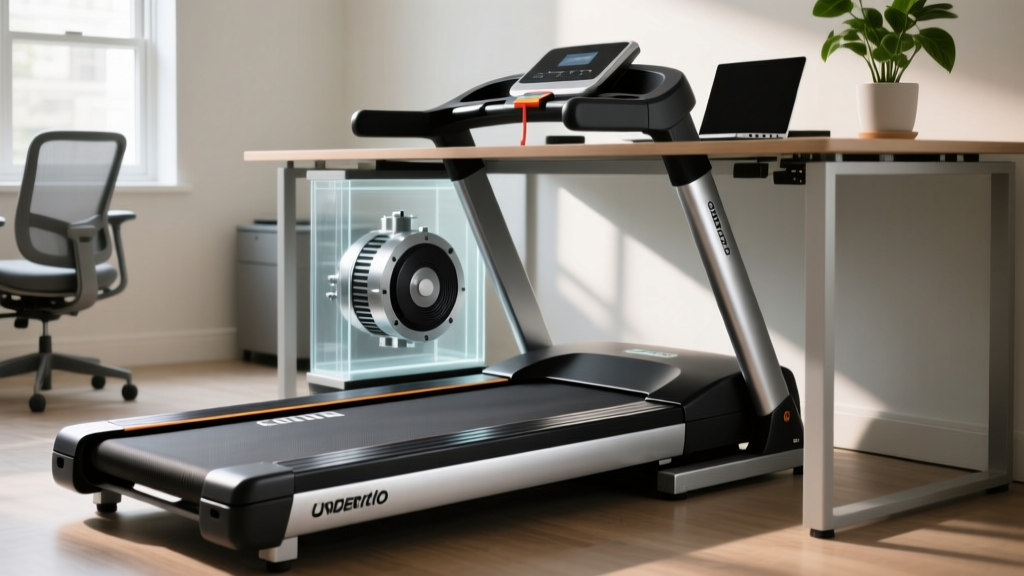
When consumers and technicians search for the treadmill electric generator, they are often referring to the DC motor assembly and the Motor Control Board (MCB) that regulates electrical current to the drive system. While curved manual treadmills use literal alternators (generators) to power their displays, electric under-desk models rely on a sophisticated power drive unit to maintain consistent torque at low speeds. Understanding how to maintain this 'generator' and motor system is the difference between a machine that lasts six months and one that lasts six years.
Decoding the 'Treadmill Electric Generator' and Motor Assembly
In an electric under-desk treadmill, the motor and MCB act as the electrical heart of the machine. The MCB takes the AC power from your wall outlet, converts it, and feeds precise DC voltage to the motor. When you walk at 1.5 mph, the motor requires high torque to overcome the friction of your body weight on the belt, even though the RPMs are low. This low-RPM, high-torque scenario generates significant heat in the motor windings and the MCB's heat sink.
⚠️ The Low-Speed Heat Trap: Many budget office treadmills lack internal cooling fans because they are designed to be ultra-slim. Without active cooling, running the machine for more than two hours continuously can cause the MCB to overheat, leading to thermal throttling or permanent capacitor failure. Always check if a model features a passive aluminum heat sink or an active micro-fan before purchasing for all-day use.2026 Under-Desk Treadmill Review: Models Built for Continuous Duty
Not all walking pads are created equal. Below is a review and comparison of three popular under-desk treadmills, evaluated specifically on their motor longevity, MCB quality, and suitability for heavy office use.
| Model | Motor Type & Output | Max Daily Duty Cycle | MCB / Generator Quality | 2026 Price Range |
|---|---|---|---|---|
| LifeSpan TR1200-DT5 | 2.5 HP Continuous Duty | 10+ Hours | Industrial-grade, oversized heat sink, active cooling | $1,099 - $1,199 |
| KingSmith WalkingPad R2 | 1.25 HP Peak (Low Continuous) | 2-3 Hours | Compact MCB, prone to thermal throttling if overused | $449 - $499 |
| UREVO Strol 2E | 2.25 HP Peak | 4-5 Hours | Standard MCB, adequate passive cooling for moderate use | $259 - $299 |
Expert Verdict on the Models
If your goal is to walk 4+ hours a day while working, the LifeSpan TR1200-DT5 remains the undisputed champion. Its continuous-duty motor and robust MCB are engineered specifically for the 'treadmill electric generator' demands of all-day office use. The WalkingPad R2 is brilliant for folding away in small apartments, but its motor is strictly designed for short bursts of walking, not marathon work sessions. The UREVO Strol 2E sits in the middle—a great budget option if you take a 30-minute break for every hour of walking.
The 4-Step Maintenance Protocol for Office Treadmills
To maximize the lifespan of your treadmill's motor and drive system, you must reduce the physical friction that forces the motor to draw excess amperage. Follow this strict maintenance protocol.
1. The 40-Hour Silicone Lubrication Rule
In a gym, you might lubricate a belt every 150 hours. In an office environment where the belt runs continuously at low speeds, the silicone breaks down faster due to constant, localized friction. You must apply 100% pure silicone treadmill lubricant every 40 hours of use. For a heavy user, this means lubricating the deck every two weeks. Apply exactly 15ml (half an ounce) under the center of the belt, then run the machine at 2.0 mph for three minutes to distribute it.
2. Belt Tension Calibration (The 3-Inch Lift Test)
A belt that is too tight will put immense strain on the motor's front roller bearing and cause the MCB to push excess voltage to maintain speed. A belt that is too loose will slip, causing the user to stumble and the motor to jerk. To test tension: turn the machine off, reach under the center of the belt, and lift. You should be able to lift the belt exactly 2.5 to 3 inches off the deck. If it's lower, use a 6mm Allen wrench to loosen the rear roller bolts by a quarter-turn.
3. MCB and Motor Compartment Dusting
Office environments are notoriously dusty, and static electricity attracts pet hair and lint to the motor housing. Every 90 days, unplug the machine, remove the front motor hood (usually 4 to 6 Phillips-head screws), and use a can of compressed air and a soft anti-static brush to clean the MCB fins and the motor's carbon brush caps. Never use a vacuum with a plastic nozzle, as this can generate static discharge that will fry the MCB.
4. Static Discharge Prevention
Walking on a treadmill belt generates a massive amount of static electricity. In an office with synthetic carpet, this static can arc through the user's body or, worse, discharge directly into the treadmill's electronics, destroying the 'electric generator' components (the MCB). Always place your under-desk treadmill on an anti-static rubber mat, and ensure your wall outlet is properly grounded.
Pro-Tip from FitGearPulse Technicians: If you frequently experience static shocks when touching your desk or treadmill console, your machine is at high risk for MCB failure. Keep a humidifier in your office to maintain ambient humidity above 40%, which drastically reduces static buildup in the air and on the belt.
Troubleshooting Motor and Generator Failures
When the drive system begins to fail, the treadmill's internal computer will throw specific error codes. Recognizing these early can save you from a complete motor burnout.
- E01 (Communication Error): Often caused by a loose data cable between the console and the MCB. Unplug the machine, trace the cable from the front hood to the display, and reseat the connections.
- E02 (Overcurrent / Motor Stall): This is the most common error for office treadmills. It means the motor is drawing too many amps. This is almost always caused by a dry belt or a belt that is tensioned too tightly. Lubricate and adjust the tension immediately.
- E05 (Overvoltage / Generator Fault): If the MCB detects a surge from your home's electrical grid, or if the motor's internal capacitor is failing, it will trigger an E05 to protect the board. Plug your treadmill into a high-quality surge protector (rated for at least 2,000 Joules) to prevent grid fluctuations from triggering this fault.
Ergonomics and Safety in the Workspace
While maintaining the hardware is critical, maintaining your physical health is the ultimate goal of an under-desk treadmill. According to guidelines from OSHA's ergonomics resources, alternating between sitting, standing, and walking is the best way to prevent musculoskeletal disorders associated with sedentary desk work. However, walking for eight hours straight is not recommended.
Research from Cornell University's Ergonomics Department suggests that the ideal ratio for office workers is to sit for 20 minutes, stand for 8 minutes, and move/walk for 2 minutes out of every half-hour. When using your under-desk treadmill, keep the speed between 1.0 and 1.5 mph. Speeds higher than 2.0 mph require active concentration and will negatively impact your typing accuracy and cognitive focus during complex tasks.
Furthermore, the Consumer Product Safety Commission (CPSC) regularly issues reminders about treadmill safety. Even low-speed under-desk models pose a tripping hazard. Always wear supportive, closed-toe athletic shoes while walking and working. Never use the treadmill in socks or bare feet, as this increases friction on the belt, accelerates wear, and drastically increases the risk of a slip-and-fall injury.
Final Thoughts on Longevity
An under-desk treadmill is a significant investment in your long-term health and daily productivity. By understanding the realities of the treadmill electric generator and motor assembly, choosing a model with a continuous-duty rating like the LifeSpan TR1200-DT5, and adhering to a strict 40-hour lubrication and cleaning schedule, you can easily extend the life of your machine from a single year to half a decade. Treat the machine with the same respect you would a high-end office chair, and it will keep you moving through countless workdays to come.
More gear to consider
All reviews
ProForm CC500 Treadmill vs Ellipticals: Home Space Layout Guide

Which Is Better: Treadmill or Elliptical Machine for Home Maintenance?

LifeSpan 1200 Treadmill vs. Top Quiet Cardio Machines: Noise Test

Walking Pad Setup: Beating the Indoor Bike vs Treadmill Dilemma

Treadmill Cardio Workout Noise: 2026 Machine Comparison