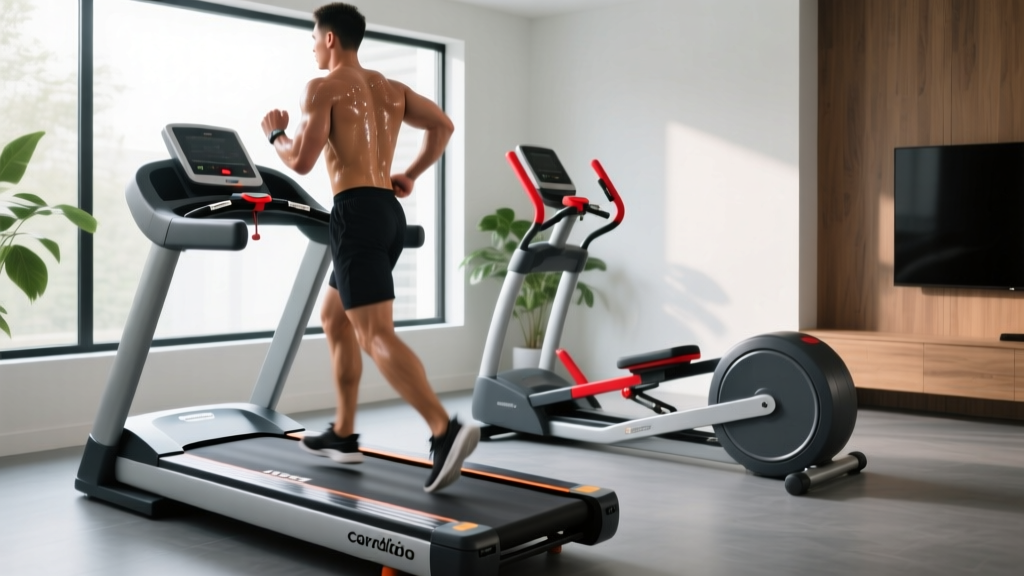
Treadmill Heart Rate Errors: Curved vs Motorized Troubleshooting
Fix treadmill heart rate errors on curved manual vs motorized decks. Expert troubleshooting for grip sensors, chest straps, and zone tracking.

The home fitness landscape has evolved dramatically, with curved manual treadmills like the Woodway Curve and Technogym Skillmill challenging the dominance of traditional motorized models like the Sole F80 and NordicTrack Commercial 2450. While curved decks offer incredible biomechanical benefits, they introduce unique telemetry challenges. If you have noticed erratic data, sudden dropouts, or mismatched exertion levels, your treadmill heart rate monitoring setup is likely the culprit.
Troubleshooting these discrepancies requires understanding the fundamental hardware and biomechanical differences between manual and motorized decks. Below is an expert guide to diagnosing and fixing the most common heart rate errors across both treadmill categories.
The Biomechanical Tax: Why Curved Decks Skew Heart Rate Zones
The most frequent mistake home gym owners make is applying motorized heart rate zones to a curved manual treadmill. Because a curved deck (like the $7,200 Woodway Curve) is entirely user-powered, the metabolic demand is significantly higher. Studies show that running on a curved manual treadmill increases oxygen consumption (VO2) and heart rate by roughly 20% to 30% compared to a motorized belt at the same perceived pace.
The Mistake: Users attempt to hold their standard 'Zone 2' aerobic heart rate (e.g., 135–145 BPM) on a curved treadmill using the same pace they would on a motorized Sole F80. This inevitably leads to cardiovascular drift, pushing them into Zone 3 or 4, resulting in chronic overtraining and premature fatigue.
The Fix: You must establish a separate, dedicated set of heart rate zones for manual curved training. According to expert guidelines on running heart rate zones, you should perform a baseline lactate threshold test specifically on your curved deck to recalibrate your training zones, rather than relying on data gathered from motorized machines.
Grip Sensor Failures: Manual vs. Motorized Hardware
Both treadmill types feature built-in pulse sensors, but their physical ergonomics dictate vastly different failure modes.
Motorized Treadmill Sensor Issues
Motorized consoles, such as the Horizon 7.4 or NordicTrack 2450, feature flat, horizontal handlebars. The primary failure mode here is sweat interference and grip pressure. If your hands are excessively sweaty, the electrical impedance changes, causing the console to display wildly fluctuating BPMs or an 'Error' reading.
- Troubleshooting: Wipe the steel sensors with a microfiber cloth dampened with 70% isopropyl alcohol before every session. Ensure your palms cover at least 60% of the metal contact points without gripping so tightly that you restrict capillary blood flow in your hands.
Curved Manual Treadmill Sensor Issues
Curved treadmills feature aggressive, vertical, or heavily angled handlebars designed for leverage and sprinting mechanics. This angle forces the user's hands into an unnatural position for pulse reading, often resulting in poor skin-to-sensor contact.
Expert Insight: If you have heavy calluses from weightlifting, curved treadmill grip sensors will almost always fail. The thickened skin acts as an electrical insulator. For manual treadmill users with calluses, abandoning grip sensors in favor of wireless telemetry is mandatory for accurate data.
Wireless Telemetry Dropouts: Fixing Chest Strap & Watch Syncing
Because grip sensors are notoriously unreliable during high-intensity interval training (HIIT), most serious athletes rely on Bluetooth Low Energy (BLE) or ANT+ chest straps (like the Polar H10 or Garmin HRM-Pro) and optical smartwatches. However, the mechanics of curved treadmills create unique wireless interference.
Optical Watch Failures on Curved Decks
Running on a curved manual treadmill requires a much more aggressive arm swing and forward lean to drive the belt. This intense, repetitive arm motion causes the optical sensors on smartwatches (like the Apple Watch Ultra or Garmin Forerunner 965) to lose contact with the skin or suffer from 'cadence lock,' where the watch mistakenly reads your step cadence (e.g., 160 SPM) as your heart rate.
Chest Strap BLE/ANT+ Dropout Troubleshooting
Chest straps are the gold standard, but dense home gyms with multiple smart machines can cause signal jamming. If your treadmill console keeps dropping your chest strap connection mid-run, follow this step-by-step framework:
- Hydrate the Electrodes: Dry skin causes signal noise. Apply 2-3 drops of water or saline solution to the rubber electrodes on the strap before putting it on.
- Check the Battery: A CR2032 coin cell battery dropping below 20% capacity will maintain a connection on a motorized treadmill but will drop out under the high-vibration environment of a curved manual deck.
- Update Console Firmware: Many 2024-2026 treadmill consoles (especially Sole and ProForm models) have released firmware patches specifically to improve BLE handshake stability. Download the latest firmware via USB from the manufacturer's site.
- Eliminate Interference: Move smart gym mirrors, Wi-Fi routers, and other BLE-enabled fitness equipment at least 10 feet away from the treadmill console. For deeper insights on signal metrics, refer to Garmin's guide on heart rate metrics.
Curved vs. Motorized: Heart Rate & Calibration Comparison Matrix
Understanding the hardware differences is critical for accurate troubleshooting. Use this matrix to identify your specific machine's vulnerabilities.
| Treadmill Model (Avg Price) | Type | Primary HR Sensor | Common Failure Mode | Expert Fix |
|---|---|---|---|---|
| Woodway Curve ($7,200) | Curved Manual | BLE/ANT+ Receiver | High arm-swing cadence lock on optical watches | Use a chest strap; tighten watch band 1 notch higher on the wrist |
| Technogym Skillmill ($9,500) | Curved Manual | Angled Grip Sensors | Poor skin contact due to vertical grip angle | Clean with isopropyl alcohol; switch to Polar H10 chest strap |
| Sole F80 ($1,199) | Motorized | Horizontal Grip / BLE | Sweat impedance on steel grips; BLE handshake drops | Wipe grips mid-run; update console firmware via USB |
| NordicTrack 2450 ($2,799) | Motorized | iFit BLE Integration | Wi-Fi bandwidth congestion dropping BLE HR data | Connect console to dedicated 5GHz Wi-Fi band; use ANT+ if supported |
The Caloric Algorithm Mistake
A critical, often overlooked issue involves how consoles calculate calorie burn based on your heart rate. Motorized treadmills use standard American College of Sports Medicine (ACSM) metabolic equations. Curved treadmills, however, often hardcode a '+30% calorie multiplier' into their software to account for the extra effort of moving the belt.
The Problem: If you are walking or holding the handrails on a curved treadmill, you are negating the biomechanical disadvantage. However, the console still applies the 30% multiplier to your heart rate data, resulting in massively inflated calorie counts. The American Council on Exercise (ACE) consistently warns against relying on machine-generated calorie counts without understanding the underlying algorithmic assumptions.
The Fix: When doing low-intensity steady-state (LISS) walking on a curved manual treadmill, ignore the console's calorie readout. Instead, sync your chest strap to a third-party app like Strava or TrainingPeaks, which calculates caloric expenditure purely based on your raw BPM and personal biometrics, bypassing the treadmill's flawed multiplier.
Expert Action Plan: Optimizing Your Data Today
To ensure your training data is accurate, safe, and actionable, implement this pre-flight checklist before your next session:
- For Motorized Decks: Clean horizontal grip sensors with alcohol. If using a smartwatch, ensure it is snug and placed two finger-widths above your wrist bone to avoid cadence lock.
- For Curved Manual Decks: Abandon grip sensors entirely. Strap on a chest monitor, apply saline to the electrodes, and ensure your console firmware is updated to the latest 2026 build to prevent BLE dropouts.
- Zone Recalibration: Never mix motorized and manual heart rate zones. Treat your curved treadmill as a completely different piece of equipment that requires its own baseline threshold test.
By respecting the biomechanical and hardware differences between these two distinct cardio machines, you can eliminate telemetry errors and ensure your heart rate data accurately reflects your true cardiovascular output.
More gear to consider
All reviews
Curved vs Motorized Treadmill Assembly: Philadelphia Setup Guide
Stationary Bike Types: Budgeting to Improve Treadmill Times (2026)

WalkingPad A1 Pro Folding Treadmill: Small Space Budget Review
Does Incline Treadmill Burn More Calories? Folding Space-Saver Review

Air Bike vs Assault Bike & NordicTrack T 6.5s Treadmill Care
