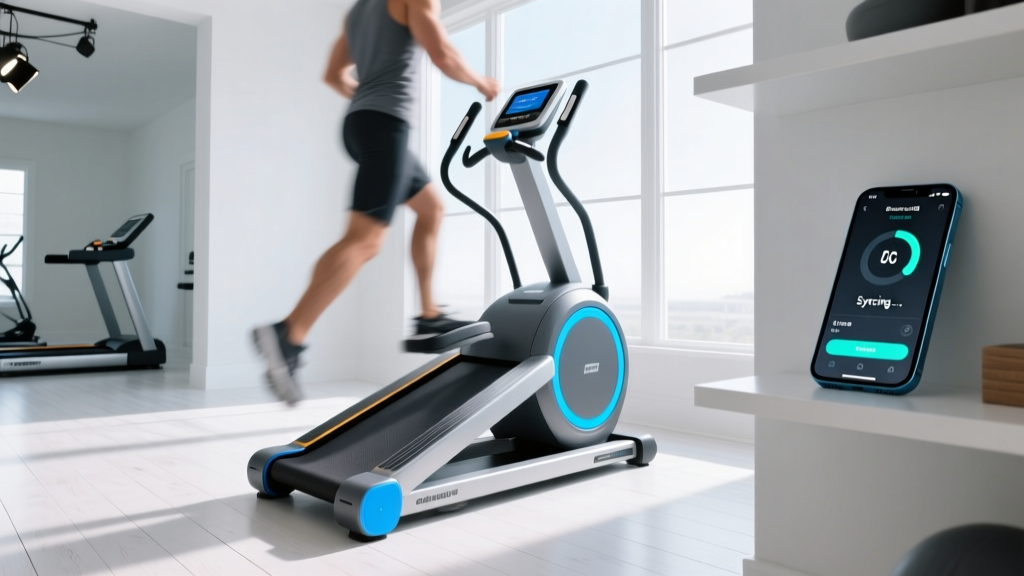
Stair Climber Machine Home Guide: Fixing Apps for Treadmill Walking
Master your stair climber machine for home use with our 2026 guide. Learn to fix sync errors when using apps for treadmill walking on vertical climbers.

The Great Cardio App Crossover: Why Treadmill Apps Fail on Stair Climbers
The home fitness landscape in 2026 is dominated by connected ecosystems, but a frequent point of frustration arises when users attempt to bridge different cardio modalities. Specifically, many users attempt to repurpose their favorite apps for treadmill walking—such as Zwift, Kinomap, or specialized virtual trail apps—on a home stair climber machine. Whether you are trying to map a virtual Swiss Alpines walking route or follow a guided incline walking program, the biomechanical and Bluetooth protocol mismatches can lead to dropped connections, inaccurate calorie burns, and frustrating error codes.
This comprehensive stair climber machine for home use guide tackles the most common mistakes users make when forcing horizontal walking software onto vertical climbing hardware, providing exact troubleshooting steps to unify your cardio tech.
⚠️ 2026 Firmware Warning: Many third-party apps for treadmill walking released major API updates in late 2025 to support new wearable integrations. If your stair climber console is running firmware older than v4.2, expect immediate Bluetooth handshake failures when attempting to sync.The FTMS Protocol Bottleneck: Speed vs. Step Rate
To understand why your apps for treadmill walking fail to sync properly with a stair climber, you must understand the Bluetooth SIG's Fitness Machine Service (FTMS) protocol. FTMS is the universal language that allows fitness equipment to talk to third-party applications.
- Treadmill FTMS Profiles: Broadcast data in Speed (km/h or mph), Incline (%), and Distance.
- Stair Climber FTMS Profiles: Broadcast data in Step Rate (steps per minute), Vertical Feet/Meters, and Resistance Level.
When you connect a treadmill walking app to a stair climber, the app requests 'Speed' data. Because the stair climber cannot output horizontal speed, the app receives a null value, resulting in a frozen avatar, zero distance tracked, or an immediate 'Device Disconnect' error.
Top 4 Mistakes When Pairing Walking Apps to Home Stair Climbers
Mistake 1: Forcing Speed Metrics Without a Virtual Bridge
Users often assume that stepping at 60 SPM (Steps Per Minute) will automatically translate to a 3.0 mph walking pace in the app. It will not. The Fix: You must use a middleware bridge app like QZ Fitness (qdomyos-zwift) or Tacx Utility on a secondary tablet. These apps intercept the stair climber's Step Rate data and mathematically convert it into a virtual 'Speed' metric that your treadmill walking app can understand.
Mistake 2: Ignoring the 'Virtual Incline' Hack
Apps for treadmill walking heavily rely on incline data to adjust the visual gradient on screen and calculate calorie expenditure. Stair climbers do not have an 'incline' percentage; they have 'resistance levels' (usually 1-20). The Fix: In your middleware app settings, map Resistance Levels 1-5 to 0% incline, Levels 6-10 to 5% incline, and Levels 11-15 to 10% incline. This tricks the walking app into rendering the correct virtual hills.
Mistake 3: Overlooking Cadence vs. Speed Discrepancies
A common mistake is trying to maintain a 120 SPM cadence on a StairMaster StepMill to match a fast-paced walking app audio cue. At 120 SPM on a standard 8-inch step stair climber, you are climbing 80 vertical feet per minute—a massive metabolic leap compared to walking. According to biomechanical analyses by Healthline's fitness experts, the vertical force production required for high-SPM climbing drastically increases patellofemoral joint stress compared to level walking.
Mistake 4: Bluetooth Interference from Smart Home Hubs
Stair climbers are often placed in corners or basements where Wi-Fi routers and smart home hubs create 2.4GHz congestion. Treadmill walking apps require a constant, low-latency BLE (Bluetooth Low Energy) stream. If your app drops connection exactly 12 minutes into your walk, it is rarely a software bug; it is antenna shielding failure.
Troubleshooting Matrix: Fixing Sync Errors on Popular 2026 Models
Below is a diagnostic table for the most popular home stair climbers and hybrid climbers currently on the market, detailing specific error codes and their exact hardware/software fixes.
| 2026 Stair Climber Model | Retail Price | Common Sync Error | Exact Troubleshooting Fix |
|---|---|---|---|
| Bowflex Max Trainer M9 | $2,299 | ERR-BT-04 (Timeout) | Hard reset the JRNY module by holding the Bluetooth console button for 12 seconds until the screen flashes. |
| NordicTrack FS14i Freestrider | $2,799 | FTP-99 (Data Mismatch) | Access the hidden developer menu (hold 'iFit' + 'Incline Up' for 5s) and toggle 'Virtual Treadmill Mode' to ON. |
| StairMaster StepMill SM3 | $3,499 | BLE-Drop-7 (Signal Loss) | Relocate your 2.4GHz router. The SM3's BLE antenna is housed near the floor base and is highly susceptible to router interference. |
| Sunny Health & Fitness SF-E3912 | $499 | App 'Searching' Loop | This budget model lacks FTMS. You must use a $35 external Bluetooth footpod (like a Stryd or Garmin HRM-Pro Plus) to broadcast speed to the app. |
Biomechanical Translation: Adjusting App Workouts for Vertical Climbing
When you successfully connect your apps for treadmill walking to your stair climber, the next hurdle is physiological. The American Heart Association recommends 150 minutes of moderate-intensity aerobic activity per week. However, the MET (Metabolic Equivalent of Task) value for stair climbing is roughly 8.0 to 9.0, whereas a brisk 3.5 mph treadmill walk is only 4.3 METs.
💡 The 50% Rule for App Translation:If your treadmill walking app prescribes a 40-minute brisk walk at a 5% incline, do not attempt to match the app's 'effort' by climbing at a high resistance for 40 minutes. Instead, cut the app's prescribed duration by 50% (20 minutes) or alternate 2 minutes of climbing with 2 minutes of active rest on a yoga mat to match the cardiovascular load safely without overloading your Achilles tendons.
Translating Incline to Resistance
- 0% - 2% App Incline: Set stair climber to Resistance Level 2-3. Focus on a slow, controlled step (40-50 SPM).
- 3% - 6% App Incline: Set stair climber to Resistance Level 5-7. Lean slightly forward (hinge at the hips, do not hunch the shoulders) to engage the gluteus maximus.
- 7%+ App Incline: Set stair climber to Resistance Level 9+. Warning: Do not grip the handrails tightly. Gripping the rails unloads the lower body, reducing caloric expenditure by up to 20% and rendering the app's heart-rate-based calorie calculations entirely inaccurate.
Hardware Maintenance to Prevent Mid-Workout App Disconnects
Sometimes the app isn't the problem; the machine's internal hardware is degrading, causing micro-stutters in the Bluetooth broadcast that force the walking app to crash.
- Optical Sensor Dust (StepMill Models): If your virtual avatar stutters or stops moving while you are still climbing, the optical sensor reading the stair belt is likely clogged with dust. Unplug the machine, remove the lower front shroud (usually 4 Phillips-head screws), and use compressed air to clean the sensor eye.
- Alternator Belt Slippage (Hybrid Climbers): On machines like the Bowflex Max Trainer series, a loose alternator belt causes a delay between your physical step and the console registering the movement. This latency causes the FTMS broadcast to desync from the app. Check belt tension every 6 months; it should have exactly 1/2 inch of deflection when pressed with moderate thumb pressure.
- Console Grounding: If you experience 'ghost steps' (the app registers steps when you are standing still), static electricity is interfering with the console's logic board. Ensure your stair climber is plugged directly into a grounded wall outlet, never into a cheap, ungrounded power strip or an extension cord.
Frequently Asked Questions
Can I use the Peloton App's walking classes on my StairMaster?
Yes, but not natively. The Peloton App does not have a 'Stair Climber' device profile. You must use a third-party bridge like the QZ Fitness app on an iPad to translate your StairMaster's FTMS step-rate data into a 'Treadmill' profile, allowing the Peloton app to track your workout and award achievements.
Why does my walking app show I walked 3 miles, but I only climbed 40 floors?
This is a unit translation error. The app is calculating horizontal distance based on a presumed stride length, whereas the stair climber is measuring vertical displacement. Always prioritize the 'Vertical Feet' or 'Floors' metric on your physical console for accurate stair climbing data, and use the app solely for visual engagement and audio pacing.
Is it safe to follow a Couch-to-5K walking app on a stair climber?
It is generally not recommended. Couch-to-5K programs are designed to condition the bones, tendons, and ligaments of the lower leg for the repetitive horizontal impact of walking. Stair climbing utilizes a completely different biomechanical chain (heavy hip flexion and vertical push-off). Following a horizontal walking progression on a vertical machine can lead to premature hip flexor strain and patellar tendinopathy.
More gear to consider
All reviews
Home Stair Climbers 2026: Matching a 9 Min Pace on Treadmill

Treadmill on Second Floor? Air Bike vs Assault Bike Layout Guide

Curved vs Motorized: Why Treadmill Keeps Tripping Circuit Breaker
What Speed Is a 7-Minute Mile on a Treadmill? Bike Types Compared

Rowing Guide & Technique: Upgrading From a ProForm 600i Treadmill
