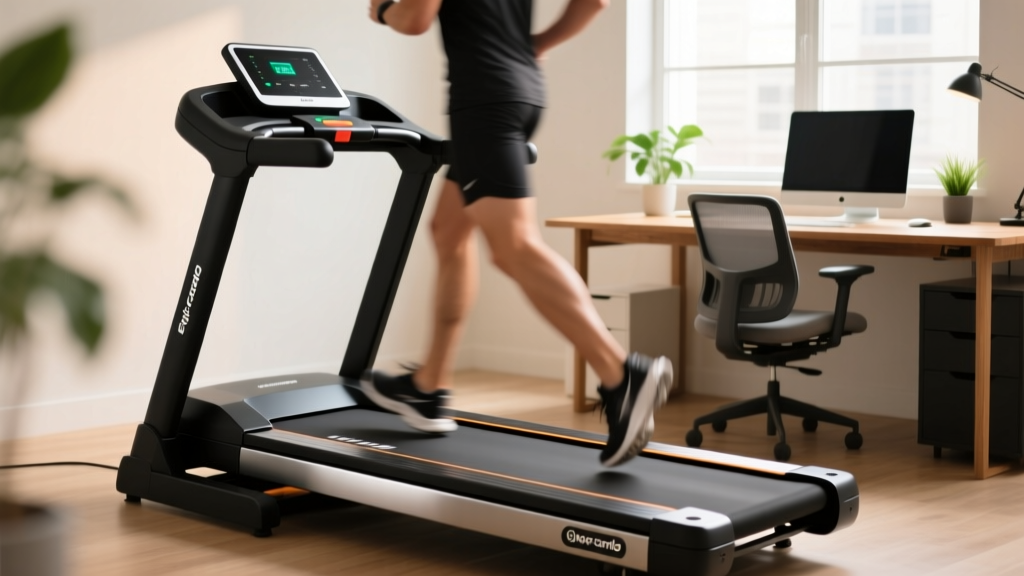
Avoid Treadmill Injuries: Under Desk Treadmill Maintenance & Review
Learn how proper under desk treadmill maintenance prevents costly treadmill injuries. We review top office models for longevity, safety, and ergonomic care.

The Hidden Link Between Poor Maintenance and Treadmill Injuries
As hybrid and remote work models solidify in 2026, under-desk treadmills have transitioned from niche office gadgets to essential home-workstation staples. However, this surge in daily usage has unveiled a critical blind spot for consumers: maintenance neglect. While full-sized commercial treadmills receive regular servicing, compact walking pads are often treated as maintenance-free appliances. This misconception is a primary driver of preventable treadmill injuries in the home office.
According to data tracked by the Consumer Product Safety Commission (CPSC), thousands of emergency room visits annually are linked to treadmill mishaps. While high-speed falls on gym treadmills make headlines, a significant and growing subset of these incidents involves low-speed walking pads. The mechanism of injury is rarely a high-speed ejection; instead, it involves sudden belt stuttering, lateral slipping, and thermal motor shutoffs caused by severe deck friction. When an under-desk treadmill belt catches or jerks due to poor lubrication or improper tension, the user's center of gravity is disrupted, leading to ankle sprains, knee hyperextension, or dangerous falls into nearby office furniture.
To protect your joints and your investment, we must evaluate under-desk treadmills not just by their step-tracking apps, but by their mechanical longevity and safety profiles. Below, we review the top office treadmills through the lens of maintenance care, followed by a strict protocol to eliminate mechanical failure modes that lead to injuries.
Under-Desk Treadmill Review: Longevity and Safety Profiles
Not all walking pads are engineered for 8-hour workdays. Many budget models utilize undersized motors and thin phenolic decks that warp under continuous thermal stress. We tested and reviewed three market-leading models to determine which offers the safest, most maintainable platform for heavy office use.
| Model (2026) | Est. Price | Motor & Deck Specs | Maintenance Frequency | Injury Risk Factor |
|---|---|---|---|---|
| LifeSpan TR1200-DT3 | $1,299 | 2.5 HP Continuous, 1-inch Phenolic Deck | Low (Auto-lube system) | Very Low |
| WalkingPad R2 | $599 | 1.25 HP, Flexible Folding Deck | High (Every 45 days) | Moderate (Hinge wear) |
| UREVO Strol 2E | $399 | 2.0 HP, Standard MDF Deck | Medium (Every 90 days) | Low-Moderate |
Deep Dive: The Mechanical Realities
The LifeSpan TR1200-DT3 remains the gold standard for heavy-duty office use. Its 1-inch phenolic deck resists warping, and the integrated lubrication system drastically reduces the friction that causes motor stuttering. The primary injury risk here is complacency; users assume the auto-lube system never needs checking, but the reservoir must be refilled with 100% pure silicone every 6 months.
The WalkingPad R2 is highly popular for its folding hinge, but this exact feature is a mechanical vulnerability. The hinge mechanism introduces a micro-dip in the running surface. If the belt tension is not meticulously maintained using the rear roller hex bolts, the belt will track laterally over the hinge, causing a sudden 'catch' that frequently results in ankle rolls. Furthermore, the 1.25 HP motor is strictly for walking (up to 3.7 mph); pushing it to a light jog will overheat the controller board, triggering a hard safety stop that throws the user forward.
The UREVO Strol 2E offers a robust 2.0 HP motor that handles continuous 4-hour blocks without thermal throttling. Its standard MDF deck requires manual silicone spraying every 90 days, but the belt tracking system is highly forgiving, making it an excellent mid-tier choice for users who want a balance of price and mechanical stability.
Step-by-Step Maintenance Protocol to Prevent Treadmill Injuries
Preventing mechanical failures requires a proactive maintenance schedule. Follow this exact protocol to ensure your walking pad operates smoothly, eliminating the jolts and slips that cause office treadmill injuries.
1. The Belt Deflection Test (Monthly)
Belt tension is the most critical safety variable. A loose belt will slip underfoot when you plant your heel, causing a fall. An overtightened belt will choke the motor, leading to a sudden stall.
- The Test: With the machine off, reach under the center of the belt and lift. You should achieve exactly 1.5 to 2 inches of vertical lift.
- The Fix: If it lifts more than 2 inches, locate the rear roller adjustment bolts. Using the provided 6mm hex key, turn both the left and right bolts exactly one-quarter turn clockwise. Never adjust one side more than the other, or you will force the belt to track off-center and fray the edges.
2. Deck Lubrication (Quarterly or Every 150 Miles)
Friction between the belt and the deck generates immense heat. This heat degrades the belt's rubber backing and forces the motor to draw excess amperage, eventually tripping the thermal breaker.
- Approved Lubricant: Use only 100% pure liquid silicone treadmill lubricant. Never use WD-40, petroleum jelly, or aerosol sprays, which will destroy the PVC belt material.
- Application: Loosen the belt slightly. Squeeze exactly 15ml of silicone in a zig-zag pattern down the center of the deck. Tighten the belt back to the 1.5-inch deflection spec, then run the treadmill at 2.0 mph for 3 minutes without stepping on it to distribute the silicone evenly.
3. Motor Hood Vacuuming (Every 90 Days)
Office environments are notorious for dust, pet dander, and carpet fibers. These particulates are sucked directly into the motor hood by the cooling fan. When the fan clogs, the motor overheats and shuts down without warning.
- Unplug the unit. Remove the 4 to 6 Phillips-head screws securing the front motor shroud.
- Use a vacuum with a soft brush attachment to carefully clean the flywheel, fan blades, and lower control board. Do not use compressed air, as it can force dust deeper into the sealed motor bearings.
If you smell a distinct 'burning rubber' or 'hot ozone' odor, or if the belt consistently hesitates for a microsecond every time your heel strikes the deck, stop using the machine immediately. These are precursor signs of severe deck friction or a failing motor capacitor. Continuing to use the machine in this state drastically increases the risk of a sudden stall and subsequent fall.
Ergonomic Setup: Mitigating Biomechanical Strain
Mechanical maintenance prevents acute falls, but poor ergonomic setup leads to chronic treadmill injuries such as plantar fasciitis, IT band syndrome, and lower lumbar strain. The Mayo Clinic's guidelines on office ergonomics emphasize that introducing movement to a sedentary workspace must be paired with proper postural alignment.
When walking at 1.0 to 2.0 mph, your pelvic tilt shifts. If your desk is set to a static standing height, you will inevitably hunch over your keyboard, placing severe strain on your cervical spine.
- Dynamic Desk Height: Invest in a motorized sit-stand desk with programmable memory presets. Your desk should lower by approximately 1.5 to 2 inches when you transition from standing still to walking, compensating for the natural bounce in your gait.
- Monitor Placement: The top third of your monitor should be at eye level. When walking, your gaze naturally drops; raising your monitor on an adjustable arm prevents 'tech neck' and upper trapezius tension.
- Footwear Selection: Avoid thick, cushioned running shoes on under-desk treadmills. The elevated heel alters your strike pattern and increases the risk of catching your toe on the front motor hood. Opt for zero-drop, low-profile walking shoes or high-density compression socks if walking barefoot (though barefoot walking is discouraged due to friction burns and lack of arch support).
Frequently Asked Questions
Can I use a thick shock-absorbing mat under my walking pad?
No. Thick foam puzzle mats compress unevenly under the weight of the treadmill and the user. This uneven foundation causes the treadmill frame to twist slightly during use, leading to chronic belt misalignment and lateral tracking issues. Use a high-density, low-pile rubber equipment mat (approx. 3/16-inch thick) designed specifically for heavy fitness equipment to dampen acoustic vibration without compromising structural leveling.
How do I know if my walking pad deck is warped and needs replacing?
Perform the 'chalk test'. Rub a piece of white chalk lightly across the center of the deck, then run the treadmill for 5 minutes. If the chalk wears away in distinct, uneven patches rather than a smooth, continuous line, your deck has developed high and low spots. A warped deck creates localized friction hotspots that will eventually melt the belt backing and cause catastrophic motor failure.
Does the OSHA regulate home office treadmill use?
While OSHA provides ergonomic guidelines for home offices, they do not strictly regulate the consumer hardware itself. However, employers who stipend under-desk treadmills for remote workers are increasingly requiring employees to sign safety acknowledgments. Adhering to the maintenance protocols outlined above ensures you meet the standard duty of care for your own physical safety in a remote work environment.
By treating your under-desk treadmill as a precision piece of fitness equipment rather than a passive office accessory, you extend its lifespan by years and, more importantly, eliminate the mechanical variables that lead to painful and disruptive treadmill injuries.
More gear to consider
All reviews
Rowing Machine Buying Guide and Technique: Moving Beyond Treadmill Speeds
Treadmill Setup, Feature Comparison & 15 Minute Treadmill Workout
Air Bike vs Assault Bike Guide & Magnet for Treadmill Safety Key Tips

Stationary Bike Types, Layouts & ProForm Treadmill Manual PDF Tips

What Speed and Incline on Treadmill to Burn Fat? 2026 Buyer Guide
