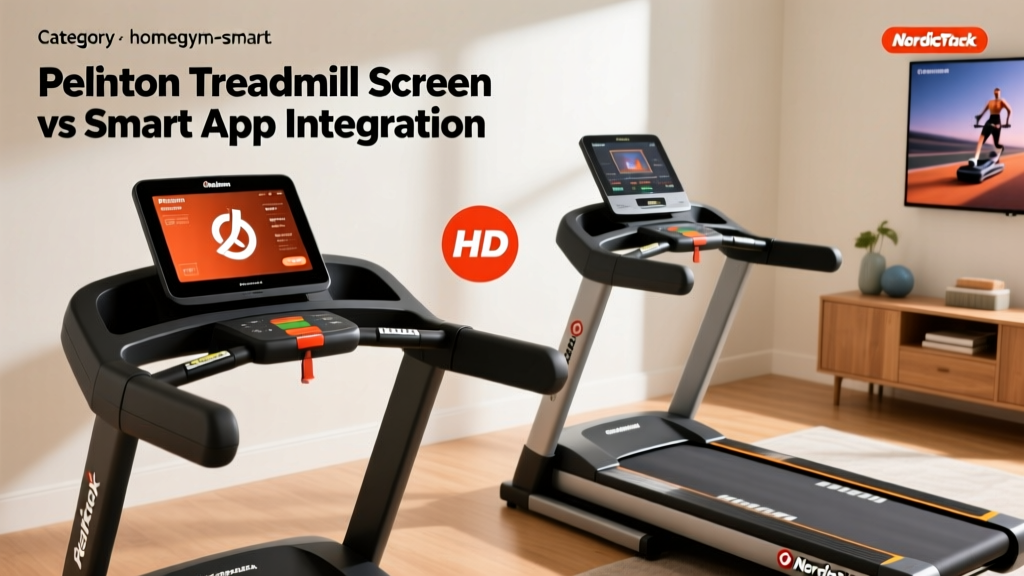
Peloton Treadmill Screen vs NordicTrack: Smart App Integration
Compare the Peloton treadmill screen with NordicTrack's HD display. Discover which smart treadmill offers better third-party app integration in 2026.

The Walled Garden vs. The Open Bridge
When building a connected home gym in 2026, the hardware is only half the battle. The true differentiator lies in how seamlessly your equipment communicates with your broader digital fitness ecosystem. At the center of this debate is the Peloton treadmill screen versus NordicTrack’s interactive HD touchscreens. While both deliver immersive, instructor-led experiences, their underlying operating systems take drastically different approaches to third-party app integration, wearable syncing, and smart home IoT connectivity.
If you are frustrated by dropped heart rate signals, missing Strava cadence metrics, or the inability to cast your runs to a larger living room display, this head-to-head teardown is for you. We are moving beyond basic video quality to analyze the actual API pipelines, Bluetooth protocols, and data export reliability of the industry's two biggest smart treadmill platforms.
Hardware & Display Specifications Matrix
Before diving into the software layer, it is crucial to understand the physical canvases these companies provide. The screen hardware dictates the processing power available for background API calls and Bluetooth polling.
| Feature | Peloton Tread (23.8-inch) | NordicTrack Commercial 14 (14-inch) |
|---|---|---|
| Display Resolution | 1920 x 1080 (Full HD) | 1920 x 1080 (Full HD) |
| Operating System | Custom Android (Locked Bootloader) | iFIT OS (Proprietary Linux/Android Hybrid) |
| Bluetooth Protocol | Bluetooth 4.0+ (Audio & HR only) | Bluetooth 4.2+ (Audio, HR, FTMS capable) |
| Base Hardware Price | $2,995 | $1,599 |
| Monthly Sub Required | $44/mo (All-Access) | $39/mo (iFIT Family) |
Cloud API Syncing: Strava, Apple Health, and Data Export
The most common use case for smart treadmill integration is pushing post-workout data to external aggregators. Here, the Peloton treadmill screen and NordicTrack’s iFIT interface handle cloud APIs very differently.
The Peloton API Pipeline
Peloton’s native Strava integration remains the gold standard for ease of use. Once linked via the web dashboard, the Peloton server automatically pushes a .FIT file to Strava within seconds of the cooldown screen finishing. Crucially, Peloton includes cadence (SPM), elevation gain (simulated via incline data), and accurate distance mapping. However, pushing to Apple Health is where the ecosystem fractures. The Peloton Tread screen itself does not talk to Apple Health; it relies on the Peloton iOS app bridging the data. According to extensive testing by Tom's Guide, this bridge frequently drops real-time cadence and heart rate variability metrics, resulting in 'manual' workout entries rather than rich data streams.
The NordicTrack iFIT Pipeline
NordicTrack’s iFIT OS offers a native Strava toggle in the settings menu, but the execution is notoriously buggy. While distance and time sync perfectly, iFIT often fails to map scenic outdoor runs to GPS coordinates, leaving Strava users with blank map tiles. Furthermore, exporting raw .FIT files from iFIT requires navigating a clunky web portal rather than an automated API push.
Integration Pro Tip: If your primary goal is multi-platform data syncing (e.g., pushing to Strava, TrainingPeaks, and Apple Health simultaneously), bypass the native screen integrations entirely. Wear a Garmin HRM-Pro Plus or an Apple Watch running a third-party bridge app like HeartCast to capture the data at the source, ensuring zero packet loss regardless of the treadmill screen's OS limitations.Wearable Connectivity: Heart Rate Monitors & Latency
Both platforms claim seamless heart rate monitor integration, but the underlying Bluetooth protocols reveal significant edge cases.
Peloton's Bluetooth Bottleneck
The Peloton treadmill screen utilizes standard Bluetooth Low Energy (BLE) to poll heart rate monitors. It supports standard chest straps (like the Polar H10) and optical armbands (like the COROS Heart Rate Monitor). However, Peloton strictly prohibits ANT+ connectivity. More frustratingly, the Peloton OS aggressively manages background processes to prioritize video streaming. During high-intensity intervals, users frequently experience a 3-to-5-second latency in heart rate updates on the screen. The screen simply does not allocate enough CPU polling time to the Bluetooth radio when rendering 1080p video.
NordicTrack and the FTMS Advantage
NordicTrack’s newer iFIT OS iterations have begun experimenting with Bluetooth FTMS (Fitness Machine Service). FTMS is the universal protocol that allows fitness equipment to broadcast speed and incline data to third-party apps. While NordicTrack hasn't fully opened the floodgates for native Zwift integration directly from the screen, the underlying hardware is capable of it. Peloton, conversely, has intentionally blocked FTMS broadcasting on the Tread to protect its subscription walled garden. To get a Peloton Tread to talk to Zwift, you must purchase a $150 third-party hardware bridge like the NPE RUNN3R, completely negating the premium you paid for the smart screen.
'The lack of native FTMS broadcasting on premium smart treadmills remains the biggest hurdle for hybrid athletes who want to use their hardware for both proprietary studio classes and open-world gamified training like Zwift or Rouvy.' - DC Rainmaker
Smart Home IoT: Casting, Audio, and Lighting Sync
In 2026, a smart home gym isn't just about the screen; it's about how the screen interacts with the room. This is an area where both brands have historically struggled, though recent updates have shifted the balance.
Peloton Tread IoT Ecosystem
- Pros: Native Apple AirPlay and Google Cast support (added in late 2024) finally allows users to beam the Peloton screen interface to a 65-inch living room TV for better visibility during long runs.
- Pros: Seamless integration with Apple HomeKit via the iOS app to trigger 'Workout' scenes (dimming lights, setting thermostat to 68°F).
- Cons: The physical treadmill screen cannot natively control Philips Hue or LIFX bulbs without a secondary device running the Peloton app.
NordicTrack iFIT IoT Ecosystem
- Pros: iFIT's 'SmartAdjust' feature natively communicates with compatible Bluetooth-enabled treadmills and external resistance bands, creating a unified hardware loop.
- Cons: Lacks native casting protocols. If you want the 14-inch screen on your TV, you must rely on a physical HDMI-out adapter or a third-party Miracast dongle, which introduces severe input lag.
- Cons: No native API hooks for smart home lighting or climate control automation.
Audio Integration: Headphones vs. Soundbars
Audio routing is a critical, often overlooked component of screen integration. The Peloton treadmill screen features a dedicated audio menu that supports simultaneous Bluetooth connections. This means you can connect your Sony WH-1000XM5 headphones while simultaneously maintaining a connection to a Peloton-branded soundbar or external speaker for a partner running beside you. NordicTrack’s iFIT OS, however, forces a hard toggle: you are either listening through the built-in 3-inch speakers or Bluetooth headphones. It does not support dual-audio routing, a major frustration for couples sharing a home gym space.
The 2026 Verdict: Which Screen Wins the Integration War?
Choosing between the Peloton treadmill screen and NordicTrack’s display ultimately depends on how 'open' you need your data and hardware to be.
Choose the Peloton Tread Screen If:
- You live in the Apple/Strava Ecosystem: Peloton’s API push to Strava is flawless, and its recent AirPlay/Cast updates make it the superior choice for multi-screen setups.
- You prioritize UI fluidity over hardware tinkering: The locked-down OS means fewer bugs, zero background crashing, and a seamless, albeit restricted, user experience.
- Dual-Audio is required: You need to broadcast audio to headphones and external speakers simultaneously.
Choose NordicTrack If:
- You are a Hybrid Athlete: You want the option to leverage Bluetooth FTMS (via workarounds or future OTA updates) to connect your treadmill belt speed to Zwift or Rouvy.
- Budget dictates your tech stack: At $1,599, the Commercial 14 leaves you $1,400 in spare capital compared to the Peloton Tread. You can invest that savings into a dedicated Garmin ecosystem, a high-end smart home lighting rig, and a NPE hardware bridge, effectively building a superior custom integration stack for less money.
Ultimately, the Peloton treadmill screen remains a masterclass in curated, frictionless software design, provided you are willing to live entirely inside its walled garden. NordicTrack offers a messier, more fragmented software experience, but leaves just enough technical breathing room for advanced users to force the integrations they demand. For more on building open-ecosystem smart gyms, review the open-source fitness protocols detailed on Strava's developer features page to see how third-party APIs are bypassing proprietary screens entirely.
More gear to consider
All reviews
Peloton Treadmill Disassembly & Smart Gym Integration Guide

How To Start a Home Gym Space on a Realistic Budget

Rent Peloton Treadmill or Buy AI Smart Treadmills? 2026 Guide

How To Repair Sports Equipment: A Practical Homegym Guide for Durability and Performance

AEKE Smart Home Gym Analysis: 2026 AI Fitness Market Trends
