
Peloton Treadmill Disassembly & Smart Gym Integration Guide
Master Peloton treadmill disassembly and smart home gym integration. Learn exact teardown steps, app syncing, and third-party device bridging.

The Physical and Digital Lifecycle of Your Smart Gym
Relocating or upgrading a premium connected fitness setup requires more than just muscle; it demands a strategic approach to both hardware teardown and software reconfiguration. When moving a flagship machine like the Peloton Tread (Model TR-01) or the legacy Tread+, the physical Peloton treadmill disassembly is only half the battle. The true challenge lies in rebuilding your smart home gym integration with apps and devices once the hardware is reassembled in its new environment.
In 2026, the connected fitness ecosystem is more fragmented yet more powerful than ever. While Peloton's native walled garden offers seamless internal tracking, integrating your treadmill with third-party platforms like Garmin Connect, Apple Health, Zwift, and smart home automation hubs requires specific API bridges and network optimizations. This in-depth guide covers the exact mechanical teardown protocols for your treadmill, followed by a comprehensive framework for integrating your equipment into a broader smart home and multi-app ecosystem.
Step-by-Step Peloton Treadmill Disassembly Protocol
Improper teardown can lead to severed ribbon cables, stripped VESA mounts, or misaligned running belts. Before beginning, ensure you have cleared a 10-foot workspace and gathered the necessary tools.
Required Tool Kit
- 6mm Allen wrench (for frame and upright bolts)
- 17mm socket wrench with extension (for base stabilizers)
- T25 Torx bit (for screen VESA mount)
- Two heavy-duty glass suction cups (for safe screen handling)
- Microfiber towels and zip ties (for cable management)
Phase 1: Screen and Upright Removal
- Power and Cable Detachment: Unplug the main power cord. Remove the red magnetic safety key. Detach the Ethernet and power cables from the base of the uprights.
- Screen Detachment: Using the T25 Torx bit, remove the four screws securing the screen to the articulating VESA arm. Critical Warning: Do not pull the screen away immediately. Gently rest it on a microfiber towel on the deck, then disconnect the 4-pin display cable and the 8-pin power ribbon. Cap the connectors with tape to prevent dust ingress.
- Upright Teardown: With a partner supporting the uprights, use the 6mm Allen wrench to remove the six bolts connecting the uprights to the main deck. Lift the uprights straight up to avoid bending the internal wiring harness.
Phase 2: Deck and Motor Hood
If moving through narrow doorways (under 32 inches), you must remove the motor hood. Use a Phillips head to remove the six perimeter screws. For transport, wrap the exposed deck in moving blankets and secure with ratchet straps. Do not store the deck vertically on its nose, as this can cause the internal motor controller board to shift and the running belt to slip off its rear roller track.
Smart Home Gym Integration: Rebuilding the Digital Ecosystem
Once your Peloton Tread is reassembled and recalibrated, the next phase is smart home gym integration with apps and devices. Peloton's native software is robust, but its closed Bluetooth and API ecosystem limits native data sharing. To build a truly interconnected smart gym, you must leverage third-party bridges and automation protocols.
| Integration Target | Native Support? | Required Bridge / Workaround (2026) | Data Synced |
|---|---|---|---|
| Garmin Connect | No | Peloton-to-Garmin (P2G) Open Source API | Heart Rate, Cadence, Distance, FIT Files |
| Apple Health / Fitness+ | Partial (via Apple Watch) | Apple Watch GymKit or Health Auto Export App | Calories, Active Minutes, Heart Rate |
| Zwift / Virtual Apps | No (FTMS Blocked) | Shift Smart Adapter or HomeGymHacker FTMS Bridge | Speed, Incline, Cadence (via BLE FTMS) |
| Strava | Yes | Native Peloton Account Linking | Route mapping (GPS simulated), Output |
Bridging the API Gap: Peloton-to-Garmin (P2G)
For athletes who rely on Garmin's Training Readiness and Body Battery metrics, native Peloton tracking is insufficient. The most reliable method for data extraction is the Peloton to Garmin (P2G) GitHub Repository. This open-source tool polls the Peloton API for completed workout metadata, generates a standardized .FIT file (including granular cadence and heart rate timestamps), and automatically pushes it to Garmin Connect. Running P2G via a local Docker container on your home server ensures your smart gym data flows seamlessly without relying on deprecated third-party subscription apps.
FTMS Broadcasting for Zwift Integration
The Peloton Tread does not natively broadcast Bluetooth FTMS (Fitness Machine Service) signals, preventing direct connection to Zwift or Kinomap. To bypass this, hardware bridges like the Shift Smart adapter intercept the treadmill's internal serial data and broadcast it as a standard FTMS BLE signal. This allows your Apple TV or PC to recognize the Peloton Tread as a generic smart treadmill, enabling virtual running worlds while maintaining the physical build quality of the Peloton hardware.
Automating the Environment: Smart Home Device Syncing
True smart home gym integration extends beyond fitness apps into environmental control. By monitoring the power draw of your Peloton Tread, you can trigger whole-room automation sequences.
Pro-Tip: Power-State Triggering
The Peloton Tread draws roughly 2-4 watts in sleep mode, but spikes to 600+ watts when the belt motor engages. By plugging the Tread into a smart plug with energy monitoring (such as the Eve Energy or TP-Link Kasa KP115), you can use Home Assistant or Apple HomeKit to detect the wattage spike. This 'Workout Started' trigger can automatically lower your Ecobee thermostat by 2 degrees, shift your Philips Hue lighting to a cool 5000K 'Focus' spectrum, and start your Sonos soundbar playlist.
Network Optimization for Connected Fitness
A disassembled and relocated treadmill often ends up in a basement or garage where Wi-Fi signals degrade. Smart treadmills require stable connections not just for live streaming, but for background firmware telemetry and API polling.
- Band Selection: Force the Tread's MAC address to your router's 5GHz band. The 2.4GHz band is often congested by smart home IoT devices (bulbs, plugs, sensors), causing micro-stutters during live leaderboards.
- Mesh Nodes: If using a Wi-Fi 6E mesh system (like Eero Pro 6E), place a dedicated node within 15 feet of the treadmill deck. The Tread's internal Wi-Fi antenna is located near the rear motor hood, which can act as a Faraday cage if placed flush against a concrete wall.
- Hardwired Ethernet: The Gen 2 Peloton Tread features a hidden Ethernet port behind the motor hood. Running a Cat6 cable directly to your switch eliminates wireless latency entirely, a crucial step for competitive racers using third-party Zwift bridges.
Cost & Time Comparison: DIY vs. Professional Relocation
When planning your smart gym reconfiguration, you must weigh the physical labor against the risk of damaging sensitive electronics. According to DC Rainmaker's smart fitness equipment analyses, the internal calibration of premium treadmills is highly sensitive to transit shocks.
| Relocation Method | Estimated Cost | Time Required | Risk Factor |
|---|---|---|---|
| DIY Disassembly & Move | $0 - $50 (Tools/Straps) | 2.5 - 4 Hours | High (Cable pinch, belt misalignment) |
| Peloton Official Move Service | $250 - $350 | 1.5 Hours | Low (Insured, factory recalibration) |
| Third-Party Fitness Movers | $150 - $225 | 2 Hours | Medium (Varies by technician skill) |
Frequently Asked Questions
Do I need to recalibrate the Peloton Tread after disassembly?
Yes. After reassembly, the belt tension and incline motor zero-point must be recalibrated. Access the hidden Android developer menu by tapping the software version number in the settings menu 7 times. Run the 'Incline Calibration' and 'Belt Tension' routines. Failure to do so will result in inaccurate output metrics and potential motor overheating.
Will my third-party API bridges survive a router change?
If you are moving your smart gym and changing your network SSID, local API bridges like Home Assistant or Docker-based P2G containers will fail to reconnect to the Peloton API. Ensure your new router broadcasts the exact same SSID and WPA3 password, or be prepared to re-authenticate your OAuth tokens via the Peloton Official Support Center developer portals.
Can I integrate the Tread's heart rate monitor with my smart TV?
The Peloton Tread does not act as a BLE heart rate bridge. To display your heart rate on a Samsung or LG smart TV while using a non-Peloton app, you must wear a standard ANT+/BLE chest strap (like the Polar H10) and pair it directly to the TV or use an Apple TV as the central hub for your FTMS and heart rate data routing.
More gear to consider
All reviews
2026 Market Analysis: Peloton Workout Equipment & Adaptive Weight

Smart Alternatives to Peloton 25 lb Dumbbells in 2026
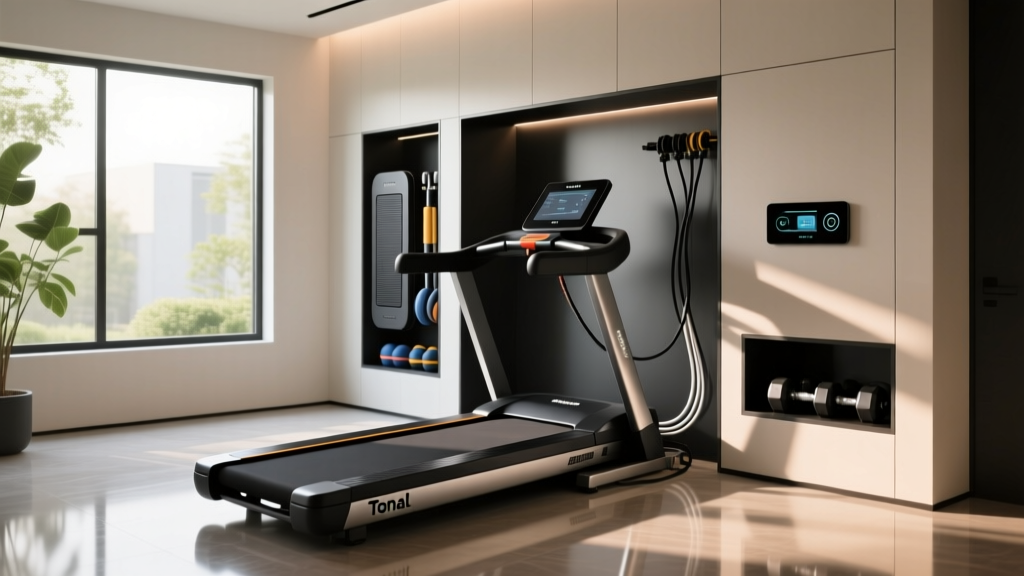
Tonal Treadmill Combo: Smart Resistance Space Layouts

Peloton vs Treadmill: 2026 Budget & Smart Resistance Value Guide

AEKE K1 Smart Home Gym Setup: Mirror vs Traditional Gear
