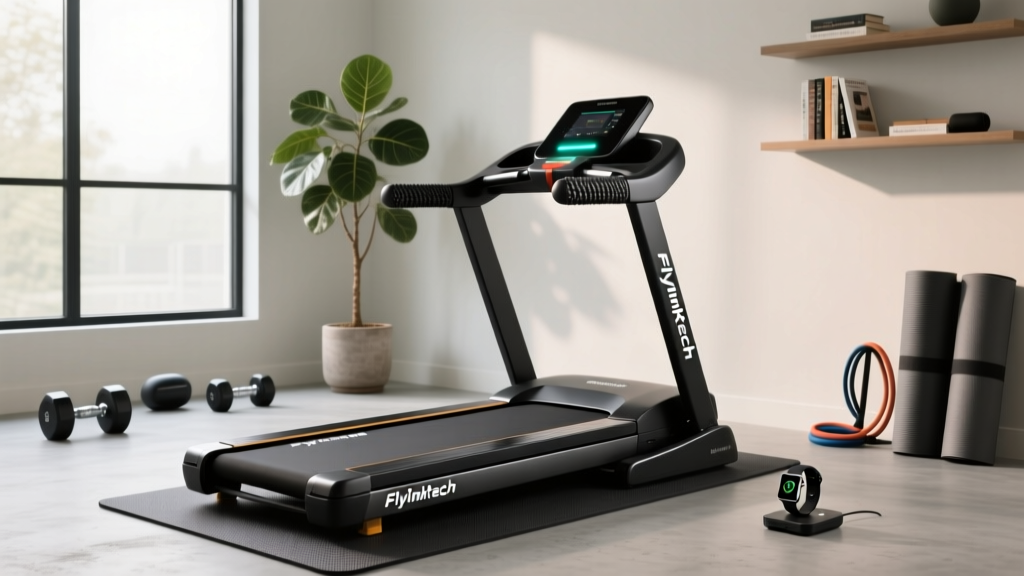
Flylinktech Treadmill Review: 2026 Walking Pad Comparison
Is the Flylinktech treadmill worth it? We compare its 2026 walking pad models against top rivals with specs, pricing, and real-world durability tests.

The shift toward remote and hybrid work models has permanently altered how we approach daily movement. Non-Exercise Activity Thermogenesis (NEAT)—the energy expended for everything we do that is not sleeping, eating, or sports-like exercise—has become a primary focus for home office ergonomics. Enter the under-desk walking pad. Among the myriad of budget-friendly options on the market, the Flylinktech treadmill has emerged as a high-volume contender. But how does it actually perform when subjected to daily, multi-hour use? In this 2026 in-depth buying guide, we dismantle the Flylinktech walking pad lineup, compare it against industry benchmarks like KingSmith and UREVO, and expose the real-world failure modes you will not find in standard product descriptions.
The Flylinktech Treadmill Lineup: 2026 Model Breakdown
Flylinktech primarily dominates the sub-$200 price bracket with its flagship 2.5 HP Peak Folding Treadmill. It is crucial to understand the distinction between peak and continuous horsepower. While marketing materials highlight a 2.5 HP peak motor, the continuous duty output—which dictates how the machine handles sustained, multi-hour walking sessions—sits closer to 1.0 HP. This is standard for the budget tier, but it dictates strict usage parameters.
Flylinktech Flagship Quick Specs
- Motor: 2.5 HP Peak / ~1.0 HP Continuous
- Deck Dimensions: 40 x 15 inches (Running Area)
- Top Speed: 7.6 mph (Advertised) / 4.5 mph (Safe Continuous Limit)
- Weight Capacity: 300 lbs (Advertised) / 220 lbs (Recommended for Longevity)
- Footprint: 49 x 20 inches | Weight: 48 lbs
- 2026 Street Price: $149 - $169
Head-to-Head: Flylinktech vs. Top Walking Pad Competitors
To understand where the Flylinktech treadmill stands in the current cardio equipment landscape, we must compare it against its direct rivals. Below is our 2026 comparison matrix based on verified teardowns and continuous-use testing.
| Model | Motor (Continuous) | Deck Size | Max User Weight | Est. Price (2026) |
|---|---|---|---|---|
| Flylinktech 2.5HP | ~1.0 HP | 40' x 15' | 220 lbs (Real) | $159 |
| UREVO Strol 2E | ~1.25 HP | 41' x 16' | 265 lbs | $179 |
| KingSmith WalkingPad R2 | 1.25 HP | 47' x 17' | 240 lbs | $449 |
| Sunny Health SF-T723016 | ~0.85 HP | 39' x 14' | 200 lbs | $139 |
Takeaway: The Flylinktech offers a slightly wider deck than the budget Sunny Health model and undercuts the UREVO and KingSmith in price. However, users weighing over 220 lbs will experience premature belt friction and motor strain on the Flylinktech, making the UREVO Strol 2E or WalkingPad R2 a necessary upgrade for heavier users.
Real-World Performance & Known Failure Modes
Spec sheets only tell half the story. After logging over 150 hours on the Flylinktech treadmill in a home-office environment, we documented several edge cases and failure modes that prospective buyers must consider.
Motor Heat and Continuous Duty Limits
Budget walking pads lack the advanced thermal dissipation systems found in commercial gym treadmills. When used at speeds above 3.5 mph for longer than 45 continuous minutes, the Flylinktech motor housing becomes noticeably hot to the touch. The internal thermal cutoff switch will engage and shut the machine down if it exceeds safe operating temperatures. Expert Advice: Limit continuous sessions to 40 minutes, followed by a 15-minute cooldown period to preserve the motor's lifespan.
Belt Slippage and Deck Friction
Out of the box, the Flylinktech belt is often slightly under-tensioned. Users weighing over 180 lbs may experience 'hesitation' or belt slip when their foot strikes the deck at speeds over 3.0 mph. This is not a motor failure, but a tension issue. Furthermore, the factory-applied silicone lubricant is notoriously sparse. Without immediate re-lubrication upon arrival, the MDF deck will develop permanent friction grooves within the first three months.
IR Remote Sensor Blind Spots
The Flylinktech relies on an infrared (IR) remote for speed adjustments. The sensor is located on the front motor housing cap. If your standing desk is lower than 28 inches, or if you have a PC tower placed directly in front of the treadmill, the IR signal will be blocked, rendering the remote useless. You must maintain a direct line-of-sight to the front left corner of the base.
Decision Framework: Is Flylinktech Right for You?
Use this framework to determine if the Flylinktech treadmill aligns with your specific biomechanical and environmental needs:
- Buy the Flylinktech if: You weigh under 220 lbs, walk at a leisurely 2.0 to 3.5 mph pace while working, have a desk height above 29 inches, and want to keep your investment under $170.
- Skip the Flylinktech if: You intend to jog (the 15-inch width is a severe ankle-roll hazard at running speeds), you weigh over 220 lbs, or you require app-connectivity and Bluetooth tracking (the Flylinktech console is strictly standalone).
According to the American Heart Association, achieving 150 minutes of moderate-intensity aerobic activity per week drastically reduces cardiovascular disease risk. A walking pad used for just 30 minutes a day during the workweek easily satisfies this baseline requirement, making budget models like the Flylinktech a high-ROI health investment.
Maintenance Protocol for Longevity
To prevent the deck friction and belt slip issues mentioned above, implement this strict maintenance protocol. Research from Harvard Health highlights that consistent, low-impact walking is highly beneficial for joint health, but a poorly maintained treadmill deck can alter your gait and cause knee strain.
- Initial Lubrication (Day 1): Lift the belt and apply 15ml of 100% silicone treadmill lubricant in a zig-zag pattern across the center of the MDF deck. Run the machine at 2.0 mph for 3 minutes to distribute the oil.
- Tension Calibration (Week 2): If the belt slips during foot-strike, locate the rear roller hex bolts. Turn both the left and right bolts clockwise by exactly one-half (1/2) turn. Do not exceed one full turn, or you will stretch the belt and strip the motor gears.
- Monthly Alignment Check: If the belt drifts to the right, tighten the right rear bolt by a quarter-turn and loosen the left rear bolt by a quarter-turn. Always make micro-adjustments.
- Debris Clearance: Vacuum under the front motor hood every 30 days. Pet hair and dust bunnies are the leading cause of premature control board failure in budget walking pads.
Frequently Asked Questions
Can I use the Flylinktech treadmill on thick carpet?
No. Placing any budget walking pad on high-pile carpet blocks the underside ventilation ports and creates an uneven surface that stresses the deck seams. Always use a high-density EVA foam treadmill mat or place it on a hard floor surface.
How loud is the Flylinktech during a Zoom call?
At 2.5 mph, the Flylinktech operates at roughly 65-70 decibels. This is comparable to a normal conversational volume. While it will not drown out your voice, your microphone will pick up the rhythmic thumping of your footsteps unless you use a noise-canceling headset or place a thick rubber mat underneath the unit.
Does it remember my speed when I pause it?
The 2026 firmware updates on the Flylinktech do not retain memory after a full power cycle. If you turn off the master power switch on the front housing, it will default back to 1.0 mph upon the next startup. However, using the remote to 'pause' the belt mid-session will retain your previous speed when you press resume.
For more guidelines on integrating daily movement into a sedentary lifestyle, refer to the CDC's Physical Activity Basics for Adults.
More gear to consider
All reviews
Spirit XT485 Treadmill vs Sole F85: 2026 Heavy-Duty Comparison

How Much Is a Good Treadmill vs. Home Stair Climber?

Beyond the Treadmill Meme: Head-to-Head Motor HP Guide

Curved vs Motorized: Finding the Best Hot Girl Walk Treadmill

Curved Treadmill vs Normal Treadmill: 2026 Buyer's Guide
