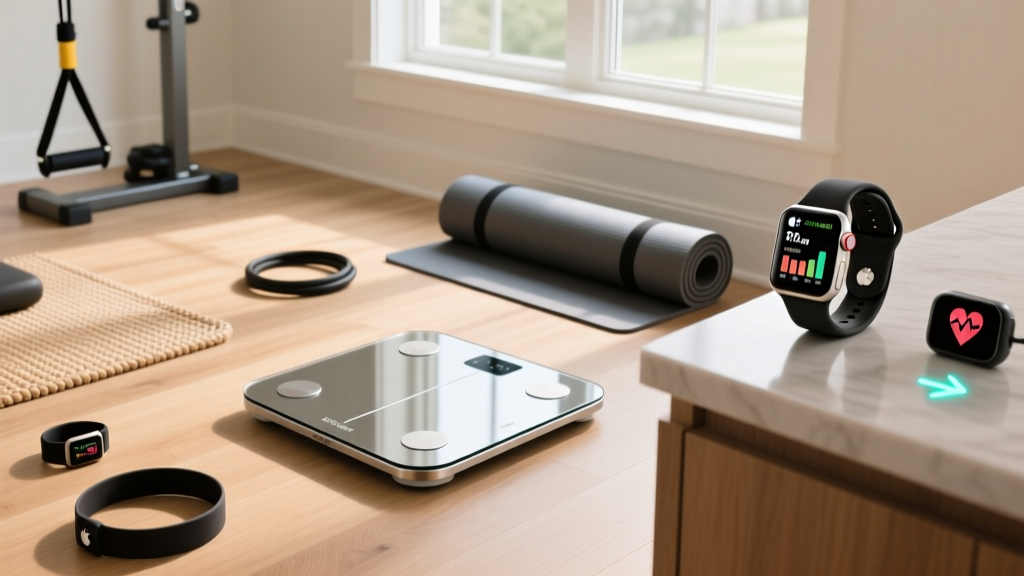
Fix Scale Accuracy & Fitness Tracker App for Apple Watch Sync
Troubleshoot smart scale BIA accuracy and fix sync errors when routing body composition data to your favorite fitness tracker app for Apple Watch.

When you invest in a premium smart scale, you expect clinical-grade insights into your body composition. Yet, a common frustration among our readers in 2026 involves wildly fluctuating body fat percentages and frustrating sync failures when trying to view this data on their wrist. You step on the scale, the app processes the data, but when you open your favorite fitness tracker app for Apple Watch, the body composition metrics are either missing, outdated, or completely inaccurate.
This guide bridges the gap between hardware physics and software ecosystems. We will troubleshoot the biological mistakes that ruin Bioelectrical Impedance Analysis (BIA) accuracy, review the top smart scales on the market, and provide a definitive step-by-step fix for the digital handshake between your scale, Apple Health, and your Apple Watch.
The Physics of BIA: Why Your Scale's Accuracy Fluctuates
Smart scales do not actually "measure" body fat. They measure electrical impedance. Muscle tissue contains roughly 75% water and electrolytes, making it highly conductive. Adipose tissue (fat) contains only 10% to 40% water, acting as a resistor. The scale sends a harmless, imperceptible microcurrent (typically ranging from 50 kHz to 500 kHz) up through one foot and down through the other. The scale's algorithm then uses your height, age, and the measured resistance to estimate your body composition.
⚠️ The Hydration Variable Mistake: The most common mistake users make is weighing themselves immediately after a workout or a sauna session. Sweat loss and localized dehydration increase electrical resistance. The scale's algorithm misinterprets this high resistance as an increase in body fat and a loss of lean muscle mass, sometimes skewing your body fat percentage up by 2-4% in a single day.Biological & Environmental Edge Cases
- Calloused Skin: Thick calluses on the soles of your feet act as insulators, artificially increasing impedance. If you have heavily calloused feet, lightly dampening them with a wet towel before stepping on the scale can drastically improve reading consistency.
- Cold Extremities: Vasoconstriction in cold environments pulls blood away from your feet, altering the conductivity of the tissue. Always weigh yourself in a temperature-controlled room.
- Carpet vs. Hardwood: Placing a smart scale on a thick carpet absorbs micro-vibrations and can slightly insulate the electrodes, leading to erratic weight readings. Since BIA algorithms use total body weight as a baseline multiplier, an inaccurate weight reading will compound the error in your body fat calculation.
The Digital Handshake: Routing Data to Your Wrist
Hardware accuracy is only half the battle. The most prevalent technical support issue we see at FitGearPulse involves the software ecosystem. Many users purchase a third-party fitness tracker app for Apple Watch expecting it to automatically pull body fat and lean mass data from their new smart scale. When the data fails to appear, they blame the watch app.
In reality, the issue almost always lies within Apple Health's "Data Sources" priority hierarchy. Apple Health acts as the central clearinghouse for all biometric data on iOS 19 and watchOS 12. If your scale's native app and your watch app are fighting for write/read permissions, the data stream breaks.
Step-by-Step: Fixing Apple Health Data Priority
Follow these exact steps to ensure your scale's BIA data flows seamlessly to your wrist:
- Open the Apple Health app on your iPhone and tap your Profile picture in the top right.
- Under the "Privacy" section, select Apps and Services.
- Tap on your scale's native app (e.g., Withings Health Mate, Renpho Health, EufyLife).
- Ensure that "Body Fat Percentage", "Lean Body Mass", "Bone Mass", and "Weight" are all toggled ON (Allow Write Access).
- Go back to the main Health dashboard, tap Browse > Body Composition > Body Fat Percentage.
- Scroll to the very bottom and tap Data Sources & Access.
- In the "Data Sources" list, tap Edit in the top right. Drag your scale's native app to the very top of the list, placing it above your generic fitness tracker app for Apple Watch. Tap Done.
By prioritizing the scale's native API, you ensure that the raw BIA data is written to Apple Health first, allowing your wrist app to read the most accurate, up-to-date information without API timeout conflicts.
2026 Smart Scale Review Matrix: Accuracy & Ecosystem
Not all BIA technology is created equal. Basic foot-to-foot scales only measure the impedance of your lower body and use predictive algorithms to guess your upper body composition. Segmental scales use hand-to-foot currents to measure the torso and arms directly. Below is our 2026 testing matrix focusing on hardware accuracy and Apple ecosystem reliability.
| Model (2026) | Price | BIA Technology | Apple Health Sync Reliability |
|---|---|---|---|
| Withings Body Scan | $399 | 6-Lead Segmental (500 kHz) | Excellent (Native HealthKit) |
| Eufy Smart Scale P3 Pro | $79 | 8-Electrode 3D BIA | Excellent (Auto-Sync) |
| Garmin Index S2 | $149 | 4-Lead Foot-to-Foot | Poor (Requires Garmin Connect Bridge) |
| Renpho Turbo Smart Scale | $49 | 4-Lead Basic (50 kHz) | Good (Direct HealthKit API) |
Expert Takeaway: If your primary goal is viewing deep body composition metrics on a wrist wearable, avoid closed ecosystems like Garmin if you are an Apple Watch user. The Garmin Index S2 requires data to route through Garmin Connect, which then pushes a truncated version of the data to Apple Health, often stripping out segmental lean mass data in the process.
Expert Consensus on BIA Limitations
It is vital to understand that consumer smart scales are trend-tracking tools, not diagnostic medical devices. The American Council on Exercise (ACE) and various sports nutrition boards consistently warn against hyper-focusing on daily BIA fluctuations.
"BIA devices are highly sensitive to hydration status and recent physical activity. For reliable tracking, measurements must be taken under consistent conditions, ideally first thing in the morning after voiding and before eating or exercising. Weekly averages are vastly superior to daily data points for assessing true body composition changes."
— American Council on Exercise (ACE) Body Composition Guidelines
FAQ: Scale & Wearable Syncing
Why does my Apple Watch show a different body fat % than my scale's native app?
This usually happens if you have manually entered body fat data into Apple Health in the past, or if another app (like a calorie tracker) has write-access and is overwriting the scale's data. Use the "Data Sources & Access" edit menu in Apple Health to delete conflicting manual entries and prioritize your scale's app.
Can I use a generic fitness tracker app for Apple Watch instead of the manufacturer's app?
Yes, but with a caveat. Generic wrist apps do not communicate directly with the scale's Bluetooth hardware. They simply read the Apple Health database. As long as you open the scale's native app on your iPhone to initiate the Bluetooth sync and write the data to Apple Health, your generic watch app will successfully read and display the updated metrics.
How often should I recalibrate my smart scale?
Modern strain-gauge smart scales rarely require manual calibration. However, if you move the scale to a different surface or travel with it, you should perform a "zeroing" reset. Step on the scale, wait for a reading, step off, and let it power down completely. The first reading after moving is often discarded by the internal firmware as a calibration baseline.
More gear to consider
All reviews
2026 GPS Watches to Power Your Fitness Tracker Spreadsheet

Apple Watch Fitness Tracking Value: 2026 Budget Guide

Amzhero Fitness Tracker Care & Longevity for Sports

Medibio Health and Fitness Tracker vs Sleep Rings 2026

Heat Management vs. Troubleshooting in Wearable Electronics: A Technical Comparison
