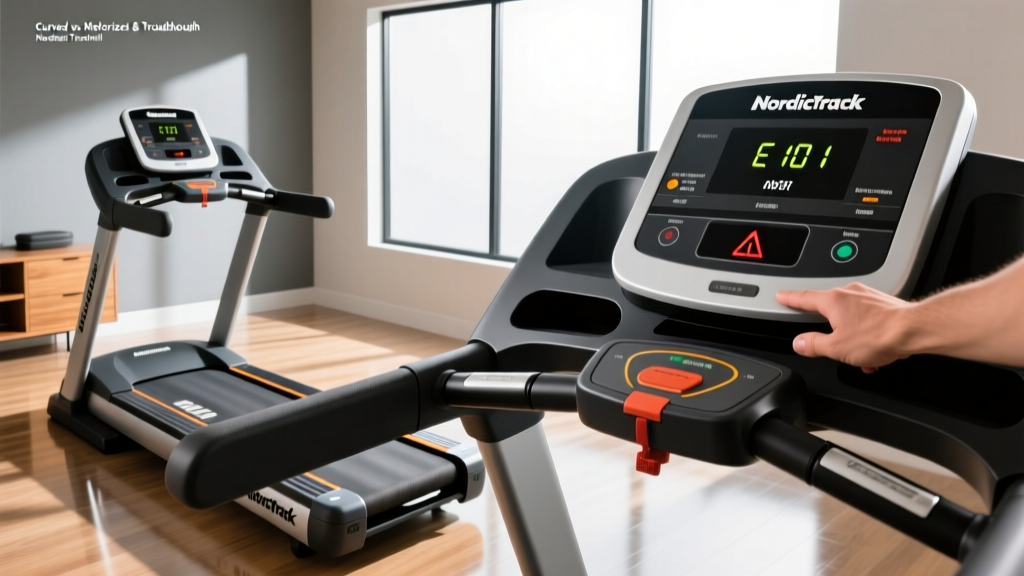
Curved vs Motorized & Troubleshoot NordicTrack Treadmill
Compare curved manual vs motorized treadmills for 2026. Plus, learn how to troubleshoot NordicTrack treadmill errors, belt slips, and console glitches.

Choosing the right treadmill in 2026 requires navigating a fundamental biomechanical divide: the self-powered curved manual treadmill versus the tech-heavy motorized treadmill. While both elevate cardiovascular health, their mechanics, maintenance needs, and target demographics differ drastically. Furthermore, owning a motorized giant like a NordicTrack means eventually facing technical glitches. This comprehensive guide breaks down the curved vs. motorized debate and provides an expert-level masterclass on how to troubleshoot NordicTrack treadmill errors when your machine inevitably acts up.
The Biomechanical Divide: Curved Manual Treadmills
Curved manual treadmills feature a non-motorized, concave running surface constructed from vulcanized rubber slats. Because there is no motor driving the belt, the runner must generate the kinetic energy. By striking the front curve of the deck and pushing backward, the user's center of mass dictates the speed. According to research highlighted by ACE Fitness, this self-propelled mechanics forces greater posterior chain engagement (glutes and hamstrings) and can increase caloric expenditure by up to 30% compared to motorized equivalents at the same perceived exertion.
Top Contenders and Pricing
- AssaultRunner Pro ($3,299): Features a 6-degree arc and a 350 lb weight capacity. Ideal for CrossFit athletes and HIIT intervals.
- TrueForm Runner ($4,195): Built with a low-profile rubber slat belt and dual handrails. Favored by elite marathoners for form correction.
- Technogym Skillrun ($6,500+): Offers a hybrid 'bootcamp' mode with parachute and sled resistance simulations.
Motorized Treadmills: The Tech-Driven Standard
Motorized treadmills remain the gold standard for home gyms due to their ability to enforce pacing, simulate terrain via motorized inclines/declines, and integrate immersive media. When shopping in 2026, Consumer Reports advises ignoring 'Peak Horsepower' marketing gimmicks and demanding a minimum of 3.0 Continuous Horsepower (CHP) for runners to prevent motor burnout.
Key Specs to Demand
For serious runners, the Sole F80 ($1,199) offers a reliable 3.5 CHP motor and a 22-inch by 60-inch deck. For tech enthusiasts, the NordicTrack Commercial X32i ($3,999) provides a massive 32-inch HD touchscreen, automatic incline up to 40%, and a -6% decline, driven by a 4.25 CHP motor. However, this high level of electronic integration is precisely why learning to maintain and fix these machines is a mandatory ownership skill.
Head-to-Head Comparison Matrix
| Feature | Curved Manual Treadmill | Motorized Treadmill (Premium) |
|---|---|---|
| Power Source | Self-propelled (User's kinetic energy) | AC Motor (Requires 120V/20A dedicated outlet) |
| Caloric Burn | +16% to +30% higher at same pace | Baseline standard |
| Max Speed | Unlimited (Dictated by user's sprint) | Capped (Usually 12 - 15 MPH) |
| Incline/Decline | Fixed curve (Simulates ~8% grade) | Motorized (-6% to +40%) |
| Maintenance | Low (Belt tension checks) | High (Lubrication, sensor alignment, software) |
| Footprint | Compact (~65" L x 35" W) | Expansive (~80" L x 36" W) |
Ownership Reality: How to Troubleshoot NordicTrack Treadmill Issues
NordicTrack dominates the premium motorized market, but their complex integration of iFIT software, incline motors, and optical sensors means users frequently encounter error codes. Before calling a technician and paying a $150 diagnostic fee, use this expert guide to troubleshoot NordicTrack treadmill failures yourself.
1. Recalibrating Incline and Speed Sensors (Error Codes 1, 2, or 3)
If your console displays an Error 1 (Incline Sensor), Error 2, or Error 3, the machine has lost its positional awareness. The incline motor doesn't know what angle it is at, triggering a safety shutoff. You must force a manual recalibration.
- Remove the safety key from the console.
- Press and hold both the Speed Up and Incline Up buttons simultaneously.
- While holding the buttons, re-insert the safety key. The console will enter 'Calibration Mode'.
- Release the buttons. The treadmill will automatically cycle the incline from its lowest point to its highest point and back down to zero.
- Crucial Edge Case: If the incline motor grinds but doesn't move during calibration, the incline gearbox is stripped or the 12V DC motor has failed. You will need to order a replacement incline motor assembly (Part #219134 for most Commercial series).
2. Fixing Belt Slippage and 'Lube' Warnings
A slipping belt feels like a sudden hesitation when your foot strikes the deck. This is either a tension issue or a friction issue.
- The Tension Test: Turn off and unplug the machine. Lift the running belt in the exact center of the deck. It should lift exactly 2 to 3 inches. If it lifts higher, locate the two rear roller adjustment bolts at the back of the treadmill. Turn both bolts 1/4 turn clockwise using an Allen wrench. Test again. Never turn more than 1/4 turn at a time, or you will stretch the belt beyond its yield point.
- The Friction Fix: If the console prompts 'Lube Belt', do not use WD-40 or household oils. You must use 100% pure liquid silicone. Lift the belt, apply a zig-zag pattern of about 1 oz of silicone directly onto the wooden deck, and run the machine at 3 MPH for 5 minutes to distribute it.
3. Console Reboot Loops and iFIT Sync Failures
NordicTrack's HD touchscreens are essentially Android tablets mounted to a vibration-heavy frame. If your screen is stuck on the iFIT logo or stuck in a reboot loop:
⚠️ Expert Warning: The Pinhole ResetLocate the tiny pinhole reset button on the side or bottom edge of the console bezel. Use a paperclip to press and hold it for 15 seconds while the machine is powered on. This bypasses the corrupted cache and forces a hard factory reset of the UI board. You will need to re-enter your Wi-Fi credentials afterward.
4. Speed Reads '0.0' While Running (Reed Switch Misalignment)
If the belt is moving but the console reads 0.0 MPH, the optical or magnetic speed sensor has lost connection with the front roller pulley. Unplug the machine, remove the motor hood (usually 4 to 6 Phillips-head screws), and locate the reed switch near the front roller. The magnet on the pulley must pass within exactly 1/8th of an inch of the sensor. Loosen the sensor mounting screw, adjust the gap to 1/8 inch, tighten, and test.
The Final Verdict: Matching Machine to Athlete
The choice between a curved manual treadmill and a motorized model ultimately hinges on your training methodology and spatial constraints. If you are a functional fitness athlete focused on high-intensity interval training (HIIT), sprint mechanics, and want zero electrical maintenance, invest in an AssaultRunner Pro. The biomechanical demand is unmatched, and the footprint is minimal.
However, if you are training for a marathon, require precise pacing enforcement, or want to simulate alpine hiking via 40% inclines, a motorized unit like the NordicTrack X32i is non-negotiable. Just remember that with advanced tech comes advanced maintenance. Bookmark this guide, keep your Allen wrenches and pure silicone handy, and you will be fully equipped to troubleshoot NordicTrack treadmill issues and keep your home gym running flawlessly through 2026 and beyond.
More gear to consider
All reviews
Image 15.0 R Treadmill: 2026 Features & Buying Guide

Elliptical vs Treadmill: Space Layouts and 1 Incline on Treadmill

ProForm 415 Treadmill Motor Guide: Is 2.0 HP Enough?

How to Not Get Bored on Treadmill: 2026 Feature Buying Guide
Best Apple GymKit Treadmills: 2026 Buying Guide & Comparison
