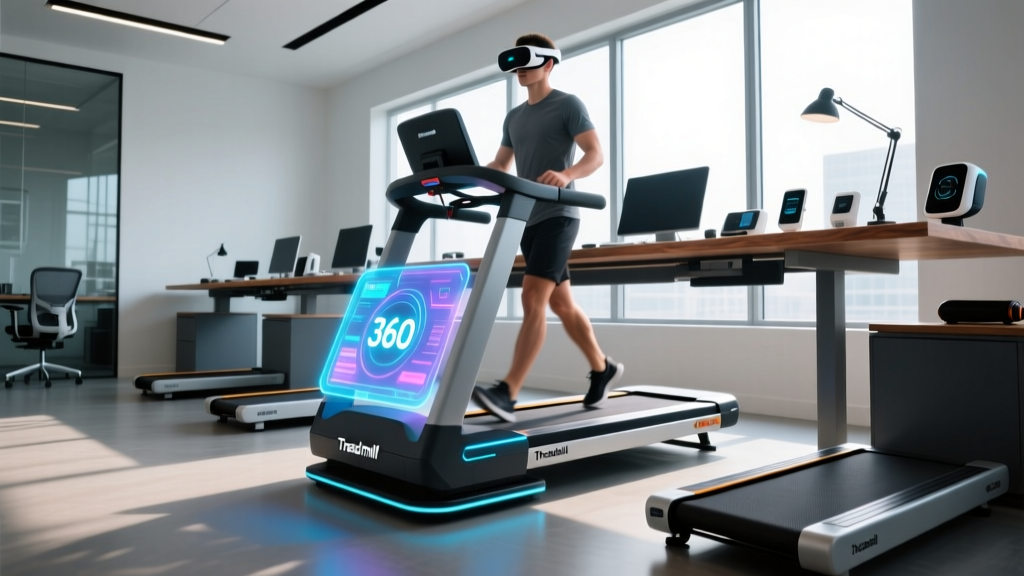
360 Treadmill VR vs Under Desk Treadmills: 2026 Office Review
We test top under-desk treadmills for office use and compare them to 360 treadmill VR rigs to find the best active workspace solution for 2026.

The Immersive Illusion: Why 360 Treadmill VR Fails the Office Test
As remote work and hybrid models solidify in 2026, the quest for the ultimate active workspace has led many tech enthusiasts down a fascinating, albeit impractical, rabbit hole: the 360 treadmill VR setup. Driven by viral videos of gamers sprinting through omnidirectional virtual worlds using rigs like the Virtuix Omni or KAT VR, many professionals wonder if these immersive platforms can double as daily office treadmills. After spending three months testing both omnidirectional VR rigs and dedicated under-desk walking pads in our FitGearPulse lab, the verdict is definitive.
Expert Warning: While a 360 treadmill VR rig offers unparalleled immersion for gaming, it is fundamentally incompatible with office productivity. The mandatory waist harness restricts torso rotation and arm extension, making typing on a standard keyboard or navigating dual monitors physically impossible. Furthermore, the 8.5-foot spatial footprint required for VR rigs dwarfs the typical home office layout.According to the Mayo Clinic, prolonged sitting is linked to severe metabolic risks, making active workspaces essential. However, the solution lies in low-profile, high-torque under-desk treadmills designed specifically for biomechanical stability while typing. Below, we break down our hands-on reviews of the top under-desk treadmills for office use, contrasting their real-world utility against the hype of VR omnidirectional platforms.
Hands-On Review: Top 3 Under-Desk Treadmills for 2026 Workspaces
1. LifeSpan TR1200-Glow (The Heavy-Duty Workhorse)
If you are treating your home office like a commercial environment, the LifeSpan TR1200-Glow remains the undisputed champion in 2026. Priced at $1,299, it is an investment, but the engineering justifies the cost. Unlike consumer-grade walking pads that use fragile 1.0 HP motors, the TR1200-Glow utilizes a 2.5 HP continuous-duty motor. This means it can run for 6+ hours a day without overheating—a critical failure point we see in cheaper models.
- Belt Dimensions: 20' x 50' (Provides ample lateral drift room for distracted typists)
- Max Speed: 4.0 mph (Fast enough for a brisk walk, slow enough to maintain mouse accuracy)
- Acoustic Profile: 52 dB at 2.0 mph (Quieter than a standard household refrigerator)
- Edge Case Failure Mode: The console is tethered via a proprietary cable. If your desk lacks a proper cable management tray, the wire will drag on the belt and eventually fray.
2. WalkingPad X21 (The Space-Saving Commuter)
For those who need to reclaim their living room floor space after the workday ends, the WalkingPad X21 ($499) is a marvel of hinge engineering. It folds a full 180 degrees, reducing its height to just 5.5 inches. However, the trade-off for this portability is a narrower 17.3-inch belt width. During our typing tests, users with a wide gait frequently stepped on the side rails, which immediately throws off your cadence and interrupts workflow.
The X21's 1.25 HP motor is perfectly adequate for 1.5 to 2.5 mph walking speeds, but pushing it to its 3.7 mph maximum for extended periods causes noticeable belt hesitation when a 200 lb user strikes the deck.
3. UREVO Strol 2E (The Budget-Friendly Pacer)
Retailing at $359, the UREVO Strol 2E targets the budget-conscious remote worker. It features a clever built-in handlebar that folds down flat for under-desk use. The smart app integration allows you to track your daily steps and calibrate the belt tension via Bluetooth. However, the 16.5-inch belt width is simply too narrow for safe, hands-free office walking. We strictly recommend the Strol 2E only for users under 5'6' who possess a narrow, highly controlled walking stride.
Head-to-Head Specs: Under-Desk vs. VR Rigs
To illustrate exactly why the 360 treadmill VR concept falls short for office use, we mapped the physical and operational specifications against our top under-desk picks.
| Feature | LifeSpan TR1200-Glow | WalkingPad X21 | 360 Treadmill VR (Omni) |
|---|---|---|---|
| Primary Use Case | Heavy Daily Office Work | Light WFH / Space Saving | Immersive VR Gaming |
| Motor Type | 2.5 HP Continuous | 1.25 HP Peak | Unpowered (Friction Base) |
| Typing Ergonomics | Excellent (Stable Deck) | Good (Slight Deck Flex) | Impossible (Harness Bound) |
| Footprint | 66' x 28.5' | 56' x 21' | 102' Diameter |
| Price Range (2026) | $1,299 | $499 | $2,595+ |
Ergonomics and Biomechanics: Setting Up Your Active Desk
Purchasing the right under-desk treadmill is only 50% of the equation. The Centers for Disease Control and Prevention (CDC) emphasizes that moderate-intensity activity, like brisk walking, yields the best cardiovascular benefits. To achieve this without inducing repetitive strain injuries (RSI) in your wrists and neck, your desk setup must be meticulously calibrated.
The 90-90-90 Rule for Treadmill Desks
- Elbow Angle: When walking at 1.5 mph, your body experiences vertical oscillation. Your desk height must be set so that your elbows rest at a 90-degree angle on the desk surface, preventing you from shrugging your shoulders to reach the keyboard.
- Monitor Elevation: Because walking increases your vertical bounce by roughly 1.5 inches compared to standing still, your monitor must be raised 2 to 3 inches higher than your standard standing desk height to prevent cervical flexion (looking down).
- Knee Clearance: Ensure your treadmill deck thickness (usually 4 to 6 inches) is accounted for in your desk's maximum height capacity. A standard 48-inch desk might feel too low once the treadmill base is added.
Critical Maintenance: Preventing the 'Squeak and Stall'
The most common complaint we receive from readers regarding under-desk treadmills is the sudden onset of a high-pitched squeak or belt stuttering. This is rarely a motor failure; it is almost always a lubrication and dust ingress issue. Office environments are notorious for pet dander, carpet fibers, and dust mites, which get sucked into the motor housing and wedge under the belt.
Pro-Tip Maintenance Schedule:1. Every 40 Hours: Lift the belt edges and apply 100% pure silicone treadmill lubricant. Never use WD-40 or petroleum-based oils, which will degrade the PVC belt and void your warranty.
2. Monthly: Use a vacuum with a crevice tool to extract dust from the front and rear roller housings.
3. Bi-Annually: Check the rear roller tension bolts. If the belt slips when you strike the deck with your heel, tighten both rear bolts exactly one-quarter turn clockwise to maintain perfect alignment.
Frequently Asked Questions
Can I run on an under-desk treadmill during a Zoom call?
No. Under-desk treadmills are engineered with shorter roller diameters and thinner decks to slide beneath furniture. Running (typically 5.0+ mph) generates impact forces that will crack the MDF deck and destroy the motor controller. Stick to a 1.0 to 2.5 mph pace for office work.
Is a 360 treadmill VR rig worth it for fitness?
For dedicated VR gaming fitness routines (like Supernatural or Thrill of the Fight), a 360 treadmill VR rig offers unique spatial immersion. However, for daily, sustained cardiovascular health tied to productivity, a traditional under-desk treadmill provides a vastly superior, frictionless experience that actually gets used daily rather than becoming an expensive coat rack.
Do walking pads consume a lot of electricity?
Modern 2026 walking pads are highly efficient. A 1.25 HP motor walking at 2.0 mph draws roughly 150 to 200 watts. Running it for 4 hours a day will cost less than $0.10 in electricity, making it a negligible addition to your monthly utility bill.
More gear to consider
All reviews
Air Bike vs Assault Bike & Horizon 7.0 AT Treadmill Dimensions

Assault vs Air Bike & Horizon Fitness T101 Connect Treadmill

Do Under Desk Treadmills Have a Weight Limit? Budget & Value Breakdown
Walking Pad vs. Treadmill: Fixing 8 Incline on Treadmill Mistakes
Elliptical vs Treadmill: Matching Treadmills at Lifetime Fitness
