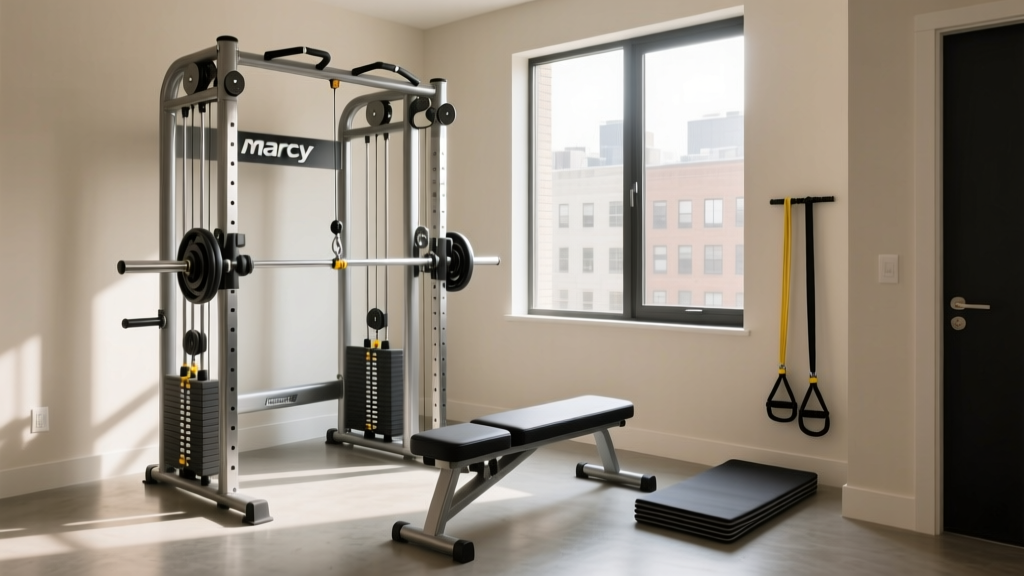
Sharing the Centr 1 Home Gym Functional Trainer: A Couple's Guide
Learn how to optimize your Centr 1 home gym functional trainer for couples. Step-by-step setup, accessory storage, and profile syncing for shared use.

Why the Centr 1 Works for Shared Home Gyms
Setting up a home gym for a single user is a straightforward exercise in personal preference. However, designing a shared fitness space for couples requires navigating a complex matrix of differing biomechanics, strength levels, and scheduling constraints. As of 2026, the smart gym market has evolved significantly, but the Centr 1 home gym functional trainer remains a standout choice for shared environments due to its dual-arm independent digital resistance, expansive pulley system, and multi-user profile capabilities.
When two people share a single wall-mounted functional trainer, friction points inevitably arise: pulley heights that don't match the shorter partner's wingspan, grip diameters that cause hand fatigue for the smaller user, and digital weight calibrations that fail to account for differing tendon strengths. This beginner-friendly, step-by-step guide will walk you through exactly how to install, configure, and maintain your Centr 1 to ensure it serves both partners optimally, turning a potential source of household friction into a seamless shared fitness experience.
Step 1: Spatial Planning and Dual-Ergonomic Installation
The physical footprint of your smart gym dictates how comfortably two people can navigate the space, especially during partner-assisted movements or rapid transition workouts. The Centr 1 measures 86.2 inches high, 54.5 inches wide, and 14.2 inches deep. However, the machine's physical dimensions are only half the equation.
Calculating the Shared Clearance Zone
For a single user, a 6x6 foot clearance is generally sufficient. For couples, you must expand this to an 8x8 foot primary movement zone. This extra space is critical for exercises like lateral lunges, rotational woodchops, and partner-resisted core work. According to guidelines on partner workouts from the American Council on Exercise (ACE), maintaining a safe peripheral buffer zone prevents accidental collisions when one partner is moving dynamically while the other is spotting or resting.
Installation Warning: Stud Spacing & Load BearingThe Centr 1 weighs approximately 350 lbs and generates up to 450 lbs of digital resistance. It must be mounted into wooden studs spaced 16 inches on-center (OC) or solid concrete. Do not rely on drywall anchors. If your desired wall location does not align with 16-inch OC studs, you must install a structural plywood backer board (minimum 3/4-inch thickness, painted to match your wall) spanning across at least three studs to distribute the sheer force generated during heavy eccentric loading.
Flooring for Dual Impact
With two users, the cumulative impact on your subfloor doubles. Invest in 3/4-inch thick vulcanized rubber mats (such as the Rogue Horse Stall Mats or equivalent high-density EVA/rubber hybrids). Cut the mats to fit flush against the wall behind the Centr 1 to prevent dust accumulation and ensure the machine's base sits perfectly level, which is vital for the internal digital motor calibration.
Step 2: Profile Management and Digital Resistance Calibration
The true advantage of a smart functional trainer over a traditional cable machine is the software. The Centr 1 supports multiple user profiles, but simply creating two accounts is not enough; you must calibrate the digital resistance to match each partner's unique physiological profile.
- Create Independent Profiles: Set up separate profiles within the Centr app. Ensure each profile is linked to the user's respective wearable device (Apple Watch, Garmin, or Whoop) to accurately track heart rate variability (HRV) and caloric expenditure.
- Establish Baseline 1RM (One-Rep Max): During the initial setup, the system will prompt you to test your strength. Do not rush this. Both partners should perform the baseline tests on separate days to ensure maximum effort and accurate algorithmic scaling.
- Customize Digital Weight Modes: The Centr 1 offers unique resistance modes like 'Chains' (resistance increases as you extend) and 'Eccentric' (heavier weight on the lowering phase).
- For the partner focusing on hypertrophy: Utilize Eccentric mode to maximize muscle fiber tearing.
- For the partner focusing on athletic power or rehab: Utilize Chains mode to match the natural strength curve of the joints, reducing shear stress at the bottom of movements like squats or presses.
"When sharing a digital resistance machine, never assume the weight listed on the screen feels the same for both users. Differences in limb length and leverages mean a 50lb digital cable pull can feel drastically different to a 5'2" user compared to a 6'3" user. Always rely on RPE (Rate of Perceived Exertion) rather than absolute numbers when following shared programming."
— Biomechanics & Strength Coaching Principles
Step 3: Accessory Organization for Different Hand Sizes and Goals
A major pain point for couples sharing a functional trainer is accessory management. The Centr 1 features magnetic storage pegs on its side panels, but default organization rarely accommodates differing hand sizes and grip strengths.
Optimizing Grip Ergonomics
The standard smart handles provided with the Centr 1 feature a grip diameter of roughly 28mm. While this is ideal for average-to-large male hands, it can cause premature forearm fatigue for users with smaller hands. The Fix: Purchase a set of 25mm ergonomic grip attachments or wrap the standard handles in 1.5mm athletic tape for the partner with smaller hands. This simple $15 modification drastically improves mind-muscle connection during lat pulldowns and rows.
Magnetic Peg Zoning Strategy
Organize the side-panel magnetic pegs by height zones rather than by accessory type:
- Zone 1 (Bottom Pegs): Ankle straps and lower-body attachments. Placing these at the bottom prevents the shorter partner from having to reach over their head to retrieve them.
- Zone 2 (Middle Pegs): Standard D-handles, tricep ropes, and straight bars. This is the neutral zone accessible to both users without stretching.
- Zone 3 (Top Pegs): Smart phone mounts, resistance band anchors, and spare charging cables.
Hardware Comparison: Smart Trainers for Couples
If you are still in the purchasing phase and weighing the Centr 1 against other 2026 market leaders, here is how they stack up specifically for dual-user households.
| Feature | Centr 1 | Tonal 2 | Speediance Gym Monster 2 |
|---|---|---|---|
| Max Digital Resistance | 450 lbs (225/arm) | 200 lbs (100/arm) | 220 lbs (110/arm) |
| Pulley Adjustment Points | 16 discrete points | Continuous motorized | 5 discrete points |
| Multi-User Profile Switching | Seamless via App/Screen | NFC Tag / Screen | Screen selection |
| Best For Couples Because... | Higher weight ceiling & wide pulley stance accommodates two bodies. | Motorized arms auto-adjust height for different users. | Freestanding design allows 360-degree partner access. |
Note: While Tonal 2's motorized arms are excellent for auto-adjusting height, the Centr 1's 450lb total resistance ceiling ensures that the stronger partner will not 'outgrow' the machine within the first two years of progressive overload training. For a comprehensive hardware teardown, refer to this detailed Centr 1 hardware review by Garage Gym Reviews.
Step 4: Maintenance and Cable Care for High-Volume Use
A shared gym sees double the usage, which accelerates wear and tear. The Centr 1 utilizes high-tensile Kevlar-reinforced cables, but they require specific maintenance to prevent fraying and internal motor dust buildup.
The Weekly 10-Minute Couple's Maintenance Routine
- Screen & Sensor Care: Wipe the 32-inch display and the optical sensors with a microfiber cloth and a 70% isopropyl alcohol solution. Sweat splatter from two users can degrade the oleophobic coating on the screen over time.
- Cable Inspection: Fully extend both cables to their maximum length (approx. 84 inches). Run a dry microfiber cloth along the entire length of the Kevlar casing. Look for 'fuzzing' or micro-tears near the carabiner attachment points. If you spot fraying, contact Centr support immediately; do not attempt to lubricate the cables with silicone spray, as this attracts dust and degrades the internal pulley bearings.
- Magnetic Peg Integrity: Check the magnetic accessory pegs. Over time, the neodymium magnets can accumulate metallic dust from the environment. Wipe them clean to ensure heavy attachments like the straight bar do not slip and fall.
Troubleshooting Shared Use Friction Points
Issue: One partner feels the digital weight is 'jerky' during the concentric phase.
Solution: This usually happens when the user's movement speed exceeds the motor's catch rate, or when the machine is not perfectly level. Re-check your floor mats and ensure the machine's base is flush. Recalibrate the motor via the hidden settings menu on the Centr app.
Issue: Disagreements on which on-demand classes to follow.
Solution: Utilize the Centr app's 'Programs' feature. Instead of picking random daily workouts, enroll in a 6-week hypertrophy program for one user and a 6-week mobility/yoga program for the other. The app will automatically queue the correct daily session based on who logs in, eliminating decision fatigue and scheduling arguments.
Final Thoughts on Building a Shared Fitness Sanctuary
Investing in the Centr 1 home gym functional trainer is a significant financial commitment (typically retailing around $3,999 plus a monthly subscription). However, when configured correctly for dual use, it effectively replaces a commercial gym membership for two people, paying for itself within 14 to 18 months. By prioritizing ergonomic clearance, customizing digital resistance profiles, and implementing a strict maintenance routine, you and your partner can build a shared fitness sanctuary that supports your individual goals while fostering a healthier, more active household.
More gear to consider
All reviews
Shared Home Gym Setup Guide: Marcy Home Gym MWM 990 for Couples
Joe Rogan Home Gym Vibe: Beginner Starter Kit & Layout

Home Half Garage Gym Ideas: Strength Setup & Care

Apartment Setup: Space-Saving Home Gym Hamstring Exercises & Gear

Marcy MWM 990 150 lb Stack Home Gym: Beginner Starter Guide