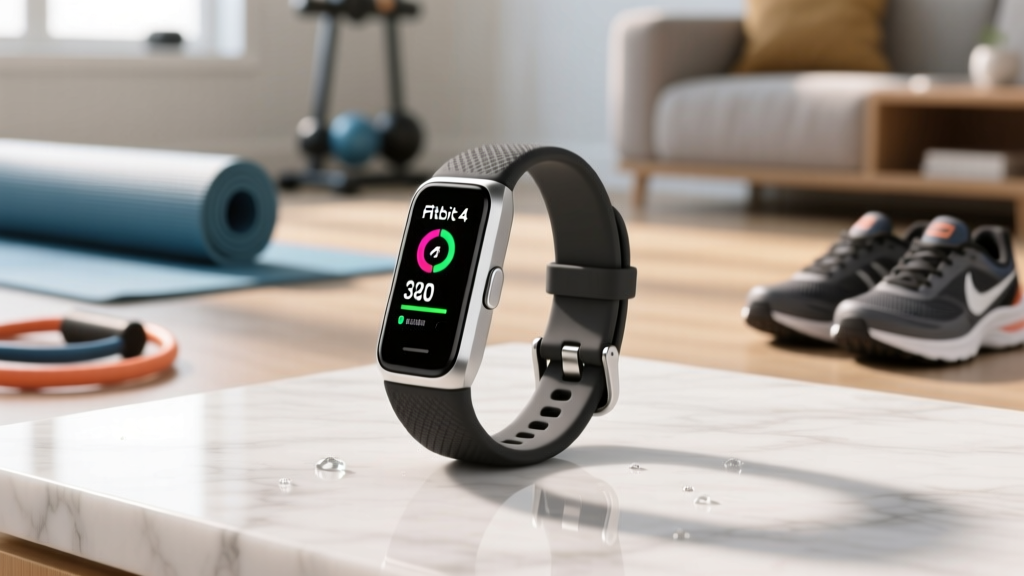
Setup Guide: Fitvii Slim Fitness Tracker Wrist vs Chest Strap
Master your Fitvii Slim fitness tracker setup. Compare wrist-based optical sensors to chest straps and follow our step-by-step HR installation guide.

The Ultimate HR Installation: Fitvii Slim Fitness Tracker vs. Chest Straps
When unboxing a budget-friendly wearable like the fitvii slim fitness tracker (typically retailing around $39.99), most users assume the built-in wrist sensor is their only option for heart rate monitoring. However, as your training evolves from casual walking to high-intensity interval training (HIIT) or heavy weightlifting, the limitations of wrist-based photoplethysmography (PPG) become glaringly obvious.
This comprehensive setup and installation walkthrough will guide you through configuring your Fitvii Slim, calibrating its native optical sensor for maximum accuracy, and—crucially—walking through the technical installation of pairing a dedicated ECG chest strap to bridge the data gaps that budget trackers often leave behind.
Phase 1: Hardware Setup and Physical Installation
Before diving into heart rate protocols, the physical installation of the Fitvii Slim dictates the baseline accuracy of its sensors. The device utilizes a green/yellow LED optical array to measure blood volume changes.
Step-by-Step Wrist Installation
- Charge to 100%: Connect the magnetic USB pin charger. A full charge takes approximately 90 minutes and yields up to 7 days of battery life with 24/7 HR tracking enabled.
- The Two-Finger Rule: Slide the tracker up your arm. It should sit exactly two finger-widths above your ulnar styloid process (the prominent wrist bone). Placing it directly on the bone causes light leakage and motion artifacts.
- Tightness Calibration: Fasten the silicone band snugly. You should not be able to slide a pinky finger under the sensor array, but it shouldn't restrict blood flow.
Dark ink tattoos directly under the Fitvii Slim's optical sensor will block LED light refraction, causing massive HR dropouts. Similarly, very high melanin levels can reduce PPG signal-to-noise ratios. If you fall into these categories, bypass the wrist setup and proceed directly to the chest strap installation below.
Phase 2: Software Binding and App Configuration
The Fitvii ecosystem relies on Bluetooth Low Energy (BLE) 5.0+ to communicate with your smartphone.
- Download the official Fitvii App (or VeryFit, depending on your specific hardware batch) from the iOS or Android store.
- Crucial Android Step: You must grant 'Location Services' and 'Nearby Devices' permissions. Android OS requires location access to scan for BLE MAC addresses.
- Tap Device > Add Device > Fitvii Slim. Hold the tracker's touch button to wake the screen and confirm the Bluetooth pairing request.
- Navigate to Settings > Heart Rate Monitoring and toggle on '24/7 Auto Heart Rate'. Set the sampling rate to 5 minutes to preserve battery, or 1 minute for active training days.
The Core Debate: Wrist PPG vs. Chest Strap ECG
Why bother installing a chest strap if the Fitvii Slim is already on your wrist? The answer lies in the fundamental difference in how the hardware captures data. According to clinical evaluations published in the National Library of Medicine, wrist-based PPG sensors struggle with rapid heart rate fluctuations and muscle flexion, whereas chest straps measure the heart's actual electrical activity (ECG).
| Feature | Fitvii Slim (Wrist PPG) | Polar H10 / Garmin HRM-Pro (Chest ECG) |
|---|---|---|
| Technology | Optical Light Refraction | Electrical Impulse (ECG) |
| Retail Price | ~$39.99 | $89.00 - $129.99 |
| HIIT / Weightlifting Accuracy | Poor (Prone to Cadence Lock) | Excellent (Gold Standard) |
| Sleep Tracking Comfort | High | Low (Bulky for sleeping) |
For a complete biometric picture, the optimal 2026 setup involves dual-wearing: using the Fitvii Slim for sleep, steps, and casual daily HR, while installing a chest strap for intense gym sessions.
Phase 3: Chest Strap Installation and BLE Routing
Here is where many budget tracker users hit a wall. Proprietary budget apps (including Fitvii's native software) often lack a dedicated 'Pair External HR Strap' button in their settings menu. To route chest strap data into your training ecosystem alongside your Fitvii, follow this advanced installation workaround.
Physical Strap Installation
- Moisten the Electrodes: Run the rubber electrode areas of the strap under water. Dry skin does not conduct the electrical signals required for ECG reading. (For winter training, use electrode gel).
- Xiphoid Process Placement: Wrap the strap around your chest. The sensor pod should sit horizontally across your sternum, just below your pectoral muscles, aligning with the bottom of your xiphoid process.
- Snap the Pod: Attach the transmitter pod to the strap snaps. This completes the circuit and wakes the device.
Software Routing (The Workaround)
Since the Fitvii app won't natively bind to a Polar H10 or Garmin HRM-Pro Plus, you must use a bridge application to log your intense workouts.
- Option A (Native Ecosystem): Download the Polar Beat or Garmin Connect app. Pair the chest strap directly to these apps via Bluetooth. Wear the Fitvii Slim simultaneously to capture your steps and daily calorie burn, while the chest strap app captures the high-fidelity HR data for your HIIT session.
- Option B (OS-Level Bridge): Use a third-party broadcasting app like Bluetooth Heart Rate Monitor on Android. Pair the chest strap to the bridge app, which then spoofs the OS-level heart rate data, allowing secondary fitness apps to read the ECG data as if it were coming from the phone itself.
Troubleshooting Common HR Installation Failures
Even with perfect installation, environmental factors can cause data corruption. Use this diagnostic matrix to fix your setup.
Diagnostic Troubleshooting Matrix
Symptom: HR spikes to 180+ BPM during steady jogging.
Diagnosis: Cadence Lock. The Fitvii Slim's optical sensor is confusing your arm swing rhythm with your pulse.
Fix: Tighten the band one notch and move it higher up the forearm away from the wrist joint.
Symptom: Chest strap shows 0 BPM or erratic drops in the first 5 minutes.
Diagnosis: Dry electrodes or static electricity from synthetic shirts.
Fix: Apply more water or saline to the rubber pads. Ensure the strap is snug against bare skin, not over a dry base layer.
Symptom: Fitvii App fails to find the tracker during initial setup.
Diagnosis: Bluetooth MAC address caching error.
Fix: Toggle Airplane mode on/off, restart the Fitvii app, and ensure no other previously paired phones are nearby trying to auto-connect to the watch.
Frequently Asked Questions (FAQ)
Can I swim with the Fitvii Slim and track my heart rate?
The Fitvii Slim carries an IP68 water-resistance rating, meaning it can survive shallow swimming. However, optical HR sensors are notoriously inaccurate underwater due to light refraction in the water. For swim tracking, a chest strap like the Garmin HRM-Swim (which uses a specialized silicone grip) is the only reliable installation method, though it won't broadcast live data to the Fitvii underwater; it stores and syncs post-swim.
Does the Fitvii Slim support ANT+ chest straps?
No. Budget fitness trackers exclusively use Bluetooth Low Energy (BLE) to save on hardware costs and battery life. If you are buying a chest strap to pair with your phone alongside the Fitvii, ensure the strap supports dual-band BLE (like the Polar H10), not legacy ANT+ only models.
Final Setup Verdict
Properly installing and configuring your fitvii slim fitness tracker maximizes its value as a 24/7 lifestyle and recovery monitor. By relying on its wrist-based PPG for sleep staging and daily step tracking, and supplementing it with a dedicated ECG chest strap installation for heavy lifting and interval cardio, you achieve a premium, multi-sensor data ecosystem at a fraction of the cost of a high-end smartwatch. Take the time to master the physical placement and app routing, and your biometric data will reflect the true reality of your fitness journey.
More gear to consider
All reviews
Fitness Tracker vs Router: Home Gym Signal Layout Guide
Fitbit Inspire 2 Health & Fitness Tracker vs Garmin for Lifting

Galaxy Fit 3 Fitness Tracker vs GPS Running Watches: 2026 Guide

Fitbit Inspire Fitness Tracker Setup: Chest Strap vs Wrist HR

Equip Body Core Tools Checklist: Precision Gear for Functional Strength and Postural Integrity