
Fitness Tracker vs Router: Home Gym Signal Layout Guide
Resolve the fitness tracker vs router placement dilemma in your home gym. Learn spatial zoning, 2.4GHz interference fixes, and optimal sync distances.

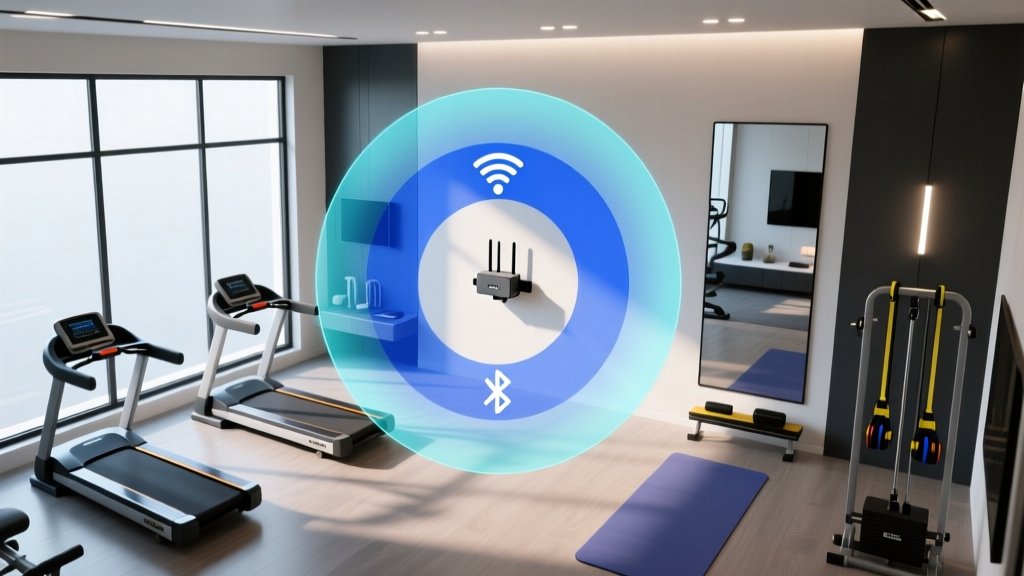
Designing a high-performance home gym requires more than selecting the right squat rack or impact-absorbing flooring; it demands careful management of invisible wireless infrastructure. When planning a dedicated workout space, the physical battle for spectrum dominance often comes down to a fitness tracker vs router placement dilemma. Both Bluetooth Low Energy (BLE) syncing protocols and standard 2.4GHz Wi-Fi networks compete for the exact same radio frequencies. If your mesh router node is positioned too close to your wearable charging station, or if heavy gym equipment blocks the line of sight, your daily syncs will fail, GPS data will corrupt, and firmware updates will time out.
The Physics of Home Gym Wireless Interference
To optimize your space, you must understand the underlying RF (Radio Frequency) physics. Both Wi-Fi and BLE operate primarily in the 2.4GHz ISM (Industrial, Scientific, and Medical) band. However, they consume spectrum differently. A standard Wi-Fi channel occupies 22MHz of bandwidth, while a BLE channel uses only 2MHz. According to the Bluetooth SIG, BLE utilizes adaptive frequency hopping across 40 channels to avoid interference. But when a high-power Wi-Fi router is placed within 3 to 5 feet of a fitness tracker sync hub, the sheer volume of Wi-Fi beacon frames and data packets creates a noise floor that drowns out the micro-watt BLE signals.
This clash is exacerbated by the physical environment of a home gym. Treadmill motors, smart bike magnetic resistance flywheels, and dense rubber flooring all introduce Electromagnetic Interference (EMI) and signal attenuation. The Wi-Fi Alliance notes that modern Wi-Fi 6 and 6E routers utilize advanced OFDMA technology to manage congestion, but these optimizations prioritize high-throughput devices (like a Peloton Guide or Tonal smart mirror) over low-power background syncs from a Whoop 4.0 or Garmin Forerunner 965.
Fitness Tracker vs Router: Spatial Zoning Framework
Rather than treating your home gym as a single wireless environment, divide the room into distinct spatial zones. This framework resolves the fitness tracker vs router spatial relationship by physically separating high-bandwidth demands from low-power sync requirements.
Zone 1: The High-Interference Core
This zone houses your primary mesh node or router and heavy motorized equipment. Place your router here to serve high-bandwidth devices like smart mirrors and interactive treadmills. However, never place your fitness tracker charging dock or ANT+ USB dongles in this zone. Maintain a minimum 8-foot clearance between the router and your primary sync station.
Zone 2: The Sync Sanctuary
This is a dedicated clearing for wearable syncing. It should be located near a window or exterior wall (to assist with GPS satellite acquisition for outdoor-tracking watches) and at least one structural wall away from the router. This zone should only contain low-power Bluetooth receivers, charging docks, and your smartphone or tablet acting as the sync bridge.
Mirrors contain a metallic backing that reflects and scatters 2.4GHz RF signals. If your sync sanctuary is directly across from a large gym mirror, the multipath interference will cause severe packet loss. Angle your sync station at least 45 degrees away from reflective surfaces.
Material Attenuation & Optimal Distance Metrics
When evaluating the fitness tracker vs router debate, physical barriers matter just as much as raw distance. Use the following attenuation metrics to calculate signal loss when planning your layout.
| Material / Obstacle | Average 2.4GHz Signal Loss | Impact on BLE Sync | Recommended Action |
|---|---|---|---|
| Standard Drywall (1/2 inch) | -3 dBm | Negligible | Safe for router placement behind walls. |
| Concrete / Cinder Block | -15 dBm to -25 dBm | Severe (Fails at >10 ft) | Never place router and sync hub separated by concrete. |
| Smart Mirror Glass (Metallic) | -8 dBm to -12 dBm | Moderate (Causes latency) | Keep sync docks out of direct mirror reflection paths. |
| Treadmill Motor Housing | -20 dBm (plus EMI noise) | Critical (Packet drops) | Maintain 6-foot radius from motorized bases. |
| Human Body (Water density) | -5 dBm to -10 dBm | Moderate during active use | Ensure line-of-sight when actively syncing post-workout. |
Step-by-Step Home Gym Signal Optimization
Follow this precise calibration sequence to eliminate dead zones and ensure rapid firmware updates and activity log syncing.
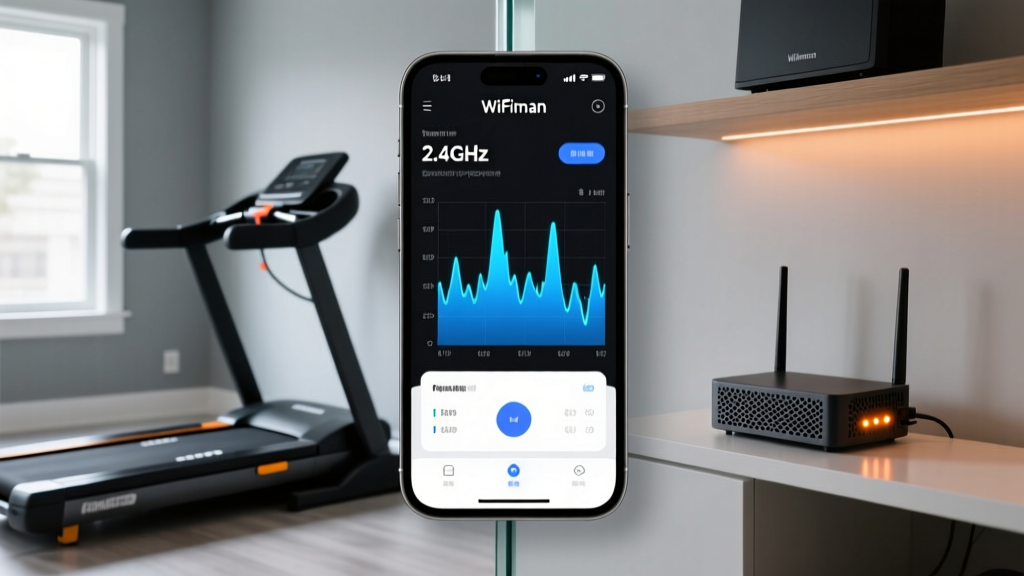
- Map the 2.4GHz Noise Floor: Download the Ubiquiti WiFiman app on your smartphone. Stand in your intended Sync Sanctuary and run a 2.4GHz spectrum analysis. If the noise floor is above -85 dBm due to router proximity, you must relocate the sync station.
- Segment the SSID Bands: Access your router settings and split the 2.4GHz and 5GHz/6GHz bands into distinct SSIDs. Force all high-bandwidth gym equipment (Tonal, Peloton, smart TVs) onto the 5GHz or 6GHz network. Leave the 2.4GHz band exclusively for legacy IoT devices and fitness trackers.
- Adjust Router Transmit Power: If your mesh node is in the same room as your gym equipment, reduce its 2.4GHz transmit power from 'High' to 'Medium'. This shrinks the Wi-Fi interference footprint without sacrificing coverage for the actual wearables.
- Elevate the Sync Hub: Place your charging docks or ANT+ receivers at least 3 feet off the ground. Dense rubber horse-stall mats commonly used in home gyms absorb RF energy; elevating the receiver bypasses this floor-level attenuation.
Equipment-Specific Router Placement Strategies
Different wearables utilize varying wireless protocols, meaning the fitness tracker vs router conflict manifests differently depending on your ecosystem.
Garmin (ANT+ and BLE)
Garmin devices like the Fenix 7 Pro or Forerunner 965 use both ANT+ and BLE. ANT+ operates at 2.4GHz but uses a different modulation scheme than Wi-Fi. However, USB ANT+ sticks plugged into laptops are highly susceptible to USB 3.0 port interference. Keep your router at least 4 feet away from any laptop used for Garmin Express wired syncs, and use a USB 2.0 extension cable to move the ANT+ dongle away from the laptop chassis.
Whoop 4.0 (BLE Only)
The Whoop 4.0 relies entirely on BLE to sync to your smartphone, which then bridges to the cloud via Wi-Fi. Because Whoop lacks internal Wi-Fi, the initial BLE handshake is the critical bottleneck. Ensure your smartphone resting spot during workouts is within 10 feet of the Whoop, and that the room's primary Wi-Fi router is not physically blocking the direct line of sight between the phone and the band.
Apple Watch Ultra 2 (Wi-Fi and BLE)
Apple Watches can sync directly to Wi-Fi if the paired iPhone is out of BLE range. To leverage this in a large home gym, ensure your 5GHz Wi-Fi signal strength in the gym is at least -65 dBm. If the signal drops below -70 dBm, the watch will fail to authenticate with the router and will endlessly search for the iPhone's BLE signal, draining the battery rapidly.
Layout Optimization Summary Checklist
- Router and Sync Sanctuary separated by minimum 8 feet.
- High-bandwidth gym equipment forced onto 5GHz/6GHz SSIDs.
- Sync docks elevated 3+ feet above rubber gym flooring.
- Line-of-sight maintained between wearables and sync bridges, avoiding mirror reflections.
- 2.4GHz noise floor verified below -85 dBm using spectrum analysis tools.
By treating wireless spectrum as a finite physical resource and applying strict spatial zoning, you eliminate the friction of failed syncs and interrupted firmware updates. A well-planned home gym layout ensures that your infrastructure supports your training, rather than actively working against it.
More gear to consider
All reviews
Sleep Tech Layouts: Medibio Health and Fitness Tracker How to Charge

Equip Body Core Tools Checklist: Precision Gear for Functional Strength and Postural Integrity

Medi Bio Health and Fitness Tracker Setup: Wrist vs Chest Strap Guide

Xiaomi Smart Band 10 Fitness Tracker vs GPS Watches (2026)

Fitbit Inspire Fitness Tracker vs. Garmin for Lifting
