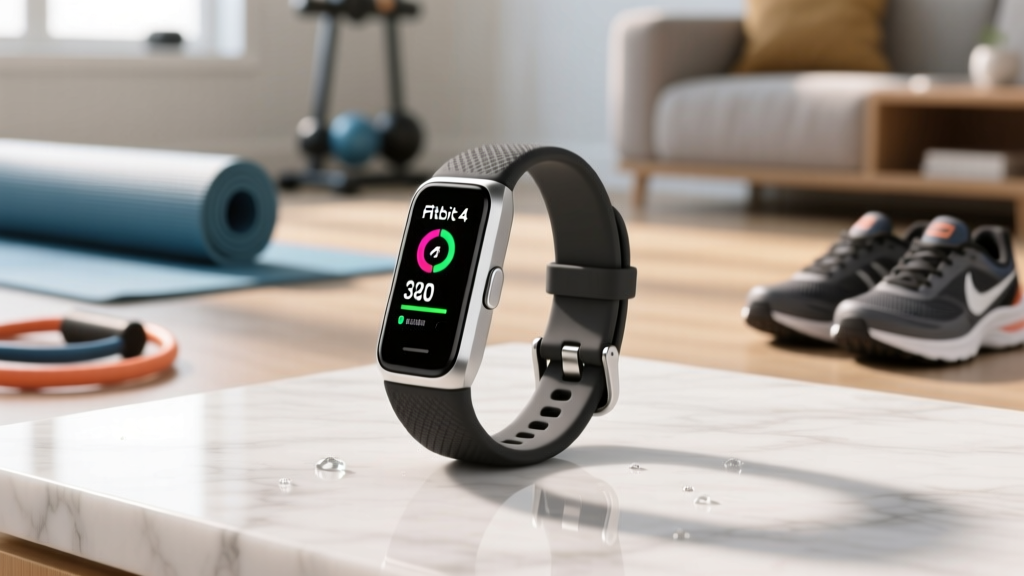
Fitbit Charge 4 Fitness Tracker: Sports Care & Longevity Guide
Extend the life of your Fitbit Charge 4 fitness tracker for swimming, cycling, and running with expert maintenance, battery care, and cleaning tips.

The 2026 Legacy: Keeping the Charge 4 Alive for Sports
As we navigate the fitness wearable landscape in 2026, the Fitbit Charge 4 fitness tracker remains a beloved workhorse for multi-sport athletes. Despite the release of newer iterations, many runners, cyclists, and swimmers refuse to abandon the Charge 4. Why? It was the first in its lineage to introduce built-in GPS, and its lightweight, unobtrusive form factor remains unmatched for high-intensity interval training (HIIT) and endurance sports. However, keeping a six-year-old piece of wearable technology functioning flawlessly requires more than just occasional wiping. It demands a rigorous, sport-specific maintenance protocol.
Over time, the elastomer bands degrade, the 5ATM water-resistance gaskets shrink, and the lithium-ion battery faces severe chemical aging. According to DC Rainmaker's extensive hardware teardown, the internal architecture of the Charge 4 is tightly packed, meaning thermal expansion and moisture ingress are the primary enemies of its longevity. If you are still relying on this device to track your cadence on the trails or your stroke rate in the pool, this comprehensive maintenance guide will help you extract every last mile out of your hardware.
Sport-Specific Wear and Tear Matrix
Different athletic disciplines subject your wearable to unique environmental stressors. Understanding these failure modes is the first step in preventive care. Below is a breakdown of how specific sports degrade the device and the targeted maintenance required to counteract the damage.
| Sport Discipline | Primary Environmental Stressor | Common Failure Mode | Preventive Maintenance Action |
|---|---|---|---|
| Pool / Open Water Swimming | Chlorine, Bromine, Saltwater | Adhesive breakdown, screen delamination, charging port corrosion. | Post-swim freshwater rinse; avoid pressing buttons while submerged. |
| HIIT & CrossFit | Heavy Perspiration, Sodium, Impact | PurePulse optical sensor obstruction, contact dermatitis, clasp failure. | Daily antibacterial wipe down; alternate wrist placement to reduce impact. |
| Trail Running & Cycling | UV Radiation, Micro-vibrations, Dust | Elastomer band UV dry-rot, GPS antenna interference, screen micro-scratches. | Apply UV-protectant to band; use tempered glass; clean GPS port area. |
| Winter Sports (Skiing) | Extreme Cold, Moisture Fluctuations | Rapid battery voltage drops, internal condensation upon warming. | Keep device insulated under a sleeve; allow gradual acclimation to room temp. |
The 'Black Screen' Flaw and Battery Preservation
No discussion about Charge 4 longevity is complete without addressing its most infamous hardware quirk: the NFC chip short-circuit. As noted in early sensor and hardware analyses by The Verge, the NFC module sits perilously close to the battery and mainboard. Over years of thermal cycling (heating up during GPS runs, cooling down in the AC), the NFC chip can develop a micro-fracture or short out entirely. When this happens, it creates a parasitic drain that kills the battery and results in the dreaded 'black screen of death,' rendering the device completely unresponsive.
⚠️ CRITICAL WARNING: If your device suddenly becomes unusually warm to the touch while charging, or if the battery drains from 100% to 0% in under three hours, stop using it immediately. This is a primary indicator of an NFC short or battery swelling, which can pose a fire hazard and will permanently destroy the mainboard if left on the charger.Battery Longevity Protocols for Aging Cells
To maximize the remaining lifespan of a 2020-era lithium-ion cell in 2026, you must alter your charging habits. The original battery has already endured thousands of charge cycles, meaning its internal resistance has increased.
- Avoid the 100% Ceiling: Unplug the tracker when it reaches 80-90% for daily use. Only charge to 100% immediately before a long GPS endurance event.
- Thermal Management: Never charge the device in direct sunlight or immediately after a grueling, sweat-soaked workout. Allow the device to return to room temperature (approx. 68°F/20°C) before connecting the proprietary charging cable.
- Port Hygiene: The four-pin charging connector is highly susceptible to sweat corrosion. Use a dry, soft-bristled toothbrush to gently clear debris from the pins once a week. Do not use metal tools, which can scrape the gold plating off the contacts.
Multi-Sport Deep Cleaning Protocols
Rinsing your tracker under the tap is insufficient for athletes who train daily. Sodium from dried sweat and chlorine from pools create a microscopic crust over the PurePulse optical heart rate sensors, leading to severe HR dropouts during high-cadence intervals. Follow this step-by-step deep cleaning protocol bi-weekly:
- Remove the Band: Depress the metal latches and slide the elastomer band away from the main tracker body. This exposes the hidden crevices where bacteria and salt accumulate.
- Prepare the Solution: Mix warm water with a single drop of pH-neutral dish soap (avoid harsh hand soaps or body washes, which contain moisturizers that leave a film over the optical sensors).
- Scrub the Sensor Array: Dip a cotton swab into the solution and gently trace the perimeter of the green LED and photodiode sensors on the back of the unit.
- Clear the Altimeter Port: The small hole on the side of the device houses the altimeter/barometer. Do not insert anything into this hole. Instead, use a bulb syringe to gently push air through it, dislodging trapped dust or dried sweat.
- Dry Thoroughly: Pat dry with a microfiber cloth. Allow the device to air dry completely for 15 minutes before reattaching the band or placing it on the charger.
Band Selection for Athletic Longevity
The stock silicone band is a liability for serious multi-sport athletes. It traps moisture, accelerates skin maceration, and degrades rapidly under UV exposure. Swapping bands based on your daily sport is crucial for both device longevity and skin health, a topic frequently highlighted in Fitbit's official product care documentation.
Swimming and Triathlon: Fluoroelastomer or Nylon
Standard silicone absorbs chlorine, which eventually causes the material to snap during a swim. Upgrade to a fluoroelastomer band (similar to high-end smartwatch materials) which is chemically resistant to pool treatments. Alternatively, a hook-and-loop nylon loop band allows for micro-adjustments, preventing the tracker from sliding up your forearm during the swim catch phase, which protects the clasp mechanism from repetitive water-resistance stress.
Cycling and Trail Running: Woven Textile
For outdoor sports, UV radiation is the enemy of rubberized bands. A woven textile or recycled PET band offers superior breathability, preventing the 'swamp wrist' effect that leads to contact dermatitis. Furthermore, textile bands do not suffer from the micro-tearing that occurs when silicone bands are repeatedly stretched over the wrist bone during mountain biking or scrambling.
Troubleshooting Sports Tracking Anomalies
Even with pristine maintenance, aging hardware will exhibit quirks. Here is how to troubleshoot the most common sports-tracking anomalies specific to the aging Charge 4 architecture:
- GPS Drift on Trail Runs: If your GPS track shows you running through trees or buildings, the internal antenna may be suffering from thermal degradation. Ensure 'High Accuracy' GPS mode is toggled off unless necessary, as the increased processing heat exacerbates hardware strain. Always wait for the solid GPS icon before crossing the start line.
- HR Dropouts During Weightlifting: The optical sensor struggles with the isometric muscle contractions and wrist flexion inherent in weightlifting. Move the tracker two finger-widths above your wrist bone and tighten the band one notch to prevent ambient light from leaking into the photodiode.
- Altimeter Inconsistencies in Hiking: If your elevation gain is wildly inaccurate, the barometric port is likely clogged with lint or dried sweat. Perform the bulb syringe cleaning method outlined above, and ensure you are not wearing long sleeves that cover the side port during the initial GPS lock.
Final Thoughts on Legacy Wearable Care
Owning a Fitbit Charge 4 fitness tracker in 2026 is a testament to the durability of purpose-built sports tech. While it lacks the color AMOLED screens and advanced ECG mapping of modern flagship wearables, its dedicated GPS and streamlined sport profiles remain highly effective. By respecting the physical limitations of its aging battery, aggressively managing moisture and sodium buildup, and adapting your band selection to your specific athletic discipline, you can ensure this legendary tracker continues to log your miles, strokes, and watts for seasons to come.
More gear to consider
All reviews
Best Strava Fitness Tracker: 2026 Buying Guide & Test

Cully Fitness Tracker Maintenance for Multi-Sport Athletes

Fitbit Inspire 3 vs Inspire HR: Which Fitness Tracker Wins?

Bicycle vs Fitness Tracker: Cycling Tech & Fitbit Sensor Setup

Space Layout & Sleep: Garmin vívofit 4 Fitness Tracker Compared
