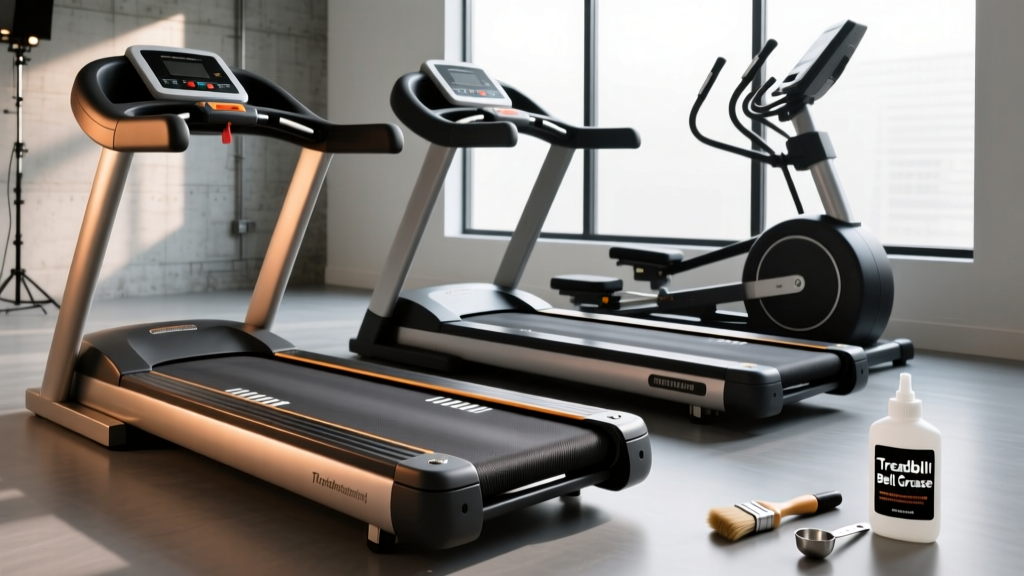
Under-Desk Treadmill Review: Maximizing Every Mile on a Treadmill
Discover how to maintain your under-desk treadmill for office use. Learn longevity tips, belt care, and motor specs to maximize every mile on a treadmill.

The Hidden Toll of the Home Office Walking Pad
The shift toward hybrid and remote work models has permanently altered the home office landscape. As professionals seek ways to combat sedentary behavior, the under-desk treadmill has evolved from a niche luxury to a 2026 home-office staple. According to research highlighted by Harvard Health Publishing, integrating Non-Exercise Activity Thermogenesis (NEAT) into your workday can significantly improve cardiovascular health and metabolic function. However, treating a walking pad like static office furniture is a fast track to motor burnout.
Unlike traditional treadmills designed for 45-minute high-intensity sessions, under-desk models endure grueling 6-to-8-hour continuous low-speed marathons. Understanding how to maintain your machine is critical. When you log a slow mile on a treadmill at 1.2 to 1.5 MPH, the foot-to-belt contact time is significantly longer than when running. This prolonged contact generates localized thermal friction, quietly degrading the belt and straining the motor. This comprehensive review and maintenance guide will help you choose a durable under-desk treadmill and keep it running smoothly for years.
2026 Under-Desk Treadmill Durability Review
Not all walking pads are engineered for continuous 8-hour work shifts. Many budget models on the market utilize peak horsepower (HP) ratings rather than continuous duty horsepower (CHP), leading to premature failure. Below is our durability-focused review of three top-tier under-desk treadmills for office use.
| Model | Motor Spec | Max Capacity | Price Range | Longevity Verdict |
|---|---|---|---|---|
| LifeSpan TR1200-DT5 | 2.5 CHP | 300 lbs | $1,199 - $1,299 | Exceptional. Commercial-grade components designed specifically for 10-hour continuous shifts. Heavy-duty rollers prevent belt flat-spotting. |
| UREVO Strol 2E | 2.0 HP (Peak) | 265 lbs | $239 - $279 | Moderate. Excellent for 2-3 hours of daily use. Requires strict bi-monthly lubrication if used for full 8-hour shifts. |
| KingSmith WalkingPad X21 | 1.5 HP | 240 lbs | $549 - $599 | Good. Innovative dual-fold design, but the compact motor housing traps heat. Best for intermittent walking (1 hour on, 1 hour off). |
Expert Insight: If your daily routine involves walking continuously for more than four hours, you must invest in a Continuous Duty Horsepower (CHP) motor like the LifeSpan TR1200-DT5. Peak HP motors will overheat and trigger thermal shutoffs during prolonged low-speed use.
The Biomechanics of Low-Speed Wear and Tear
Why do walking pads fail differently than gym treadmills? The answer lies in friction and cooling.
- Thermal Accumulation: Standard treadmills use the rapid movement of the belt and the user's foot strikes to dissipate heat. At 1.0 MPH, the belt moves so slowly that heat concentrates in a small zone beneath the user's feet.
- Dust Ingestion: Office environments, especially those with carpeting or pets, generate micro-fibers. Because under-desk treadmills sit flush on the floor, their motor intake fans act as vacuums, pulling carpet fibers directly into the motor hood.
- Asymmetrical Loading: Office workers often lean on their desks or shift their weight to one leg while typing, causing uneven belt wear and tracking issues.
Maintenance Matrix: Protecting Every Mile on a Treadmill
To maximize the lifespan of your under-desk treadmill, you must move beyond the manufacturer's generic manual. Use this mileage-based maintenance matrix to stay ahead of mechanical degradation.
| Mileage Interval | Maintenance Action Required | Tools Needed |
|---|---|---|
| Every 50 Miles | Inspect belt tracking and wipe down the deck edge to remove accumulated dust and rubber shavings. | Microfiber cloth, mild degreaser |
| Every 150 Miles | Apply 100% pure silicone belt lubricant. Check drive belt tension (if accessible via the motor hood). | Silicone lube, Allen wrench set |
| Every 300 Miles | Vacuum the motor compartment. Inspect the power cord for fraying caused by repetitive desk chair rolling. | Shop-vac with brush attachment |
| Every 1,000 Miles | Perform a full belt tension calibration and inspect the rear roller bearings for grinding noises. | Socket wrench, replacement bearings (if needed) |
Step-by-Step Belt Lubrication and Tensioning Guide
The most common cause of walking pad failure is a dry belt, which forces the motor to draw excessive amperage, eventually frying the lower control board. Here is the exact procedure for maintaining your belt.
Step 1: The Lift Test
Turn off and unplug the treadmill. Reach into the center of the walking belt and lift it. You should achieve exactly 2 to 3 inches of lift. If it lifts higher than 3 inches, the belt is too loose and will slip when you step on it. If it lifts less than 2 inches, it is creating excessive motor drag.
Step 2: Silicone Application
⚠️ Critical Warning: Never use WD-40, petroleum jelly, or household oils on a treadmill belt. These substances will dissolve the PVC coating on the deck and ruin the belt permanently. Use only 100% pure silicone treadmill lubricant.- Loosen the rear roller bolts using the provided Allen wrench (usually 5mm or 6mm) by exactly two full turns on each side.
- Lift the edge of the belt and insert the nozzle of the silicone lubricant.
- Apply a zig-zag pattern of lubricant across the center of the deck (approx. 1 oz total).
- Retighten the rear roller bolts by exactly two turns to return to the baseline tension.
- Turn the machine on at 1.0 MPH and walk on it for 3 minutes to distribute the silicone evenly.
Troubleshooting Common Walking Pad Failure Modes
When your under-desk treadmill acts up, don't immediately assume the motor is dead. Use this troubleshooting framework to identify the real culprit.
- Symptom: The belt jerks or hesitates every few seconds.
Diagnosis: This is rarely a motor issue. It is almost always a dry deck or a loose drive belt inside the motor hood. The motor is catching, slipping, and catching again. Lubricate the deck first; if the issue persists, open the front motor hood and check the small ribbed drive belt connecting the motor to the front roller. - Symptom: The treadmill shuts off abruptly after 20-30 minutes.
Diagnosis: Thermal overload. The motor's internal safety switch is tripping due to heat. Ensure the treadmill is not placed on thick, high-pile carpet that blocks the underside ventilation grilles. Use a hard PVC equipment mat to allow airflow. - Symptom: The belt drifts to the left or right.
Diagnosis: Uneven tension on the rear roller. If the belt moves to the left, tighten the left rear adjustment bolt by 1/4 turn, or loosen the right bolt by 1/4 turn. Make micro-adjustments and let the belt run for 60 seconds between tweaks.
Final Thoughts on Office Treadmill Longevity
An under-desk treadmill is an investment in your daily health and cognitive focus. However, the unique demands of low-speed, high-duration walking require a proactive maintenance mindset. By selecting a machine with a true CHP motor, adhering to a strict silicone lubrication schedule, and keeping the motor compartment free of office dust, you ensure that every single step you take supports both your well-being and the longevity of your equipment. Treat your walking pad like a precision piece of fitness machinery, not a footrest, and it will easily surpass the 3,000-mile mark without missing a beat.
More gear to consider
All reviews
BXT8J Treadmill Noise Guide: Step-by-Step Cardio Machine Comparison
What Burns More Fat: StairMaster or Treadmill? Compact Budget Guide

KAT Walk C2 Core VR Treadmill vs Folding Treadmills: Value Review

Maintaining Your Compact Treadmill: Incline Percent & Longevity
How Much to Walk on Treadmill to Lose Weight: Portable Pad Care