
Treadmill Operator Web Business: Walking Pad Review
Discover the ultimate walking pad setup for remote workers. Compare top 2026 models, master desk ergonomics, and avoid motor failure modes.

The Rise of the Active Home Office
For the modern treadmill operator, web business productivity relies heavily on physical stamina and ergonomic endurance. Sitting for eight hours while coding, managing e-commerce stores, or running virtual consultations is a fast track to burnout and cardiovascular decline. According to the Mayo Clinic, prolonged sedentary behavior significantly increases the risk of metabolic syndrome, making the integration of under-desk cardio equipment a non-negotiable upgrade for remote entrepreneurs.
However, transitioning from a standard desk to an active workstation is not as simple as sliding a belt under your chair. It requires precise spatial planning, electrical foresight, and a deep understanding of motor duty cycles. In this 2026 walkthrough, we compare the leading walking pads and compact treadmills, then guide you through a complete, professional-grade installation and ergonomic calibration process.
Expert Insight: Peak HP vs. Continuous HPMany budget walking pads advertise a '2.5 HP Motor.' This is Peak HP—the maximum burst the motor can handle for a few seconds before tripping the thermal breaker. For a web business owner walking at 1.5 mph for three hours during deep-work sessions, you must look for Continuous Horsepower (CHP). A 1.25 CHP motor will outlast a 2.5 Peak HP motor in sustained, low-speed applications.
2026 Walking Pad vs. Compact Treadmill Comparison Matrix
Choosing the right hardware depends on your available floor space, desk clearance, and intended walking speed. Below is a technical comparison of the top three units dominating the home-office market this year.
| Specification | KingSmith WalkingPad X21 | UREVO Strol 2E (2-in-1) | Horizon Fitness T202 |
|---|---|---|---|
| Form Factor | Dual-Fold Walking Pad | Foldable with Handrail | Traditional Compact Treadmill |
| Motor Rating | 1.25 CHP | 2.0 Peak HP | 2.75 CHP |
| Max Speed | 7.5 mph (No rail) / 10 mph (Rail) | 7.6 mph | 12.0 mph |
| Deck Thickness | 4.7 inches | 5.1 inches | 8.5 inches (Step-up height) |
| Weight Capacity | 265 lbs | 265 lbs | 350 lbs |
| Est. Price (2026) | $649 | $329 | $899 |
Phase 1: Pre-Installation and Spatial Planning
Before unboxing, you must verify that your physical environment can support an active workstation. The most common failure point for home-office treadmill setups is improper desk height clearance.
1. Calculating Desk Clearance
Standard office desks sit at 29 to 30 inches. A walking pad adds 4.5 to 5.5 inches of deck height. If you are 5'10", your standing elbow height is roughly 43 inches. Adding a 5-inch walking pad means your keyboard tray must sit at 48 inches from the floor. Ensure your adjustable standing desk (such as the Uplift V2 Commercial, which maxes out at 50.9 inches) has the vertical travel to accommodate this. If your desk maxes out at 46 inches, you will experience severe wrist extension and shoulder impingement.
2. Electrical and Flooring Requirements
Treadmill motors draw a massive surge of current (up to 15 amps) during startup. Plugging your walking pad into a power strip shared with your desktop PC, dual monitors, and space heater will trip a standard 15-amp residential breaker.
- Electrical: Plug the treadmill directly into a dedicated wall outlet. Use a 12-gauge, 15-amp rated extension cord only if absolutely necessary.
- Flooring: Do not place the pad directly on hardwood or carpet. Use a high-density PVC equipment mat (minimum 3/16" thick). This dampens the low-frequency acoustic vibration that transfers through floor joists, preventing noise complaints from downstairs neighbors or household members.
Phase 2: Assembly and Deployment Walkthrough
While walking pads are marketed as 'out-of-the-box' ready, skipping critical assembly checks will lead to belt tracking issues within the first month.
- Unboxing and Orientation: Cut the box straps and roll the unit out. Never lift a walking pad by the motor housing; always support the frame at the front and rear rollers.
- Hinge Locking (Dual-Fold Models): If using a dual-fold model like the KingSmith X21, ensure the central safety latch clicks audibly into the locked position. A loose hinge will cause the deck to flex underfoot, triggering the internal safety kill-switch and halting your work session mid-stride.
- Handrail Torque Specs: For 2-in-1 models with folding handrails (like the UREVO Strol), tighten the base pivot bolts using the included Allen wrench. The target torque is roughly 15 Nm. If left loose, the handrail will sway laterally, which is highly distracting during video calls.
- Belt Tension Check: Before plugging in the unit, reach under the rear of the belt. You should be able to lift the belt exactly 2 to 2.5 inches off the deck. If it is tighter, the motor will overheat; if looser, the belt will slip when you transition from sitting to walking.
Ergonomic Standard: According to Cornell University's Ergonomics Web, the optimal standing desk setup requires your monitor's top bezel to be exactly at eye level, and your elbows bent at a 90-degree angle. When introducing a treadmill base, re-measure these parameters from the top of the walking deck, not the floor.
Phase 3: Ergonomic Desk Integration
Integrating the treadmill into your web business workflow requires more than just raising the desk. The dynamic nature of walking introduces micro-movements that can cause eye strain and repetitive stress injuries if not mitigated.
Monitor Stabilization
Walking at 1.5 mph generates vertical oscillation. If your monitor is on a cheap, wobbly desk stand, the screen shaking will cause severe eye fatigue. Invest in a heavy-duty, gas-spring monitor arm (like the Ergotron LX) clamped to the back of the desk. This isolates the monitor from the desk's micro-vibrations. Set your walking speed to a maximum of 1.5 to 2.0 mph for typing and reading tasks; reserve speeds above 2.5 mph for passive video consumption or audio-only meetings.
Keyboard and Mouse Positioning
To prevent wrist extension, use a negative-tilt keyboard tray or a low-profile mechanical keyboard. A gel wrist rest is highly discouraged while walking, as it anchors your wrists and forces your shoulders to absorb the walking momentum, leading to trapezius tension.
Phase 4: Calibration, Maintenance, and Edge Cases
Even the best treadmill operator web business setup will fail without routine maintenance. Walking pads are subjected to unique stressors compared to gym treadmills, primarily due to prolonged, low-speed use.
The Low-Speed Overheating Edge Case
When you walk at 1.0 mph, the treadmill belt spends more time in contact with the deck per revolution, generating significant friction and heat. Gym treadmills are used at 5+ mph, where momentum reduces deck friction. To prevent thermal shutdown during long coding sessions:
- Lubrication Schedule: Apply 100% pure silicone treadmill lubricant every 40 hours of use. Never use WD-40 or petroleum-based oils, which will dissolve the deck's phenolic resin coating.
- Belt Tracking: If the belt drifts to the left, locate the left rear roller bolt. Turn it exactly one-quarter turn clockwise. Wait 30 seconds for the belt to self-center. Never over-tighten, or you will strip the roller bearings.
Software and App Integration
Modern walking pads feature Bluetooth connectivity. Pair your unit with your smartwatch or health app to track active calories burned during your workday. Many web business owners use automated shortcuts (via iOS Shortcuts or Zapier) to log their daily step count directly into a productivity dashboard, gamifying their physical health alongside their business KPIs.
Summary: Building a Sustainable Active Routine
The FitGearPulse Verdict
Transitioning to an active workstation is a high-ROI investment for your health and cognitive endurance. For dedicated walkers with limited space, the KingSmith WalkingPad X21 offers the best continuous-duty motor and deck thickness. If you require the stability of a handrail for higher speeds, the UREVO Strol 2E provides excellent value. Always prioritize desk clearance, use a dedicated electrical circuit, and maintain a strict silicone lubrication schedule to ensure your equipment survives the demands of the modern home office.
For further reading on workplace safety and active setups, consult the OSHA Ergonomics Guidelines.
More gear to consider
All reviews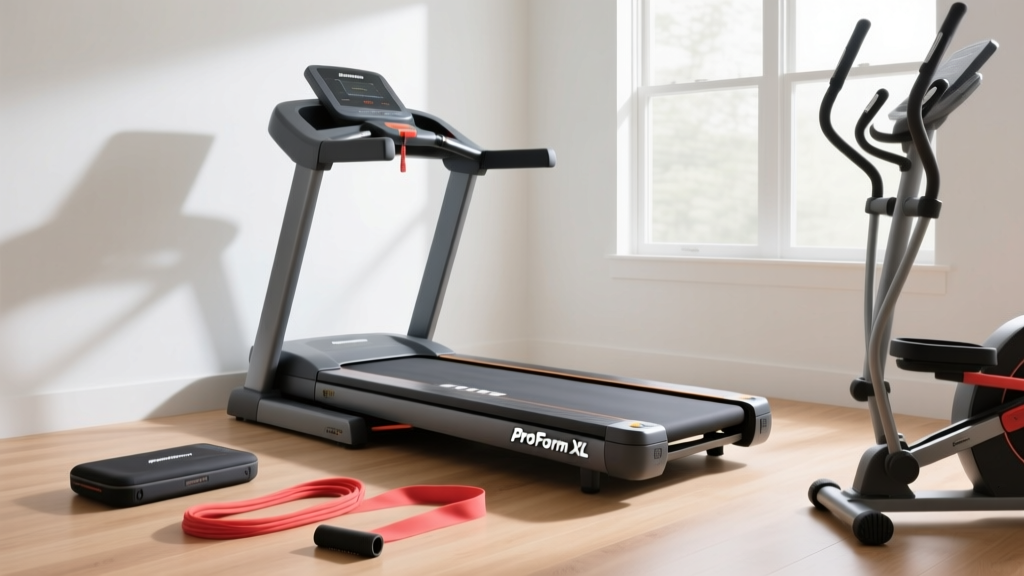
Space-Saving Cardio: ProForm Carbon XL Treadmill & Portable Options

2026 Home Stair Climber Guide: Better Than a Treadly Treadmill?

Elliptical vs Treadmill: 30 Min HIIT Treadmill Workout Trends 2026

Rowing Machine Guide: Technique Errors vs. Underwater Treadmills

Protect Your Treadmill Workout Routine: Top Belt Lubes Reviewed
