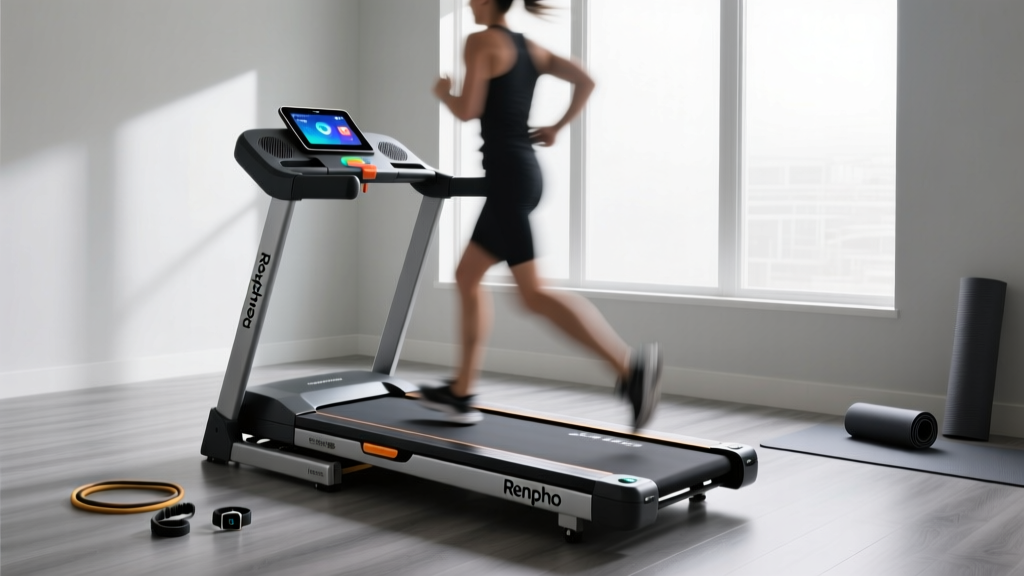
Renpho Smart Treadmill Comparison: Buying Mistakes & Fixes
Compare Renpho smart treadmill features to avoid buying mistakes. Expert troubleshooting for app sync, belt slip, and incline errors on R1 and R3 models.

The Renpho Smart Treadmill Lineup: Feature Comparison Matrix
When evaluating compact cardio equipment for home use in 2026, the Renpho smart treadmill lineup frequently dominates search results due to its aggressive pricing, foldable footprints, and deep app integration. However, merging budget-friendly hardware with smart ecosystems often leads to mismatched buyer expectations and preventable technical faults. Before addressing troubleshooting, it is critical to understand the hardware limitations and feature sets across the primary models to avoid costly purchasing mistakes.
| Feature | Renpho R1 Smart Walking Pad | Renpho R3 Folding Treadmill | Renpho Auto-Incline Model |
|---|---|---|---|
| Motor (CHP) | 1.5 CHP (Peak 2.5 HP) | 2.0 CHP (Peak 3.25 HP) | 2.5 CHP (Peak 4.0 HP) |
| Speed Range | 0.5 - 7.6 MPH | 0.5 - 8.0 MPH | 0.5 - 10.0 MPH |
| Incline | None (0%) | Manual (3 levels) | Auto (0% - 15%) |
| Running Area | 43.3 x 15.0 inches | 45.0 x 17.5 inches | 48.0 x 18.5 inches |
| Max User Weight | 265 lbs (Walking only) | 265 lbs (Light jogging) | 300 lbs (Running) |
| Avg. Price (2026) | $160 - $199 | $299 - $349 | $450 - $550 |
3 Critical Buying Mistakes When Choosing a Renpho Model
Mistake 1: Confusing Peak Horsepower with Continuous Duty (CHP)
The most common error buyers make is looking at the 'Peak HP' marketing number rather than the Continuous Horsepower (CHP). The Renpho R1 advertises a powerful peak motor, but its 1.5 CHP rating is strictly designed for walking. If a user weighing over 200 lbs attempts to run at 7.0 MPH on the R1, the motor will overwork, overheat, and eventually trigger an E02 overcurrent error. According to the U.S. Consumer Product Safety Commission (CPSC), matching equipment specifications to user biomechanics and intended intensity is vital for preventing equipment failure and injury. If you plan to run, you must upgrade to at least the R3 (2.0 CHP) or the Auto-Incline model (2.5 CHP).
Mistake 2: Ignoring the 'Smart' Ecosystem Requirements
Many consumers purchase a Renpho smart treadmill assuming it will seamlessly connect to third-party apps like Zwift or Kinomap out of the box. However, Renpho utilizes Bluetooth Low Energy (BLE) protocols that require specific hardware. Older smart TVs or legacy tablets lacking Bluetooth 4.2+ support will fail to maintain the data stream, resulting in dropped FTP connections and lost workout metrics mid-run. Always verify your display device's BLE capabilities before purchasing for the sole purpose of virtual racing.
Mistake 3: Overlooking Belt Width for Running Biomechanics
The R1 features a narrow 15-inch wide belt. While sufficient for a 2.5 MPH walking stride, running naturally induces lateral sway. A 15-inch belt forces runners to adopt an unnaturally narrow gait, increasing the risk of ankle rolls and joint strain. The American Heart Association emphasizes sustainable, injury-free movement for long-term cardiovascular health. For dedicated running, the 18.5-inch belt on the Auto-Incline model is a non-negotiable requirement for proper biomechanical clearance.
Troubleshooting Common Renpho Smart Treadmill Errors
⚠️ Safety First: Always remove the magnetic safety key and unplug the treadmill from the wall outlet before inspecting the motor hood, adjusting belt tension, or checking internal wiring.Error Codes E01 and E02: Communication and Motor Failures
- E01 (Communication Error): This indicates the display console is not receiving data from the lower control board. Fix: Unplug the machine, remove the motor hood, and locate the multi-pin communication cable. Reseat both ends firmly. If the cable is pinched against the metal frame, reroute it and secure it with a zip tie.
- E02 (Motor Overcurrent/Overload): The motor is drawing too many amps, usually due to excessive friction. Fix: 90% of E02 errors on Renpho treadmills are caused by a dry walking belt. Apply 15ml of 100% silicone treadmill lubricant directly to the deck under the belt. Never use WD-40 or petroleum-based products, which will melt the PVC belt backing.
App Connectivity Drops and Zwift Sync Issues
Users frequently report that the Renpho Health app or Zwift drops the treadmill connection after 10-15 minutes. This is rarely a treadmill hardware fault and almost always an OS-level battery optimization issue.
- Android Devices: BLE scanning requires Location Services to be enabled. Furthermore, you must go to Settings > Apps > Renpho Health (or Zwift) > Battery, and set it to 'Unrestricted'. If the OS puts the app to sleep in the background to save battery, the Bluetooth handshake drops.
- iOS Devices: Ensure 'Local Network' and 'Bluetooth' permissions are toggled ON in the iOS Privacy settings for the specific app.
- Interference: BLE operates on the 2.4 GHz spectrum. If your treadmill is placed directly next to a 2.4 GHz Wi-Fi router or a microwave, signal degradation will occur. Move the router at least 10 feet away from the treadmill console.
Belt Slippage and Tracking Off-Center
If the belt hesitates when you plant your foot (slippage) or drifts to the left/right (tracking), the rear roller tension is misaligned.
Expert Adjustment Protocol:1. Locate the left and right rear adjustment bolts at the back end caps.
2. To fix slippage, turn BOTH bolts exactly 1/4 turn clockwise. Test the belt. Do not over-tighten, as this will destroy the front roller bearings.
3. To fix tracking (e.g., belt moves left), turn the LEFT bolt 1/4 turn clockwise and the RIGHT bolt 1/4 turn counter-clockwise. Run the treadmill at 3 MPH and observe for 60 seconds between adjustments.
Preventative Maintenance Framework for Longevity
To ensure your Renpho smart treadmill survives past its 1-year limited warranty, implement this strict maintenance schedule based on average usage (3-4 hours per week):
| Interval | Maintenance Task | Tools / Materials Needed |
|---|---|---|
| Every 30 Days | Vacuum under and behind the motor hood to prevent dust ingestion into the motor fan. | Shop-vac with brush attachment |
| Every 50 Miles | Lubricate the deck-to-belt interface with 100% silicone fluid. | Silicone lube, Allen wrench (to loosen belt) |
| Every 6 Months | Check console mast bolts. Vibration from running loosens these over time, causing console wobble and wire chafing. | Phillips head screwdriver, socket set |
By understanding the precise hardware boundaries of the Renpho R1, R3, and Auto-Incline models, and by applying targeted troubleshooting to their BLE ecosystems and mechanical components, you can maximize both the lifespan of your equipment and the quality of your cardiovascular training.
More gear to consider
All reviews
Can You Log Treadmill Runs on Strava? Curved vs Motorized Fixes
Bowflex T7 Treadmill & Stationary Bike Types: Space Layout Guide

Under Desk Treadmill Review: Sole Treadmill Service Value

2026 Portable Cardio Trends: Treadmill Speed to Pace Chart Guide

Sprinting Intervals on Treadmill: Beginner Guide & Noise Levels
