Horizon T101 05 Treadmill Belt Maintenance & Lubrication Guide
Master Horizon T101 05 treadmill belt maintenance. Learn exact lubrication intervals, silicone types, and tension adjustments to extend your deck's lifespan.

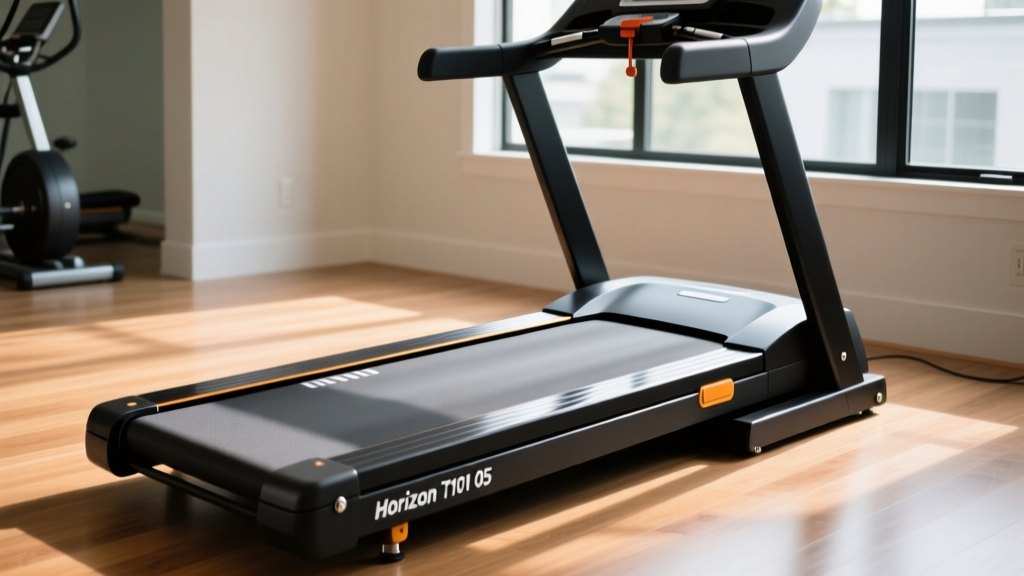
The Horizon T101 05 treadmill remains one of the most reliable entry-level cardio machines on the market in 2026. Featuring a 2.25 CHP motor and a 55-inch by 20-inch running surface, it is engineered for daily walking and light jogging. However, the longevity of this machine hinges entirely on one critical, often misunderstood maintenance task: belt lubrication and tension management. Neglecting the belt-deck interface is the number one cause of premature motor control board failure in the T101 series.
In this comprehensive guide, we will dismantle the common myths surrounding treadmill maintenance, provide exact measurements for belt tensioning, and outline a step-by-step lubrication protocol specifically tailored for the Horizon T101 05 treadmill.
The "Pre-Lubricated" Myth vs. Real-World Degradation
If you read the original owner's manual, Horizon Fitness states that the T101 series features a phenolic wax-coated deck and a pre-lubricated belt, suggesting that no additional lubrication is required under normal use. While this is true for the first 100 to 150 hours of operation, it is a dangerous half-truth for long-term owners.
Expert Insight: The factory-applied wax coating is a dry lubricant that slowly transfers to the belt over time. According to repair diagnostics from the Treadmill Doctor, once this wax layer degrades or is compromised by sweat and dust, the friction coefficient between the belt and the MDF deck spikes dramatically. This forces the 2.25 CHP motor to draw excess amperage, eventually frying the lower motor control board—a $150+ mistake.To maximize the lifespan of your T101 05 treadmill, you must transition from relying on the factory wax to applying a 100% pure silicone liquid lubricant after the first year of ownership, or immediately if you notice the belt feeling "sticky" or the motor housing becoming unusually hot.
Required Tools and Materials
Before beginning maintenance, gather the following specific items. Do not substitute lubricants, as petroleum-based products will destroy the cotton/polyester backing of the T101 belt.
- 100% Pure Silicone Treadmill Lubricant: Must be liquid, not gel or aerosol. (Cost: $12 - $18)
- 3/16-inch Hex (Allen) Wrench: Required for the rear roller adjustment bolts on the T101 05.
- Microfiber Cloths: For wiping away excess silicone and debris.
- Long-handled Applicator Wand: Usually included with premium silicone lube kits.
- Multimeter (Optional but Recommended): For checking motor amp draw if you suspect board strain.
Step-by-Step Belt Lubrication Procedure
Proper application ensures the silicone reaches the high-friction center of the deck where your footfalls strike.
- Power Down and Unplug: Always disconnect the T101 05 from the wall outlet. Never perform maintenance on a live machine.
- Loosen the Belt Tension: Using your 3/16-inch Allen wrench, turn both rear roller adjustment bolts (located at the very back of the side rails) counter-clockwise by exactly three full turns. This creates enough slack to lift the belt.
- Clean the Deck Edge: Slide a dry microfiber cloth under the belt and wipe the length of the deck to remove accumulated dust, pet hair, and degraded wax.
- Apply the Silicone: Lift the center of the belt on one side. Insert the applicator wand and squeeze exactly 0.5 ounces (about half the bottle of a standard 1oz tube) in a zig-zag pattern across the center third of the deck. Repeat on the opposite side. Do not over-apply; excess silicone will sling off the belt onto your walls and floor.
- Redistribute the Lubricant: Plug the treadmill back in. Start the machine at 2.0 MPH. Walk on the belt for two minutes, deliberately stepping on the left, center, and right sides to spread the silicone evenly across the phenolic deck.
- Retension the Belt: Unplug the machine again and tighten the rear roller bolts clockwise by the exact three turns you loosened them.
Tension and Alignment: The "Two-Finger" Rule
A poorly tensioned belt on the Horizon T101 05 will either slip underfoot (if too loose) or choke the motor bearings (if too tight). The industry standard for optimal tension is the "Two-Finger" test.
Checking Tension
With the machine off, reach under the center of the belt and lift it. You should be able to lift the belt exactly 2 to 3 inches off the deck. If it lifts higher than 3 inches, it is too loose and will slip during heavy foot strikes. If you cannot lift it at least 2 inches, it is over-tensioned and will cause premature motor brush wear.
Correcting Belt Tracking (Alignment)
If your belt consistently drifts to the left or right during use, you must adjust the rear roller alignment. The Golden Rule: Never adjust one side without making an equal and opposite adjustment to the other side.
- If the belt tracks LEFT: Tighten the LEFT rear bolt 1/4 turn clockwise, and loosen the RIGHT rear bolt 1/4 turn counter-clockwise.
- If the belt tracks RIGHT: Tighten the RIGHT rear bolt 1/4 turn clockwise, and loosen the LEFT rear bolt 1/4 turn counter-clockwise.
After making adjustments, run the treadmill at 3.0 MPH for 60 seconds to allow the belt to center itself before making further micro-adjustments.
Diagnosing Motor Strain via Amp Draw
One of the most advanced maintenance techniques you can perform on your T101 05 treadmill is monitoring the motor's amp draw. This tells you exactly how hard the motor is working to overcome belt friction.
Using a clamp multimeter around the red motor wire (with the hood removed and extreme caution exercised), you can diagnose the health of your belt-deck interface:
| Treadmill State | Healthy Amp Draw | Failing/High Friction Amp Draw | Required Action |
|---|---|---|---|
| Empty Belt (3.0 MPH) | 2.0 - 4.0 Amps | 6.0+ Amps | Lubricate belt immediately. |
| 150 lb User (3.0 MPH) | 6.0 - 8.0 Amps | 12.0+ Amps | Lubricate; inspect deck for grooves. |
| 150 lb User (6.0 MPH) | 8.0 - 10.0 Amps | 15.0+ Amps | Stop use. Replace belt and possibly deck. |
If your amp draw consistently hits the "Failing" thresholds even after proper lubrication, the MDF deck has likely developed permanent friction grooves. At this point, lubrication is merely a band-aid. Sourcing an OEM replacement belt and deck kit from Fitness Repair Parts will typically cost between $80 and $110 in 2026, a fraction of the cost of replacing the entire machine.
Troubleshooting Common T101 05 Belt Anomalies
1. Severe Static Shocks
If you are experiencing static shocks when touching the handrails, the belt is likely bone-dry, or the grounding wire (a small copper wire running from the motor hood to the frame) has vibrated loose. A dry belt generates massive static electricity through friction. Apply 0.5 oz of silicone lube and verify the grounding wire is firmly screwed into the chassis.
2. Belt Slipping During Sprint Intervals
If the motor continues to spin but the belt stutters or stops under your foot, the belt is either too loose or the front drive roller has worn smooth. First, perform the two-finger tension test. If tension is correct (2-3 inches of lift), the front roller's grip tape/w knurling is worn down and the roller must be replaced.
3. Frayed Belt Edges
Fraying on the left or right edge indicates chronic misalignment or a bent frame. If the belt is constantly rubbing against the plastic side rail caps, adjust the rear roller alignment as detailed above. If the frame was dropped during delivery and is twisted, no amount of alignment will fix the tracking, and the frame must be warrantied through Horizon.
Long-Term Maintenance Schedule
To keep your Horizon T101 05 treadmill running quietly and efficiently for a decade, adhere to this strict maintenance calendar:
- Weekly: Wipe down the side rails and motor hood to prevent sweat (which is highly corrosive and acidic) from dripping onto the deck edge and motor contacts.
- Monthly: Perform the two-finger tension test and visually inspect the belt edges for tracking issues.
- Every 6 Months (or 150 Hours): Apply 0.5 oz of 100% silicone lubricant, regardless of what the original manual suggested.
- Annually: Vacuum under the motor hood (with the machine unplugged) to remove dust bunnies that act as thermal insulators on the motor control board heat sink.
"The most common reason we see entry-level treadmills end up in landfills isn't motor failure; it's a $15 maintenance task that the owner ignored until the control board melted." — Senior Fitness Equipment Technician, 2025 Industry Repair Report
By taking proactive control of your Horizon T101 05 treadmill's belt maintenance, you ensure smooth, quiet operation, protect your home's electrical system from amp spikes, and guarantee that your cardio equipment remains a reliable asset rather than an expensive clothing rack.
More gear to consider
All reviews2026 Automotive Comparison Trends: Electrification, AI Integration, and Structural Shifts in Performance Metrics

Stair Climber Home Setup Guide & FreeMotion Treadmill iFIT Tips

Air Bike vs Assault Bike: Skipping a Dedicated Circuit for Treadmill
Treadmill Sprints Guide: Assault AirRunner vs Sole F85

Elliptical vs Treadmill: Budgets & Treadmill Speed Sensor Location